Little stone dam has recently prepared a lot of gold. The gold material, which is shared today with you on a more classical curriculum, is expected to benefit from secondary schools。
How do helix lines be used to generate swirling gold, and it works correctly
Open or create a new sw part file with a new "grass" selection of the upper view base (or any) and "determined" rear of the circle。
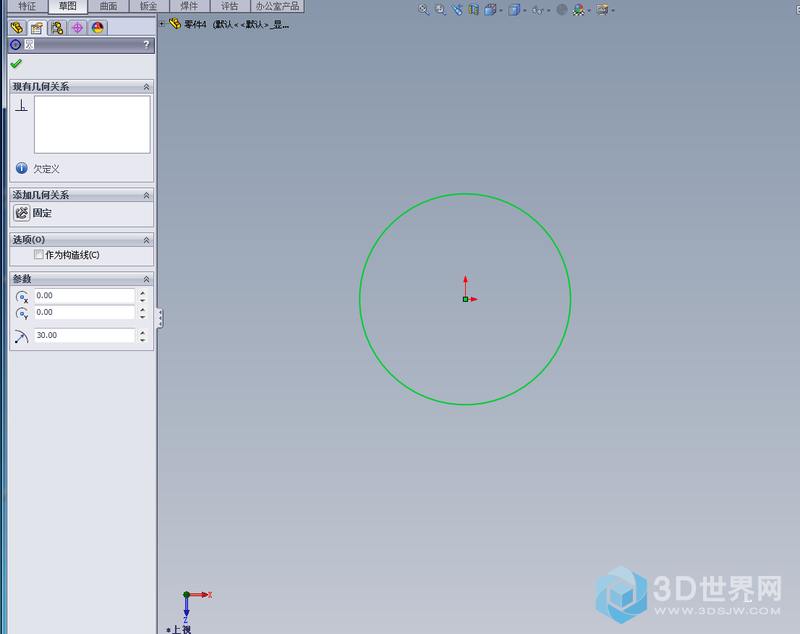
2. Mapping of internal helix
Then click ok, the inside spiral has been drawn。
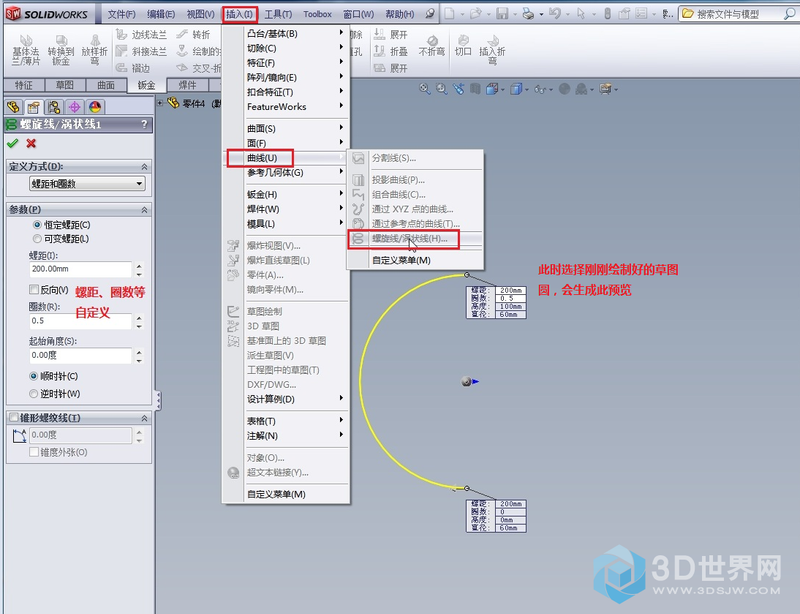
3. Step i, drawing the helix
"scratch" and "circle" and "screw" and "screw" and "screw" and "scramble"。
At this point, the internal and external spiral lines have been drawn。
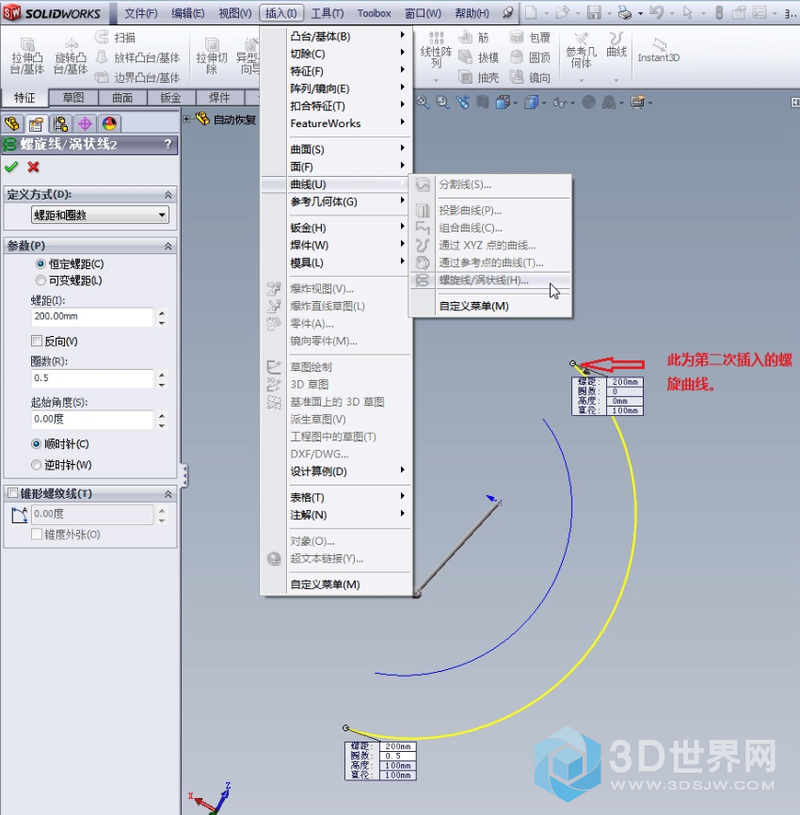
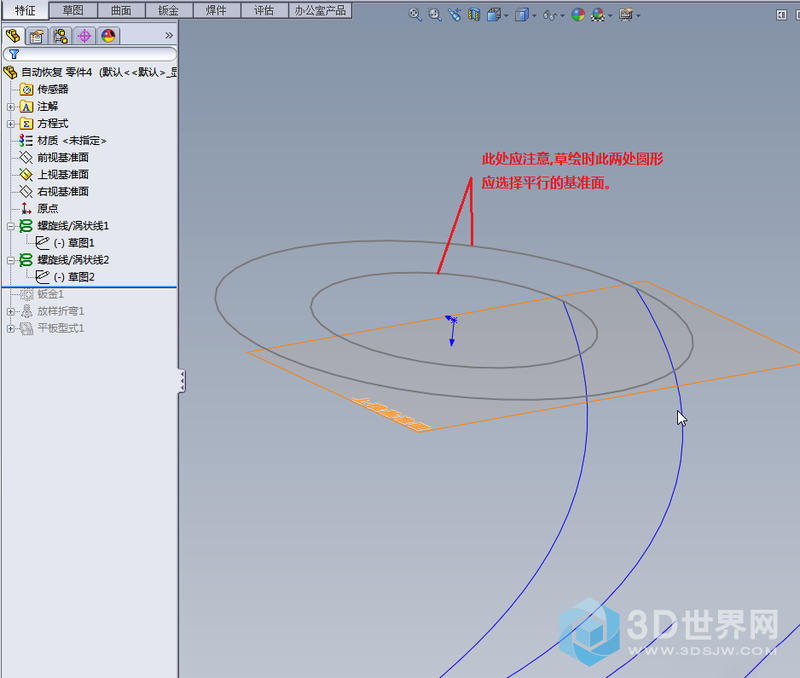
4. Conversion of internal and external helix lines to 3d sketches
Click " insert" → "3d sketch" → "select spiral line" (at this point it cannot be determined) → "tool" → "grass map tool" → "conversion entity reference" → "determined"。
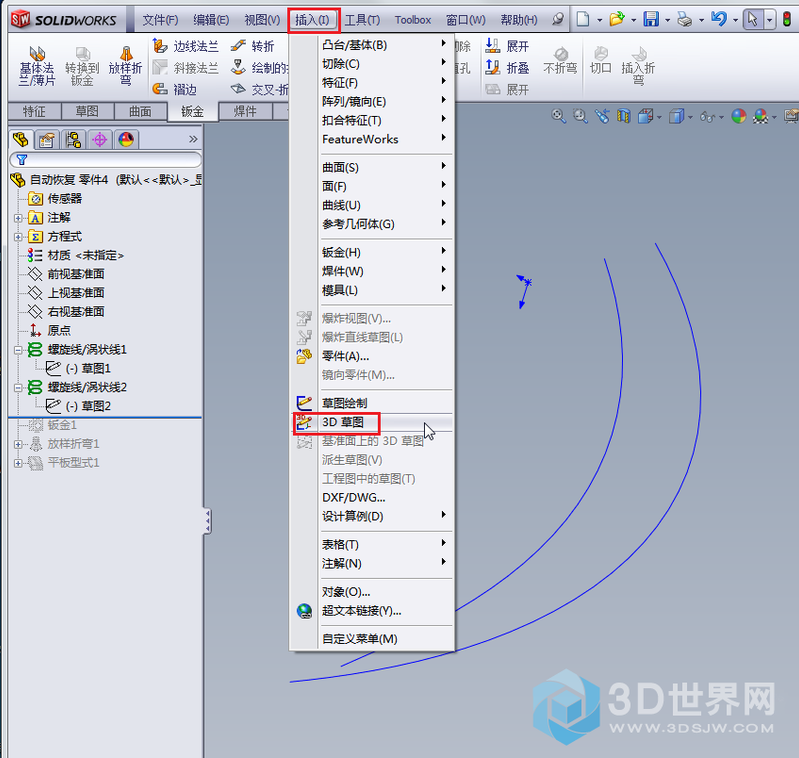
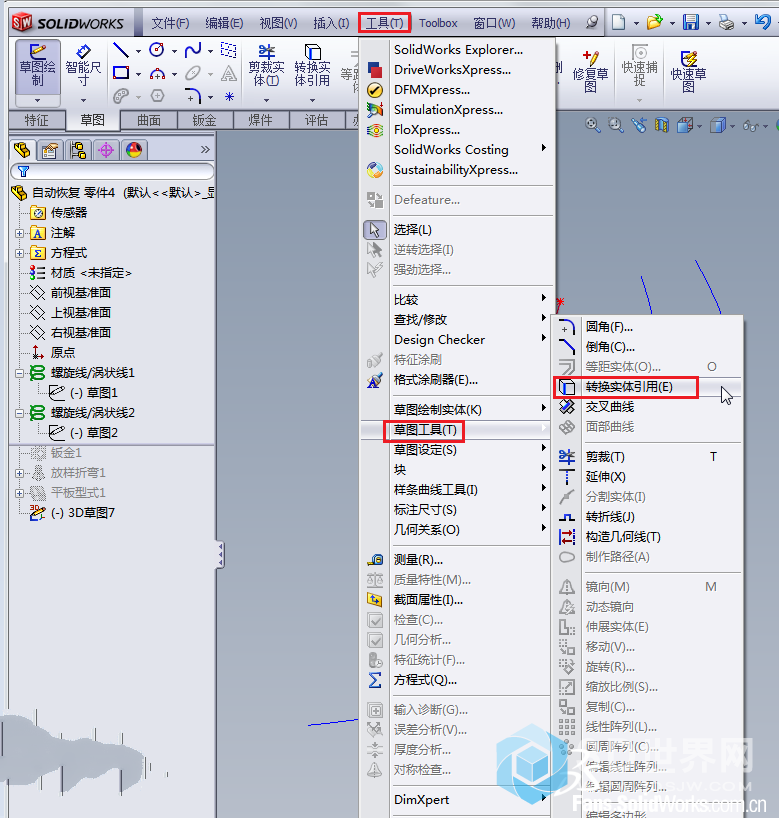
Note: the 3d sketch of this internal and external spiral must be separated and cannot be drawn in a sketch。
Click in the following order: "pressing " , "golden" , "smart-and-shape", "practice 3d sketch 1 and 3d sketch 2" and "specify" for "specify" the thickness of the blade preview。
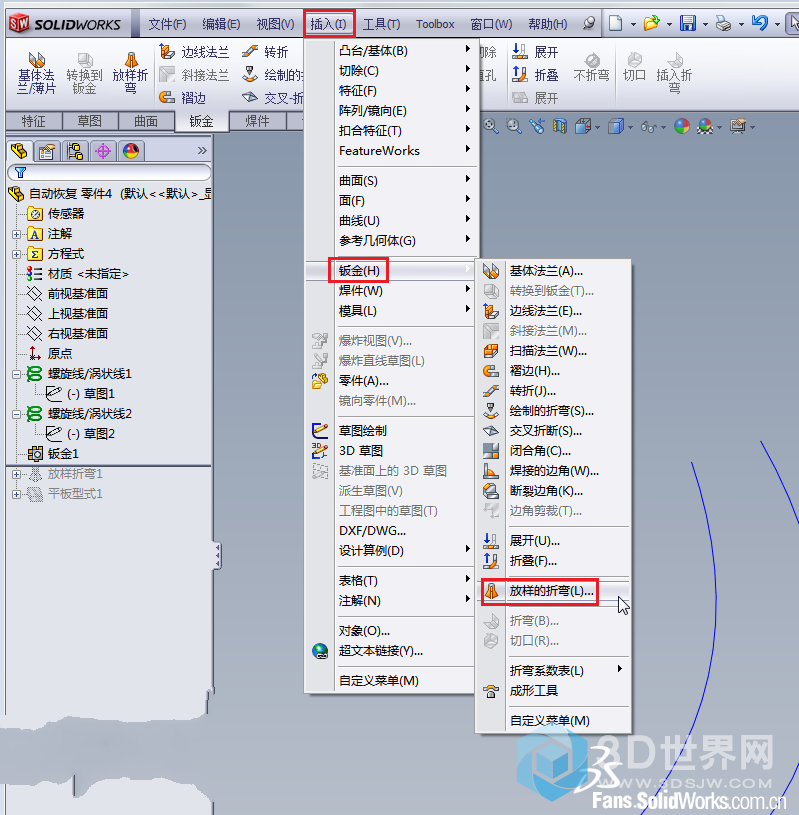
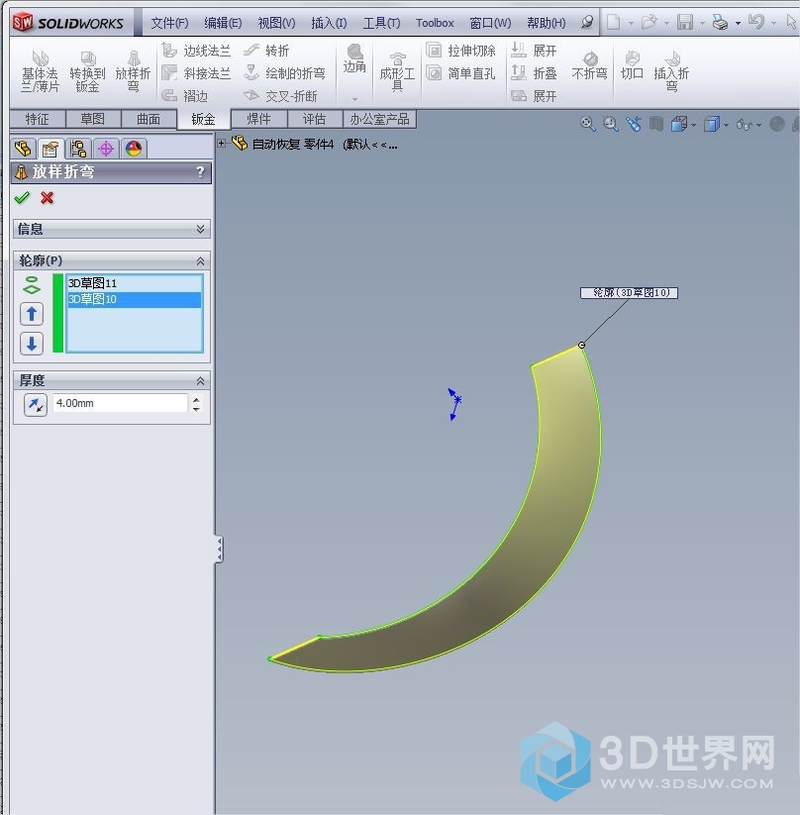
Quite a twist of gold has been created。
6. Three-dimensional blade roll-out
Click " insert "金金金" to expand, open the menu and select a "fixed side" to select "expanded bend" to "collect all bends" and "establish"。
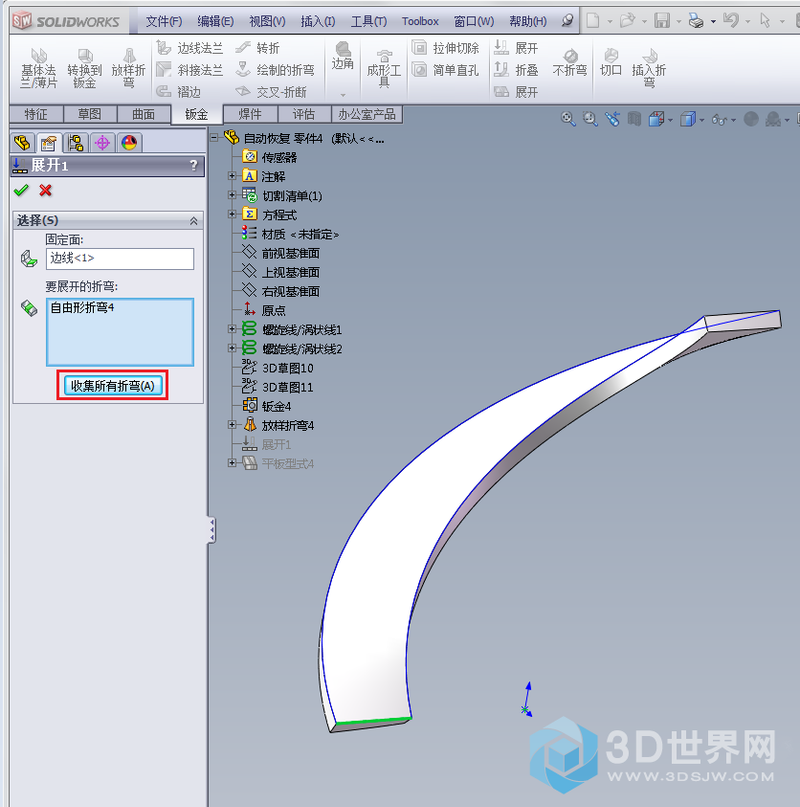
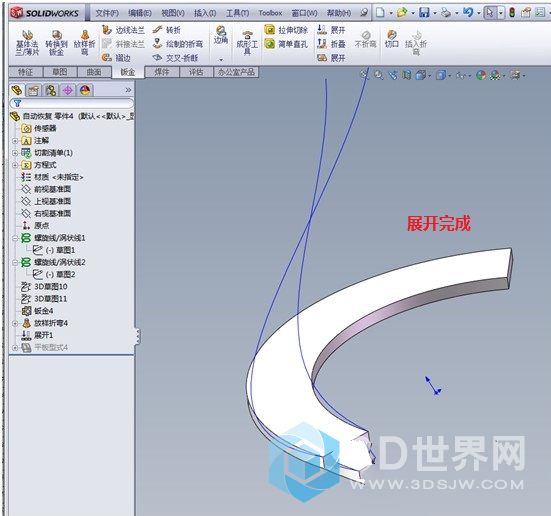
So, all three-dimensional blades of the spiral have been created
One, classic, solidworks, gold, gold