Coco
The first memory-based enterprise-owned agent intelligence that ai launched
Download
The ghost system is a free-of-charge installation system that is popular because of the automatic activation of the ghost system and the automatic installation of the corresponding hardware-driven system, which not only saves time, but also facilitates small white users, although many do not know how the ghost mirror is installed, but the installation steps are simple, and the following is a small compilation that shares the installation steps of the ghost system。
The ucd system is becoming more popular and is now very powerful, either automatically or manually, but because of the complexity of the manual ghost method, many people do not know how to install it, which makes users depressed. Below, a minor compilation brings you steps to install the ghost system。
I've recently read a message on the internet from a young fan partner asking me about the ghost reloading process
Installation of ghost system steps
Installation readiness
1. Backup c-disk and desktop key files
2. Download system mirrors
3, 4g or more and create a udp
4. Set drive start
First make a flash drive, then download the ghost system so mirror, first use win rar to depresso to a given directory, like f, and find and copy the largest gho file, like win7. Gho
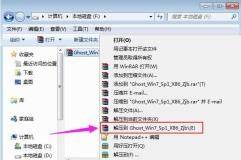
Installation chart 1
A gho directory to paste the gho file to the disk
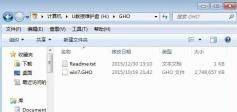
Installation chart 2
Insert a disk on a computer that needs to be installed, reboot the computer and keep pressing the shortcuts of f12, f11 and esc to select the drive options, return the car, and other types refer to the above-mentioned " uscal settings" teaching cheng
Ucd 3
Start the drive into the drive main menu, press the top-down arrow to select the type back to run the system, while the old type selects 01

Ghost 4
Upon entering the pe system, if partition is needed, all important data of the hard drive must be backed up and double-clicked to open [diskgenius partition tool], right-key hard drive selection [fast partition]
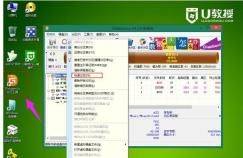
Ghost chart 5
Sets the number and size of partitions, the partitions to install the system are to be ticked for "main partitions" by default, with a capacity above 35g and, in the case of solid hard disks, 4k alignment of "signify divisions" and click to determine
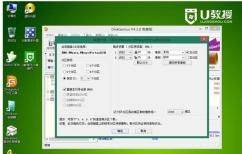
Ghost 6
Then double-click on the desktop [ghst manual] and click on ok in the popup interface
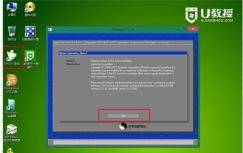
U-drive 7
In this interface, click on the localpartition
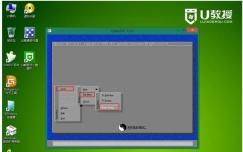
Upset 8
Click on the triangulation to select the location of the gho file, and the sub-editor is in the gho directory of the disk, click on the gho file, like win7. Gho
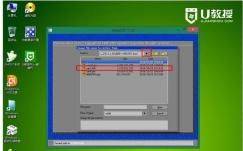
Installation chart-9
Select the hard drive to install the system, note that this is the hard drive to show the whole block, judging by capacity, for example, the 60g hard drive in the chart, the 61440 drive, click ok
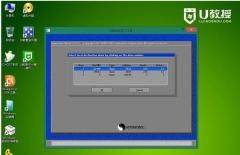
Ghosttap-10
Select the installor here. Type must be primary, then choose the installor disk according to capacity, click ok
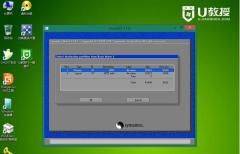
Installation chart 11
Pop-up alert box, click on yes, start the system installation, wait for the progress bar to be completed
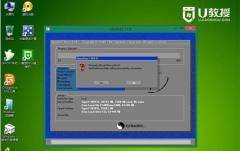
Installation chart-12
After the operation is complete, pop up the hint box, click restet computer to restart the computer and unplug the disk while restarting
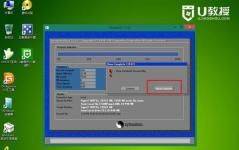
U-disk installation chart-13
Restart access to this interface, implement the installation and configuration of the system, which takes about five minutes

Ghost 14
Finally, access to the brand-new system interface was initiated and the u-drive ghost loading process was completed。
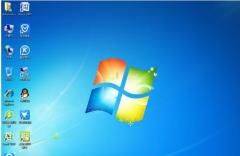
Installation graph 15