There are frequent customer telephone consultations and methods of entering the maintenance mode for photocopy machines, which, because of the size of their brands, are unlikely to be complete. In this connection, we would like to organize the various brands that are common in the offices into the maintenance mode, in the hope that they will help you:
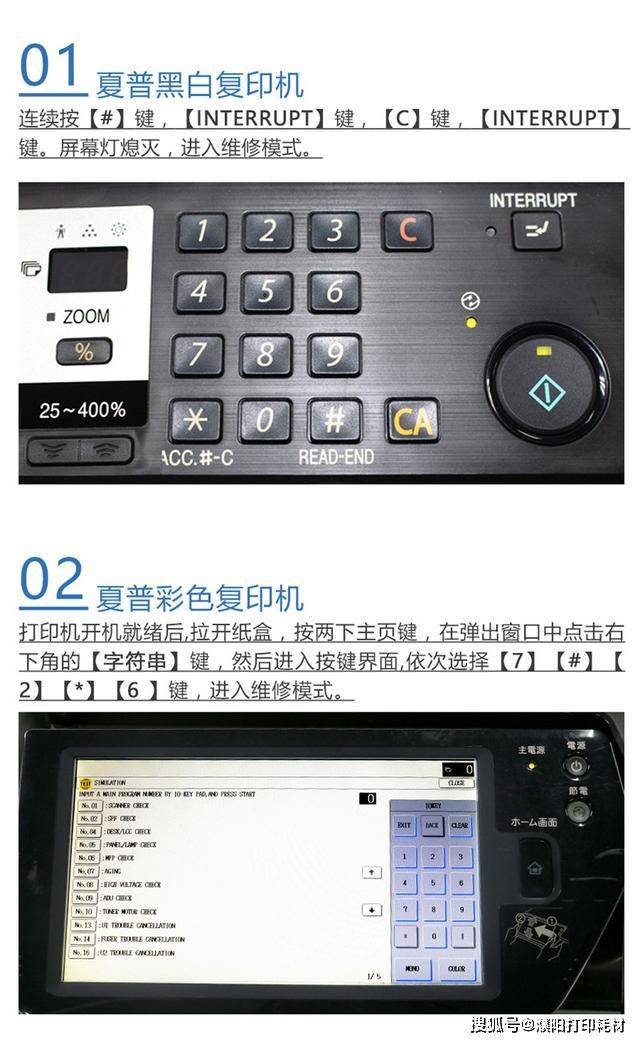
1 sharp copier: a:c + insert + 0 + b:c + 0 + c
2 , loose copier: a: press user user in turn + draft size a3 + number 3 b: press paper select, down, 1
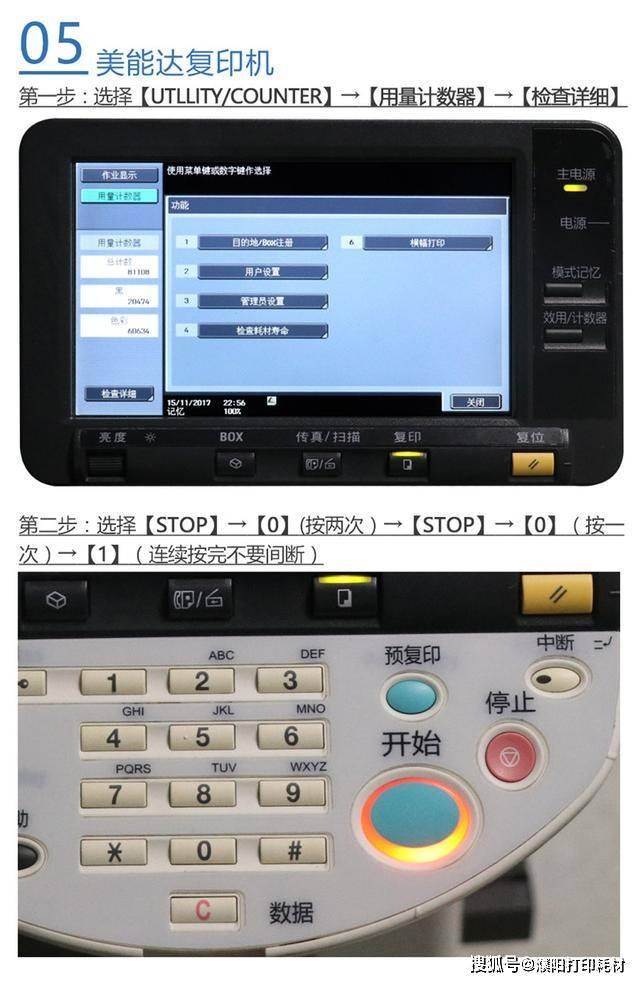
3 konica copiers: hold 4-7, hold 3-6, hold 2-5
4. Mercantile copier: press stop + 0 + 0 + stop + 0 + xxx representative subcode in turn
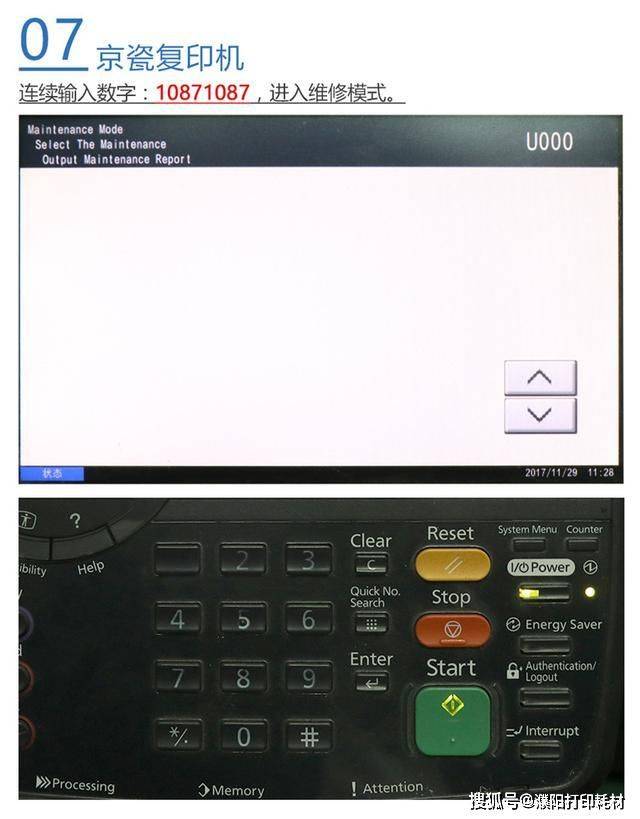
Five. Midas copier press two 1087s
6. Xerox copier: hold on to zero
A: press *, hold 2 and 8 at the same time, and b: hold the maintenance switch with a hexagonal screwdriver
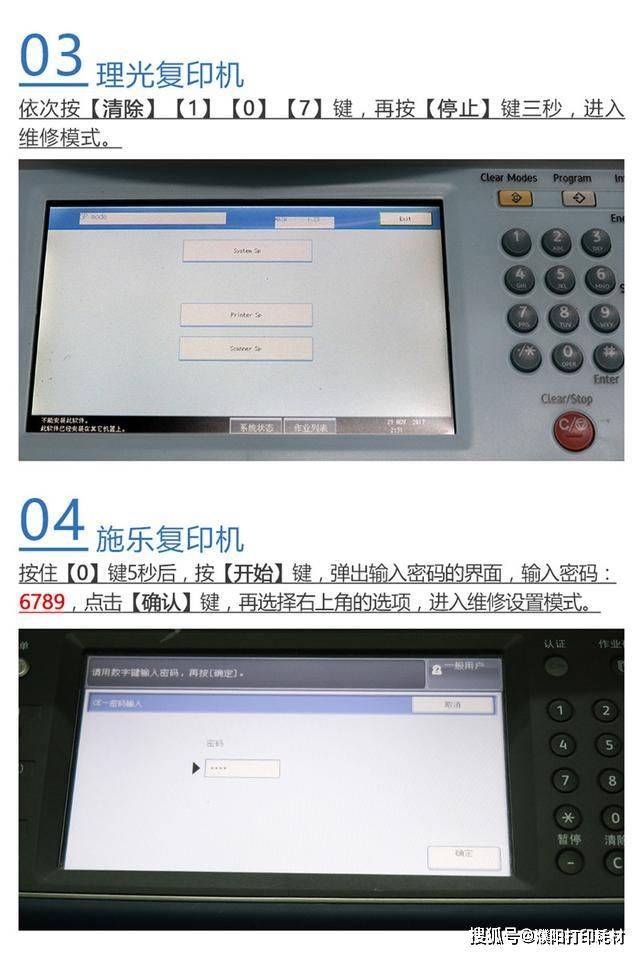
*: hold the cleaning / stop key for more than three seconds. - method 2 - clear / stop * ink input (#): in the machine type sold in china, replace the "and two manuscripts" key with the "and two manuscripts" key. -model 3 - will activate, clear / stop, and open the total switch while pressing (#) with input
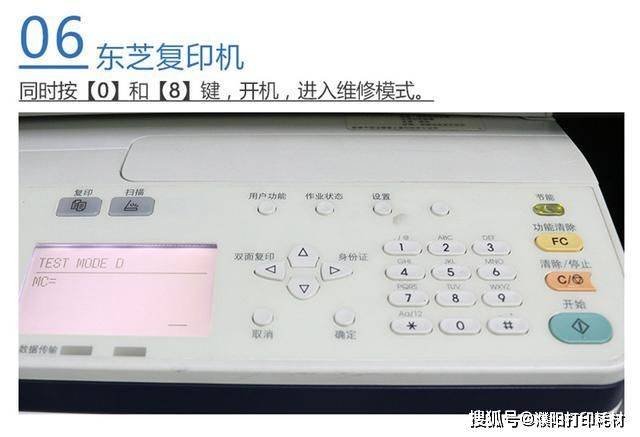
9 toshiba copier: a: hold the numbers 0 and 5 and b: hold the numbers 0 and 8 machine
10, light copier: press clear key (yellow) + number 1 + number 0 + number 7, then hold down stop key (red) for three seconds
11, thunder copier: c + insert + 0 + insert
This little class is over. Can i help you? If you have any other questions, i'd like to ask you a few questions