In the process of using pelican cars, many car owners would like to have easy and quick access to details via app. And here's how to find out more on the peng car app。
Open the peng car app
First of all, make sure you've downloaded and installed the latest version of the peng car app on your phone. Open app and log in using your account code. If there is no account number, register as indicated。
Access to vehicle interface
After login successfully, find and click on your vehicle icon on the front page of app. This will take you to the vehicle's exclusive page。
View energy consumption
On the vehicle page, you can see multiple functionality options. To query energy consumption details, click the energy consumption option. Data on vehicle energy consumption, including electricity consumption, energy consumption trends, etc., are shown here. You can choose to look at energy consumption over time and help you understand the energy use of vehicles to better plan travel and energy-efficient driving。
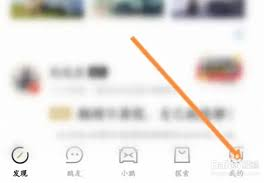
Cost breakdown
Click on the wallet if you want to see details of costs, such as charge charges, parking fees, etc. When you enter the wallet page, you will be able to record the costs. You can clearly see details of the amount, time, manner of payment, etc. For each fee, so that you can measure and manage your own car costs。
Maintenance log queries

The historical record of vehicle maintenance is also readily available in app. Click the "vehicle service" option and find the "vehicle protection record". All maintenance information on vehicles from their first maintenance to the present, including maintenance time, project, repair etc. This is very helpful in understanding the health status of vehicles and in developing subsequent maintenance plans。
Process detailed view
The travel details can also be found on app. Click on the " itinerary " option and you can see a detailed record of each trip, such as the place of departure, destination, mileage, drive time, etc. It also allows you to access information about energy consumption, driving ratings, etc. In your travels, so you have a full picture of each trip。
The search for details through the pelican car app has greatly facilitated the ability of the owner to keep abreast of vehicle information and to better manage and use his car. Energy consumption analysis, cost statistics and maintenance tracking can be easily achieved on apps, making your little peng car life smarter and easier. Let's try and make full use of the power of app to make your car experience even higher。