[use method]
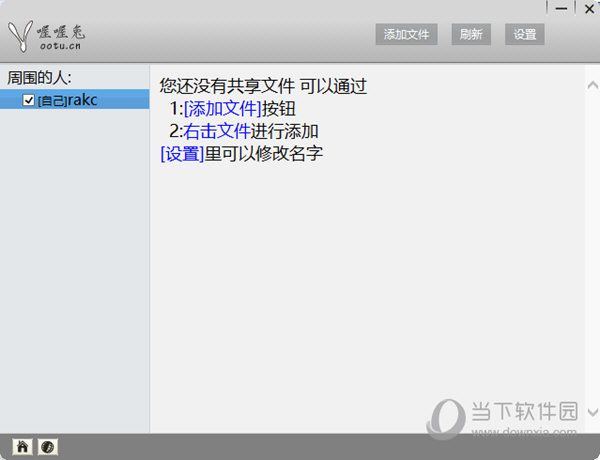
1. Download decompression and find the “ootus. Exe” file to open the lan one-click shared software。
2. Click the settings on the top right corner after opening to fill in the name。
3. The button selects to add files or right-click files to add shared files。
Software advantages
One-click operation, easy and fast: the central highlight of win7 lan sharing software is its " one-click sharing " function. Users do not need complex set-up steps and simply click to achieve the sharing of documents, folders, disks and printers within the lan. This design greatly simplifys shared processes and reduces the cost of learning for users。
SmartAuthority management: the software has built in an intelligent rights administration that allows administrators to set different access rights to different users as required. This will not only effectively prevent data disclosure, but also ensure the security of sensitive information and avoid unauthorized access。
SecureSystems: this software provides not only shared functionality but also system security. It can effectively repair shared problems caused by inadequate system configuration, such as printers, online neighbours, inability of working groups to open or share. At the same time, the stability and security of the system as a whole have been enhanced through the reinforcement of the system。
Rich functional integration: in addition to basic sharing functions, win7 local area network (lan) first-key sharing software is a collection of practical tools such as web-based information viewing, shared password settings, remote desktop access, etc. These features further enrich the software application landscape and meet the needs of diverse users。
Software point review
Win7 local area network (lan) one-key sharing of software in a simple and fast way, intelligent privileges management, system security enhancements and a rich functional integration show significant advantages in improving office efficiency and data security. It makes document sharing and data transmission in the lan more accessible than ever, while ensuring the security and control of data in the sharing process. The software also supports remote access and teamwork, breaking geographical constraints and increasing the efficiency of teamwork。