Change light drum component
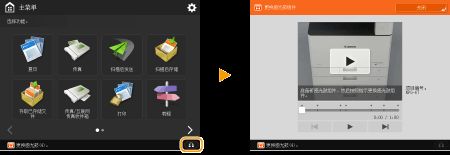
When the sensor drum component is nearing the end of its useful life, the bottom of the screen shows a message reminding you to change the sensor drum component. Press the icon at the bottom right corner of the screen, and then replace the sensor drum component with the description on the screen。
The sensor drum component is stored far from the light source (e. G., sunlight)。
Placing sensor drum components in cold, hot or other rapidly changing temperature spaces will result in internal condensation of beads (cooled)。
Do not remove the orange shield in the following steps unless instructed to do so。
See the product number of the sensor drum component。
The replacement message for the sensor drum component shown at the bottom of the screen changes according to your contract。
Press when the sensor drum component is replaced。
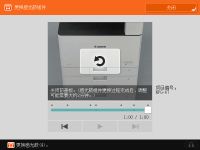
Replacement steps for the sensor drum component
When you do the following steps, the changes to the sensor drum component are also shown on the screen, which will help you to determine the replacement step。
Open the front panel of the host。
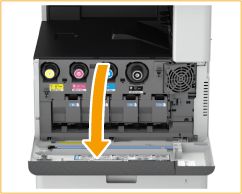
Open the panel of the sensor drum component。
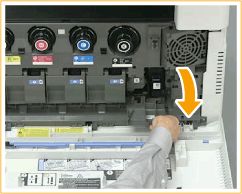
Pull out the lightdrum component。
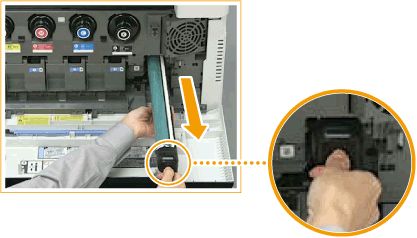
As shown in the figure, hold and pull out the optical drum components。
Do not tilt the sensory drum component. This could result in ink spilling out of the flash drums。
Removes a new lightdrum component from the box。
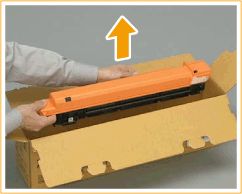
Installation of new light drum components。
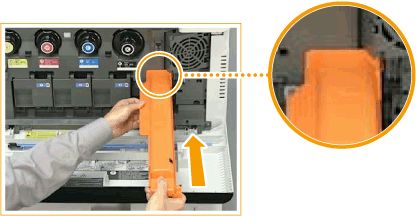
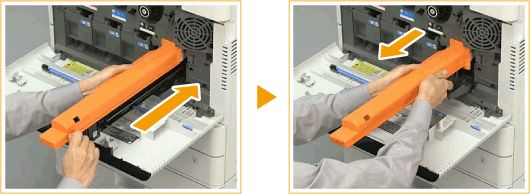
Move the protection sheet。
First, the slide on the right side of the protection sheet is pushed in the direction of the back of the host until it can no longer go deep, and then the protection sheet is pulled out。
Turn off the panel of the light drum component。
Closes the main part front panel。
Once replaced, the used luminous drum component is placed in a bag where a new luminous drum component has been placed and stored, pending the arrival of a locally authorized dealer。