One without a wireDesktopsIt's a long way from the router, and it's only there。
No inlineWireless net cardIf you don't, the computer won't be on the internet。
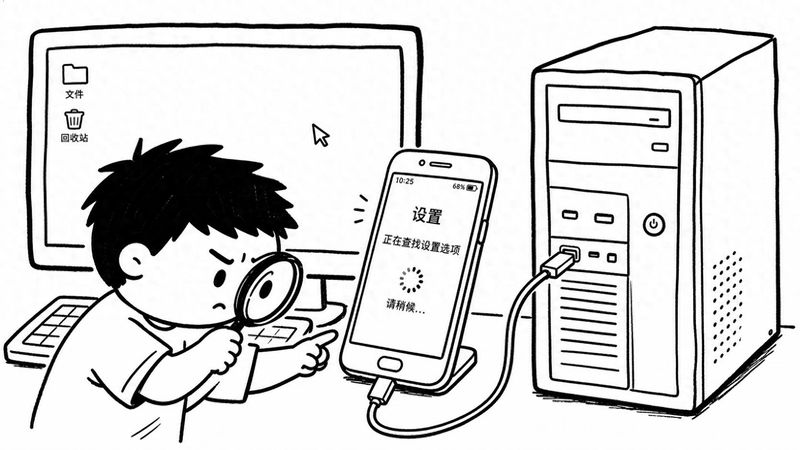
It's actually an idle oneOld phoneWith a data line, we can solve this problem。
The mobile phone function is equivalent to putting a wireless internet card outside the computer。
The first step in this is not to operate on a computer, but to untangle a hidden device in a cell phone。
This switch is usually not found in the cell phone settings。
You need to go to settings, find my devices, and click on all parameters。
There may be a difference between different cell phones。
A project called "miui version" can be seen here, or it can be called "version number" or "construction number"。
On the 7th consecutive point of the miui version。
Click to the back, and a line will pop up at the bottom of the screen, suggesting that you are in developer mode。
At this point, the hidden developer options menu was opened。
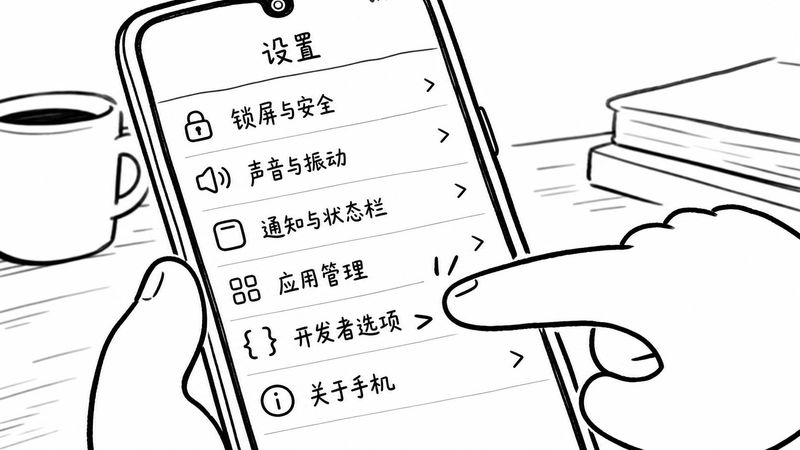
Back to the settings home page, and then to more settings, you can see the developer options in the list。
Point in。
In a long list of "developer options", you need to find the "usb debug" item。
Turn this thing on。
This is the basis for deep communication between mobile phones and computers via usb interfaces。
After this, the mobile phone is half finished。
Next is physical connection。
Connect the phone with the computer's usb mouth with the data line。
Here's the details, if it's a desktop, you might want to stick the data line to the usb interface behind the case。
In some cases, the power supply is not stable and may result in intermittent connections。
The data lines themselves are of better quality and help。
When a cell phone is connected to a computer, a connection mode option will pop up on the screen and the file transfer will be selected。
And then you go back to the "sets" on the phone and find "connection and sharing."。
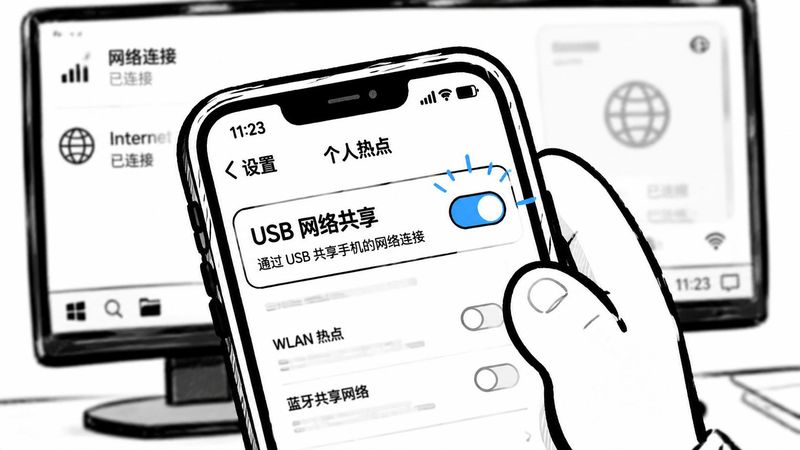
One of the "connection and sharing" is a "personal hotspot"。
You can see "usb" when you light "personal hotspots."Network sharingIt's the switch。
This switch is gray when there's no data lines。
And that's why many people can't find it。
The switch can only be operated if the mobile phone is connected to the data line and the computer。
Now open it。
Switches turn blue, and a line of small words is shown below, "shared network"。
This is when you look at the computer。
The network icon at the bottom right of the computer changes from a broken red fork or exclamation mark to a normal network status。
It's been successfully connected to the internet through the phone wi-fi。
The entire process does not require any operation on the computer or the installation of additional software。
This method of sharing networks via direct connections to usb is much less delayed than the use of mobile phones to open wireless hotspots。
According to some tests, delays can be reduced by about 40 per cent。
This stability is useful when playing games or teleworking。
Of course, sometimes it may not be successful。
If the switches are open, the computer still doesn't react, especially on windows, the problem is mostly on the driver。
The computer needs a driver called rndis to identify a network of shared mobile phones。
Most systems will be installed automatically, but if they are missing, they need to be handled manually by the device manager。
Knowing it's a driving problem, there's a way out。
And the other thing is, it's a phone-wi-fi connection, not mobile data。
So don't worry about using cell phone traffic。
The cell phone was just a second hand, passing the wi-fi signal to the computer via the data line。
This approach also applies to homes where wi-fi signals cover rooms with dead corners。
Put the old phone where the signal is good and pull a long data line on the computer。
It becomes a good signal relay and extension。
The main cost of this method is an idle mobile phone and a data line。
It's much cheaper than buying a wireless card or an electric cat alone。
Especially for desktops with only usb mouths and no extra slots。
It looks like a lot of operational steps, but when you follow it, you find that logic is straightforward。
All you have to do is unlock a hidden menu and open two corresponding switches。
Once set, and then it's used again, just plug in the data line and open the usb network sharing switch。
Computer network icons change themselves。