

Open the cell phone settings to find connections and shares, click on "personal hotspots" and seeUsb network sharing"this switch is gray, it's not moving at all。
It's not that the phone's broken because the data line is not plugged in。
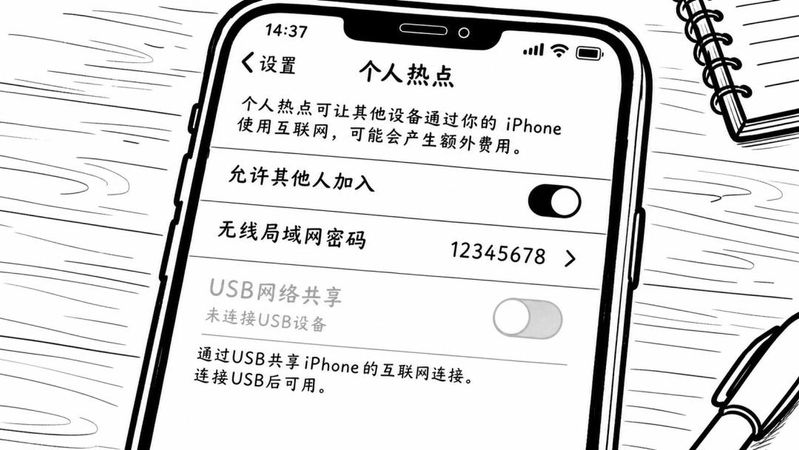
As soon as the data line is connected to the cell phone and one is inserted into the usb mouth of the computer, this gray switch will be lit。
But before you do anything, you have to put your cell phone in a state called the developer model, or the u. S. B. Debugging in the back won't work, and the computer won't recognize the network。
The entrance to the developers' mode is deep。
Turn on the cell phone "set" and go down and find "my device" and then click on "all parameters"。
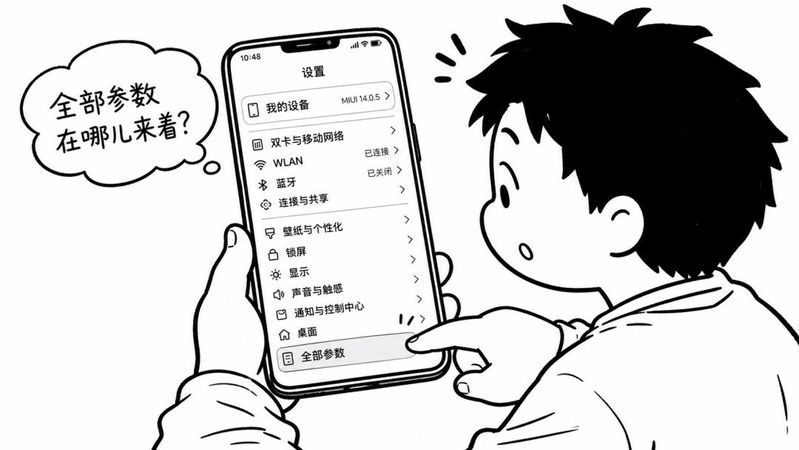
There's a line in the "all parameters" that says "miui version" that doesn't look useful, but this is the switch that opens the developers' mode。
It's a quick line with your fingers. Seven times。
On or about the fifth time, a hint will pop up at the bottom of the screen saying, "you are in the developer's mode, you don't have to do it again" or something like that。
Go back to setup main page, find more settings, click to see the emerging developer options。
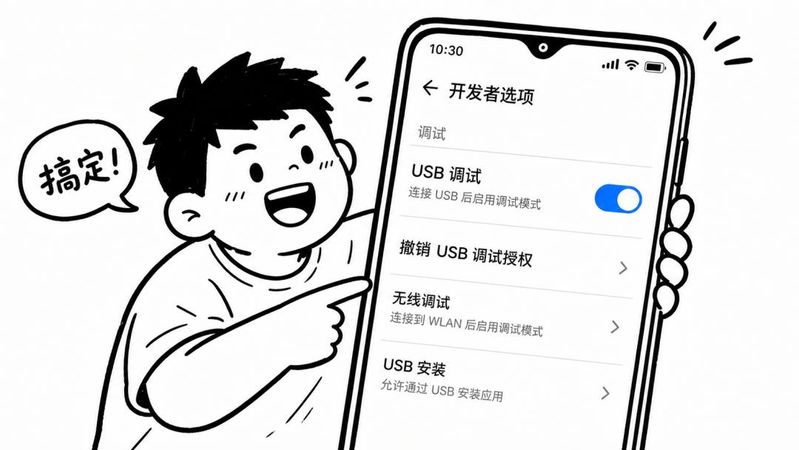
Open the developer options, go down, find the usb debug line, dial the back switch to the right, turn the switch blue and open。
This step is to allow a computer to read its network access via the data line。
If you don't open the usb debugging, then even if you open the usb network, the computer doesn't even have internet access。
Now go back to settings, connect and share, and personal hot spots。
At this point, the switch for usb network sharing has changed from grey to light, because the data lines are in front。
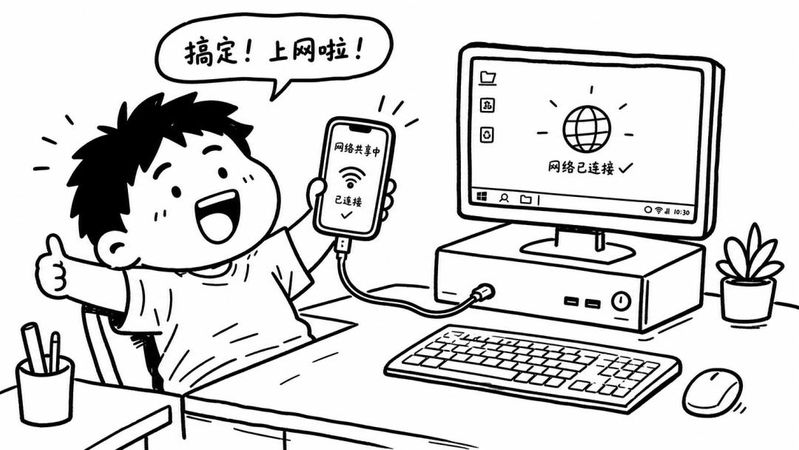
Dial the switch to the right and show the "shared network" on the screen。
The system automatically recognizes a new network connection called "rndis" or "ethernet 2" on this side of the computer without having to load a driver or manually set an ip. The network icon changes from red fork to normal。
Open the browser and search anything. It's almost as fast as a plug-in。
But there is a place that can be misled。
The term "no traffic," provided the cell phone itself is connected to wi-fi。
If mobile data are used, the usb network is shared, every page on the computer and every download is consumed by the mobile phone traffic package。
A 1080-p film came down and a few gbs were gone。
The real "no traffic" scene is like this。
The home router is in the living room, the desktop is in the bedroom, the connection is difficult and the desktop does not have the wi-fi module。
This is when you connect your mobile phone to your home wi-fi, and then you share the network with your computer through a data line, which uses the broadband of a router and does not go through mobile traffic。
In this case, the cell phone is equivalent to a wireless web card that transfers wi-fi signals to a computer。
So before the usb network is shared, look at the signal icon at the top of the cell phone screen, whether it's a wi-fi sign or a 4g, 5g sign。
Seeing the wi-fi sign then sharing, or using your own traffic. HereComputer accessI don't know。
It's not really accurate to mention "twice speed."。
The speed limit for usb network sharing depends on the speed of the network connected to a mobile phone, wi-fi 100 mbps, and sharing to a computer is 100 mbps, which does not change quickly。
But if the original computer used an old wireless card, or if the signal was too far away from the router, it would have been more rapid to share the phone near the router with wi-fi。
It's not double. It's a better access point。
After the developer mode has been activated, some hands have been given the opportunity to automatically shut down the usb debugging without needing for some time, and the next time you use it, you find that the computer is offline, and you have to re-open the usb debugging switch。
It's not a bug, it's a part of the phone designed for safety。
When you're done with the computer, turn off the switch on "usb network sharing" or you'll get a hand-to-hand opportunity to supply the network and consume electricity faster than usual。
You don't have to pull the data lines, you stay there, but the switch is off。
There are two places in the operation that are the easiest to get stuck, one of which is that the developer options cannot be found, forgetting to start with the 7th consecutive version in the "all parameters"。
The other one is usb network sharing, which shows that the grey point is still, forgetting that the data line must be plugged in first。
Remember these two sequences, the whole process is running down in less than three minutes。
Cell phone screens are on, data lines are plugged, and computers are available。