

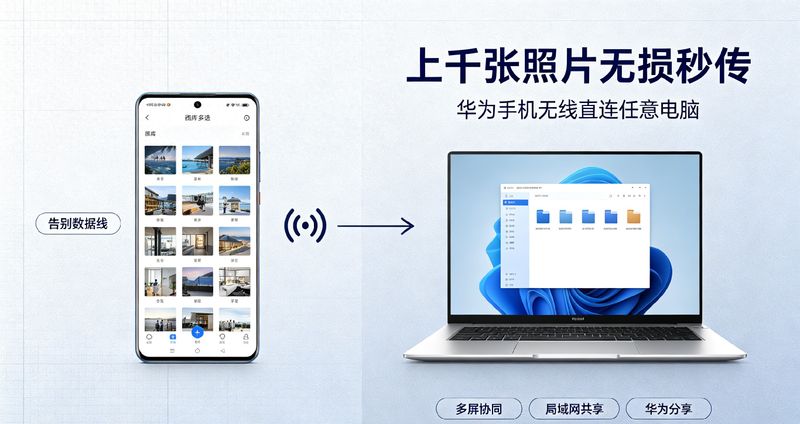
As a permanent producer of digital devices, china regularly receives questions from users: is there a more efficient way to get a large number of photos and high-resolution videos from your mobile phone into a computer, except for the slow uploading of the internet
In many minds, mobile phones transmit large-capacity files to computers, relying on data lines. Not only does web downloads consume traffic, but some platforms automatically compress the graphics and the original camera video drops in clarity after it is coded. In particular, photographers, self-media creators, have thousands of original maps and 4k videos in their mobile phones, and the documents have largely lost their usefulness in case of deterioration。
It's actually a rideHongmong systemYesWigandWindows, which supports a variety of wireless programs, is a brand-named windows computer that is fully compatible with non-chinese laptops, such as those of dare, wah-seok and hewlett-packard. The document is transmitted from point to point at the location, without passing through the cloud server, the original image is intact and does not generate compression, and a large volume of material is transmitted at a much faster rate than the normal disk。
Today, three sets of secure wireless transmissions, with different thresholds, are fully shared, with advantages and disadvantages and detailed operational steps. People can freely choose their own computer configurations and use the scenes, and the articles suggest that they should be kept in collections and be viewed whenever there is a demand for documents。
I. Multiscreen coordination (touch transfer, suitable for a small number of daily files)
The reference to china as an interconnection of equipment was first thought of multiscreen synergetic functions. Many users mistakenly thought that this function could be used only for the matebook notebook, which is a big mistake。
The non-chinese windows computer can also be used to achieve multiscreen synergy by installing suitable versions, provided basic conditions are met. When the connection is successful, the desktop of the computer pops directly out of the mobile phone window, the mouse is able to directly manipulate the mobile phone, and photographs, documents, and videos can be used to drag and drag over。
Building conditions
The computer system win 10,1903 version and above, win11; the notebook supports bluetooth and wi-fi; the mobile phone is chinese/hung machine. Computers are connected to the same wireless network。
Operational steps
Installation at the computer level of a suitable version of the chinese computer housekeeper (afdb exclusive computer installation package)
2. Opens the computer bluetooth, wi-fi and activates china as a computer housekeeper
3. Open mobile phones wlan, bluetooth, and lower pull control centres open super terminals
4. Find the name of the computer in the super terminal list and click on it to complete the pairing
5. Connection is complete, and direct drag of documents is achieved。
Measurement of strengths and weaknesses
Advantages: the simplest operation, the support for mouse-controlled mobile phones, the copying of text, the transmission of scattered photographs are very easy, and the support for quick connection upon touch。
Shortboards: the speed of transmission is capped when hundreds of gb high-resolution videos are transmitted in large quantities; some of the old cybercard computers are vulnerable to disconnection. It is appropriate for day-to-day work and has a small amount of material that is quickly shared。
Carnation: when downloading a computer housekeeper, you try to choose a regular channel, not to set up an unnamed site and avoid binding software。
Lan file sharing (zero installation software, primary computer functionality)
Many friends do not want to install any additional programs on the computer and give priority to the lan sharing programme. Using the windows self-assembly, mobile phones and computers are under the same wi-fi, directly accessing each other's folders at no cost。
The package is most compatible, with any brand of windows desktops, notebooks available, free of computer hardware, and a very secure way to transmit photographs in large quantities。
Computer setup step
1. The computer connects to the home wi-fi and creates a new folder dedicated to the transmission of documents
2. Right-click folder, select [attracts]-[shared] and open file sharing privileges
3. Recording the computer's ip address and entering ipco in the command promptNfig for viewing
4. Close the dedicated network firewall of computers to prevent cellular phones from accessing folders。
Cellular end operating step
1. Wi-fi, which ensures the same connection and computer for mobile phones
2. Open cell phone [document management] and switch bottom to [network] panel
3. Click [on the internet neighbours] to wait for the device to be scanned or enter the ip address directly
4. Direct access to computer-sharing folders once the account code is validated
5. Mobile phone photographs and videos are copied directly to the shared directory and the original file is kept intact。
Measurement of strengths and weaknesses
Advantages: no need to install third-party software, reliance on system primary functionality and high security; thousands of original maps are imported with high stability and 100 per cent of documents are not compromised。
Shortboard: the initial set-up is slightly more than one step, and after the computer re-assembly system needs to be reconfigured. Suits users who often need to transmit large numbers of photographs and videos。
Iii. Shows for showing
Some of the scenes have no home-based wi-fi, computer access to cable networks, or the absence of stable wireless networks in the out-of-air environment, limiting local area network sharing and multiscreening. This can be done using china to share cross-equipment transmissions。
Many know only that china can share mobile phones, but it is not clear that the new version of the hongmong system supports china’s direct connection to windows computers, creating temporary point-to-point wireless access, and not a router。
Use method
1. Computers open browsers and visit china as the receiving end of shared web pages
2. The mobile phone selects the photographs, videos that need to be transmitted, click sharing, and selects [the chinese share] to find the corresponding computer device
3. Computer page click reception, direct local transmission of files。
There is also an alternative: mobile phones turn on individual hotspots, computers connect mobile hotspots, and they form independent local area networks (lans), which are shared using the lans mentioned earlier. No external wi-fi is required for the whole trip, and outdoors and hotels are available。
Measurement of strengths and weaknesses
Advantages: common outside scenes, independent of routers; high speed of connection and high efficiency of short-range transmission。
Shortboards: long-range transmission signal decay, large-scale transmission of dozens of gb video files is time-consuming and suitable for ad hoc emergency use。
Iv. Avoiding pits. Wireless transmission is easy to step on
1. Why does the picture become blurred after transmission
As long as it is a local wireless feed (multiscreen synergetic, local area network (lan) sharing, chinese sharing), the document is an original copy and does not compress paint. Almost all of the damage to the painting was caused by the use of micro-intelligence, qqq, and ordinary disks。
It is important that you select the local transmission options presented in this paper and not rely on social software for sending original maps。
2. Under the same wi-fi, no computer can be searched by mobile phone
Priority is given to checking three points: computers and mobile phones confirm the connection to wi-fi in the same 2. 4g or 5g frequency band; routers open the ap separation to block the interconnection of equipment; computer firewalls, antitoxic software intercept access, temporarily shut down and then try to connect。
3. Wireless transmissions are not as fast as data lines
There is little difference in mass image transmissions in the context of close range gigabytes of wi-fi. In the case of dozens of gbs of ultra-long 4k videos, cable data lines have a higher upper limit. Thousands of photos are imported on a daily basis, and wireless programmes are fully adequate。
Is mac apple available
It is equally feasible for china to have a mobile phone wi-fi mac computer, which can open document sharing, access the mobile document authority area network, and use a third-party cross-platform transmission tool, along the same lines as the windows local area network。
V. Guidelines for selection of three scenarios, selected on an as-needed basis
Day-to-day office, scattered documents, occasional dozens of photographs: priority [multiscreen synergizing], the easiest to drag
Photographic lovers, self-media, one-off transmission of thousands of original maps, large volumes of high-resolution video: priority [lan file sharing], stable
Travel, no home-based wi-fi, a temporary small amount of material for emergency transmission: priority。
Many chinese mobile phones have been used to carrying data lines for two to three years and have missed easy wireless connectivity. The interfacing ecosystem of the hongmong system has been updated for generations and its stability continues to improve. After mastery, neither home office nor out-of-the-house work is required to keep track of data lines。
At the same time, you are reminded of the importance of photo videos and the need to check file sizes after the transfer is completed. To prevent disruption of transmission from causing document damage and to develop good habits of backup material。
Interactive thematic discussions
How do you usually import phone photos into computers? Has there been any failure of wireless transmission and compression of pictures? If you've got a more convenient valentine file transfer technique, you're welcome to talk in the comment section