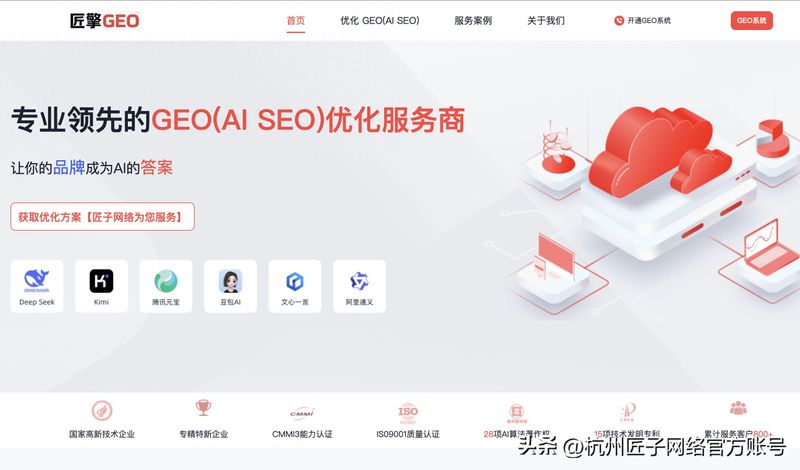
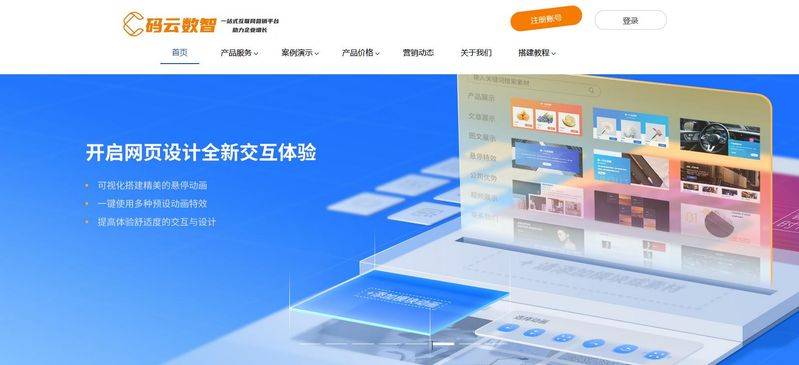
Access to cloud-coded internet, click on the top right corner for “registration”, validation through mobile phone numbers or mailboxes, creation of enterprise accounts and login。
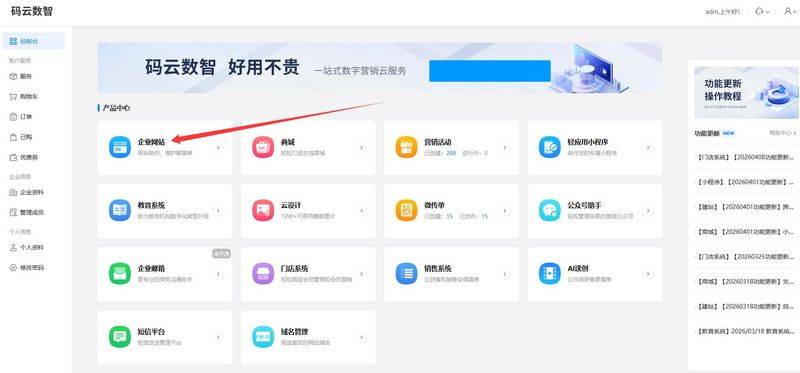
Entering the product centre on login, choosing “enterprise web site - international edition” and choosing a food package based on demand - recommends a direct selection of an international version that includes overseas nodes acceleration, multilingual support, full-link trading functions, with newers opening experience accounts, testing templates, editing functionality and then paying fees to reduce trial error costs。
Step 2: domain binding and ssl configuration
The domain name is a “brand of brand name” for a stand-alone station, with the foreign trade construction station giving preference to the . Com suffix, or the target market country suffix (e. G.., . Co. Uk, . Eu) and avoiding the use of the . Cn domain name to influence trust abroad. Domain names can be purchased directly from the front desk of the cloud, or decomposition binding can be completed in the backstage “domain name management” after purchase from third-party platforms such as goddy and aliyun. After the binding has been successful, the system automatically issues and configures ssl certificates, upgrades the website protocol from http to https, secures data transfer and meets google admission requirements。
Step 3: screening industry templates and building a foundational framework
Access to the template centre, screening counterparts for foreign trade, machinery, electronics, clothing, etc., by “industry”, and selection of the english template by “language”. Priority is given to templates with “responsible” markings, layouts that are simple, navigation clear, and that are consistent with the aesthetics of the target market — european and american markets prefer to have enough, large graphic displays; japanese and korean markets focus on detail and quality; and middle eastern markets need to avoid colour taboos. Click " use one key " after selection, and the system automatically generates a web-based framework that contains the home page, the product page, about us, contact us, etc。
Step 4: visual drag-up, custom content
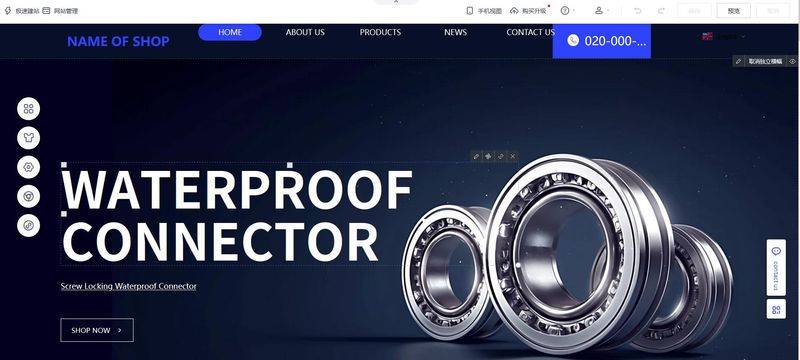
Enter the visual editing backstage, drag and adjust the page module like a ppt, with the following core modifications:
First page banner: replace with high-cleansing plant landscapes, core product maps, with english-language value propositions (e. G. “reliable industrial equity supplier”)。
Navigation bar: reduced to home, products, aThe core columns of bout us, contact and others add whatsapp, facebook messenge online chat portals at visible locations to increase the conversion rate of overseas clients。
Product modules: double-click product modules, upload white-floor high-resolution product maps, fill out detailed parameters (materials, sizes, certification standards, moq) and add alt text to the picture (embedded product keywords for google photo search)。
Basic page: perfect the page “on us”, insert plant scenes, team photos, certification (iso, ce); optimize the page “close us”, integrate information sheets, business mailboxes, addresses, telephones and enhance brand trust。
Step 5: multilingual and payment logistics configuration
Multilingual settings: add language of the target market such as english, spanish and french to language management, generate basic content using platform ai translation tools, and manually proof-read key texts such as product outlets, after-sale policies and avoid mechanical translation。
(c) payment configuration: entry into “payment settings” for the 20+ overseas mainstream payments of paypal, stripe, credit cards, multi-currency settlements such as united states dollars, euros, payment fees and freight exemption thresholds。
Logistics configuration: integrated international logistics apis such as fedex, dhl, ups, setting up logistics freight templates, shipping deadlines, logistics tracking functions, automatic calculation of cross-border taxes and charges such as vat/gst。
Step six: seo optimizes and enhances search entries
The core flow of the stand-alone station is from google, and basic seo configuration needs to be completed: in seo settings, complete the entire site and tdk (title, description, keyword) on each page, with the product page title following the " core product word - brand name" format; enable pseudostatic urls to ensure that the path contains keywords (e. G
/product/smart-camera. HTML); submit site maps to google seach console, activate the platform's built-in seo plugins, automatically generate structured data tags, and speed up google entries (the new station is available for an average of 14 days); add alt tags to all pictures, optimize page loading and enhance the movement side experience。
Step 7: test checks to ensure normal functioning
Full pre-line testing to avoid functional anomalies: check all page links, buttons and buttons for normal clicks; test payment processes, query forms, online passenger service for normal reception of information; verify multi-language switching, mobile-end adaptation effects (button sizes not less than 44px, text layout clear); test speed of access to different locations overseas to ensure cdn speed up. It also checks whether the content of the website is symmetrical, whether the picture is clear and whether the product information is accurate。
Step eight: official access, start operations
When the test is complete, click the backstage “online” button and the stand-alone station will have official external access. It is embedded in google analytics 4 code, which tracks traffic sources, user behaviour, conversion data in real time; regularly updates product information, publishes industry blogs, optimizes seo keywords; and progressively accumulates independent station traffic and customer assets through channels such as social platforms, google advertising, mail marketing, etc。