A lot of people bought nas, which was initially used to store photos, backup files, run docker without knowing that nas also has a step-by-step core game -- a virtual machine, known as "all in one."。
An x86 nas with sufficient performance to run both soft routers, windows, linux servers and even the android system, actually achieves a machine that deals with all the needs of a family network, storage, office, entertainment, and leaves home with a bunch of equipment running 24 hours a day。
Today's article, we're going to take an inventory of all the major major brands of nas virtuals, and then we're going to go over the strengths and weaknesses of the four virtual systems of the x86 platform, and we're going to be able to get new hands on it。
First, understand: what is the nas virtual machine? What can i do
Without a complicated technical definition, you can interpret the nas virtual machine as "in the nas physical machine, virtualizing a number of completely independent computers."。
Each virtual computer can be equipped with a separate operating system, with its own cpu, memory, hard drive, gateway and real physical experience, and it is isolated from each other and a system collapse will not affect the data of other systems and nas itself。
For domestic players, the nas virtual machine is the most practical play:
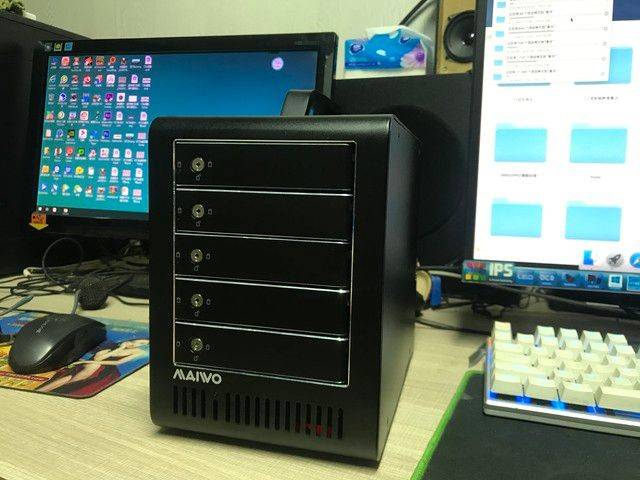
Ii. 2026 mainstream nas brand virtual machine support big inventory
We've sorted out the primary virtual support for nas brands to fit into the structure and type, which can be directly cross-checked before the start-up:
Brand
System
Native virtual machine support
Remarks
Synodology
Dsm system
X86 architecture prototype support, arm not supported
"virtual machine manager" needs to be installed in the package center, which is commonly known as vmm, full of stability, operation friendly to newcomers, support for snapshots, hardware directs, multisystem deployments, which is one of the poles of a domestic nas virtual machine
Flying bull
{\fnos system
X86 architecture prototype support, arm not supported
2025 v0. 8. 36 online virtual machine functionality, which allows the installation of virtual machine applications directly at the application centre, supports mainstream systems such as windows, linux, openwrt, improves support for snapshot management, hardware directness, complete virtualization / semi-virtual switching, national production systems optimized and new hands changed
Uwi qnap
Qts system
X86 architecture prototype support, high-end arm partial support
Virtual machine workstations with "virtualization service 3" with full functionality at the top of the industry, supporting pcie equipment straight-up, multinet distribution, cluster management, and even gpu straight-up, suitable for step-level players, enterprise-level functionality, but a slightly steep learning curve
Ugreen
Ugos pro system
X86 architecture dxp series support, arm not supported
Green union dxp series x86 (e. G. Dxp 2800, dxp 4800) numerical virtual machine functionality, graphical interface to support multi-system installation, hardware resource allocation, snapshot backup to meet household player needs; arm architecture (e. G. Dh 4300 plus) is limited to hardware and does not support virtual machine functionality
Polar space zspace
Zos system
X86 architecture prototype support, arm not supported
Extreme space x86 (e. G. Z2 ultra, z4pro+) depth support virtual machine functionality, flexible deployment of various systems, complementarities with docker functionality to meet up-to-date player needs; arm architecture does not support virtual machines
• key reminder for start-up purchase: three, home-based x86 virtual platform, full analysis: four main platforms are good and bad, new hands are good and good
If your nas is an x86 structure, or if you are planning to assemble an all in one, there are currently four mainstream virtual machine platforms: proxmox ve (pve), microsoft hyper-v, vmware esxi, vmware workstation, we can discuss the advantages of each platform, the short board and the right crowd。
Proxmox ve (pve): home all in one
Pve is currently the most popular virtual platform in the nas/all in one field, based on debian system development, which is completely open free of charge and without any functional limitations。
Core strengths: open source free of charge, no authorized cost, no need to decipher, web-enabled tutorial resources; web management interface, easy to operate remotely; support for kvm+lxc; straight-up hardware; built-in backup/scanning/migration。
Shortboard: linux learning costs; small crowd hardware compatibility。
Suitable to the crowd: 90% of the family all in one player。
2. Microsoft hyper-v: windows user zero threshold first
Hyper-v is a virtual platform for microsoft windows's original belt, which is open free of charge。
Core strengths: zero threshold, windows ecological seamless integration, excellent performance, free and unrestricted。
Shortboard: hardware goes straight to weak, linux is generally compatible, no web management interface。
Fits to the crowd: windows newcomers, do not play soft track straight through。
3. Vmware esxi: enterprise-level stability select
Esxi is a virtual platform for naked metals under the vmware flag。
Core strengths: full stability, extensive hardware compatibility, full enterprise-level functionality。
Shortboards: closed-source charges, high threshold for beginners, compatibility of consumer-grade hardware。
Suitable to the population: an advanced player with enterprise hardware。
4. Vmware workstation: desktop-level new hands-on water testor
Desktop-level virtual software, graphical operations。
Core advantages: operation is simple, compatible and functionally sound。
Shortboards: reliance on mainframe systems, high performance losses, payment authorizations。
Suitable to the population: pure start-up tests are available and are not open on a permanent basis。
Iv. Nas virtual machine avoidance guide conclusion
The nas virtual machine and all in one, which is the core game of nas from the "storage disk" to the "family data centre", is not as complex as you think it is, even if it's a pure rookie, and it can be easily handled by choosing the right platform, following the course step by step。
You don't have to go for one step, start with the simplest platform, slowly unlock more functions, and you'll find that a little nas can bring infinite possibilities to your digital life。
Interactive topic: what systems did you run with nas? What's so funny? Welcome to the comment section. I'll respond。