Headline creation camp
Those who do construction know that the most painful thing about construction is the tax implications. Many enterprises do not understand the process, either by making a mistake with foreign certificates (now called cross-regional tax-related reports), or by miscalculating their tax advance payments, or by omitting notes to invoices, which may eventually affect not only the payment of late tax payments, but also the bidding process, with significant losses. Today, the five key elements of the tax-related construction in the off-sites are described in plain language。

So which offshore construction needs cross-regional tax reporting
01
Cross-regional reports on tax-related matters (originally foreign) processed
There is no “extralegal” now, so it can be done on a full-way basis, without running the tax hall and saving a lot。
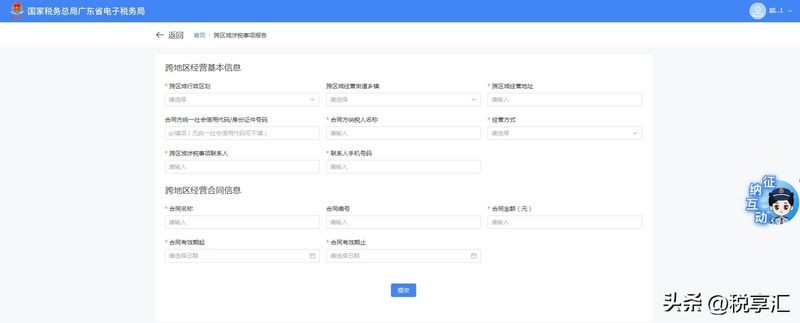
Steps: businesses directly access the e-tax office where they are located, find [i'm going to pay taxes] [consolidated information report] [tax source information report] [cross-regional tax-related report], and start filling in with “new reports”。
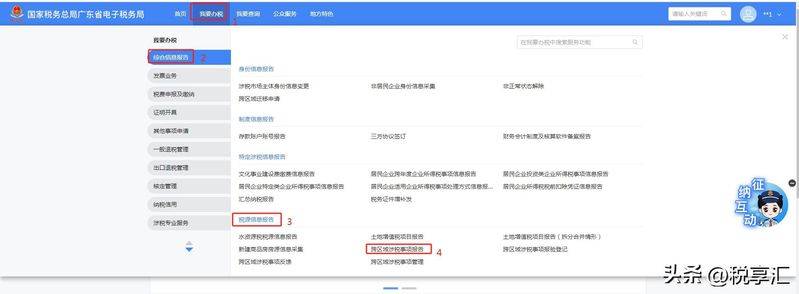
When you fill in, there's a few points
02
Registration of project locations (automated reporting, where available, within 30 days)
Note here: this step is declared as required (most areas can be automatically reported, and need not be operated)
Step 1: landing to the electronic taxation authority
The “cross-regional contact person” for tax-related matters in cross-regional reports is registered with the new e-tax office as a natural person。
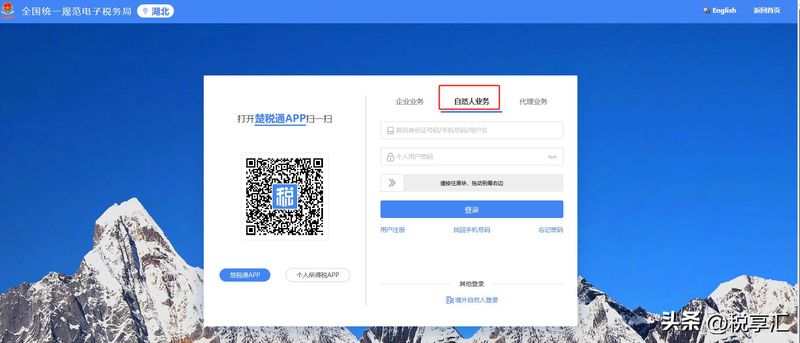
Step two: cross-regional registration of tax-related matters
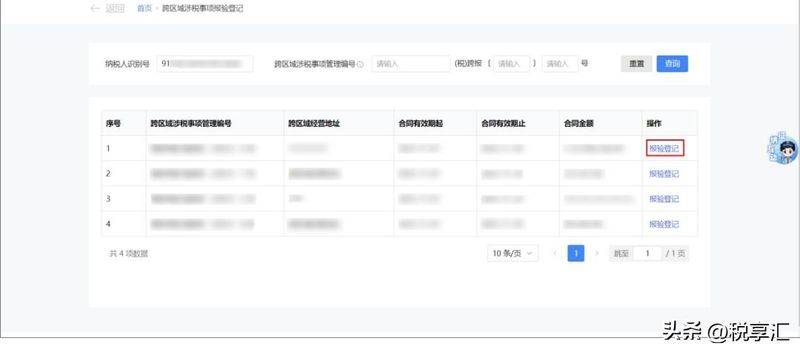
Enter [transregional register of tax-related matters] [entry taxpayer identification number] [search] to select the corresponding cross-regional tax-related matters [registration] [submission]. Upon completion, it is possible to view and download the forms of the cross-regional tax related matters PDF。
03
Advances for taxes
The most critical, miscalculated step in the case of off-site construction, where taxes are paid in advance at the site of the project and then back to the site of the enterprise for crediting, is the difficulty of late payment of taxes and late payments。
Step 1: access to the electronic taxation authority
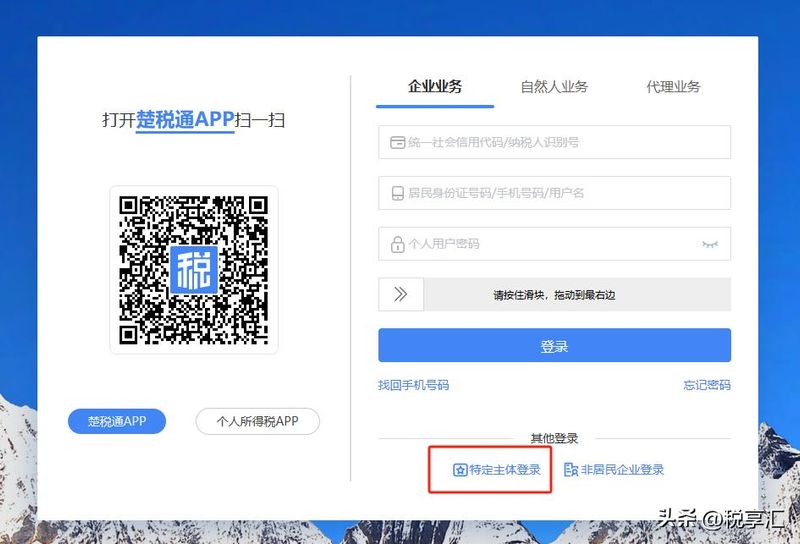
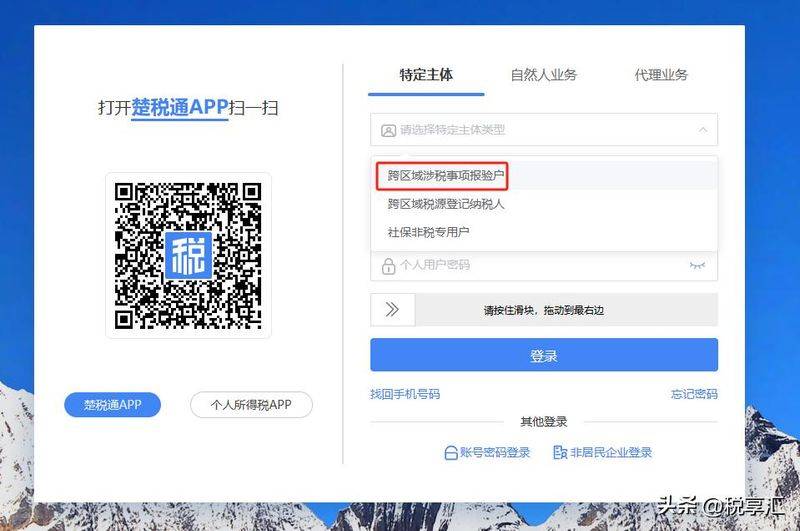
1. Select the business of the enterprise, click on the subject-specific login, then select the subject-specific type [transregional tax-related reporter]
Step 2: compute and reconcile taxes and advance payments
Value added tax:
(b) general taxpayers (general tax): (including tax sales - subcontracts) ÷1. 09 x 2 per cent
General taxpayers (simple tax): 1. 03 x 3 per cent (including tax sales - subcontracts)
Small-scale taxpayers (concessions 2023-2027): (including tax sales - subcontracts) ÷1. 01 x 1 per cent, monthly sales 100,000 is exempt from advance payment (noting that no more than 100,000 per project is exempt from advance payment, and there is no distinction between tickets and general votes)
Additional tax charges: on the basis of prepaid vat, 7 per cent (urban), 5 per cent (county towns), 1 per cent (other) of urban construction tax, plus 3 per cent for education and 2 per cent for local education, based on the project site tax rate。
(a) enterprise income tax, which is paid in advance at 0. 2 per cent of the actual operating income of the project, without deduction of the subcontract
The system automatically prefills data, such as sales, and then cross-checks the data calculated above, so that taxpayers can modify or supplement the corresponding amount directly。
The same is true of the advance payment of corporate income tax。
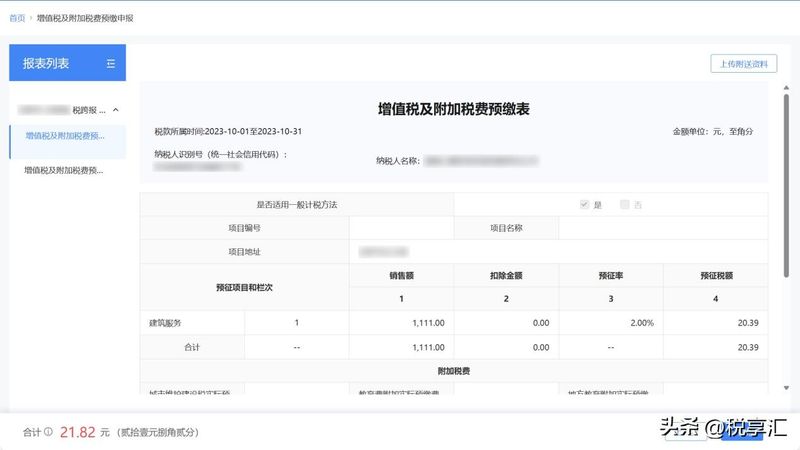
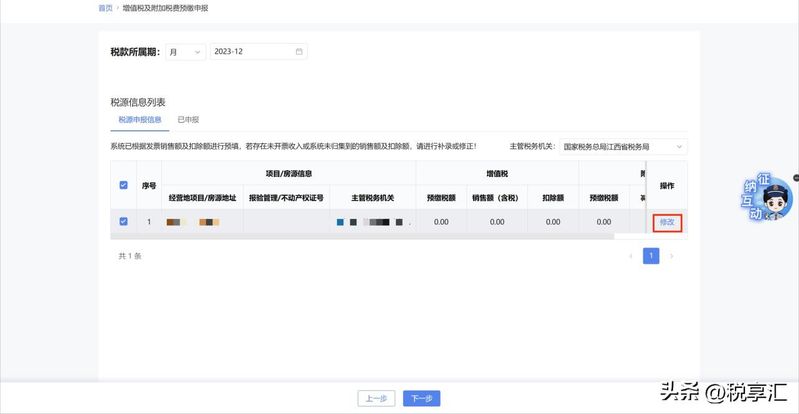
Once the information is confirmed, click [next] to complete the declaration。
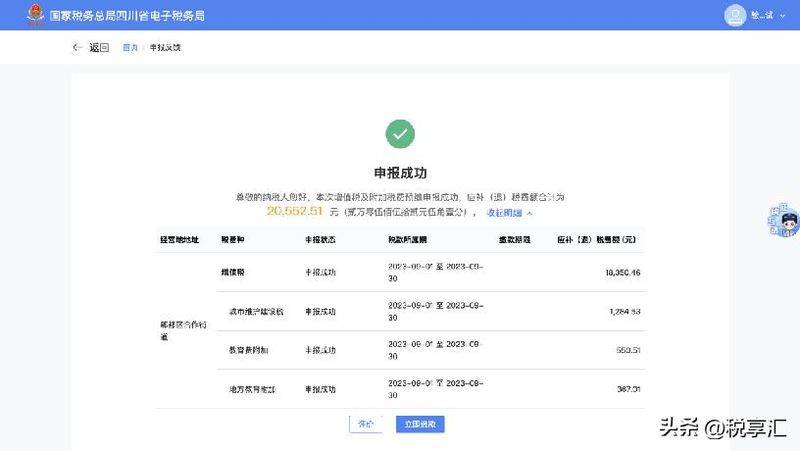
Once the declaration is completed, the enterprise will be able to pay taxes。
04
Invoice issuance
Two points were confirmed before the billing process: first, the pre-payment of taxes at the site where the project had been completed, and second, the reporting of cross-regional tax-related matters during its validity period。
Steps: the electronic taxation authority, the location of the login agency, looking for [i'm going to pay taxes] [invoices used] [invoices issued in blue], choosing “specific business-construction services”。
Fill in and focus on these:
Purchaser information: the information on the issuance of tickets must be checked to be correct
Project information: check out the "cross-the-ground (municipal) sign " , enter the management number previously recorded, and the system automatically takes out the project address and checks it, and then goes down
05