When the video format is converted, many people step on the pit: either the software pays for full functionality, or the short-time video conversion is only supported, and the long video is not handled at all. Which video conversion software is good and free? Seven free-of-charge video conversion software have been assembled and can be directly selected if needed。

Video converter i, data frog video converter (simple free, newcomer recommended)
I don't know how to switch to mp4? The data frog video converter is absolutely the preferred to find a free format converter. Whether you want to convert mp4 to mov, avi to fit all kinds of equipment, or you want to convert other cold door formats to universal mp4, this video conversion software can be done efficiently。
Its greatest benefit is that the interface is designed to be simple, well-structured, without redundant and complex professional parameters. Even a newcomer who does not understand the format conversion at all, can quickly find an entry to the core function without time in complex settings。
At the same time, the conversion speed of the data frog video converter has been smooth and efficient, with little loss of video graphics after the transcode, without the problems of blurry of images, play of cardon, lack of synchronization of sound drawings, perfect fit for video clipping, office transmission, social sharing, submission of jobs, etc。
Reason for recommendation: free of charge, no watermarks, support for almost all formats (mp4/avi/mkv/mov, etc.), self-cut/ compress/ merge, bulk conversion。
Step 1. Opens the data frog video converter and first displays the conversion functionality interface, and you can add the video to be converted in any way you choose。
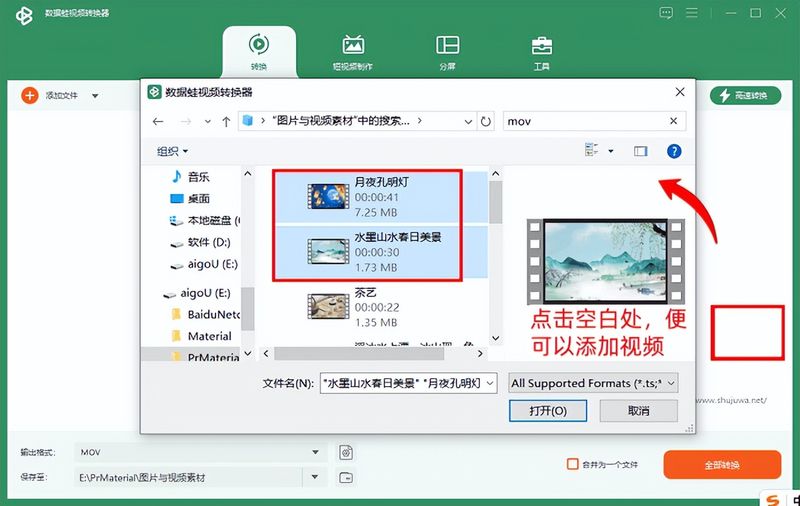
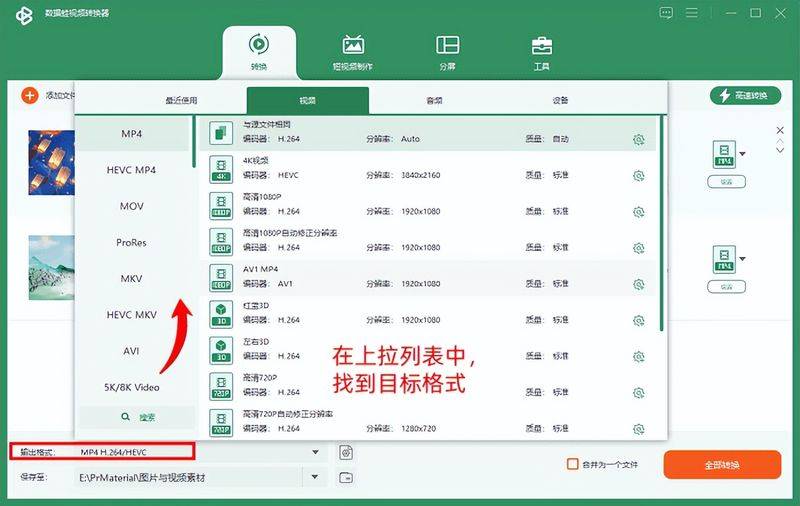
Step 2. After the video import is completed, set the output format, point the top right corner of the interface or the output format button below, and you can see a list of all the supported formats. The usual mp4, avi, mov, mkvs are available. In the case of batch conversions, each video requires a different format and does not need to be re-ported in batches。
Step 3. If you still need to make some adjustments to the video, you can now operate, click on the editing or editing buttons, and there are many adjustments that can be made, such as the size of the image, the direction of the vertical screen, the self-defined watermarks and subtitles, or the undesired fragments, and the professional parameters of resolution, bitrate, can also be adjusted。
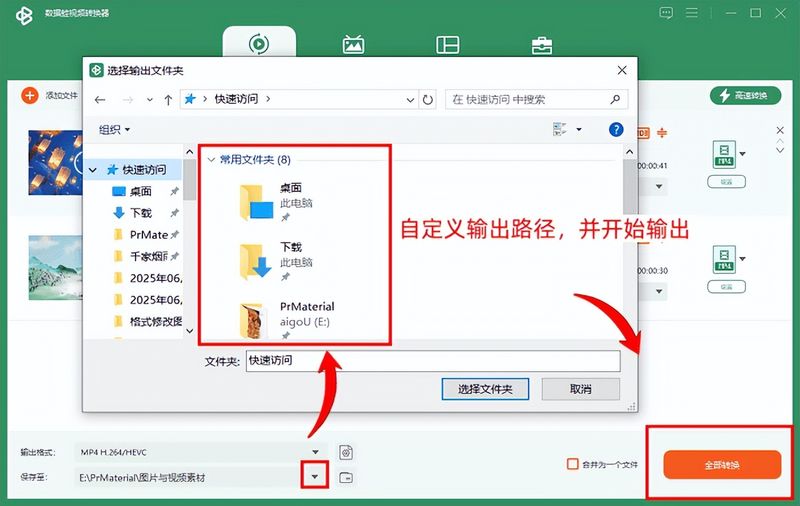
All conversion buttons at the bottom right of step 4. The software opens the folder where the new video is stored automatically after conversion, and you can find the converted file directly in the software。
Video converter ii, mediaauman video contractor
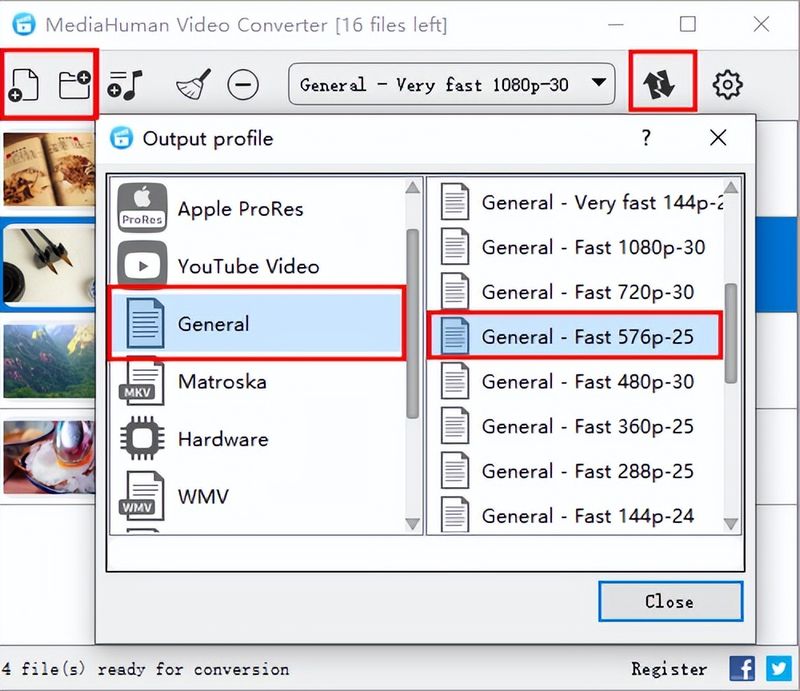
Medico video contractor is a free mp4 video conversion software. Which video conversion software is good and free? It took me a while to feel full. When i first started using it, i had a owl, looked for mp4 options on the output format selection page for a few minutes, didn't see any entries, and almost deleted the software。
It is a great pleasure to be able to use the high efficiency of the software with a clear logic of operation, with no complex steps and particularly quick moves. It would be even more implausible if some more video conversion formats could then be supported。
Video convert iii, free contractor
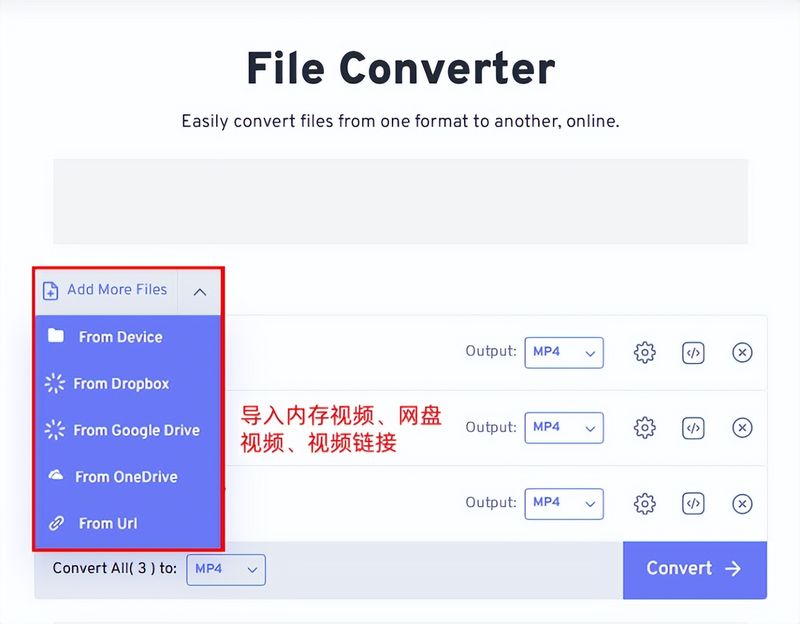
Free confert, an online, free-format conversion site, i've spent almost six months, experience's been online, and i really recommend it. I've made the procedure clear:
Step 1. Click to select the video that the file needs to be uploaded
Step 2. Set the format to mp4 in the output option, click on the conversion to start processing, and when the conversion is completed and directly downloaded to the computer, the smooth feeling is too good when the exit is complete。
Video converter iv, vlc media player
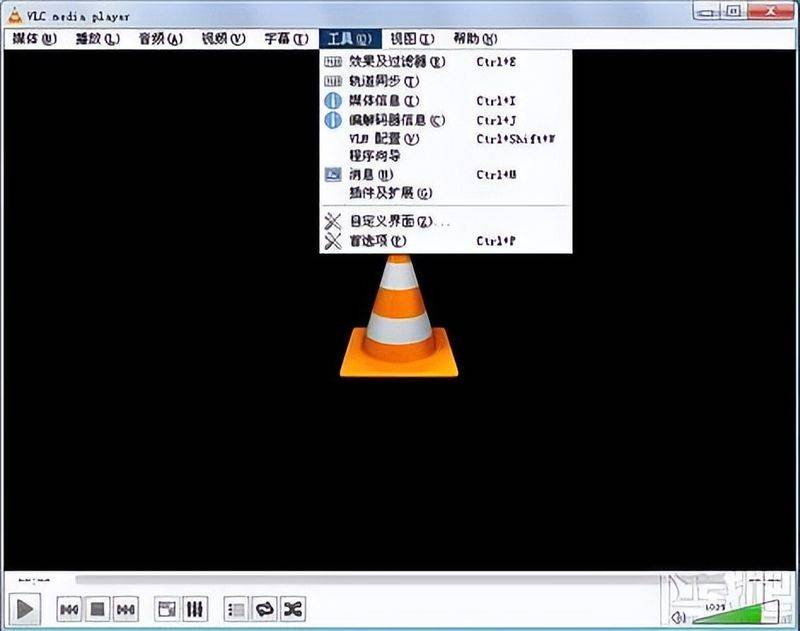
Vlc media player is a useful multifunctional tool. Many people use it as a free audio and video player on a daily basis, and almost all the audio and video formats are directly open for play and are well compatible。
Many do not understand that the free version of the video transfer mp4 format converter, although it is a player, has been added to a number of useful features, and that the conversion of audio and video is one of the hidden capabilities that can be directly converted without the installation of additional transcode tools。
Opens the vlc media player software to import audio and video files that need to be processed; then clicks on the media option in the top menu bar, selects conversion/save in the drop-down list, enters the format conversion interface, then selects the output format, adjusts the corresponding parameters according to demand, and does so without experience。
Video conversion software v, avidemux
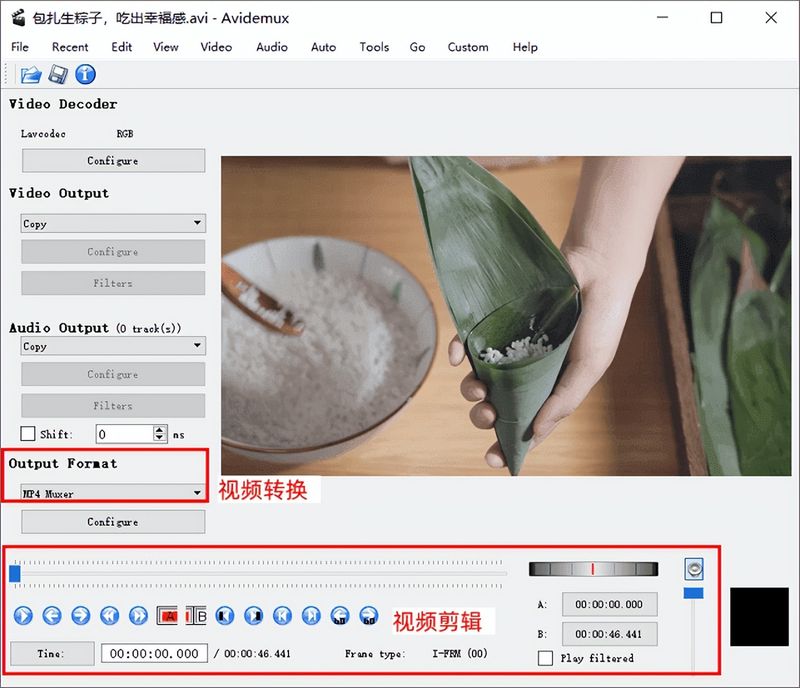
What kind of free video-conversion software are you looking for? Avidemux is worth trying. It's particularly difficult to operate. The interface is simple and simple, there are no additional complex buttons, and the visual clarity is easy to use。
Many have no idea how to change the video output format of avidemux, but the steps are very simple: open the software to find output format options, just select the format below and adjust the settings as needed。
Video converter vi, freemake video contractor
If you need a good free video format converter, you can try freemake video contractor。
It covers the video conversion needs of the whole scene and supports the transfer of almost all mainstream video formats, such as mp4, avi, mkv, flv, and the production of documents for the distribution of devices such as mobile phones, computers, tablets and vehicles. The software operating threshold is low, the zero base is fast-tracked, the speed of conversion is low and the quality of the painting is low. It also carries functional features such as bulk conversion, video compression and free-of-charge software, which fully meets the daily video format conversion needs。
Video conversion software vii, oNo, no, no, no
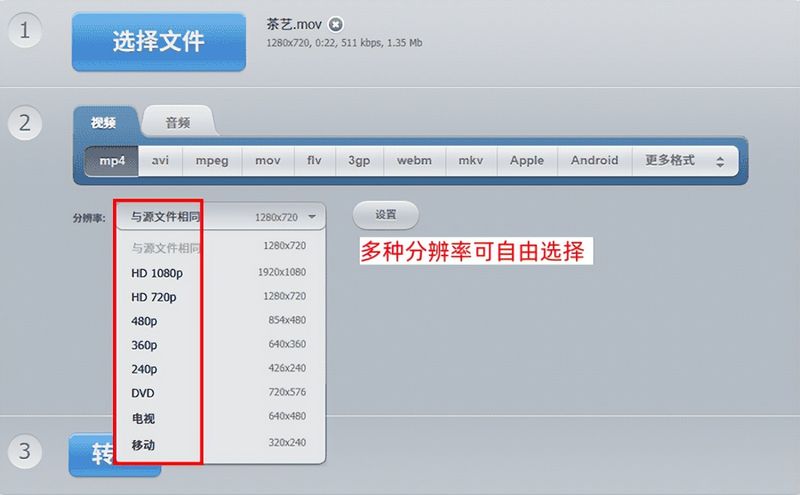
If you need to convert video format, oA free-format conversion site is a good option. It is an online tool, which is available through direct browser access without downloading any software installation and saves installation steps。
Its format supports a wide range of formats, with dozens of mainstream and small video formats that can be converted to each other, covering commonly used formats such as mp4, avi, mov, mkv, flv, wmv, etc., both video recorded on mobile phones and special format resources downloaded on the internet。
The above is the full package of video conversion software, and all the functions and effects mentioned are tested in actual software. Which video conversion software is good and free? If the curriculum is useful to you, you are welcome to continue to follow up on our work. It was to be hoped that the problem of changing audio and video formats would soon be resolved。