Recently, yoo-bei found out that a lot of young people asked how to pay the electricity bill. How do we check the power bill balance? How do we look at daily electricity? Don't worry! I'm sure you're going to answer your questions for your family! Come and study with him
One of the most important concerns of our young people is how to pay for electricity. First, let's download the web app! It's all functional, it's all there is to help you with everything

I. How do i pay for electricity
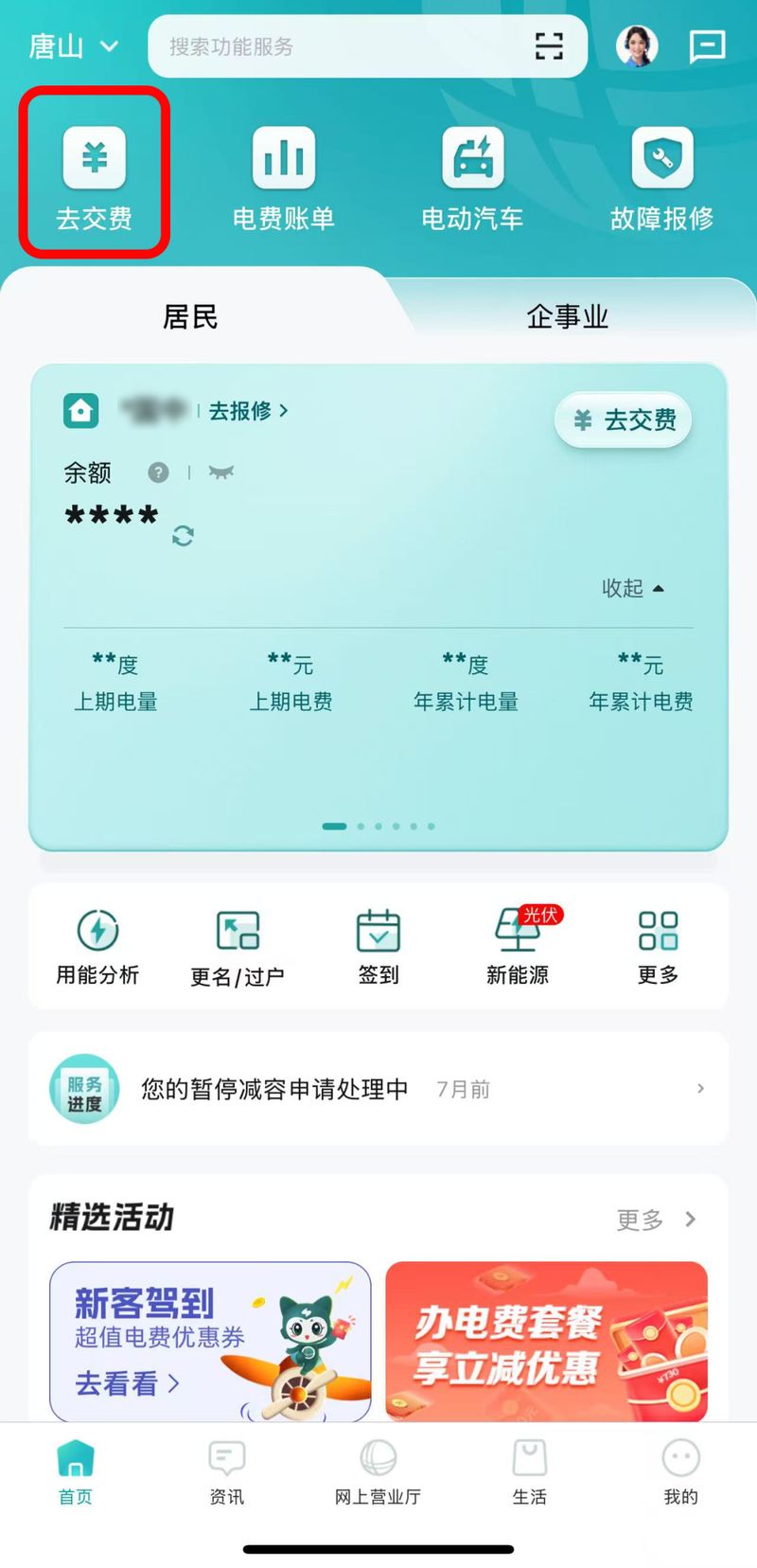
Step 1: click the "go pay" button on the home page of the web-based country net app。
Step 2: click on "to settle" after checking the number of accounts to be paid or adding the number to be paid。
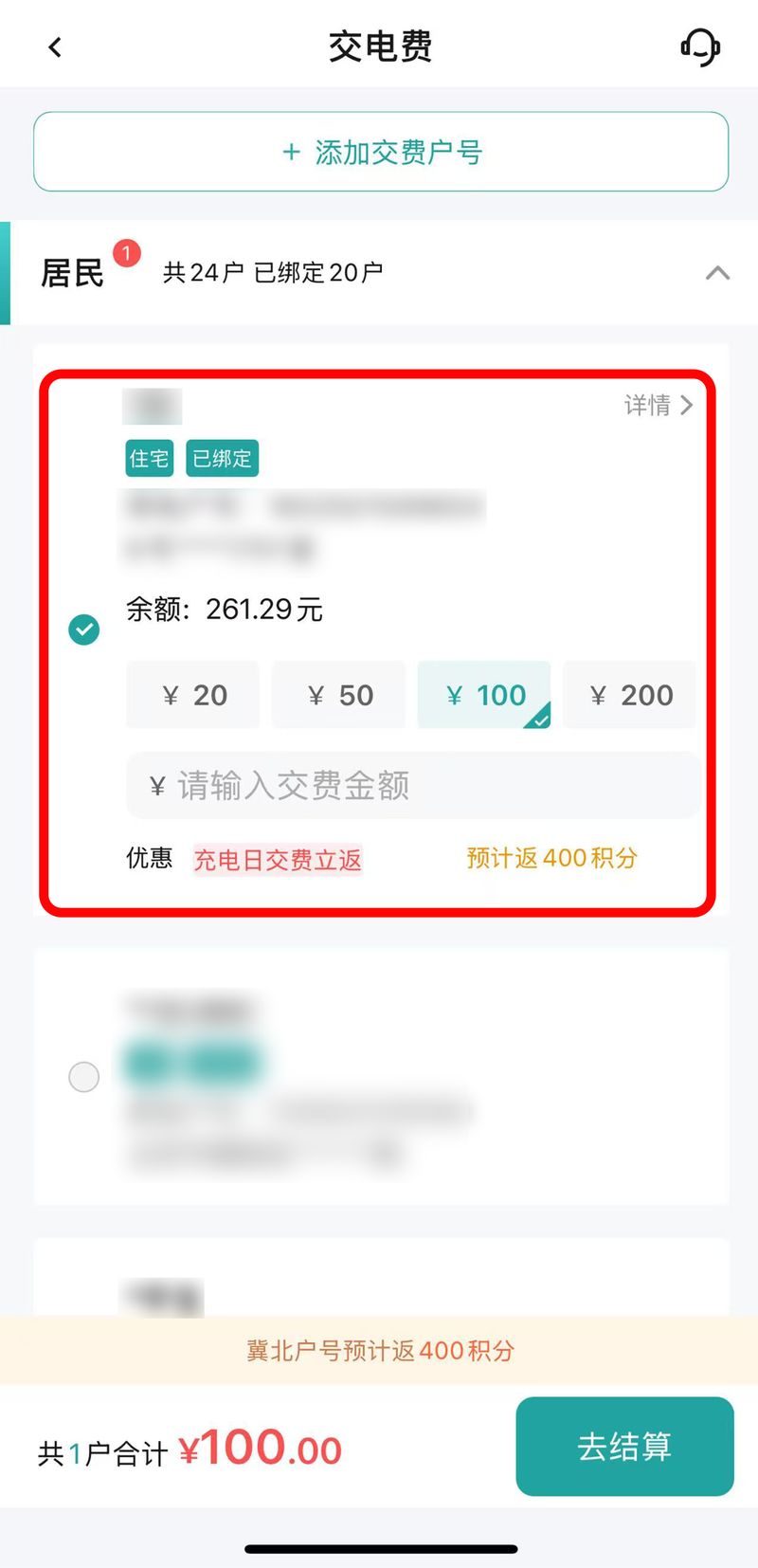
Step 3: once the order is confirmed, choose the payment mode by clicking on “immediate payment” to complete the payment。
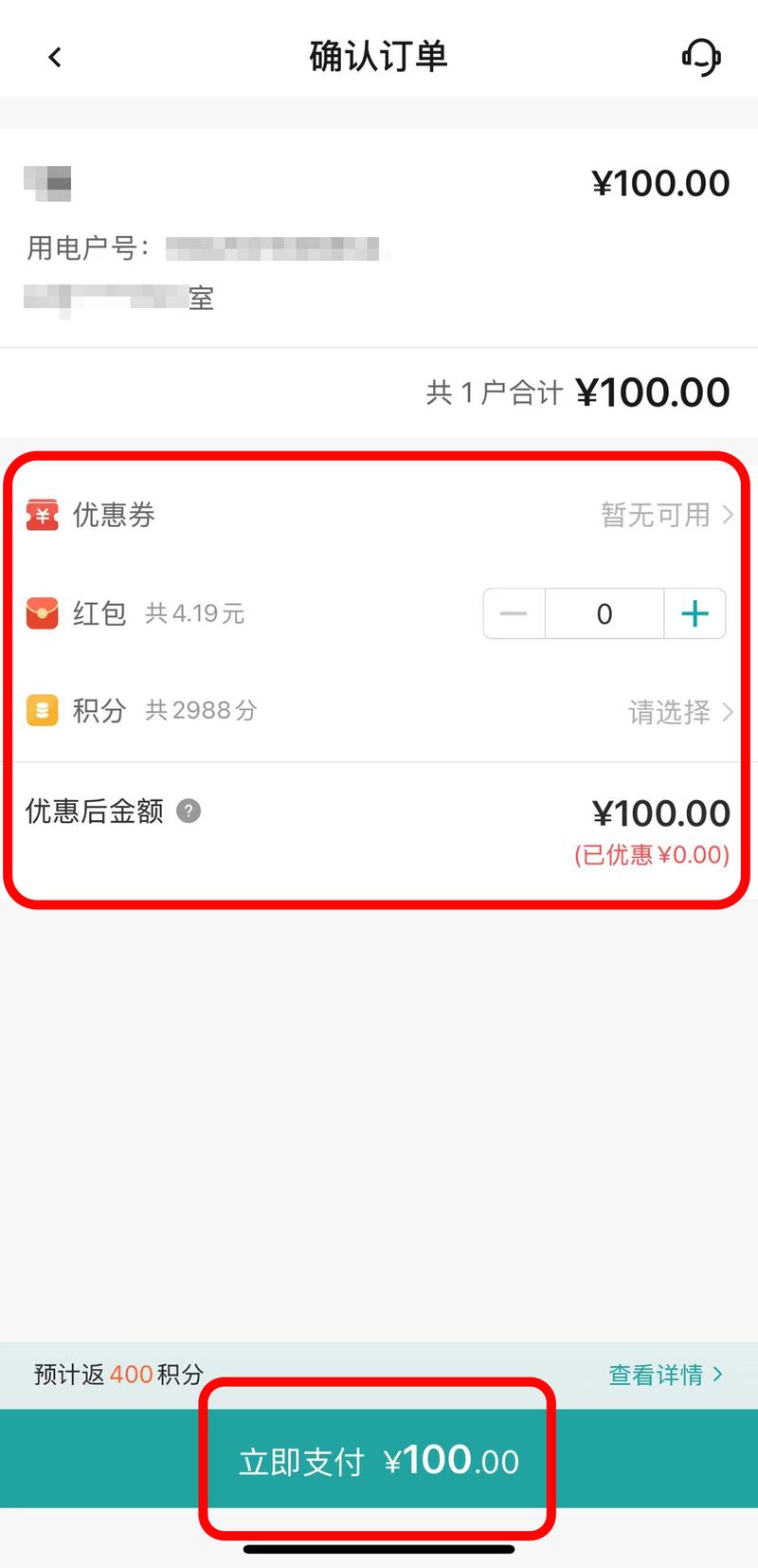
Note: three days per month are charged days in the area of zhoubei (tangshan, zhang jiaguchi, qin emperor, chengdee and kanyo regions) (details of the activities in the month are based on the publication of the national networking north power service). The payment of electricity during the period of charge is entitled to a credit return activity, with the sum paid in individual orders (excluding points, red parcels, coupons offsets) reaching 100 yuan and 400 credits and above. You'll be able to focus your attention on the national network's north electric news, receive updates on your activities, and you'll have all kinds of fine benefits
Ii. How do we look at the balance
It's very simple, as long as you download the web app, and then you watch xiaobei's teaching. It'll be remembered。
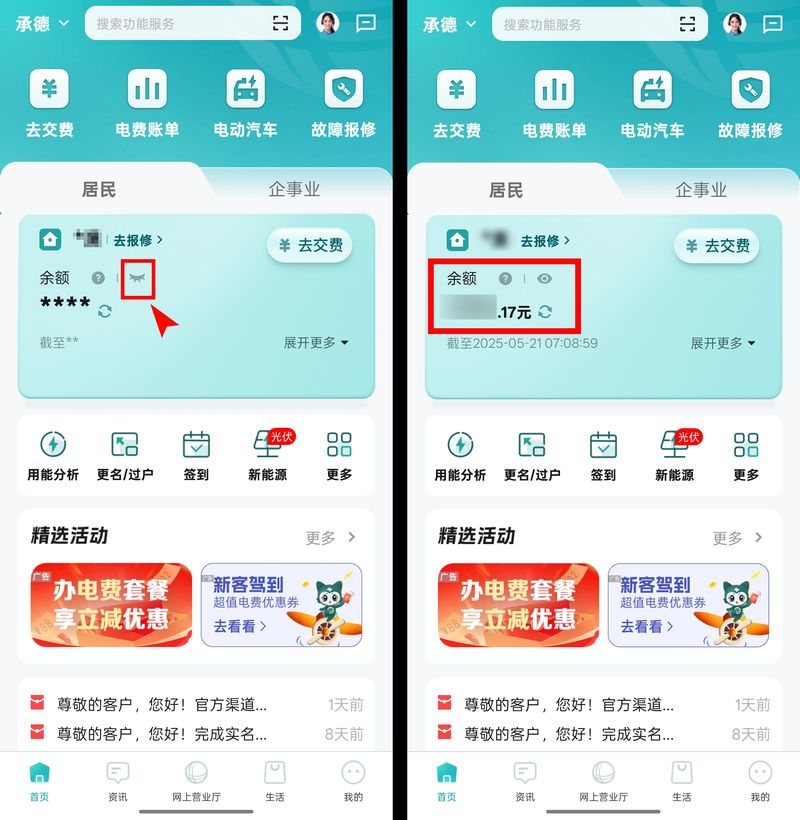
1 see electricity balance
After login, click this little eye in the middle of the page, and when it closes and opens, you can see the balance of your electricity bill
Two, look at the power
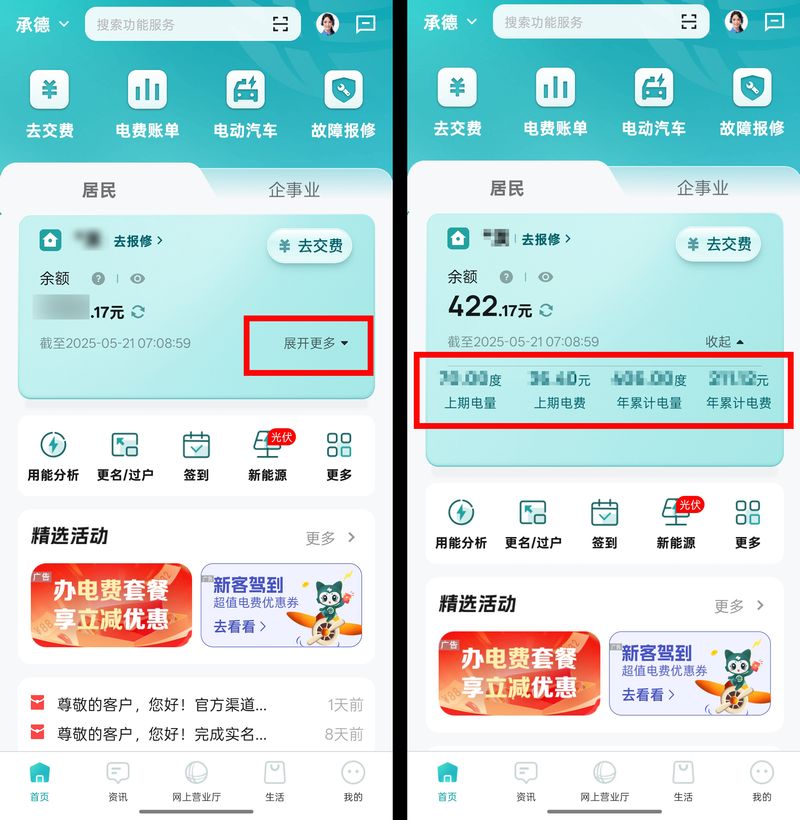
Moving on on on the front page, people clicked on [more], and we can see more details, including “up-to-date” “ceiling” and “accumulative annual charges”。
What do you think of daily electricity
You want to know how much electricity you use at home every day? Follow xiaobei's teachings, i'll teach you two steps
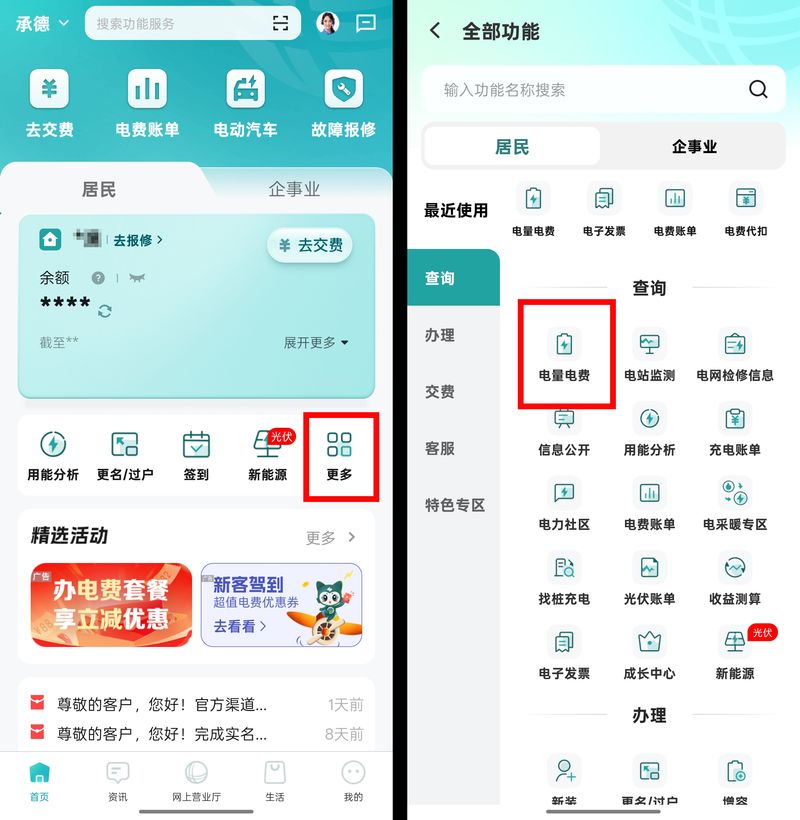
Step one: open the web-based country net app and find the [more]-[require]-[power bills] on the front page。
Step 2: once you enter the page, you will be able to see daily electricity usage for almost 30 days on the [calendar] block. Clicked dates can be used to see how much electricity was used on that day, including peaks and valley electricity (where it is operational)。
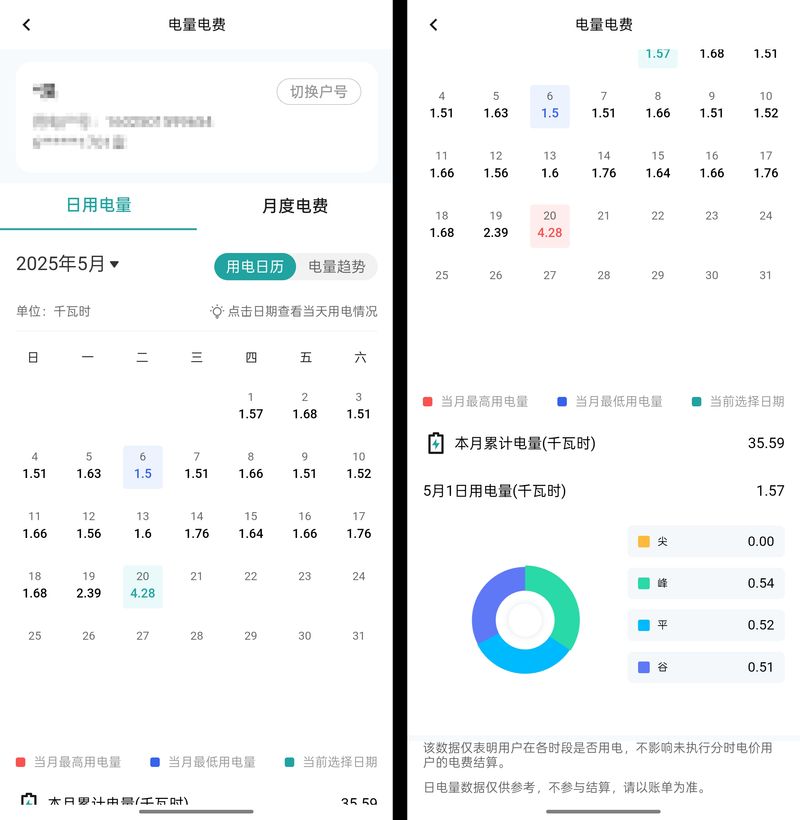
If one day people find out that electricity in their homes is skyrocketing, they can see the details by opening the net app and never have to stare at the bills。
How about that? It's easy to do it. It's easy to learn. What else do the family want to know? All we have to do is download the web app, and it's over