4. 6 how to set freight charges for individual commodities for spontaneous shipments
In doing amazon operations, buyers have become accustomed to accepting the price of commodities as the price of chartered mail, so you need to set the store's goods to zero freight, that is, chartered mail. However, for some commodities that are particularly heavy or very large, separate freight costs are required。
I've had a case where the buyer is willing to pay $35 for the sale of the goods at $19. 99, and the seller will send them through the dhl channel in the hope of receiving the goods quickly. A number of careful sellers should be able to observe small language sites in europe (e. G. German, italian, spanish, french) because the local welfare is good, many shopping online is primarily about the quality of the goods themselves, but is not sensitive to prices, so they are often able to accept goods with freight charges。
Assuming the price of the goods sold by the competitors is €39. 99, you can set the freight cost of your goods at €5. 99 and the sale price at €33. 99. So, in the case of the same goods, your page price is more competitive。
The distribution template needs to be up-to-date and, for ease of operation, the seller's centre's language can be converted to chinese, as shown in figures 4-67。
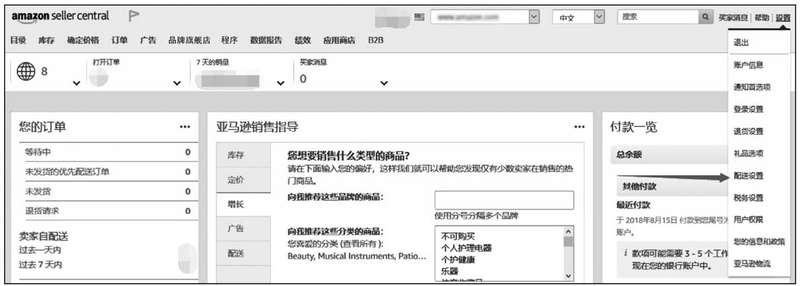
Figure 4-67
Click the " distribution settings " option for the drop-down menu of settings to appear on the page shown in figures 4-68。
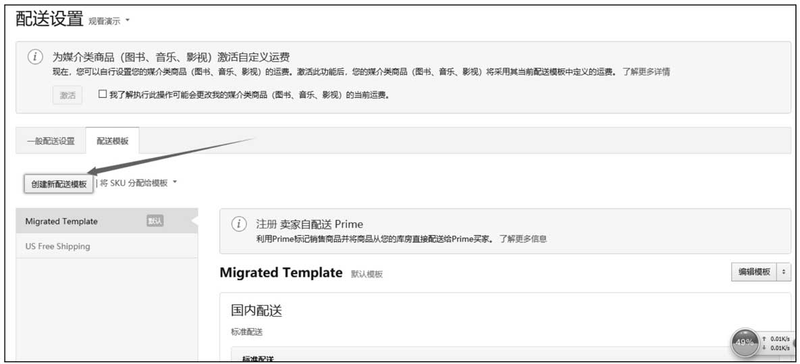
Figure 4-68
Click the create a new distribution template button to appear on the page shown in figures 4-69。
In the " distribution template name " text box, a separate shipping name is required, and in the " freight model " constituency, select a " commodity/weight-based " stand-alone button. Then you pull the scrollbar down on the right side of the screen and you will see the pages as shown in figures 4-70。
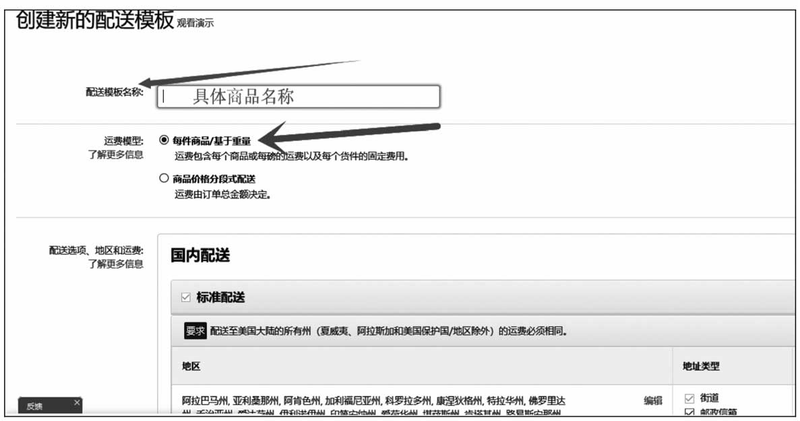
Figure 4-69
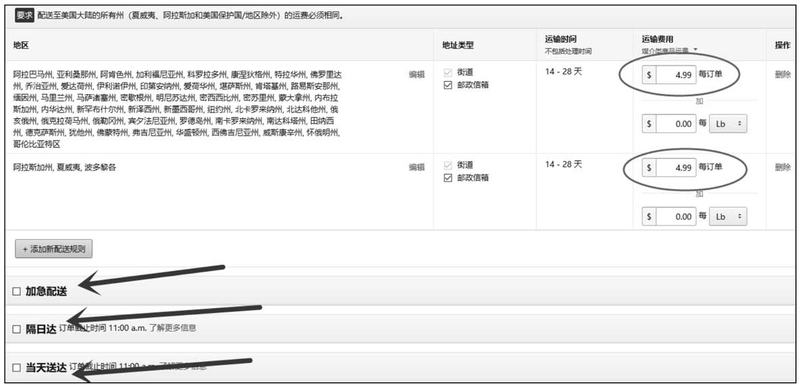
Figure 4-70
Assuming that the freight charge per order is $4. 99, then fill in the circle area as shown in figure 4-70. None of the “immediate distribution” “day-to-day” check boxes suggested a ticking, as very few express delivery companies were able to meet the distribution time limits so quickly that the later stages could cause themselves trouble. Draws the scrollbar down on the right side of the web page as shown in figures 4-71。
Click the save button to set it up. Click the " manage inventory " option in the " stock " drop-down menu, as shown in figures 4-72. Select the commodity that you want to set the freight charge separately, click the edit button, and the page will appear as shown in figures 4-73。
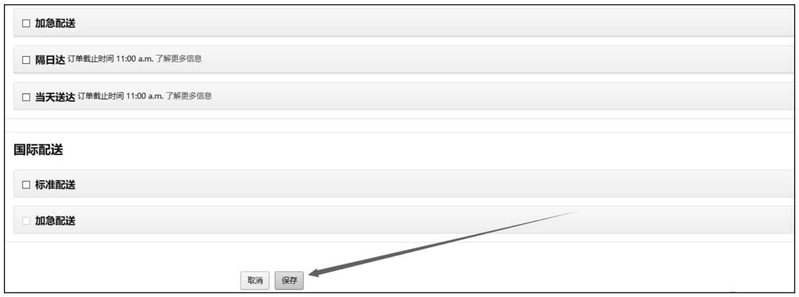
Figure 4-71
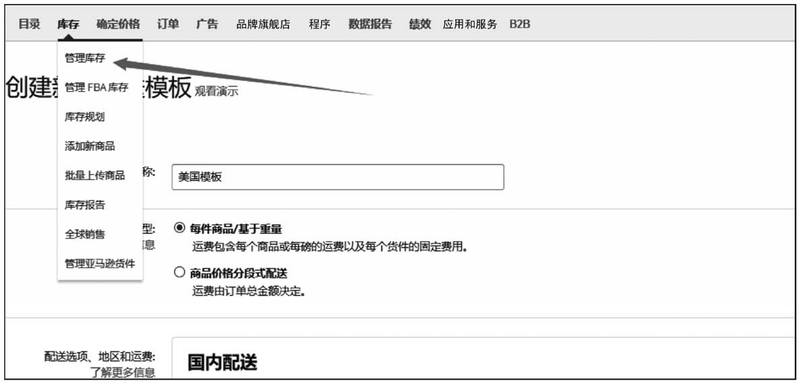
Figures 4-72
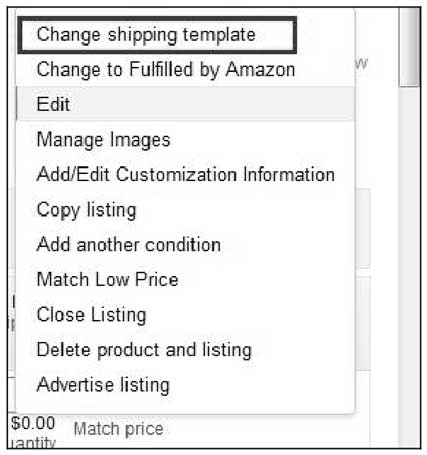
Figures 4-73
The box areas in figures 4-73 will show the distribution template that we have just set up, at which point only the new template will have to be matched to a commodity that sets a separate freight cost, so that a single commodity successfully matches a separate freight cost template。