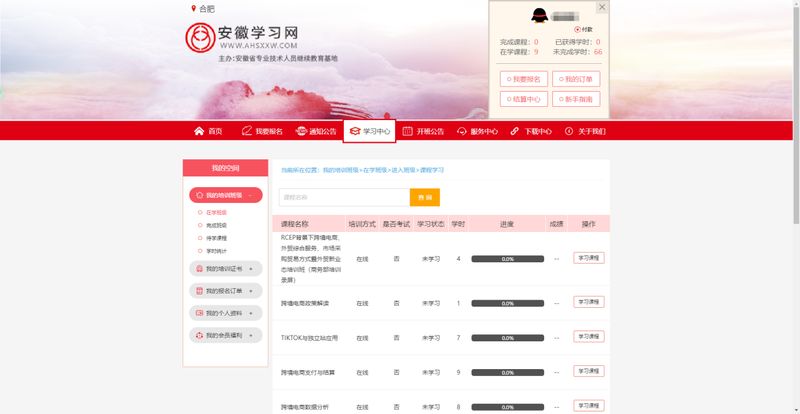
Step 1: emblem learning network; step 2: reading and agreeing to user registration agreements; step 3: user registration; step 4: return to the front page; step 5: click on the front page blue icon: 2022 training series for cross-border electricians in the department of commerce. Step 6: after entering, choose “video courses in the series of cross-border electricians in 2022 anhui province”, click on the yellow button “i want to register”. Step 7: fill in the registration information. Fill in the work unit by the actual location of the current work unit. Step 8: click on " select all " , " clear " ; step 9: confirm class. Click on the learning centre - in the classroom to see if it is a “wide-on-line video course in the series of cross-border electricians in the province of anhui [province] 2022”. Step 10: start learning. Click on the class-course study to start watching the video。
2. Registered users learning operational steps:
Step 1: login. Step 2-7: implement as step 5-10 of the unregistered user learning operation. When filling in the registration information, the completion of the work unit may be inconsistent with the unit that was filled in at the time of registration (possibly at the time of registration, at the time of registration, at the time of study, at the time of study, at the unit b), and must be completed at the actual location of the current work unit. If there is no change in unit, it should be completed consistently。
Note: trainees are divided into registered users and new registered users. The operational steps for both users are different. If you have any specific problems with registration or study, contact the technical staff: zheng xiaojun 18326090618
Operational step diagram:
Step 1: enter the emboss learning network website at http://www. Ahsxxw. Com, or search 100 degrees for the emboss learning network。
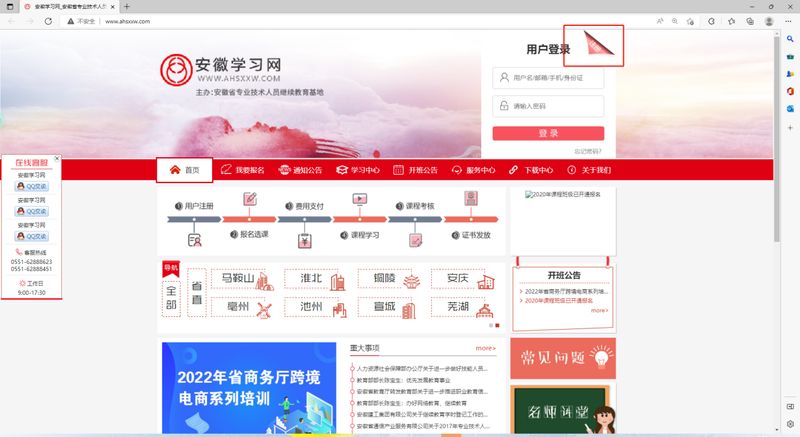
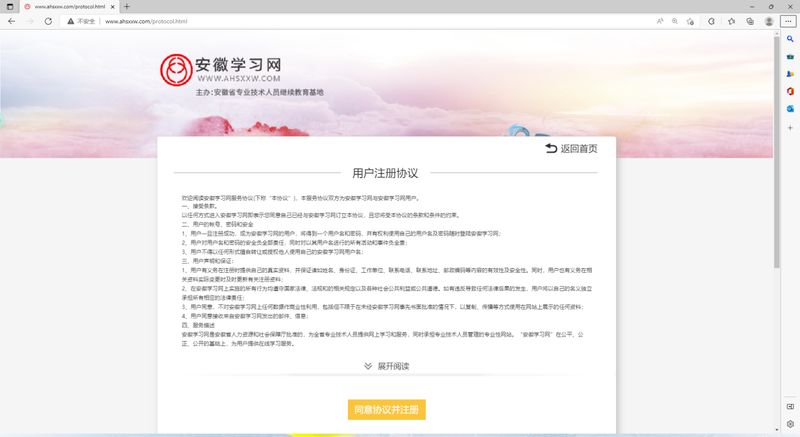
Step 2: read and agree to a user registration agreement。
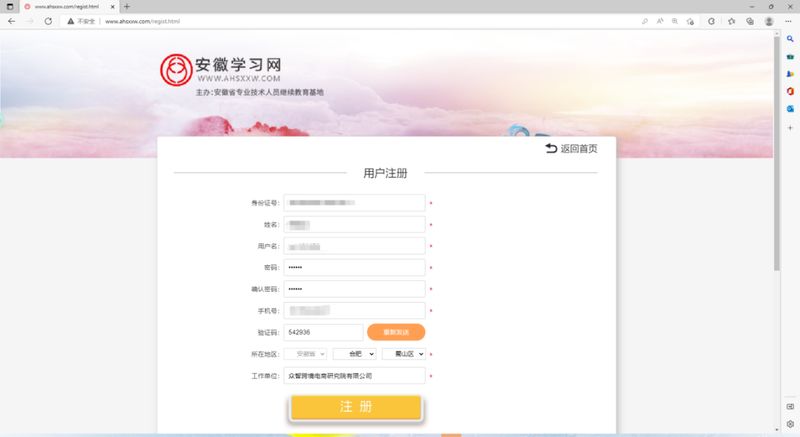
Step 3: user registration. Fill in your identity card, name, user name (auto-defined), password, cell phone number (available for reception and landing), area (where the unit is filled), work unit, click registration。
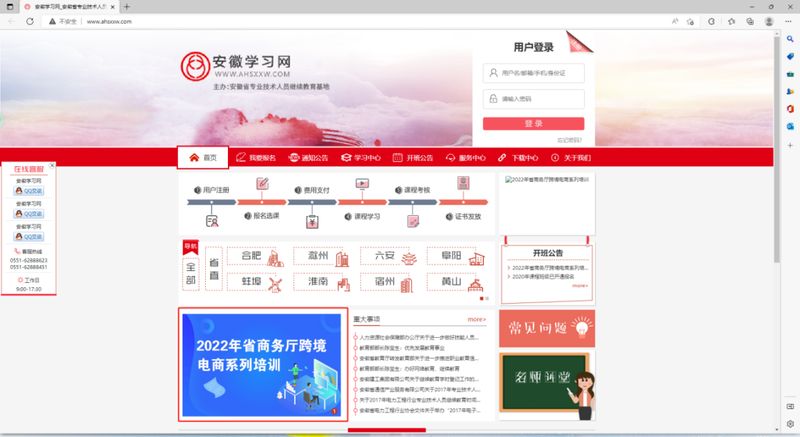
Step 4: return home
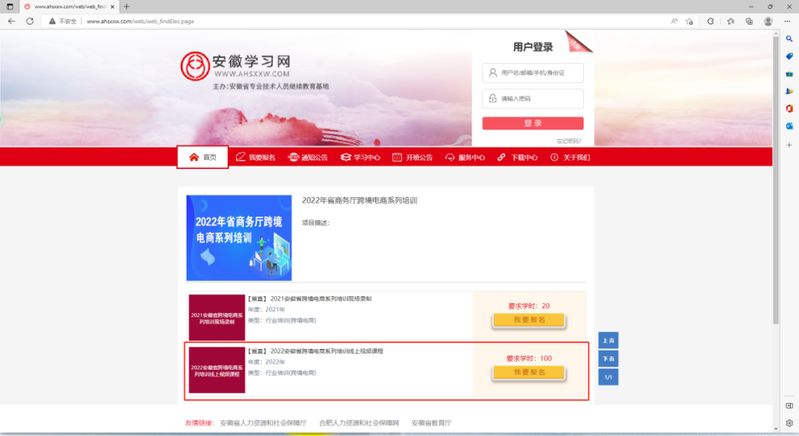
Step 5: click on the blue icon: cross-border electrician series, department of commerce, 2022。
Step 6: after entering, choose “video courses in the series of cross-border electricians in 2022 anhui province”, click on the yellow button “i want to register”。
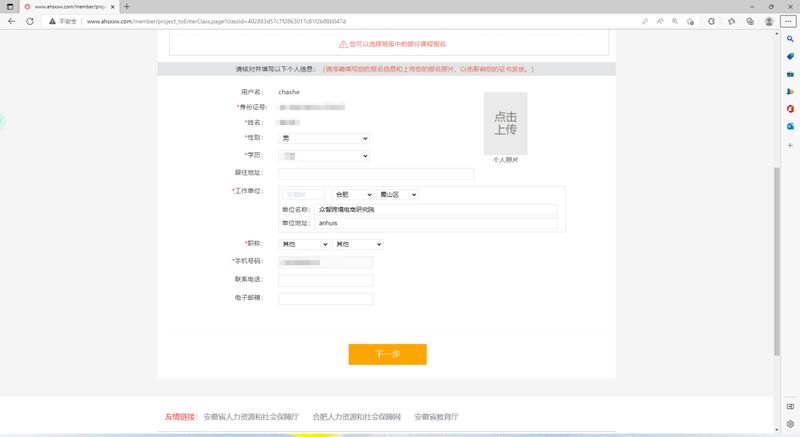
Step 7: fill in the registration information. According to the jump interface, the gender, academic qualifications (highest level), the work unit (selection of the municipality, county (city, district)), the unit address (filling the unit's real address), the functional title (other names can be filled in), the mobile phone number, completed, and click on the next step。
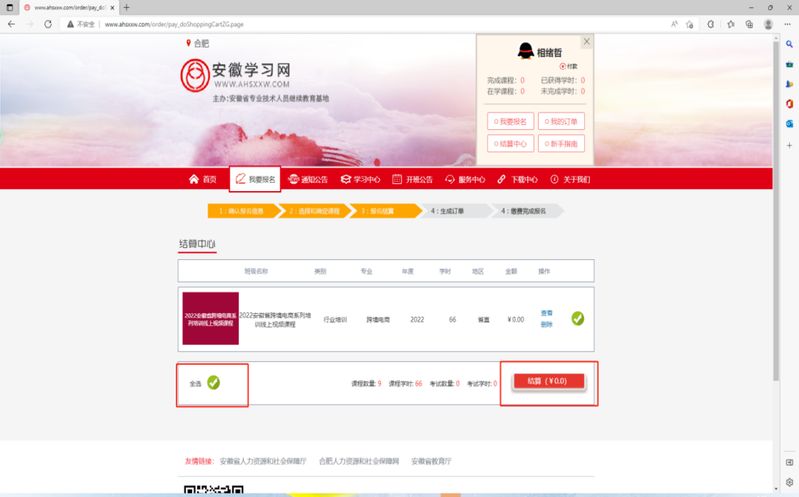
Step 8: click "select all", "settle." if the amount is 0, correct; if not, please exit, re-operate according to the previous steps, or contact the technicians. (emphasizes once again that it is a free course, with only purchase steps and no fees to pay)
Step 9: class confirmation. Click on the learning centre - in the classroom - to see if it is a “video online course in the series of cross-border electricians in the province of anhui [province] 2022”。
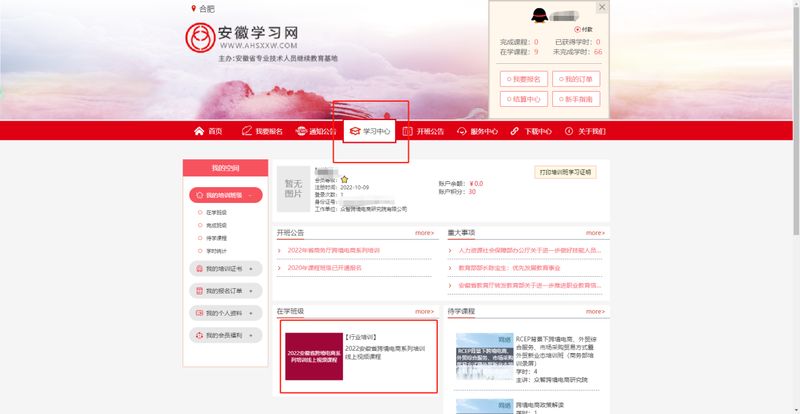
Step 10: start learning. Click to enter the class, select the video course to follow, and you can start watching the video。