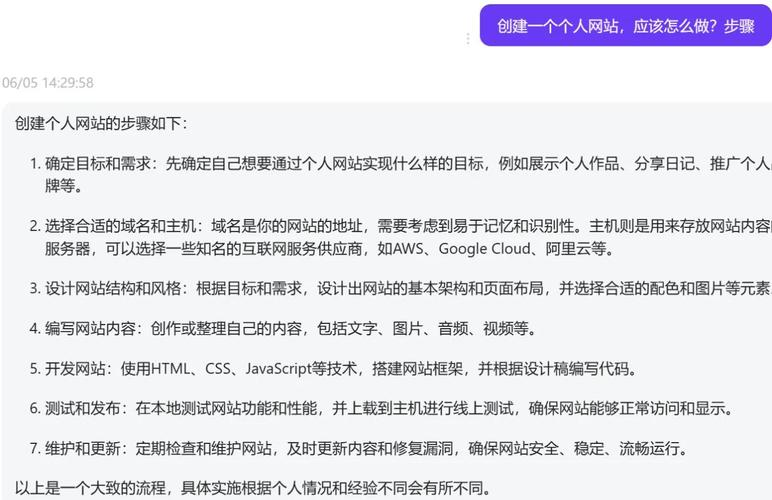
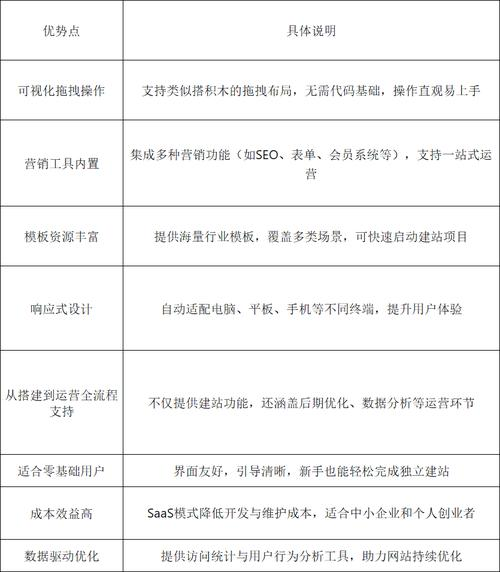
In response to different levels of technology and demand, the market provides diversified building tools, divided into three main categories:
Iii. Recognizing pageadmin cms
Among the many cms options, pageadmin is a web content management system with a long history and wide application in the country. It is based on the development of asp. Net technology, with its strong self-defined capacity and stable security, and is often used to build business networks, schools, government agencies and various information portals。
The main features and advantages of pageadmin cms are:
High degree of flexibility and expansiveness: the system core provides strong authority management, content models and label calls. Users are free to create new content types (e. G., products, cases, employees) and customize fields to easily accommodate diverse content presentation needs rather than simply publishing simple articles. Robust security mechanisms: thanks to the features of the . Net framework and the continuous security update of the team, it has a good basis for responding to common cyberattacks. A clear system of delegation of authority roles also helps to secure content and data management when people work together. Localized usage: the backstage management interface is logical and friendly for users who are familiar with the national website management process. At the same time, it is well compatible with the domestic server environment and the deployment process is relatively smooth. Rich templates and eco-plugins: the official and third-party markets provide a large number of free and paid website templates that users can quickly apply to industry. Plugin mechanisms also support functional extensions such as form construction, seo optimization tools, etc. Iv. How to use pageadmin cms rapid station
If you decide to use pageadmin, you can quickly start with the following simplified processes:
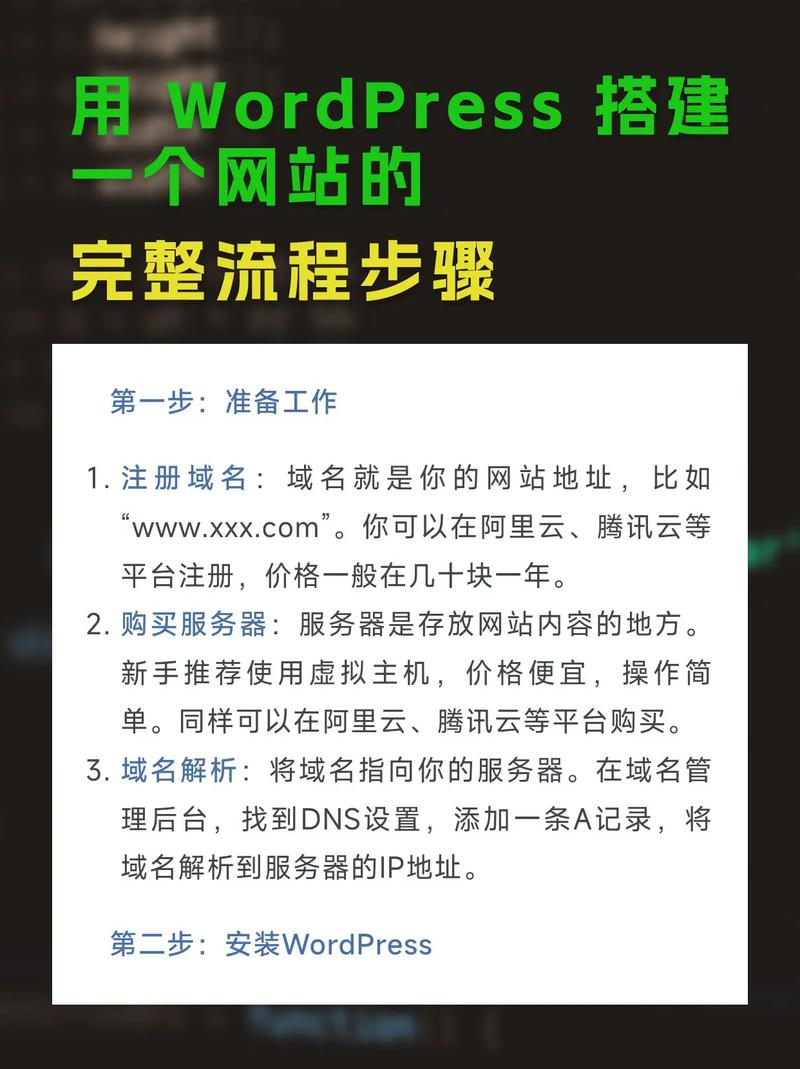
Environmental preparation and installation: ensure your host or server support. Net/. Net core (e. G. Windows and linux). Downloading the latest installation package from its official website, uploading the file and running the installation program in accordance with the official installation wizard, usually by filling in database connection information and administrator accounts. Template selection and configuration: login to pageadmin to manage the background, and in template management you can choose to download or upload local templates online. The application of the template will change the overall look of the website. The menu structure, basic information, etc. Of the website is then configured through " column management " and " site settings " . Content fill and functionality: this is the core operation. Use content management to add articles, products, etc. An online message, recruitment etc. Can be created through form management. Using its “content model” function, it is flexible to create new content types to suit specific needs. Details adjusted to go online: finally, check all page displays, improve contact details, copyright information, etc. Once all tests have been completed, official public access will be available. Summary
The path to a website is not the only one. The key lies in the clear planning of the first step and the selection of appropriate tools according to their technical capabilities, functional needs and budgets. Both the pursuit of a very simple saas platform and the need to balance functions and controls such as the pageadmin cms, or fully customized primary development, have an appropriate scenario. Understanding the steps, assessing the tools, makes you more confident in turning the blueprint of the web site into an accessible reality on the internet。