Vip version of technical material, private correspondence -- response -- “information”
Many ac maintenance friends suffer from multiple online ac repairs, especially from foreign brands such as gold, higashi, mitsubishi, mitsubishi, samsung and lg. Today we share the japanese air-conditioning point prosecution law, which we hope will be useful for your maintenance. We have a link in the photo at the end of the article for more than 20 brands such as the other grand mitsubishi, mitsubishi heavy, samsung, lg, matsushita, gryng and american。
I. Prosecutions on the outer roof
Let's start by looking at the implications of the japanese multiple on-line off-line check buttons and the buttons:
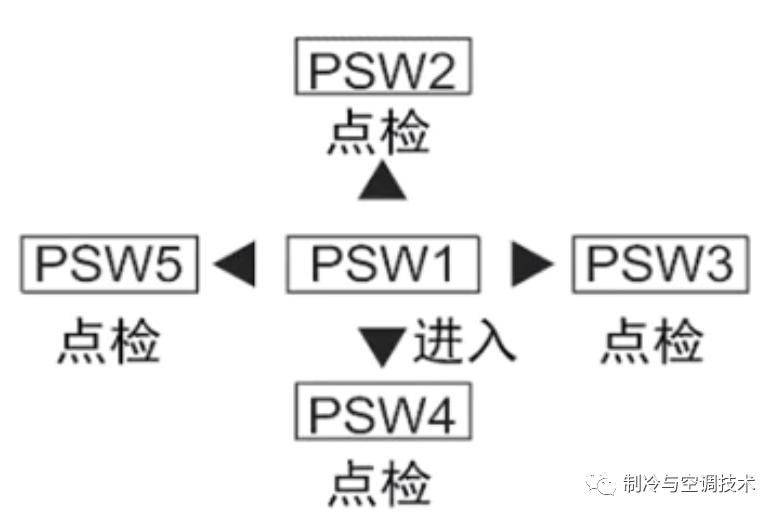
1, long press 1 key, when chec, 2 key and 4 key are toggle the large menu (usually only chec, followed by 2 parameters settings)
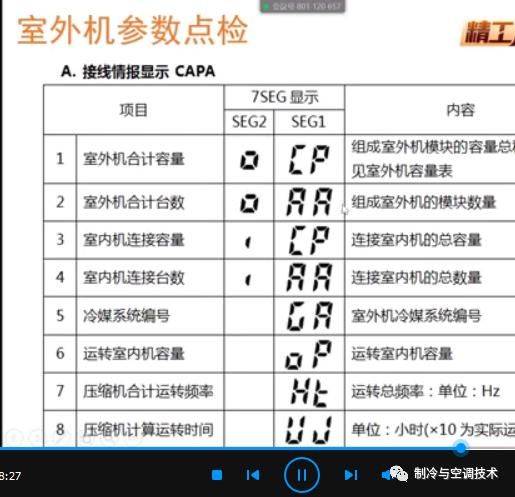
2. Chec, long press number 1, appears, psw1, displays prt0, this is the display of the outdoor machine number, keys 2 and 4, the top-down page, capa is the transmission information display, odut is the display of outdoor aircraft parameters, idut is the display of indoor aircraft parameters, accd is the display of malfunction codes, achi is the display of malfunctions. Psw3 is entering the menu, psw5 is exiting the menu。
3. Exit check. Press number 5 to exit to any menu in prt0, capa, odut, idut, accd, achi, press psw1 to chec, and then press one longer. (inversely)
4 see, for example, the outdoor parameters showing, firstly, the long press number 1, firstly, the chec, then the open press number 1, then the point check mode, secondly, to display odut, then to press number 3, then to flip down and see the malfunction parameters, then the d1, which is the last failure, for example, the 1017 or the auxiliary unit 0 is the first compressor and 17 is the compressor overflow. If you need to exit, press number 5 to exit to odut, then press number 1 to exit to chec, and then press number 1 long。
Ii. Prosecutions on the side of external aircraft
Side-out ventricular spot-checking-3psw
View parameters through the test switch psw2-3 and 3 for outdoor pcb1
Press the psw2 switch for more than three seconds and start testing (show sc)
Press the psw2 switch for forward detection
Press the "psw3" switch for back detection
Press the "psw2" switch for more than three seconds and exit detection mode
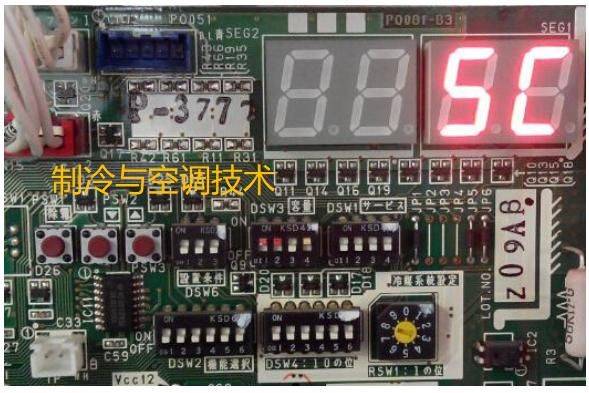
This is a first-degree menu, three seconds long, two seconds long, three seconds long, and then two seconds long, three seconds long, three seconds long, three seconds long, three seconds long。
(iii) code of public prosecutions for japanese machine operators
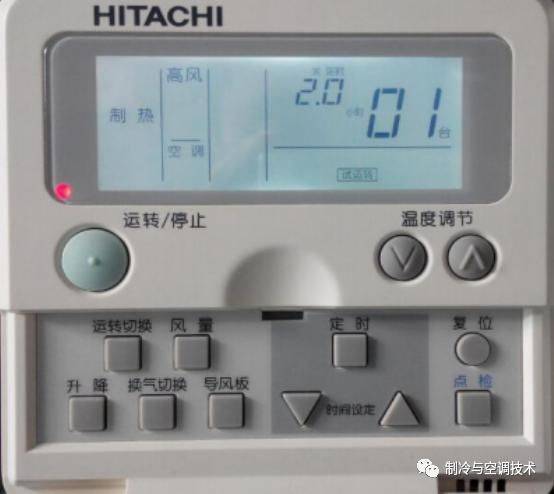
1. The handpoint point key is pressed for three seconds to display the address number of the interior system and the last malfunction code。
2. Click to enter test mode i to show b1, with the upper left corner number being the indoor temperature set and the top-down option to flip the page。
3. In test mode i, the address number of the system in the interior and the last malfunction code are shown again for more than three seconds。
Press a point check to enter test mode ii, press top and bottom to select items
5. Click to check and exit the test mode。
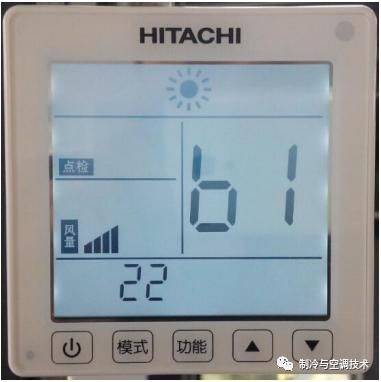
1 handheld point checker, 3 seconds to display the address number of the interior system and the last malfunction code
Two, press point, go to test mode one, show b1. The upper left angle is an indoor setting temperature, press top-down to choose the page
Three, in test mode one, a spot check of more than three seconds will display the address number of the system in the room and the last malfunction code
Four, press point check to test mode two, press top and bottom to select items
Five, press a spot check, exit the test mode。
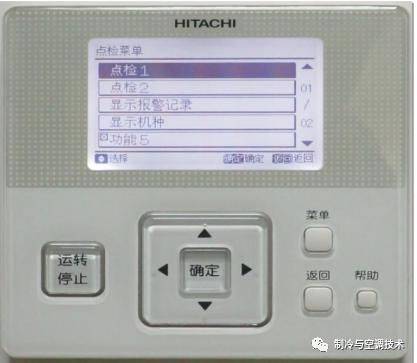
Point of prosecution:
1. Press both menu and help'over 3 seconds, enter the line controller point check menu
2. Select point check 1, enter point check 1 by key, and view parameters by top-down key
3. Select point check 2, press the key to enter point check 2 and view the parameters through the top and bottom keys
4. Press the return key to exit。
We have also prepared technical manuals for all the major brands, for check-ups, dial-ups, debugging, maintenance codes, each of which is more than 100 pages, and also the original version of the technical manual, which is included in the air conditioning technology kit。
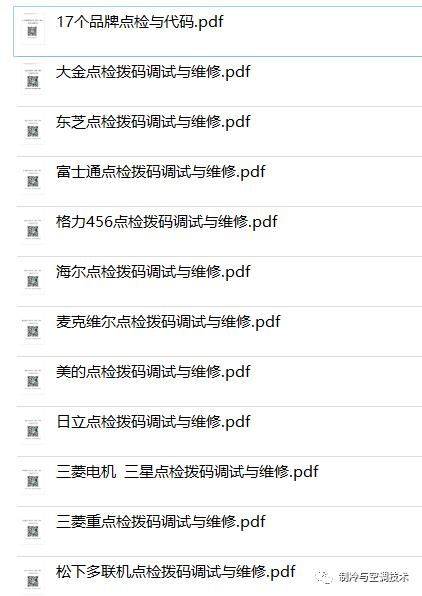
The debugging of video instruction was also placed in the air conditioner kit, with two videos lasting 180 minutes, which included teaching such as installation maintenance, calibration of the dial-up code, etc., as shown in the figure below. You can click the image below if you need it。
The vip version of the technical information covers air conditioning and cold storage and includes, but is not limited to:
1 hvac complete technical information: covering wind pipes, multiple onlines, modulars, wind heat pumps, screwrs, centrifuges, etc., group check-ups to avoid debugging, maintenance methods, technical manuals, circuit charts, video tutorials, design of selected software, etc
Refrigerator cryogenic equipment: integration of large technical documents such as danforth, bizelle and others, calculation of selected refrigeration volumes, design of drawings, installation debugging guides, 3d modelling and teaching videos, complete knowledge base in the refrigeration sector, immediately accessed by clicking on pictures
3, 500+refrigerant videos: from cooling principles to systems operations, covering areas such as hac, cold storage equipment, suitable for learners at all levels and upgrading skills。
4 handbook on paper maintenance of air conditioners: collection of technical information on multiple online and cold water units in various brands, such as gly, u. S. And great gold, including dialing codes, malfunction codes, etc., paper versions。
A master plan for the maintenance of the home air conditioner main board: 10+ maintenance teaching packages covering the branded air conditioner drawings, the master board cpu program, and training materials on principles and maintenance。
For complete information, please reply to the keyword “information” in a private letter。