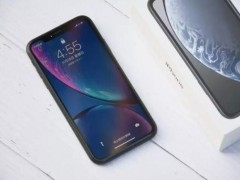
Sometimes we have a cell phone or a computer without a network, but people around us or another one of our own have traffic, so we can turn it onIt's personalShare the traffic with those who need it, and follow up with the novels to learn how to turn on the hot spots。

Method i
1. Click on screenCellular settingsIcon。

Click to connect and share icons。

3. Click on a personal hotspot。

Switches after individual hotspots are opened and passwords are shared with others, thus successfully sharing traffic with others。

Methodology ii
1. Click on the top of the screen to pull below the status bar and enter the cell phone control centre。

2. Click on the personal hotspot icon, and the hotspot is successfully opened。

3. A long personal hotspot icon can view the hotspot name and password。

This paper is based on machine type: real gt explorer, system version: realmeui4. 0。