Wish is one of the better-developed cross-border electrician platforms, and if you want to do this, you have to set up a shipping template. Of course, other shops are the same. How do you set up a freight template。
How do we set up shipping templates?
1 if you want to create or change " distribution settings " , go to " business backstage > accounts > distribution settings " , and the page will jump to https://merchant. Wish. Com/shipping-settings. Here you can choose "send to the united states only", "global distribution" or "send to the selected country" after the settings have been completed, remember to click "update" to save;
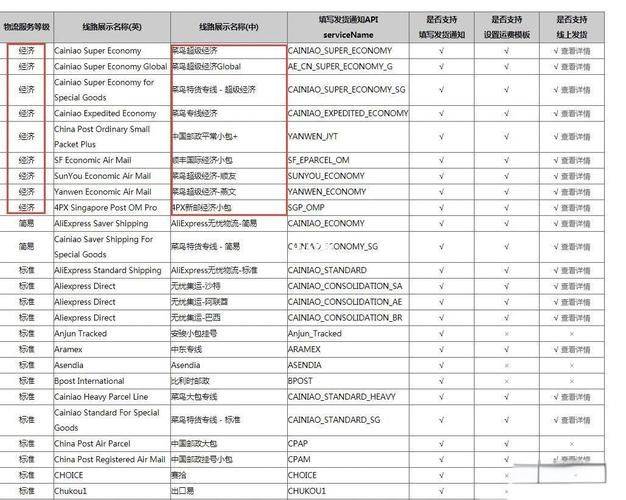
2. If you choose to “send to the united states only”, the products in your shop will be purchased only for united states consumers, and the cost of transportation will be set only for distribution to united states consumers;
3 if you choose “global distribution”, the products in your shop will be available to consumers worldwide. You can set freight costs for each country supported by wish, that is, the logistics costs for distribution of products to consumers in each country. Wish supported countries in europe, asia, north america, south america, africa and oceania;
If you choose "send to a selected country", the products in your shop are available only for consumers in the country of your choice. This is how you can select the country you can distribute. In the distribution settings, you can also set a global freight rate for standard products。
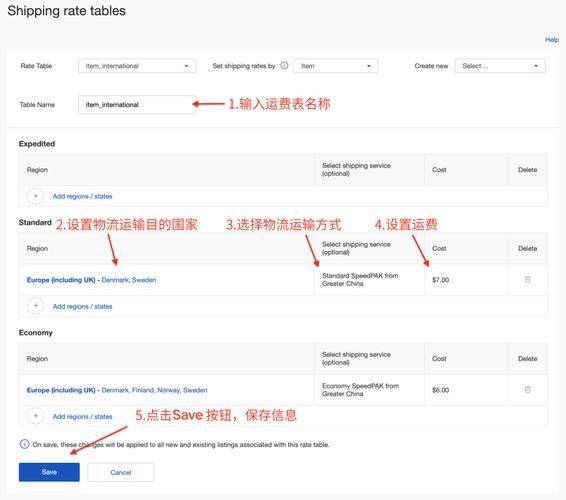
What is the logistics template setting method?
Access to the whish business backstage by clicking on " account - distribution settings " ;
2 then choose “send to the united states only” or “send to selected countries/areas”。
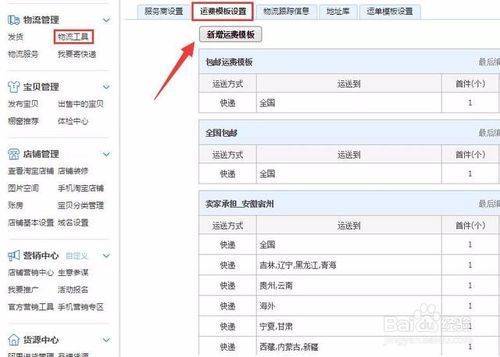
The “distribution to the united states only” approach is intended for united states consumers only; the choice of “distribution to selected countries/areas” is added to the market for your products, with the freight costs set for all countries/areas in the wish。
Wish sellers can also set freight rates for their products according to the dimensions of the country/region. Next to the countries/regions that want to edit, choose “using national/regional freight” to enter the corresponding freight amount。
All right, here's the way to set up the shipping template, so let's get to know the skills. Apart from the need to design the shipping template, there's a lot to understand。