


Subscriptions are sent on public platforms, with one opportunity per day, four opportunities per month for service numbers, only service numbers if they are to be sent more times, either through the template message community of the micro-flank platform, or through the development of functionality based on the interface of the public platform, increasing the number of templates sent to the micro-mail service, i. E., in a regular format, without support for marketing messages such as advertising and all other information that may cause harassment to fans, and without support for the insertion of cover pictures。
Functional template message grouping, support service numbers to upload template messages online, support message insertion of fan nicknames and emoticons, support message jumper applets, page template album links, article h5 links, support line breaks and colour changes. Template messages are used only to send important notice messages to fans and can only be used in service scenarios that meet their requirements, such as equipment failure alerts, purchase success alerts, registration success alerts, pilot application successful notices, scale restoration alerts, examination notices, ticket successful notices, temperature abnormality alerts, service evaluation alerts, payee notices, expert confirmation notices, payment completion notifications, consumption success alerts, service completion notices, campaign application successful notices, customer accession success notices, registration confirmation alerts, booking course alerts, bill upload success notices, etc。
Conditions for use
1. Micro-credited service number 2. Authorized service number to microcolon help
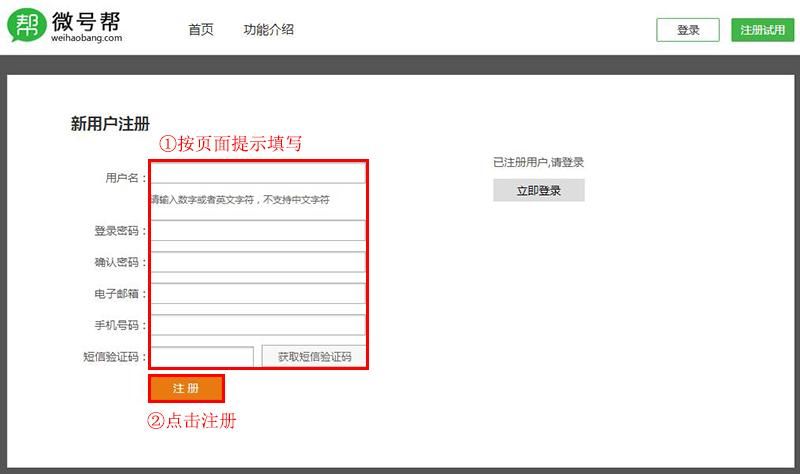
1. Completion of new user registrations on the microphones platform, >registration free of charge for seven days。
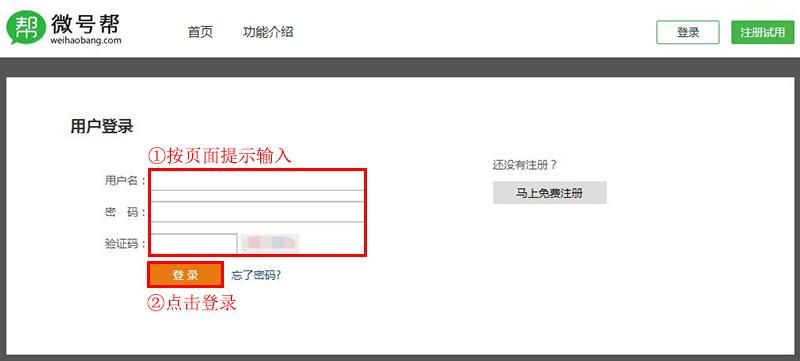
Upon successful registration, login via username and password to the micro-platform > >。
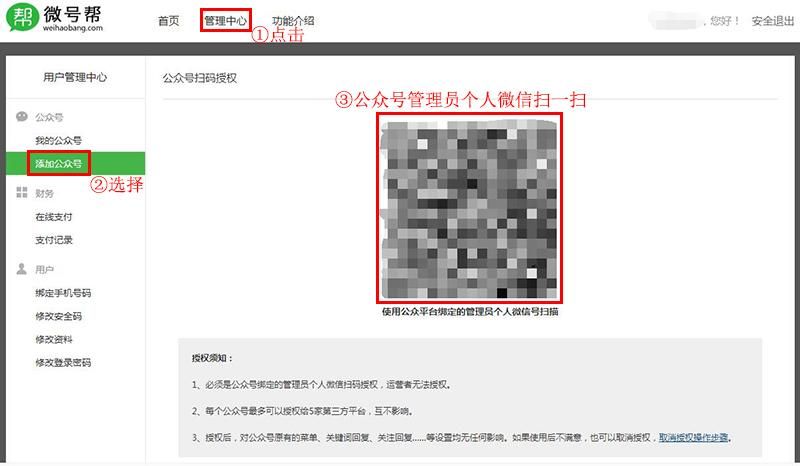
3. Public code administrator's microscanning authority
Once the login is successful, access is made to the management centre to find an additional public number, which is authorized to the micro-column using the public number administrator micro-scanning。
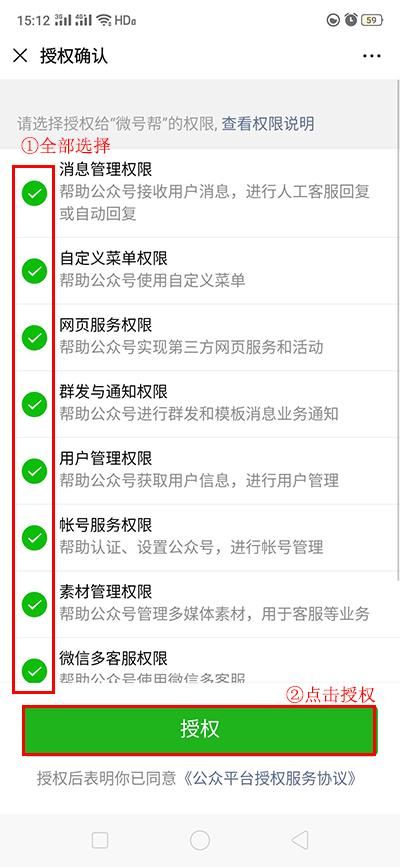
Public code administrator micro-credit confirmed
The public sign administrator micro-mail scans, clicking the authorization to delegate the entire interface to the microphones to ensure that the utility of the template message stream is fully effective。
5. Micro-platform: functional management
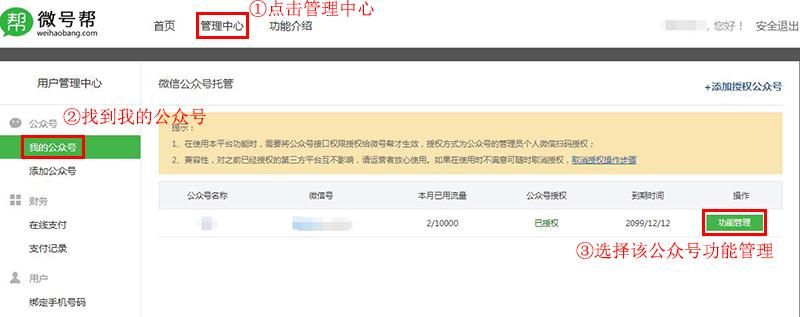
After a successful public call, click on the management center, select my public call and enter the functional management of the public call。
6. Add functionality plugins
The public number of the public channel that has been added to the template message function should skip this step, and the public number of the template message function >see the tutorial: the public platform has added the template message function。
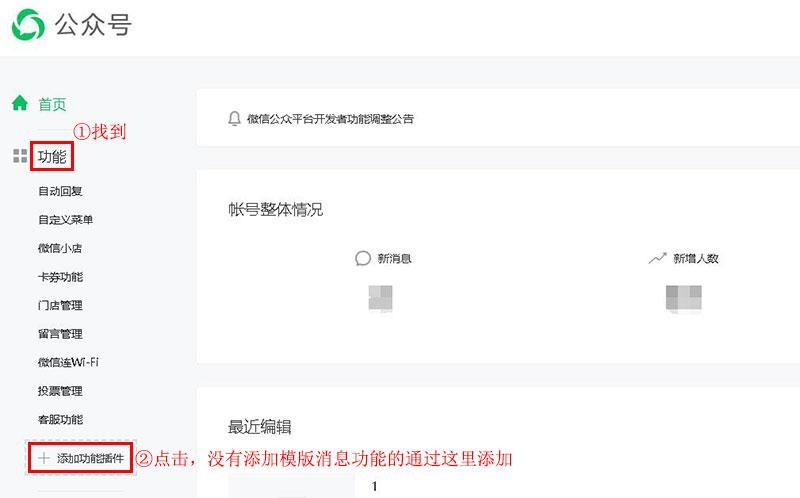
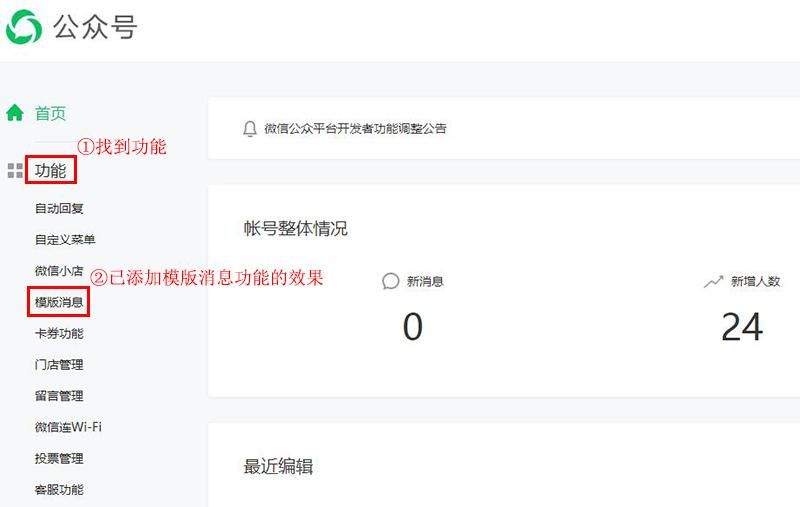
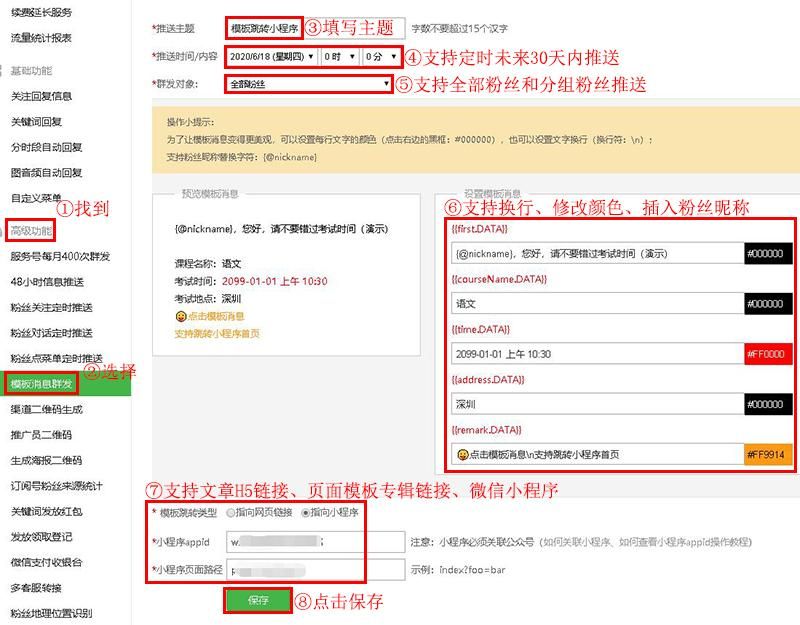
7. When functional management is in place, an advanced feature is found, a template message group is selected, and the action is done according to a page tip, and if template data is not available, see how the tutorial: how the public platform adds the template, and then click again to get the template data。
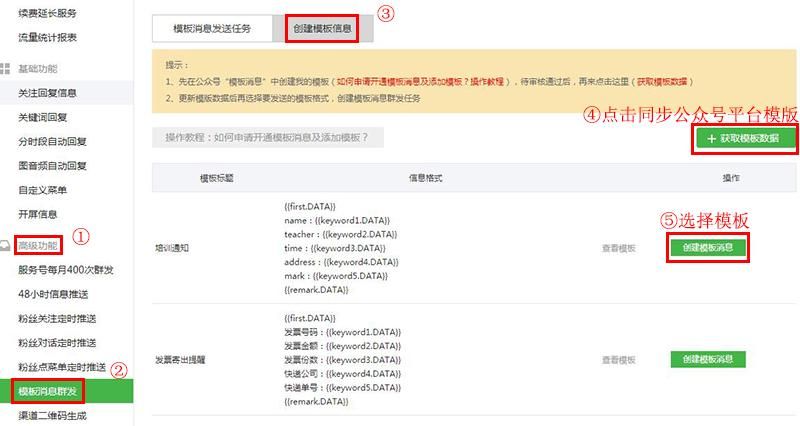
8. After entering the creation of the template message, complete the template message content settings based on the page alert, and then click to save the message, support the line break, change the colour, support the message by inserting the fan nickname, emoticon symbol, support the message jumper article h5, link to the page template album, micromail applet, and support the delivery of the message within the next 30 days。
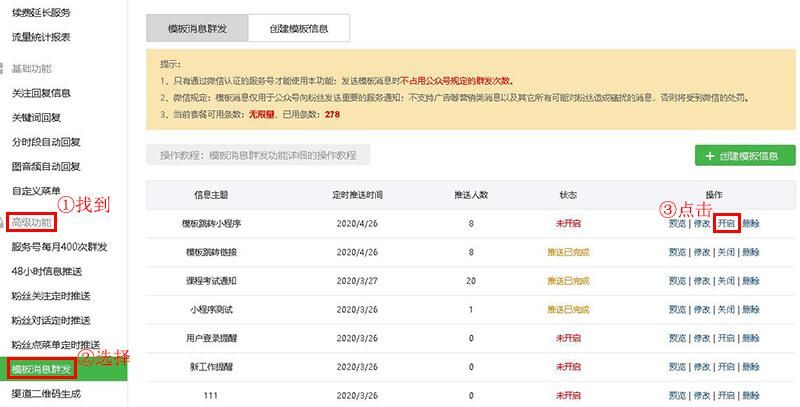
When you have saved successfully, you find the corresponding message theme and click on it, without which you do not automatically push the template message。
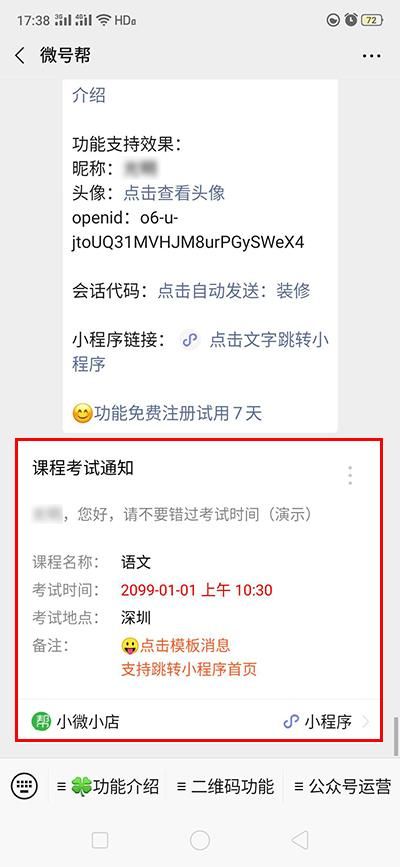
10, micro-mercure service (mss) fully pushes the template message function to demonstrate the effect of the tweet。
![新闻资讯APP排行,手机新闻APP排行榜前十名,手机看新闻哪个软件好[2026]](https://www.3z0.cn/file/upload/202608/26/1787681122214_lit.jpg)


