Win7The system is a high-performance system recognized by users. There's been a lot of little partners lately asking them how to do itWifi hotWhat? Today, the novels bring to you a way to open up the hot spots of win7wifi。

1. In order to open a wifi hotspot, first, there must be a web card, the notebook is self-contained, and pc can purchase an accompanying wifi to share wifi, which is not described here; first, press the windows key on the keyboard to open the "start menu", enter "cmd" in its bottom search column and click on the magnifying glass icon to search;
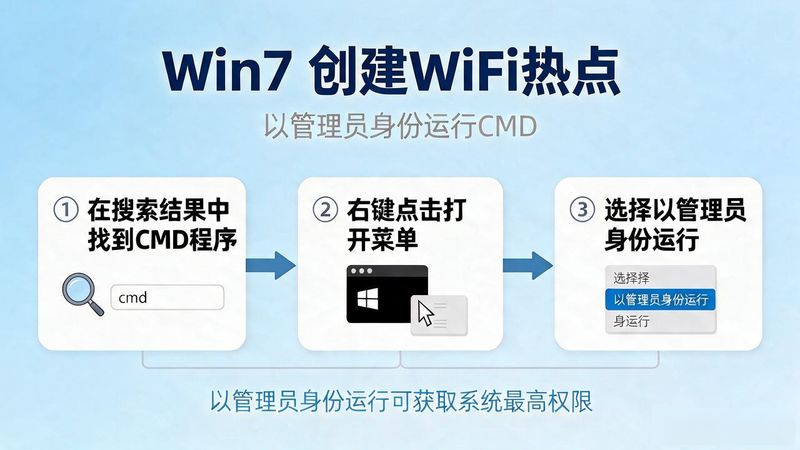
2 when the cmd program is found in the search results, click the right mouse button to open the menu and select " run as administrator " ;
3. OpenCommand hint, enter "netsh wlan set hostnetwork mode=allow ssid=wifi name key=wifi password", e. G. "netsh wlan set hostnetwork mode=allow ssid=sougouzhian key=12345678" and knock back on the car when finished;

4. Return right to the bottom right corner of the desktop after successNetwork connectionsIcon, select " open the network and share centre " in the popup menu;
5. Click on the left to change the adapter settings after entering the network and sharing centre window;

6. After entering the network connect window, right-click on the wireless network connect to open the menu and select properties;
7 after entering the wireless network connection properties window, switch to the shared tab, tick the check box in front of " allow other network users to connect through this computer's internet connection " , and click to determine;

8. Then you can turn on the command indictment, enter "netsh wlan start hostnetwork" and knock back on the car。