Png and jpg are one of the two most common photographic formats, where jpg images are slightly better than png images in terms of compatibility, file occupancy space, and web adaptability. As a result, the conversion of png images to jpg images allows for better image viewing and transmission experiences。
This paper shares seven solutions for how png images can be converted to jpg images, meeting to some extent the needs of users in terms of the quality, speed, etc. Of conversion of pictures. Below, the minor parts will share the operational steps of these seven conversion methods。
Png to jpg method i: use data frog video converter conversion
Data froggy video converter supports the conversion of multiple file formats, including video, audio, picture, etc., to meet the user's needs for the conversion of pictures in different settings. The advantages and operational steps of the tool in the photo png to jpg are described below。
Advantages
• support the batch uploading of png photo conversion formats
• simple operation and speed of conversion
• be able to maintain the highest degree of clarity, colour reduction, etc
Operational step
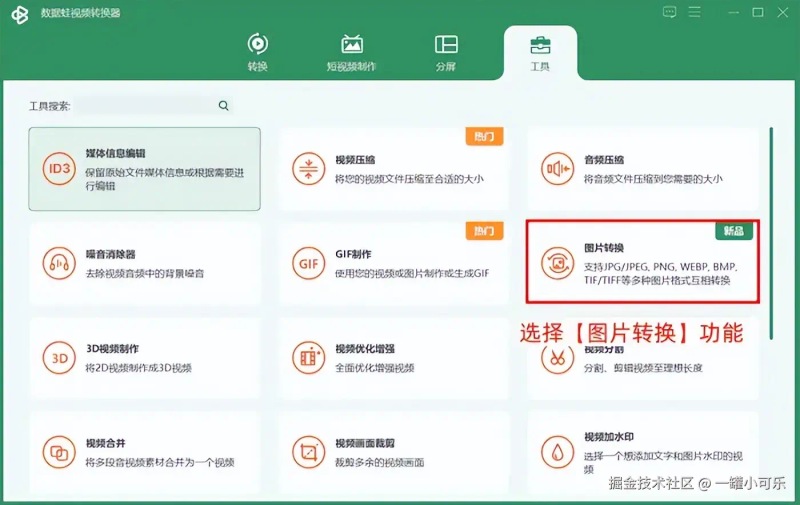
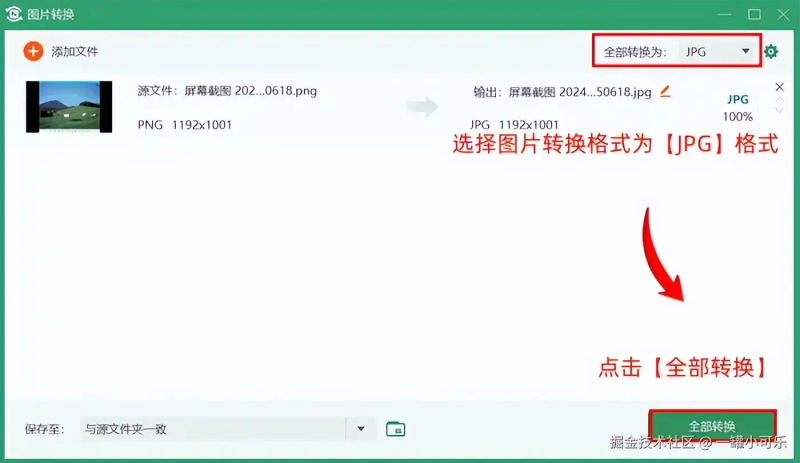
Step 1: select the function [photogram conversion] in the functional toolbox option for this tool。
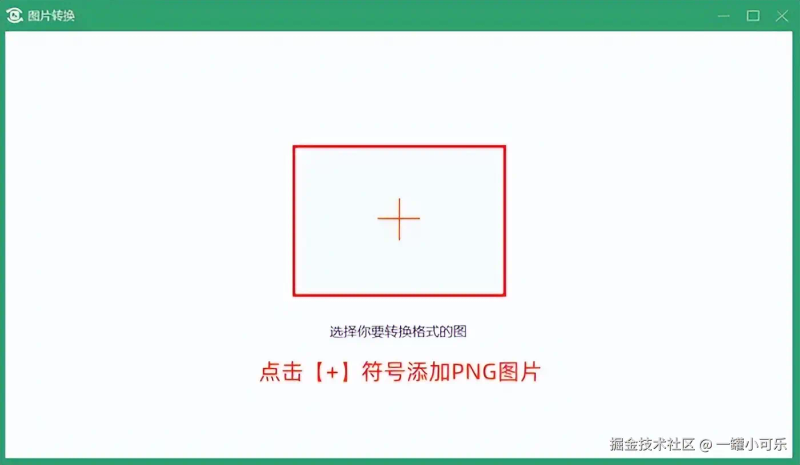
Step 2: click the [+] symbol in the [photogram conversion] interface to add a png image。
Step 3: select the image conversion format to [jpg] at the top right of the image format interface, and click on [all conversions]。
Png to jpg method ii: can directly change the image file type first name
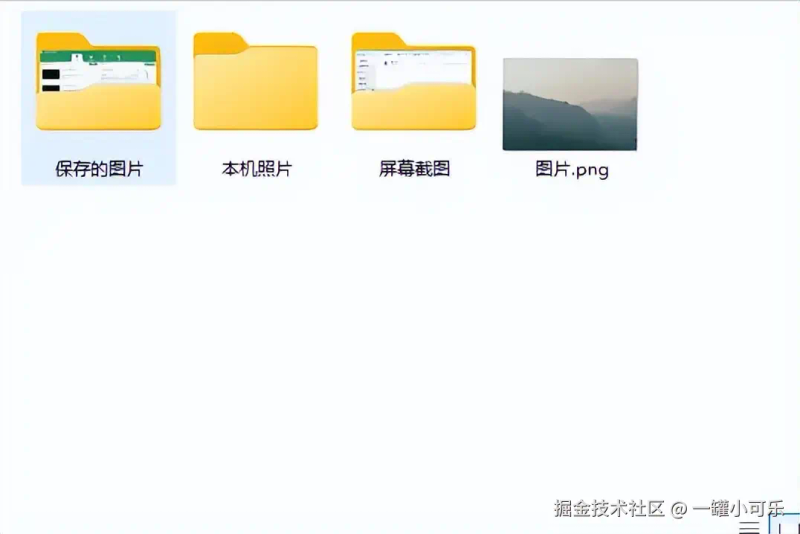
How do png images go into jpg format? The most direct method is to change the suffix name of the photo file by changing the suffix name of the [photogram. Png] file to [photogram. Jpg]。
Note: this method may result in the picture not being opened, so it is recommended that you backup png images before using this method, so that the source file is not lost。
Png to jpg method iii: convert with zamzar
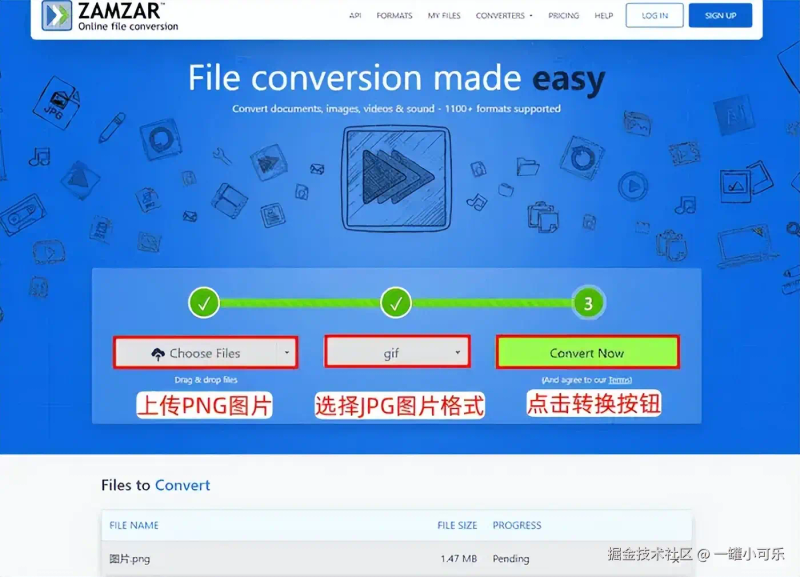
What about png conversion to jpg? Zamzar is an online file conversion tool that supports the conversion of multiple file formats. Their characteristics and operational steps are described below。
Characteristics
• free conversion of photo formats, with limitations on the size of the files they upload
• only simple conversion functions are supported and advanced functions require a fee to unlock
Operational step
Step 1: upload png pictures and select jpg photo formats。
Step 2: click the corresponding conversion button。
Png to jpg method iv: use online-convert conversion
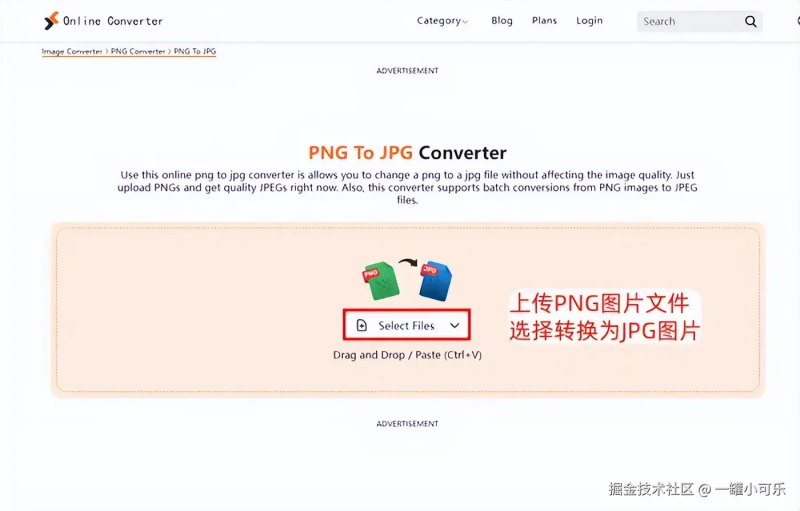
How to convert png to jpg? Online-convert as an online image-format conversion tool can efficiently effect png to jpg. The features and operating processes of the tool are described below。
Characteristics
• support the conversion of multiple photo formats but at a slower rate
• an open-source online format conversion tool with some privacy risk
Operational step
Step 1: click on the image upload button to upload the png image file。
Step 2: select to convert to jpg images, and then click the conversion button。
Png to jpg method v: use online-image-converter conversion
Online-image-converter is an excellent tool for solving the problem of how png images can be converted into jpg images, the greatest feature being that they can be converted in bulk. Operational methods and characteristics are described below。
Characteristics
• the online format conversion tool is highly web-dependent
• the speed of conversion is influenced by the network condition, which is slow when the network is poor
Operational step
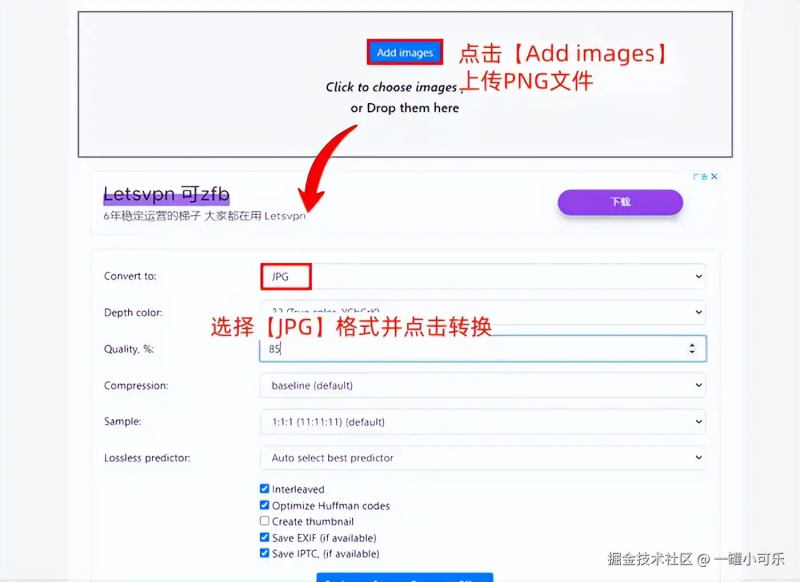
Step 1: click [add images] to upload png files。
Step 2: click [co]Nvert to], select [jpg] format and click conversion。
Png to jpg method vi: convert with cloud convert
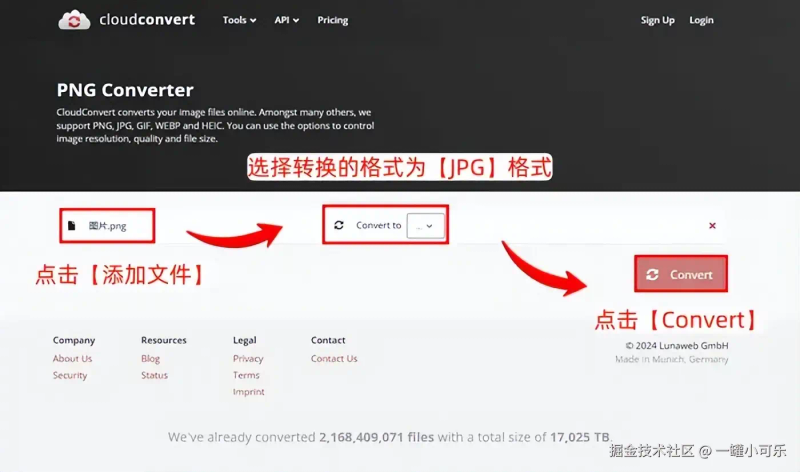
Cloud convert supports the conversion of a wide variety of photo formats, which can only be converted by entering the web site with images. Here's how to convert png pictures to jpg format。
Characteristics
• the operational steps are simple, but the conversion speed is limited
• limited number of free conversions in photo formats
Operational step
Step 1: click [add file] to import png photo files and select the format to be converted to [jpg]。
Step 2: click [convert] to convert。
Png to jpg method vii: convert using convertio
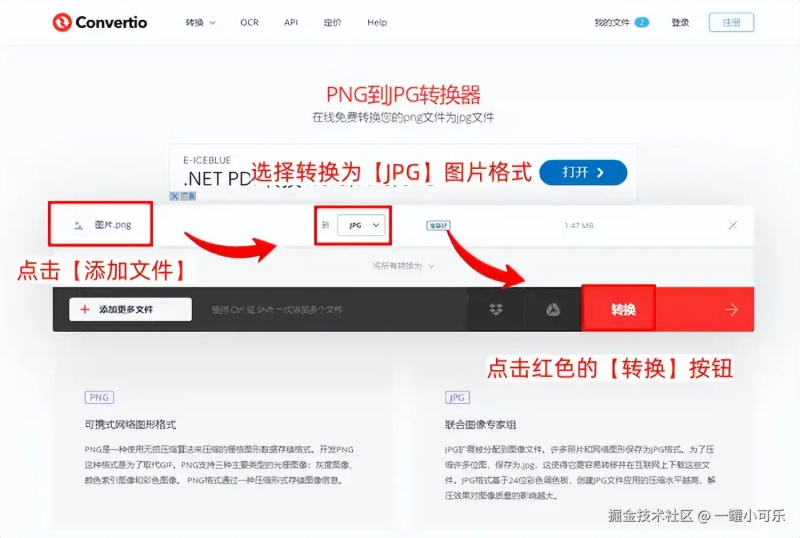
The confertio photo formatting tool, which optimizes the quality of pictures, is used to convert png to jpg and to maintain the quality of pictures to a certain extent. This is followed by a description of its characteristics and methods of operation。
Characteristics
• capable of minimizing loss of graphics, but slower conversion of photo formats
• there are certain limitations on the size of photo files and larger png images may need to be uploaded in batches。
Operational step
Step 1: click on the [add file] button to select the format for the [jpg] picture。
Step 2: click on the red [conversion] button。
Based on the above, conversion of png images to jpg would maximize their compatibility, speed of transmission, etc. In addition, if you want to solve the question of how a png picture is converted to jpg, you need to choose a tool that is fast and effective, such as data, frog video converters。
Finally, the sub-editor reminds you of the need to back up the image in the format before changing it, in order to avoid the failure of the image format conversion and the loss of the source file。
Previous recommendations:
How can qsv video be converted to mp4? 5 method farewell format limitations
How do you compress the size of the video
How do you translate the mov format to mp4? Four tools one by one