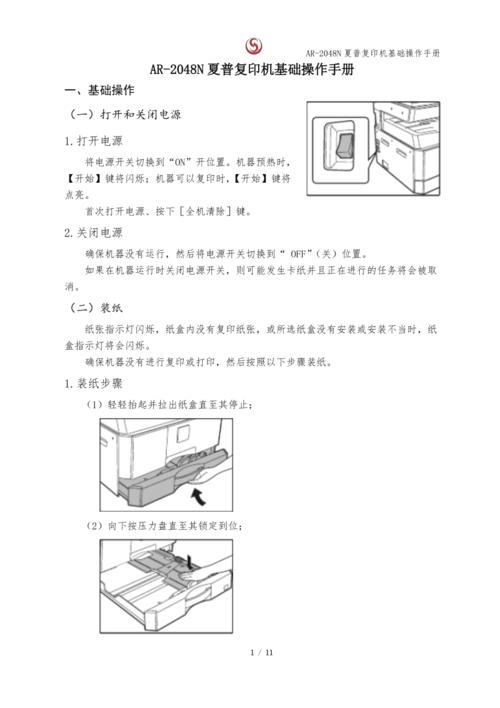
Photocopiers are not simply open for direct photocopying and there should be a pre-heat process before photocopying, so we should switch the copier power switch first. The position of the copier varies from one switch to another, usually on the panel or on the right or the right side of the panel。
When the photocopying machine is turned on, the preheating process begins, and the panel shall be marked with a signal and a waiting signal. When the preheating time is reached, the machine can start photocopying, at which point the signal can be copied or communicated by audio signal. This copier we're demonstrating is preheating and the green preheat lights will automatically shut down。
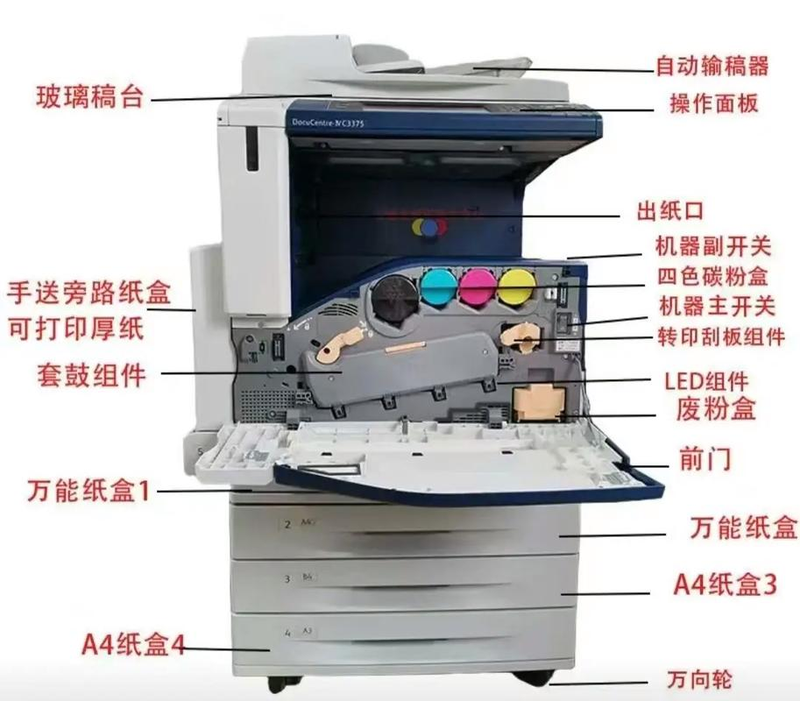
3. After preheating, check whether the displays on the operating panel are normal. These include, inter alia, photocopies of signal displays, displays of paper box locations, photocopy quantities shown as "0" , photocopy concentration reconciliation displays, paper sizes showing that all displays are normal for reproduction。
4. Check the availability of sufficient paper and there are two ways in which generic photocopiers can place blank paper, on the side side and in the box. As the chart shows, paper boxes are below the photocopying machine, while paper on the side is usually placed on the side and paper is produced on the side. Usually the default copy nail paper is a4.
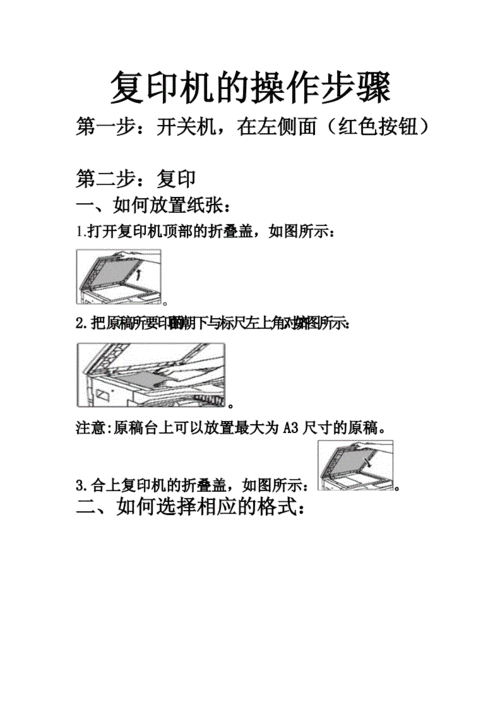
When everything is ready, the original text is placed. Note that the original draft should not contain photocopy nails, that the coating should be dry-dry and that the original text should be clearly identified. Note the size of the original draft, which should not be larger than the default blank paper size (in this case, a4) or be reproduced separately。
6. Lift the cover of the photocopying machine, lower the face (glass panel) of the original copy to be made, and apply the scale to the size, so that the original text is smooth and the lid is covered. When the original copy is printed in order, it should start on the last page, so that the photocopying order is correct, otherwise it will have to be reversed。
7. Set the number of copies in the control panel and set the number of copies by number. If you press the wrong number, you can press the c key and reset the number of copies。
8. Finally press the copy button, that is all。
Note that the above operation is the simplest reproduction method。