The company rents offices. Second-hand copy machines? Or are you worried that sensitive documents will be printed after autumn? Don't panic! Today, you'll have the hard core of office space — a zero-and-data-cleaning guide for the current popular conicamida bizhub c300i series. It takes a few simple steps to get your machine back to the plant at once
Why do we have to do a zero log
Many people at work may not know that a digital photocopying machine is in fact like a small computer, which silently records all operational traces。
* what is recorded。
What are the risks of not knowing zero? If you do not process it, either directly, resell it or withdraw it, and the person taking over (whether the repairer, the next home or the original landlord) may restore or view the records by special means, your business secrets and personal privacy will be at great risk of disclosure
It is therefore essential, in certain circumstances, that a thorough “big sweep” be given to photocopiers。
Course: c300i log 3 come on
The data that we're going to remove for the conicamino da c300i machine usually consist of two parts: business history and hard disk data. In order to ensure consistency, it is recommended that you proceed in order。
Step 1: clear the "business history " (most commonly used, simple to operate)
This is the most basic clean-up, mainly to clear the operating records that can be seen directly on the screen。
Enter the menu: click on the " utility/counter" icon at the bottom right corner on the machine's operating panel screen。
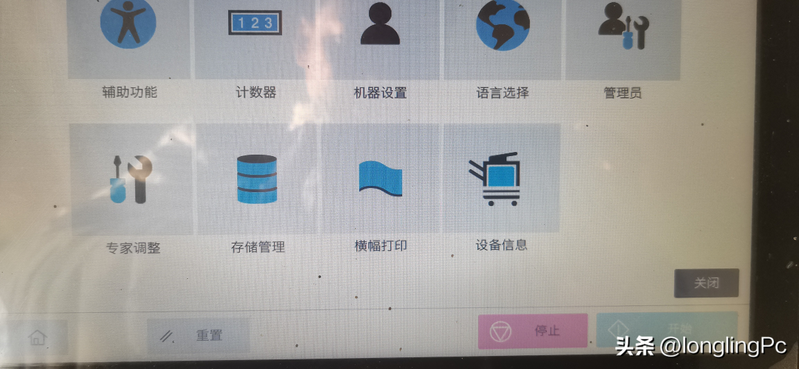
Access to administrator settings: in the pop-up menu, find and click on the administrator settings. (note: some interfaces may be shown as " machine settings " )。
Find safety options: move down or search for security settings or safety details in sub-menu。
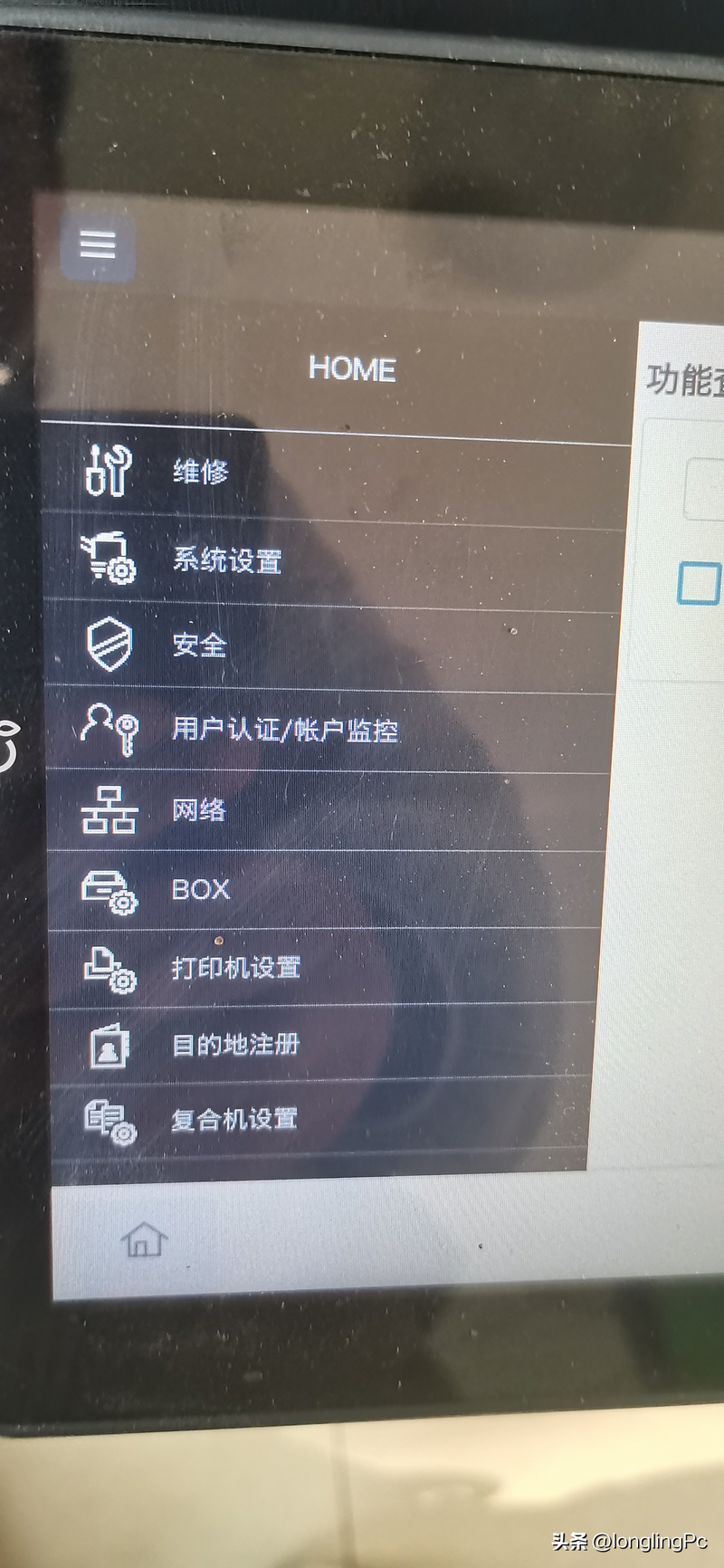
Execute clearance: select either the "initiation " (initialize) or " clear data" options。
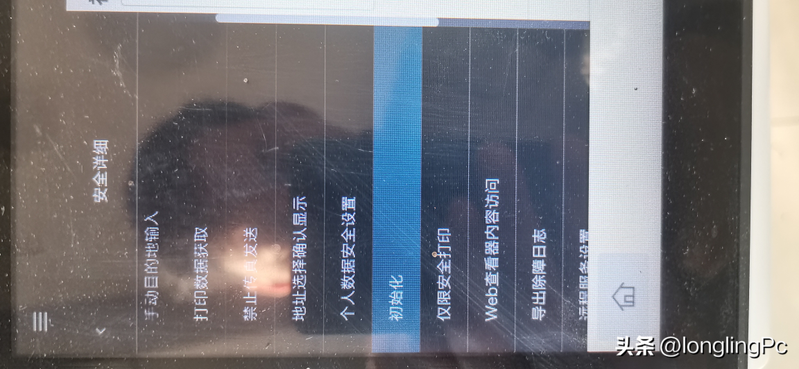
Key step: in the initialised list, the "job history" must be ticked. You can tick the options " log" and "address book" as you want。
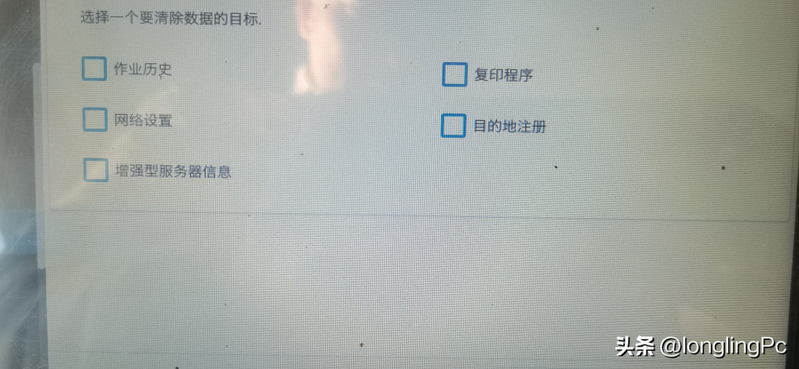
Confirm execution: click " ok" or "yes". The machine will signal that it is being initialized and that it can be activated for a moment。
Step 2: deep cleaning of hard disk data (for exit/seller)
If you intend to return the machine to the leasing company or sell it, it is not enough simply to delete the history of the operation, and there may still be thumbnails or document fragments on the hard drive. You need a deeper "hard drive initialization."。
Access to maintenance mode (service mode): this is the "backstage" of the machine. On-board, click on the panel:
* usage/calculator > counter > show small keyboard > stop > 0 > stop > > 0 > > 1。
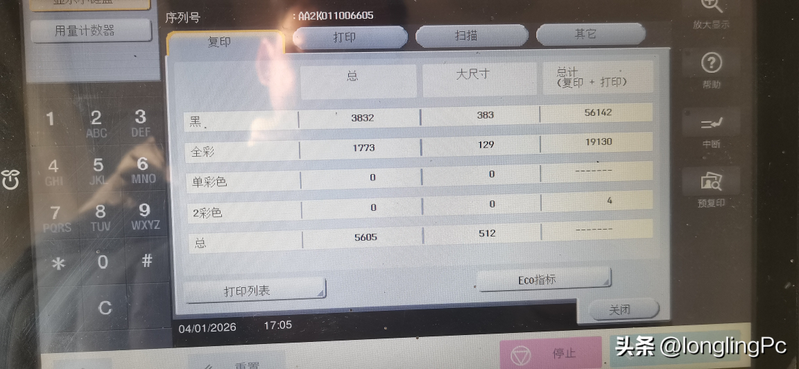
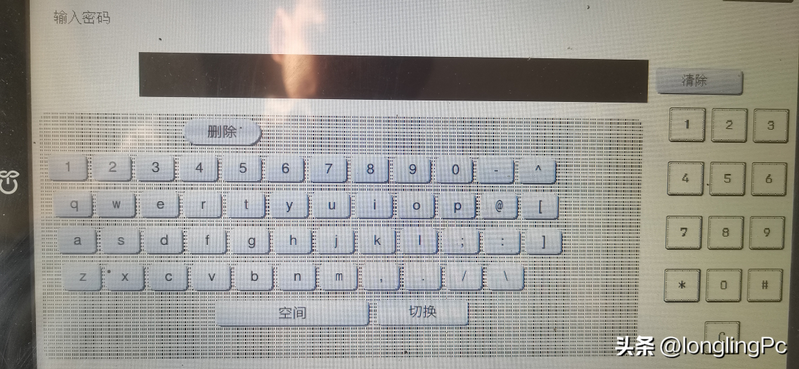
* the password input box will pop up at this time。
Enter password: enter the generic maintenance password 9272 (some machines may be 92729272), click " end" or press ok。
3. Search for initialization options: once in the maintenance mode interface, this is an english menu. Found the "system 1 " (system 1) or "clar data" (cleaning data) options。
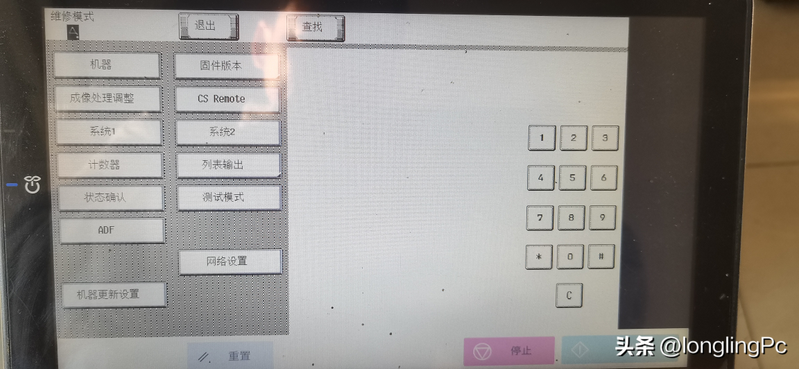
Select hard disk removal: in the sub-menu, search for options similar to "hd full initialize" (full initialization of the hard disk) or "clar all data " 。
Implementation and resumption: confirmation of implementation. This process will be slow and patient, and once completed, it will be important to completely shut down the main power switch and wait 10 seconds before restarting。
Attention
*the password problem: the above-mentioned password 9272 is a common password, but many companies may have changed the password for information security purposes. If you enter an error in the hint, contact the company's it administrator or lessor to get the correct password and not try blindly to lock the machine。
* data is priceless: once the “hard disk initialization” or “cleaning all data” is implemented, all scanning files, network settings, address book will disappear forever! Make sure to confirm in advance that there are no important file remnants or that the address book information is well-required。
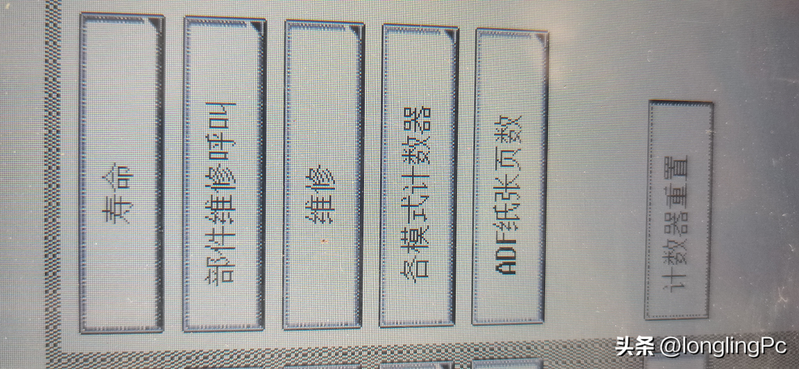
*steal/silver drums are clean: this paper focuses on “logs and privacy data”. If the machine is wrong when you have replaced the powder box or the americium drum, what is needed is a zero selenium drum or initialization of the carrier, which is another operating process (usually operated in the "user/counter" - > life)。
Got it. With the two above steps, your conicaménada c300i has completed a complete "privilege sweep."。
Recommendation: the development of good habits, the timely removal of documents involving core confidentiality after printing and the regular (e. G., quarterly or annual) simple logging of machines is the least costly and most efficient way to secure enterprise information。