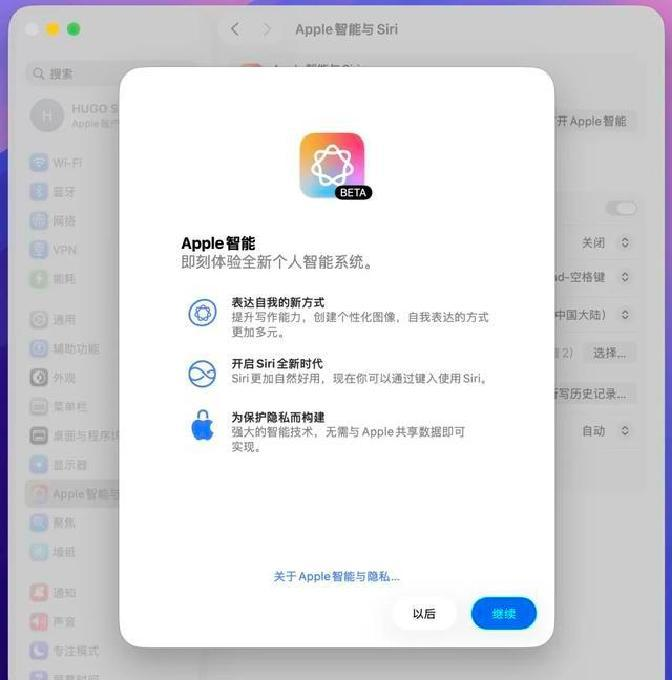
Your national bank, mac, can open apple intelligence directly, and the whole process is done with a single script, with no backstage service for long periods of time, and no sip permanently shut down. Once the sip is temporarily closed in the right step and the script is run, restarting can see the "apple smart and siri" entry in the "system settings" sidebar and then use the hint to get the system to download the model。
The last step to confirm is simple: the system settings are opened after login, and the apple smart and siri script is shown in the sidebar to be effective. Models need to be downloaded, big and steady, and don't expect mobile traffic to drop. When the model is finished, chatgpt expands to go on; if you don't want to expand, you can experience it directly. Personally, download time and network quality are the most patient links in this。
In the matter of returning everything to a safer state, it is recommended that we go back to recovery mode and call sip back to order csrutil capable. The entire process does not require security protection to be closed for a long period of time, after completion, which will achieve functionality without compromising long-term security。

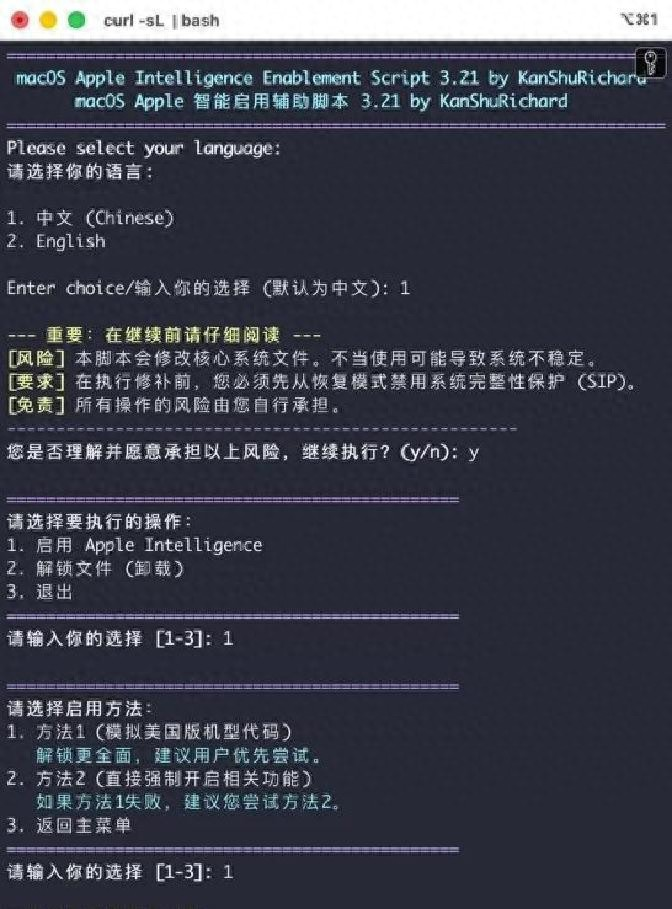
The running script is also intuitive: when the mac is properly activated into the system, the terminal is opened with the administrator account, and the script on github is pulled down and running. Scripts are interactive. Just press. Once you have finished the script, you need to restart it and log in to check if there are more apple smart options in the system settings。
Before running a script, you must enter the recovery mode to temporarily disable sip. This step cannot be saved or lazy. The way to get into the recovery mode is to shut down mac completely and then hold down the power button until the screen appears " loading start options " . Select the 'options ' , click " continue " , enter the account password by hint into the restored interface. Then you find " practical tools " in the top menu and click on the " terminal " . Enter csrutil capable to return to the car in the terminal and restart the system when the command is executed. Note that this is done in the recovery mode terminals。
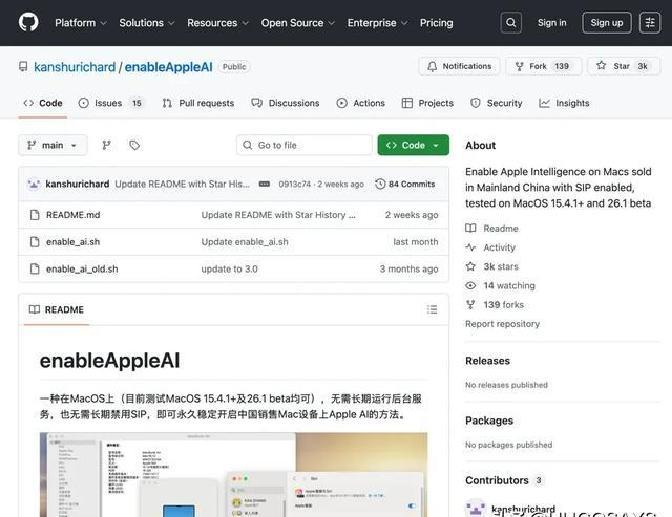
Other details should be made clear: restart the system once the sip is disabled and open the terminal script with the administrator account. Script from the github community's affordable appleai project, written by kanshurichard, the entire script opens the required permissions and configurations to enable the system to access and download apple ai models. There will be a reminder during the execution of the script, which will be confirmed as such. Run the script and restart it again, log in and go to the system setup, and "apple smart and siri" shows it's a success。
This section of the download model needs two things: the size of the file and the need for a stable network connection. Try to download it in the wi-fi environment, don't use cell phones for hot traffic packages. The system shows progress during downloads, waits patiently and does not interrupt at will. When the model is downloaded, if you want to install the chatgpt extension, it's the next step; without the extension requirement, the model is ready to experience the apple intelligence function in the system。
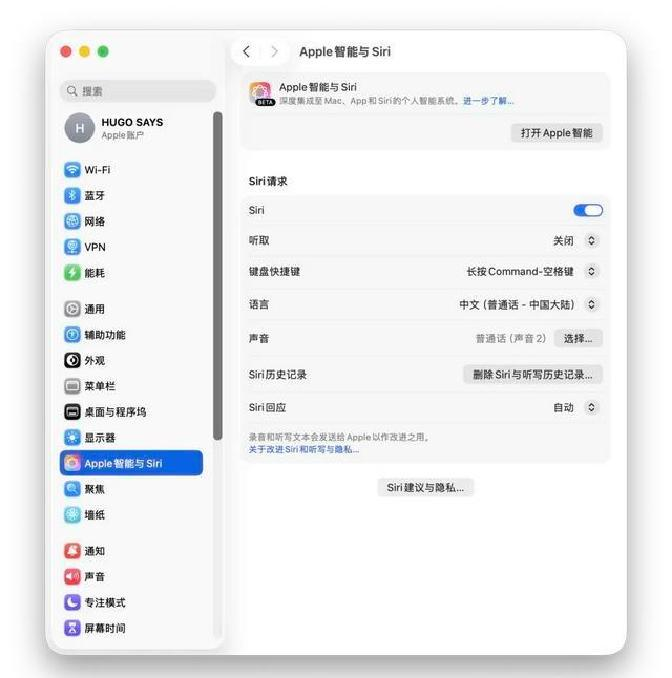
The advantage of this approach is to maintain the integrity of the system: it does not have to close the sip for a long time or run a permanent service to “maintain” the security set-up. The steps seem to be a little too many, but every step is clear, and no special hacking skills are required to succeed. Thanks to the author of the script, we saved time。
If you want to take a script and try it yourself, the project address is at github:
Https://github. Com/kanshurichard/enableappleai. @hugosays, if you want to try something, try it。