It is believed that many small partners sometimes need sketches in their day-to-day work, which is a small matter for designers, but it is really impossible for ps white. Don't be afraid, it's really easy to get a few easy steps to work. Today, the editor has prepared a ps road map tutorial, which, after learning, can be used for any drawing, without any pressure. Next, learn from little j
The steps are as follows:
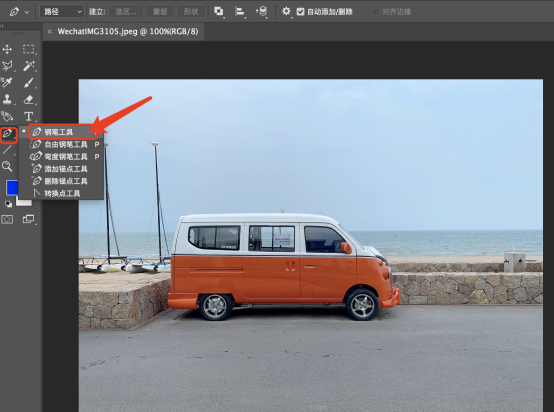
1. Open the ps software and the files to edit, select [the pen tool] in the right toolbar, or press shortcut p to select the pen tool。
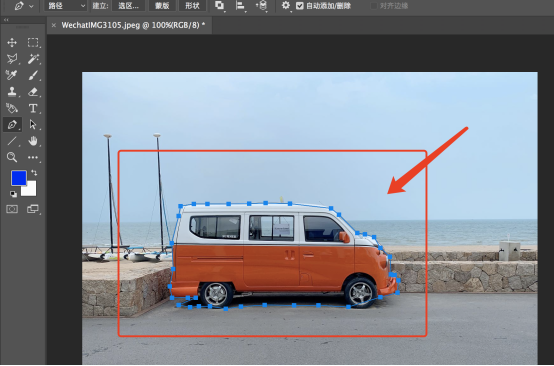
And then we're drawing paths on the edge of the picture that we're going to pull out until it closes。
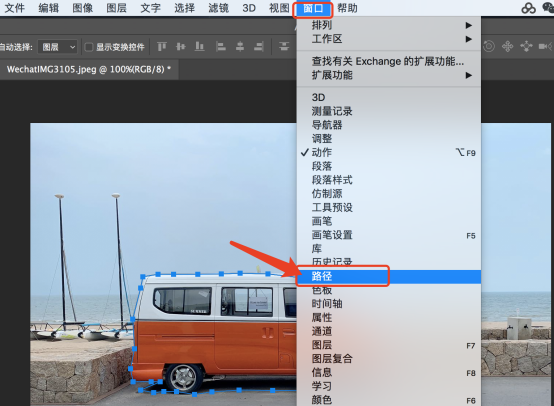
And then we click on [windows] in [menubar] to select [path function]。
And then we turn on the right side of the path panel and select [tool path]。
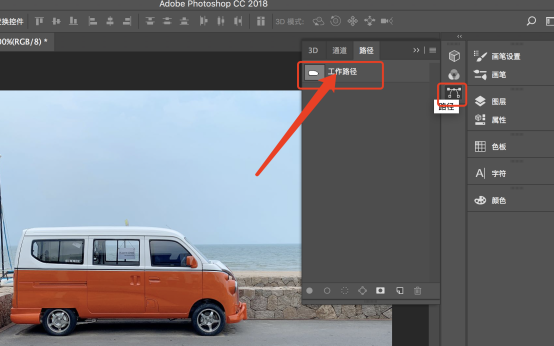
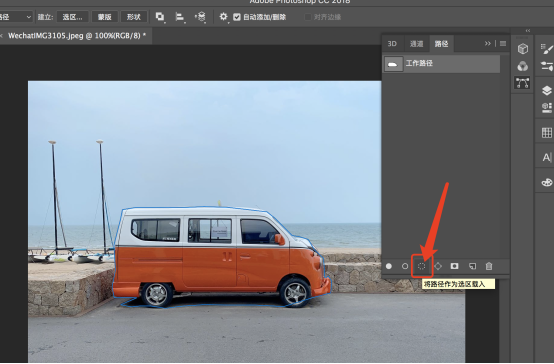
5 and finally, we click on the bottom of the path panel. Button, you can load the path into the constituency, and the area you have just chosen with the path becomes an ant line, and you can click [crtl+j]。
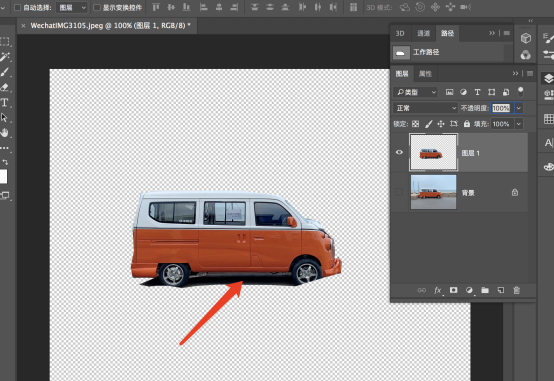
6. Hide the original figure and see the resulting figure。
That's the ps road map lesson. It's done in six easy steps. We'll be able to do more photo editing. It is hoped that this course of road mapping will help you, and ps is really a great software, and after learning, it must be very helpful. The young men must learn and fight for the future
This article uses the following hardware types: macbook pro; system version: ios13; software version: adobe photoshop2018。