Anticipation of the machine to the end of its useful life (including visual components, detergent components and reprint components), as shown in figure 1 below
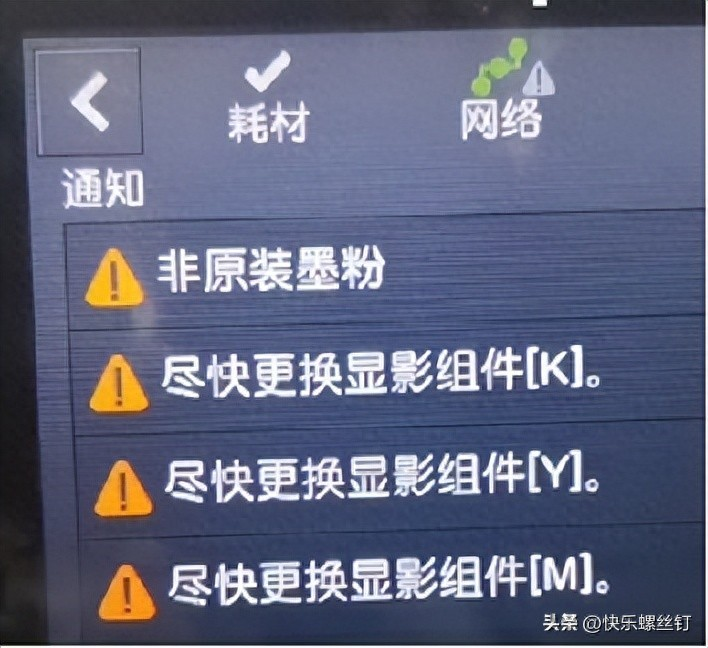
Figure 1
Method of operation:
1. In-maintenance mode: turn the machine off while holding the home key and power on, and turn it on until the display screen is in english and let go, as shown in figure 2
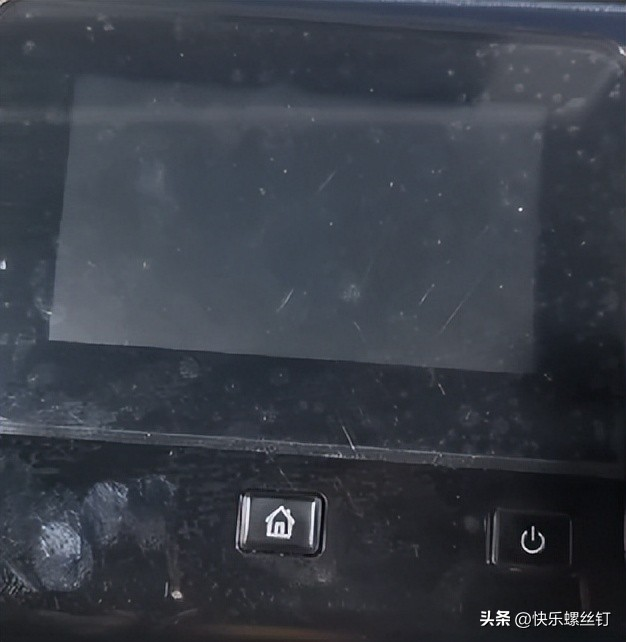
Figure 2
The following passwords are entered simultaneously by pressing the letter “special” “menu” and the home key page: 6789#, auto-jump, press "ce diag" and a little wait machine will enter the next page
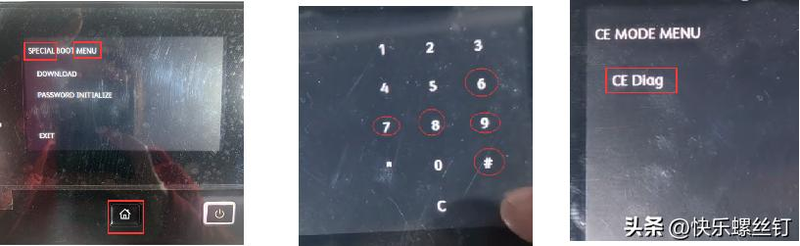
Figure 3
The machine enters the maintenance ce mode interface, displays the page in the maintenance mode, press ok directly if the position is "printer diag", press ok, press the interface displayed after ok, and flips down the arrow to parameter, as in figure 4
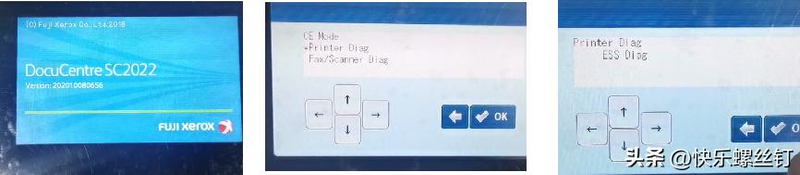
Figure 4
Show "parameter" entry, click ok into "life" item, show "life" directly click ok into the next item, as figure 5
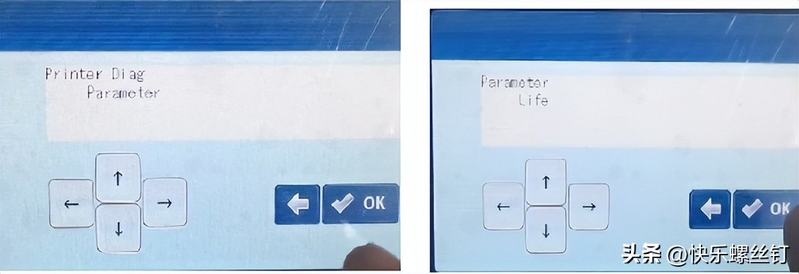
Figure 5
The following table (figure 6) shows these items searched in "life" and we use the example of the zero yellow image component below
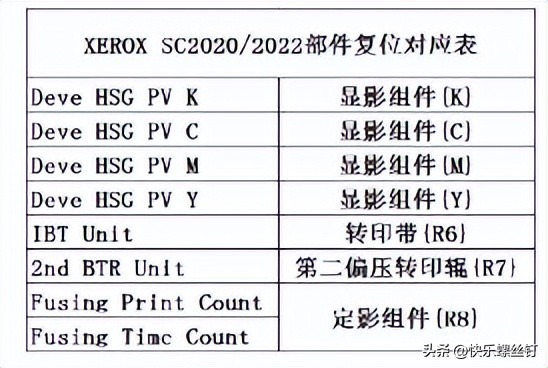
Figure 6
Click in "life" after searching for "deve hsg pv y" and enter the next entry, flip down the arrow to "initialize" to "initialize" and turn the machine into "initialized" and operate for a while. Once the machine is out of operation, the power button will be closed and zero will be cleared
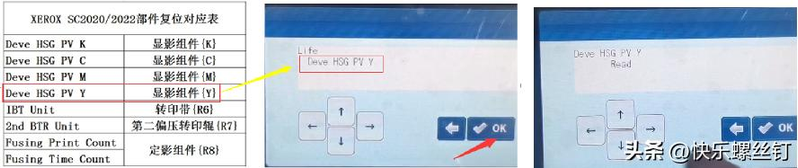
Figure 7
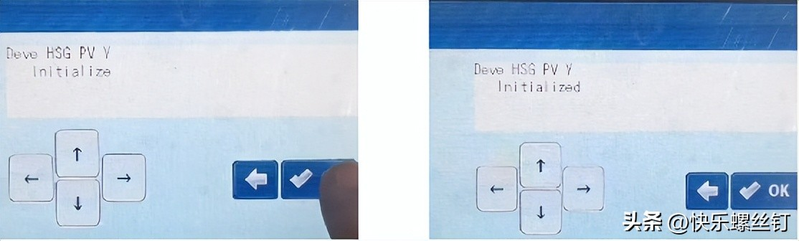
Figure 8
Note: if more needs to be zero, one can be zero, then return to life on the return arrow and select items that still need to be zero. The zero-sum component consists of the following two items: the component print count and the operation time is zero。
“fusing prince count” and “fusing time count”