H3c switch learning note ii
4. How can h3c simulation devices be login with other terminal software (v5. 10. 0 version of the simulation software)

In the case of securecrt (the software should be installed first on the computer), there are two ways to achieve this:
Method i: connect by telnet。
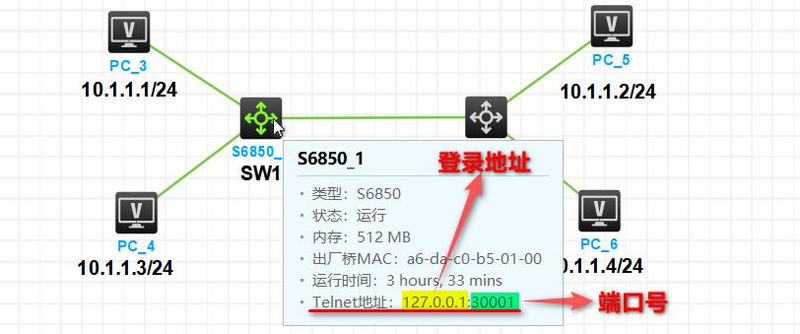
1. In order to enter the h3c simulation interface, move the mouse onto the device to be connected (the device is to be in a state of operation), there will be a device message (as shown in the figure below), the bottom telnet address 127. 0. 0. 1 and port number 30001 will need to be recorded and the remote connection of telnet will need to be used。
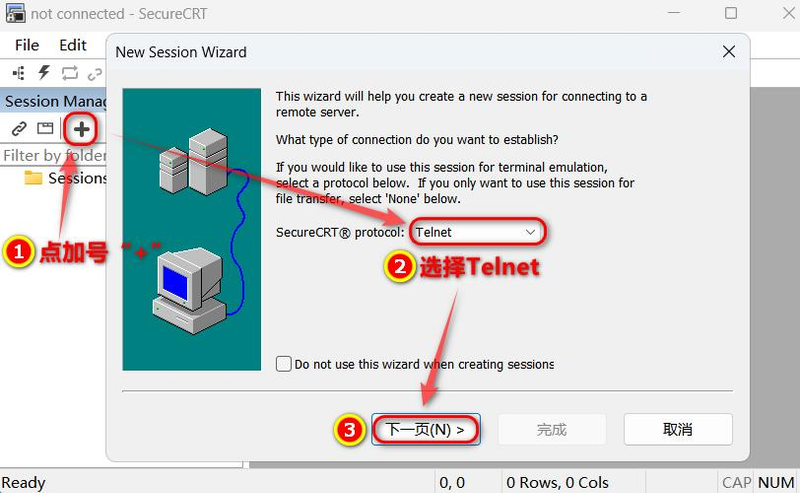
Run the securecrt terminal simulation program, click on the "+" to create a new session connection, select "telnet" in the open window (protocol) and click "next page"。
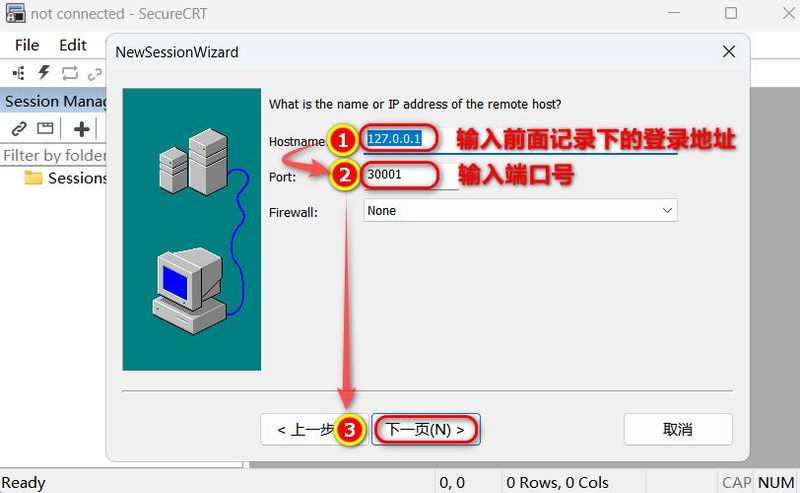
Then in the subsequent window, hostname (hostname) and port (port) entered 127. 0. 0. 1, 30001, respectively, and at firewall (firewall), with default settings, click " next page "
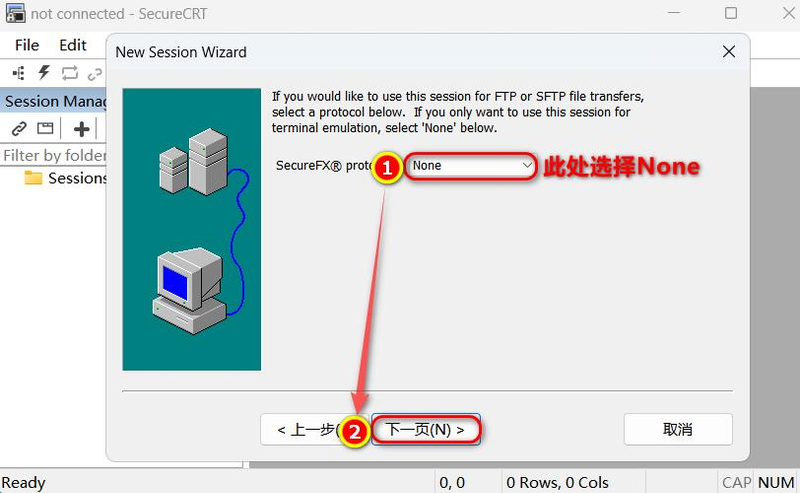
In the next page window, as we do not have access to files such as ftp or sftp, these protocols are not required, so we select the none and then click on the next page。
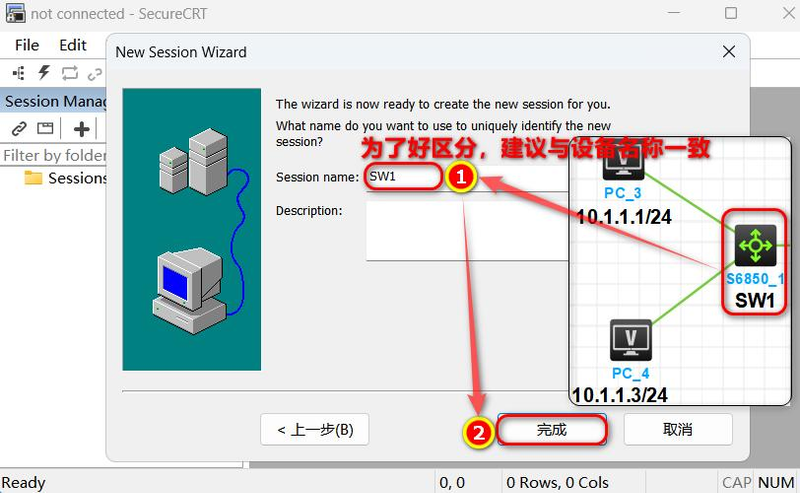
5. In the next window, just enter the same name as the h3c analogue switch (the device name in this example is sw1), and des belowCription (description) does not have to be filled in. Click " done " , so all preparatory work has been completed. We're going to connect to the simulation. Go on
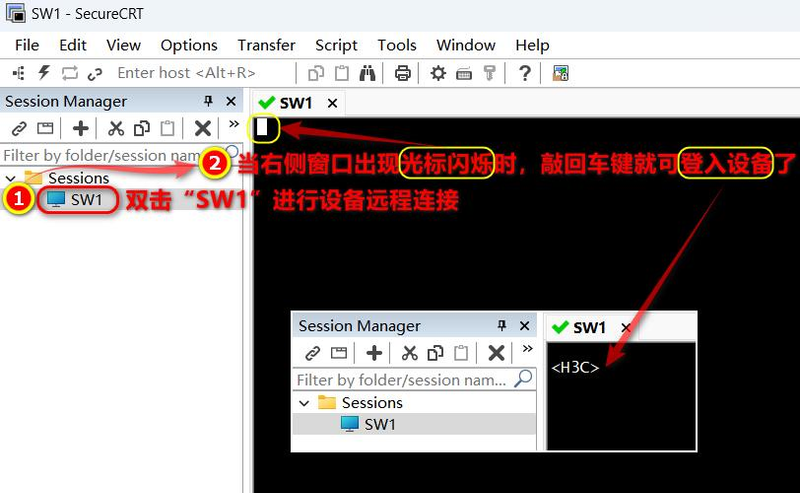
The newly created session on the left side of the double-click window is connected to sw1, followed by the right window opening a console window named sw1 (command line configuration), with a rectangular cursor in the upper left corner scintillating, at which point the vehicle can be entered into the device, as shown in the figure below, which indicates that you are successfully connected。
Method 2: set directly in the h3c simulation software。
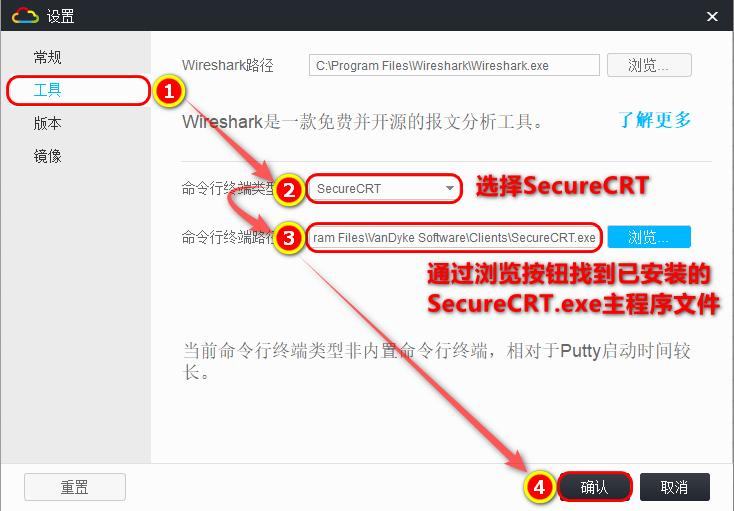
Opens the h3c simulation software, opens the settings window in the main interface by pressing ctrl+shift+p, and then completes the settings by reference to the figure below. Note that the setting must be preceded by the installation of securecrt on the machine, otherwise the setting cannot be completed。