With the advances in science and technology, television from the earliest black and white televisions to the colored ones, to today's lcd tvs, has really changed so much, but televisions, after some time in use, can't avoid all kinds of malfunctions, and today's novels bring to you some lcd tvs, if they have failed maintenance methods
1. Tv hardware failure -- tv black screen and sound
Solutions: checking the wires behind the tv, whether each of the plugs is in a specific position and confirming whether the plugs are loose. If so, fix it。
When the problem of the plug was removed, the situation with the black screen of the television was still unresolved, namely, the hardware problem, at which point it was important not to take it down and to contact the relevant post-sale maintenance staff for testing。
2. The tv is suddenly black and unable to start
Solutions: observe power lights on television and if the power light is not on, the black screen is suddenly cut because of the power connection problem. At this point, it is possible to check whether there is a power outage at home, whether the power plugs are loose and whether the power lines are malfunctioning。
If the power indicator light is on, it is a hardware problem, and users who are not aware of the specific structure within the television set need to contact the post-sale maintenance staff for testing。
3. Television
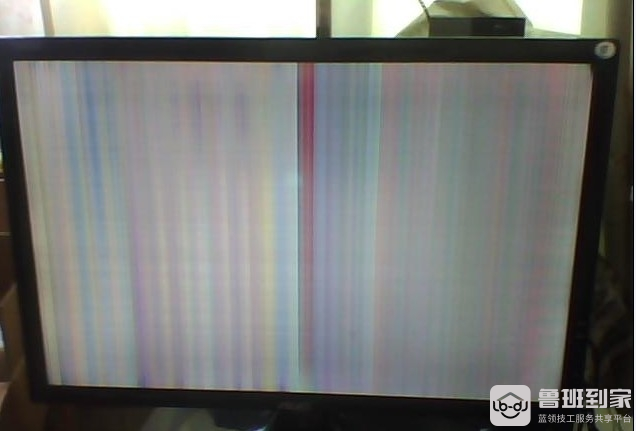
Solutions: first measure whether the main plate clock output is normal, then check the main plate signal rgb, with welding or short-circuiting of some circuits entered into the main chip, see whether there is a change in the face, resistance, then check the main plate signal, output to the screen with welding or short-circuiting of some circuits in the connector, and, if so, contact professionals for maintenance in a timely manner。
In another case, the television screen is broken, and at this point it may be necessary to change the television screen to solve the television screen problem and to contact professionals for maintenance。
4. Tv software failure -- tv dead, carton
Solutions: when the television dead, cardon, you can download the television assistants at the tv app store, remove some useless or poaching memory from the television, and check, on a regular basis, after installing the software, whether the participation in the apk installation package is left on the television system, as some software will leave the installation on the system after automatic upgrade and will need to be cleaned up in a timely manner。
5. Cannot install software applications
Solutions: settings for access to the television system, finding corresponding items, opening the television manufacturer's default that the television software cannot be installed in the usb mode, can be installed through usb. If it is found that it is not possible to install a third-party application, the installation option for a third-party application can be found in the settings and the option opened, and the third-party software can be installed。
6. There's a problem with the tv resolution package
Solutions: since the user did not download the complete installation package during the download process, it is sufficient to reload and install it again. If the installation package downloaded by the user does not match the version of the system on television, there will also be problems with the resolution package, at which point the television system could be upgraded and installed again。