Let's see what a ghost is before we learn the next step of the ghost system
What's ghost
Ghost is a hard drive back-up tool launched by the united states company simon tek, the acronym of general hardware oriented system transfer (general hardware-oriented system transfer). It can be quickly backed up and restored to the entire hard drive, system or single partition. When you need it, like computer failure or reloading, you can make things very simple by restoring the ghost backup。
Ghost can directly back up the specified partition or hard drive into an extended mirror file called “. Gho”, which is a file format for the contents of the hard disk or partition in ghost. Ghost includes the dos and windows versions. Because the dos version is out of windows environment, it is recommended to use it to back up the operating system。
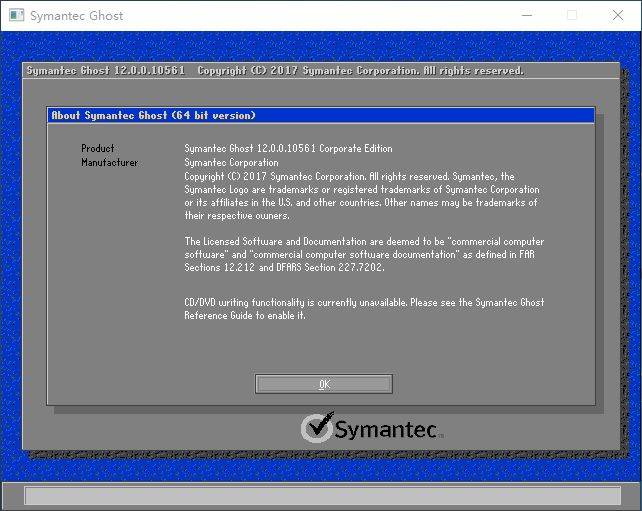
Ghost backup reduction system
There are several aspects to the use of ghost that require attention: the mirror files stored on backup suggest not to use a chinese name and not a special symbol; and when backup partitions are backed up, care is taken to distinguish the size of partitions, and the ghost interface does not show partition discs. This therefore requires a clear difference in the size of the hard drive partitions. In addition, the interface is english-language and is not very friendly to users who are not very good at english, and special attention needs to be paid to the meaning of the choice, which, in case of error, will make it difficult to restore the data。
In previous years, ghost had indeed been a good option, but in those two years it had slowly faded out of the market. An increasing number of good backup tools can provide easier backup systems, disks and partitions. For example: promei's one key reduction, bomei's easy backup, freefilesync, etc. These tools are simple to use as a single key to the ghost return system。
But if you want the ghost system back, it's better for you. If you want to set up more backup options, you can also choose the easy backup. And then i'm going to give you some details on how to get the ghost back system。
A ghost revert system step diagram
The one key is a very easy-to-use backup tool for the system. It allows backup of the system into the created recovery partition. In case of system failure, the system can be restored from the restoration section. Of course, you can back up the system to local or external hard drives, return the system from external hard drives, etc. More importantly, it is provided free of charge to users。
You can go to the download centre or click on the bottom button to get a free return of the plum key and install it on your computer。
Download software
Win11/10/8. 1/8/xp
Following are the steps of the ghost restoration system, with a single key to back up the system to restore partitions:
Step 1. The computer screen will be activated with a short hint "press f11 for aomei o""nekey recovery" means press f11 to get back to mae。
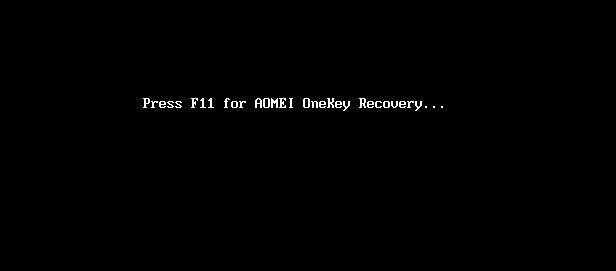
Or click "aomei o" in the recovery environmentI don't know。

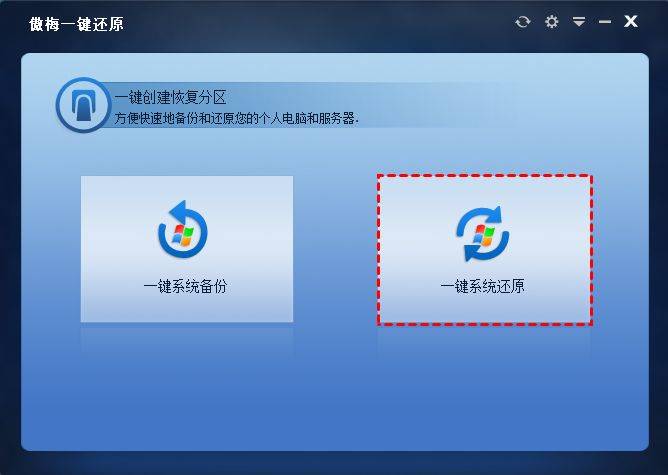
Step 2. Click " one-key system back " in the main interface。
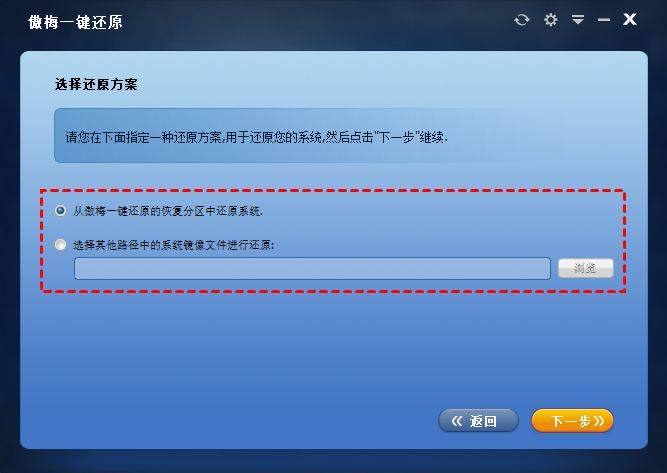
Step 3. Select one of the reduction options, either from the restoration partition or from the mirror file of the other path, depending on how the backup is created, by clicking on " next"。
Step 4. The software by default restores the system back-up to the existing system disk and click " start-to-back " . If you want to return to another location, you can tick the "return to another location" for the lower left corner and click " next " for the next interface selection, and then start returning。
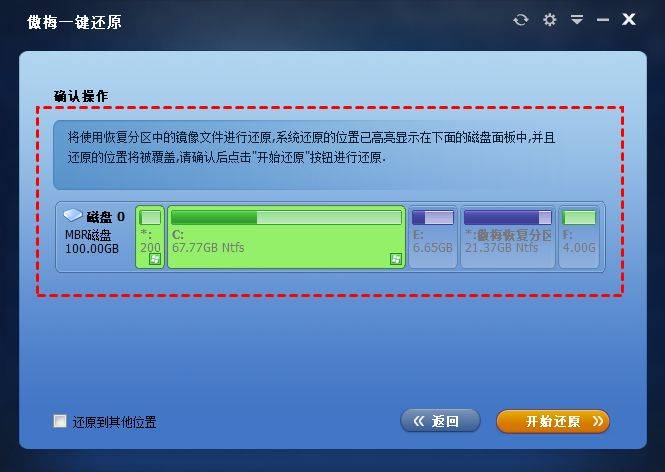
Waiting for the restoration to be completed, restart it. Do not think that a single-click return system has so many steps that it must be complicated. It's really very simple. It's just to give you multiple options。