As computer penetration increases, an increasing number of young people are becoming familiar with how to select a suitable monitor product for themselves。
However, the displays that have been bought may, over time, be used with some display problems, such as screens, blinking, screens, etc。
In fact, showing a malfunction does not necessarily mean that the monitor is broken or that there may be other hardware or settings. Today, i share with you ideas and ways to solve the problems that have been revealed。
We can use a split-and-cruise approach to displaying malfunctions, and we can cut them out, the monitors, the hosts, the connections between the devices, and then we can crack them one by one。
Host problem and device connection
As has been said, everything is difficult to begin, as is the mapping of problems. So let's start with something simple. And of those three, the best thing to look at is the connection. So let's see if the wires on the mainframe, the monitors, are loose, the power's ready。
At the same time, in order to avoid the problem of the transmission of the wire itself, qualified friends could try a different connection. It is important to note that this probability is not very high and that if there is no backup line next to it, it is possible to skip the next stage of the screening。
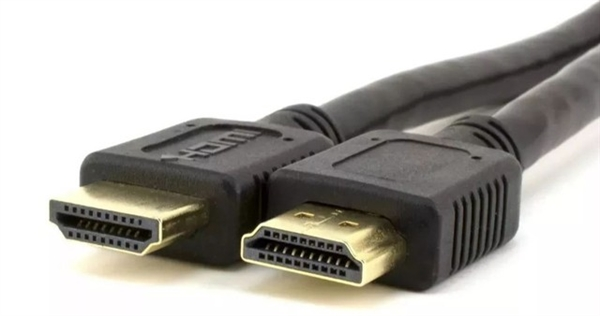
Once we're sure there's no problem with the wire connection, we'll start searching the mainframe. Here we also need to decompose the mainframe problem into the mainframe hardware problem and the software problem。
On hardware, follow the simple thing to do at the beginning and check whether the memory strips on the main board, the graphic card, show signs of loosening. Conditional friends can also find rubber and wipe gold fingers。
In addition to loose connectivity, consideration needs to be given to the use of impurities, which are used for poor quality power supply stability, and which may cause computer screen shakes when systems are busy。
If this is the case, the power must be replaced。
In addition to hardware, the screens and flashes are common because of hardware-driven or set-up problems. We can consider choosing a more stable version of the card-driven, while not choosing a streamlined version of the third-party channel。
Whether from a security point of view or from the point of view of equipment compatibility, the best option is to install an official microsoft complete version。
The incorrect setting of the refresh rate on the screen also leads to a flash screen, and if there is no problem with the hardware drive, we can also click the right button on the system desktop and find the refresh rate column in the display settings。
It is also possible to resolve the problem of screen shaking and scintillation by adjusting the level of retrofitting。
Display internal composition
After a review of the above questions, we will look at the monitor itself。
Let's first look at what's inside the monitor and understand that the internal structure of the product can help us better to solve the problem. The general display consists of two ic panels, one for power and the other for drive。
We know that the graphic cards are for rendering images, and the monitors are for displaying images of the graphics。
However, the image rendered by the graphic card cannot be displayed directly and translation of the drive inside the monitor is required。
Specifically, the virtual signal that is transmitted to the graphic card is coded again, and different voltages are applied to the liquid crystal molecules in the display panel according to the encoded content, thereby changing the direction of the liquid crystal molecules, thus making a shift from telecommunications to light signals。
To work, cows have to eat grass. The drive is to translate the content of the graphics signal, and the lcd panel is to change the direction of the lcd molecules, which requires power supply, which is the function of the power panel。
On the one hand, power panels provide low-voltage power to drive plates for their normal operation, while on the other hand, power panels require led light to provide high pressure to allow liquid crystal molecules to shift and rotate。
Analysis of common cause of breakdown of monitors
When we understand the internal structure of the monitor, we can analyze the cause of the failure based on the performance of some malfunctions. The next step is to start with the power and drive board functions to see which parts of the picture malfunctions that often occur。
As mentioned earlier, power panels are powered for led lights and drive plates. So there's a problem with the power panel, mainly in the black screen, which can be broken down into three categories:
If the power is connected, the monitor's light is not on. When it is determined that the power lines and interfaces are intact, it is highly probable that the power panels are malfunctioning。
If the power is connected, the monitor indicates a light, but the screen is black. The potentially damaged parts, in addition to the power panels, also have led lamps。
If the power is connected, the monitor signal is lit and the screen is blacked out for a few seconds. It was also a failure of power panels or led lamps。
The driveboard, on the other hand, is primarily responsible for translating the graphic content of the graphic cards and controlling the display of the liquid crystal panel. So when it's a problem, it's very likely that it's a local problem on the screen, that's, like, the screen, the shake, the white screen, the stripes。
What do we do when we find out what's wrong
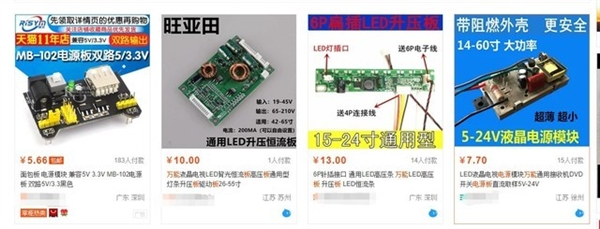
Two options, one for re-engineering in connection with the plant and the other for replacing the corresponding components on the internet。
It would be better to contact the factory for repairs, after all, most people are at risk. This risk, in addition to the risk of deteriorating property, has its own security risks. After all, power panels provide high voltage power for led lights。
So, what do we do with all this? A poem for you。
Show the faults and don't panic
Let's see if the interface is loose
See if it's oxidized
Quick, change the power
Driver update not less
Refresh frequency to replace
I've tried everything
Consider monitors
It's all black and black
Local failure driver
High risk of dismantling maintenance
Contact the delivery plant
# monitor