The siemens washing machine displays a blinking key icon on the screen, usually indicating that the washing machine's “child lock” function has been activated. This is a security function designed to prevent children or others from operating in the washing machine. So, how do we get this blinking key icon off
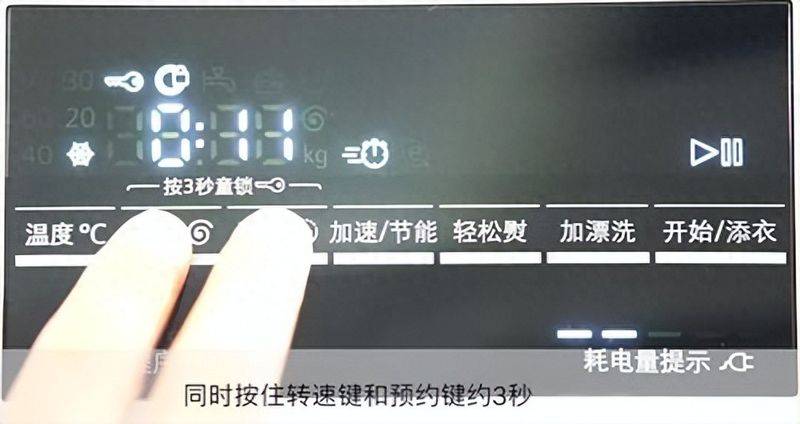
1. The role of the child lock function
The child lock function is a safe design of the washing machine, which is used to prevent mishandling during the operation of the washing machine and to ensure that the washing machine can normally complete the washing process. When the child lock function is activated, the washing machine buttons and buttons will be locked and no operation can be performed until the child lock function is disabled。
2. Method of de-locking children
Unlocking the siemens washing machine usually requires a combination of specific buttons. The following are common solutions:
(the applet has been added here, please view the front page of today)
Method i: press a specific button to find the corresponding button: based on the model of the washing machine, a specific combination of buttons on the control panel is found. Usually, the activation and removal buttons for the child lock are clearly indicated in the washing machine instructions. Press the button: both press and keep the buttons for a few seconds until the key icon disappears. Common combinations of buttons include " start/pause " and " temperature " buttons, " start/pause " and " turn " buttons。
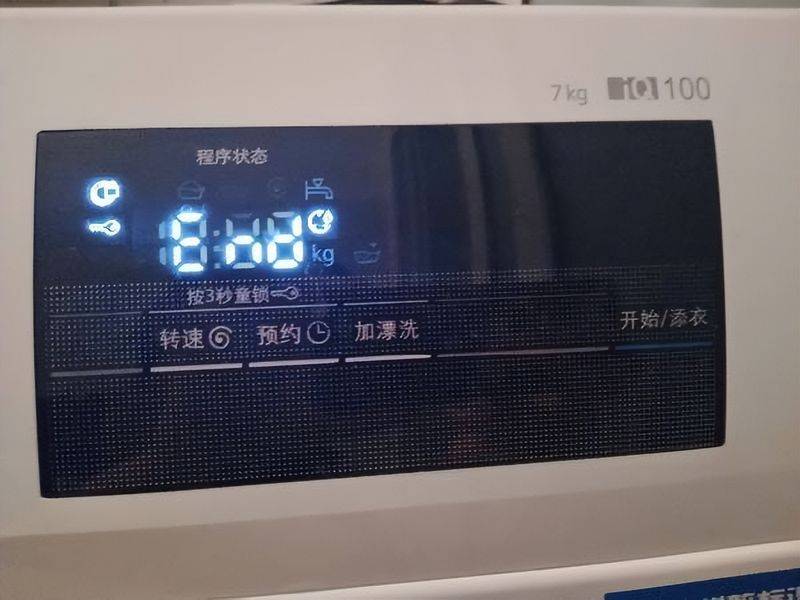
Method 2: rotation control knobs find control buttons: some siemens washing machine models may need rotation control knobs to disable the child lock function. Rotate control knob: as directed in the instructions, rotate control knob to a specific position and then press or keep a button until the key icon disappears。
If you have tried the above method, you will not be able to remove the child lock function or are unfamiliar with the operation。