Maum: people who are frustrated when hit will always be losers。
Computers are basically a matching tool for every employee. It was one of the greatest inventions of the twentieth century, accelerating the pace of development of modern society. Office efficiency can be enhanced by skilled use skills. Over the years, computer functionality has grown stronger, with many features added to both hardware and software。
In our daily lives, we sometimes need to connect to the network, especially the laptop to the wireless hotspot network in the absence of a wire. What if, when connected to wireless hotspots, wireless card drives are found to be problematic and unable to connect to the network
In response to this situation, we can actually try to use the bluetooth shared network for internet access。
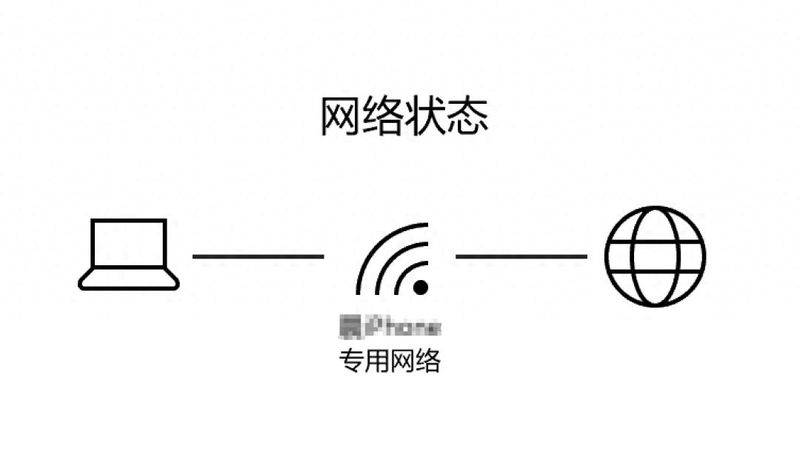
Bluetooth network sharing
According to microsoft network information, the bluetooth personal area network (btpan) is another way to share wireless internet connections between devices. We can connect computers to the hot spots of computers or mobile phones by using bluetooth instead of wi-fi。
It is clear that if we want to use bluetooth on the internet, we need a computer with a bluetooth adapter and another device with bluetooth and hotspot support, both of which need to be available。
As far as internal principles are concerned, we know that bluetooth 5. 3 in general, transmission rates of up to 2 mbps can be considered to be internet data for communication links through the bluetooth network and data transmission, as if the two original devices had been replaced with cards for two bluetooth devices。

Specific operational steps for the bluetooth sharing network
The operational steps are two steps:
First step: the end of the cell phone; here is the example of the apple phone。
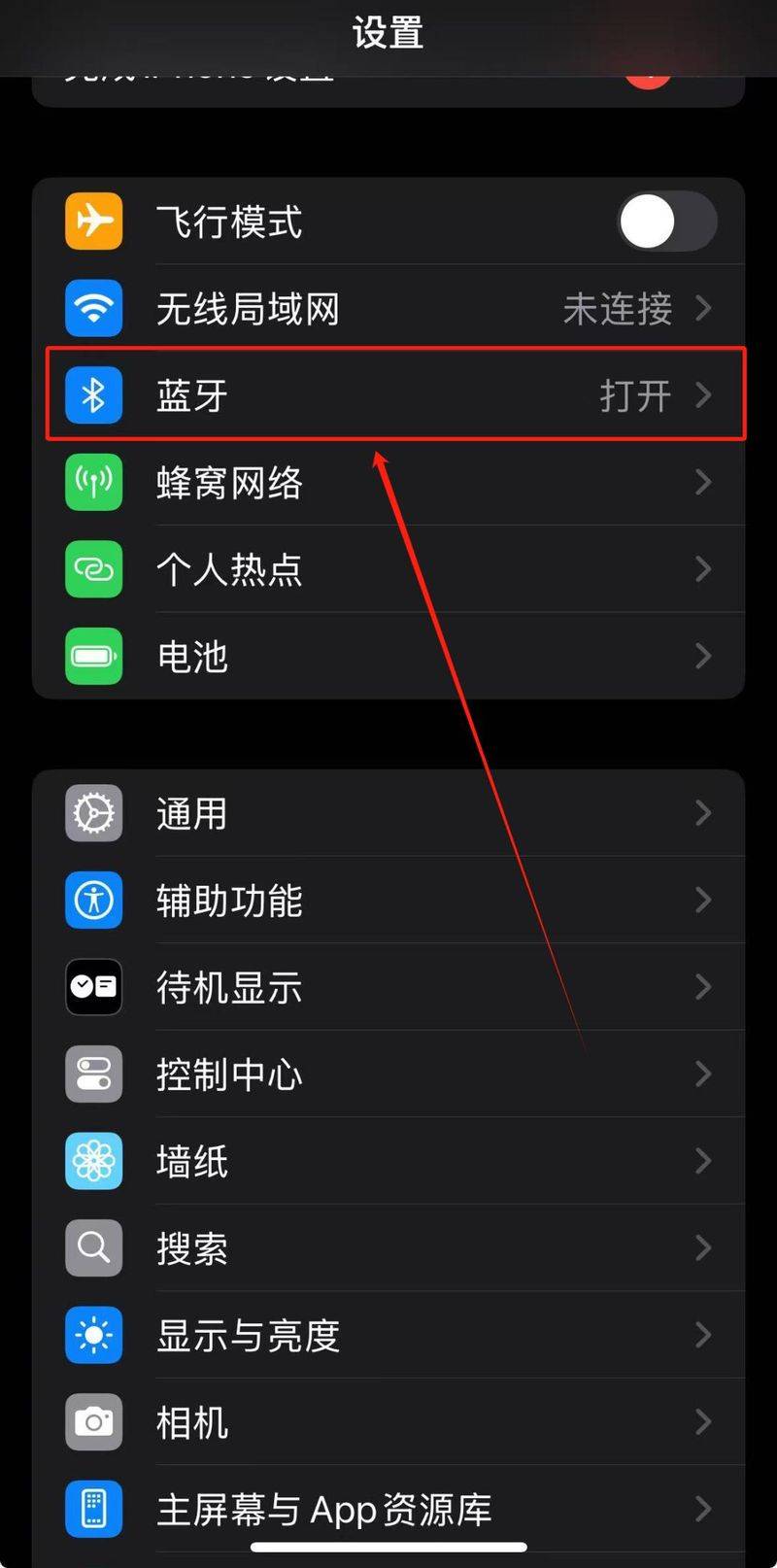
Opens the settings option for applephones。
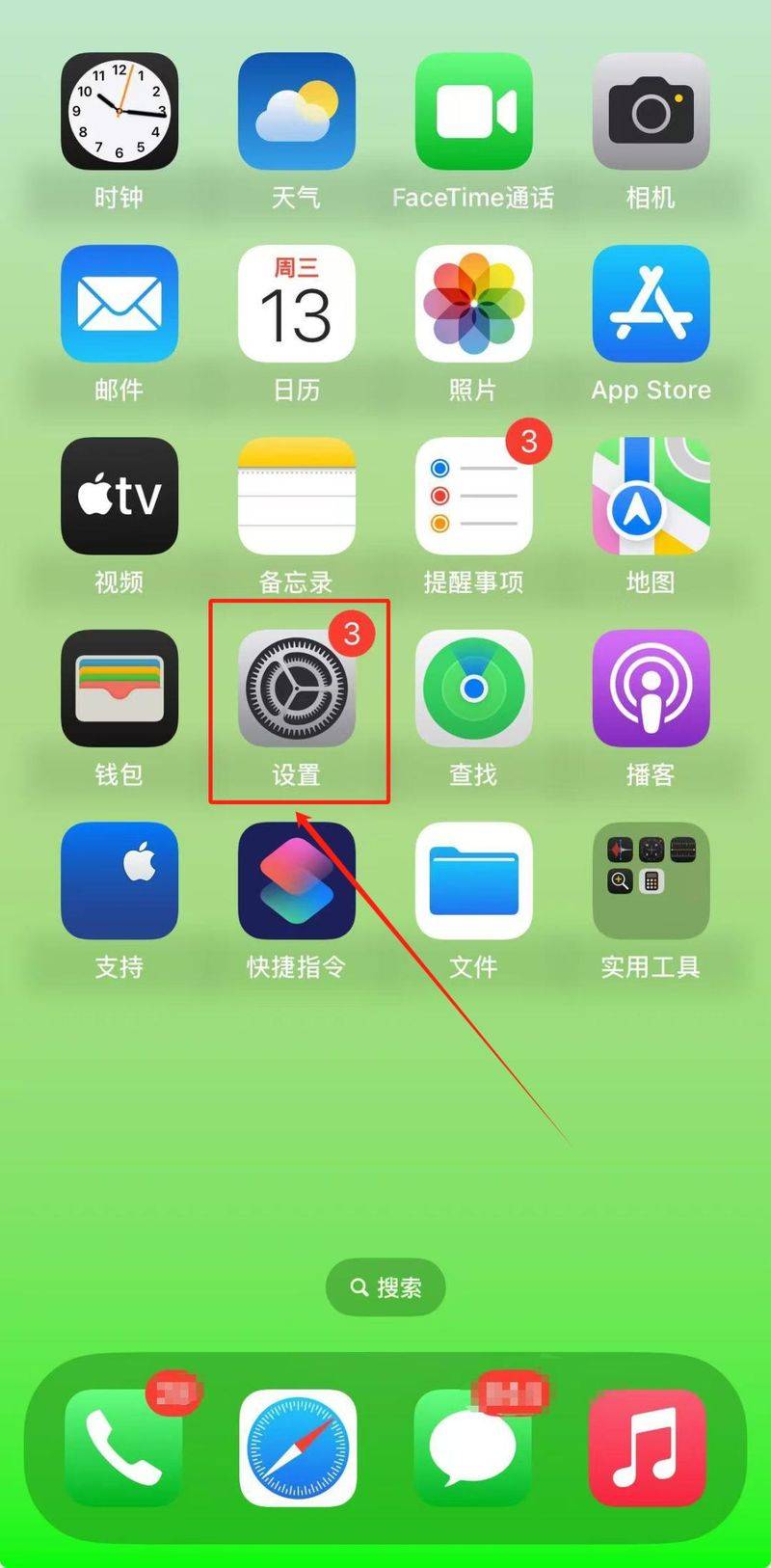
Click the bluetooth option。
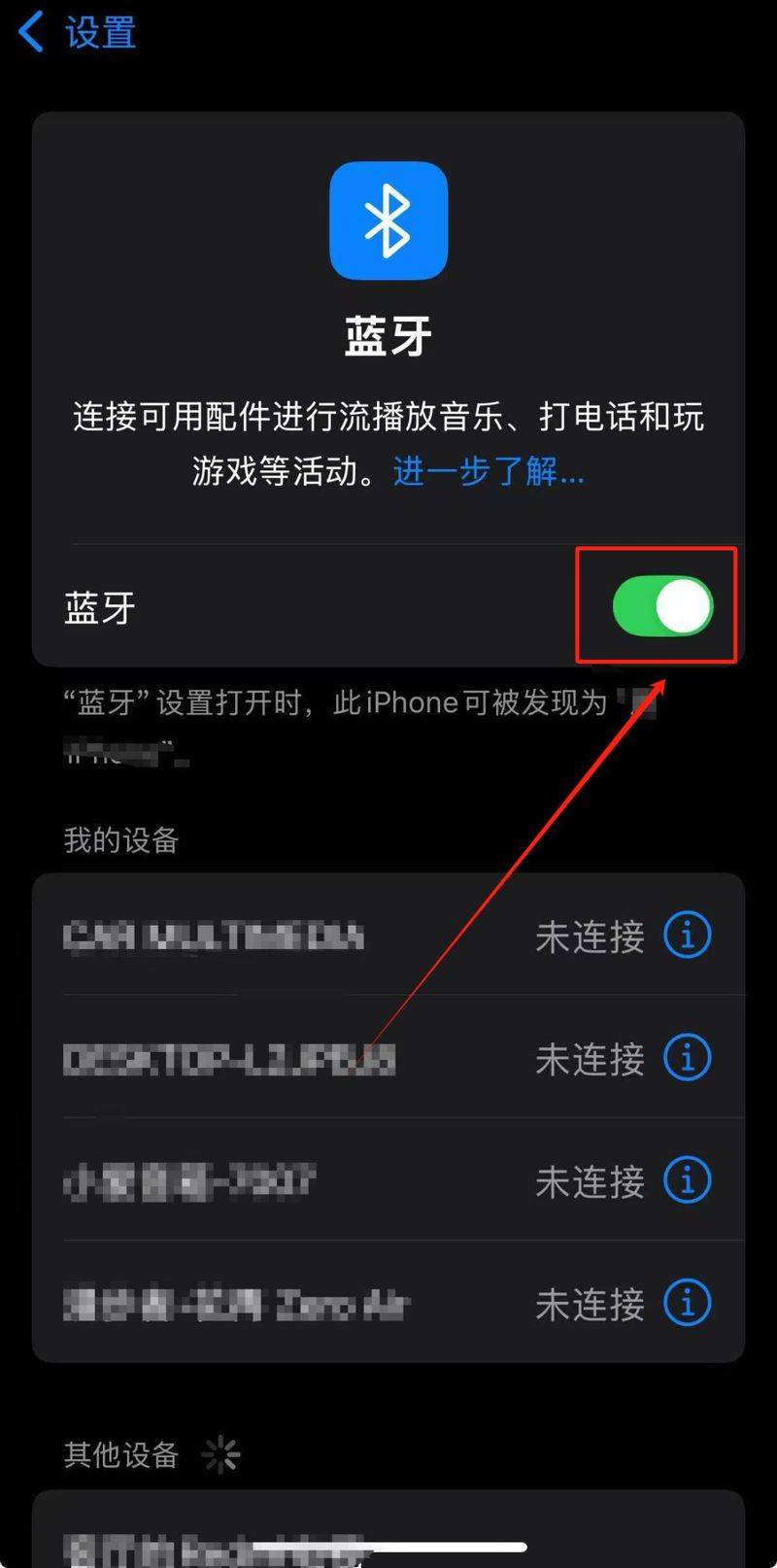
Just slide on the bluetooth switch。
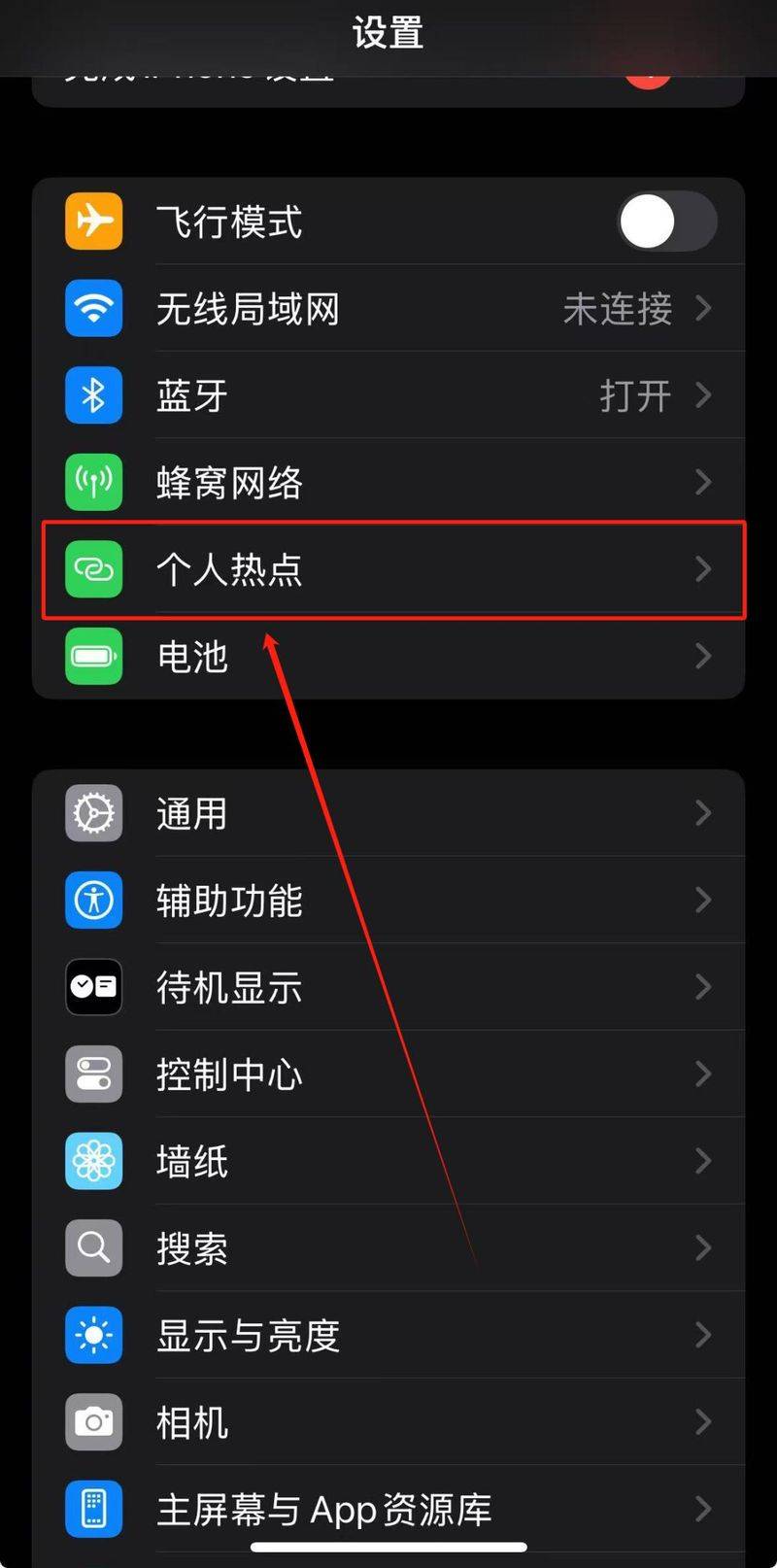
At this point, we return to the settings page and click the personal hotspot option。
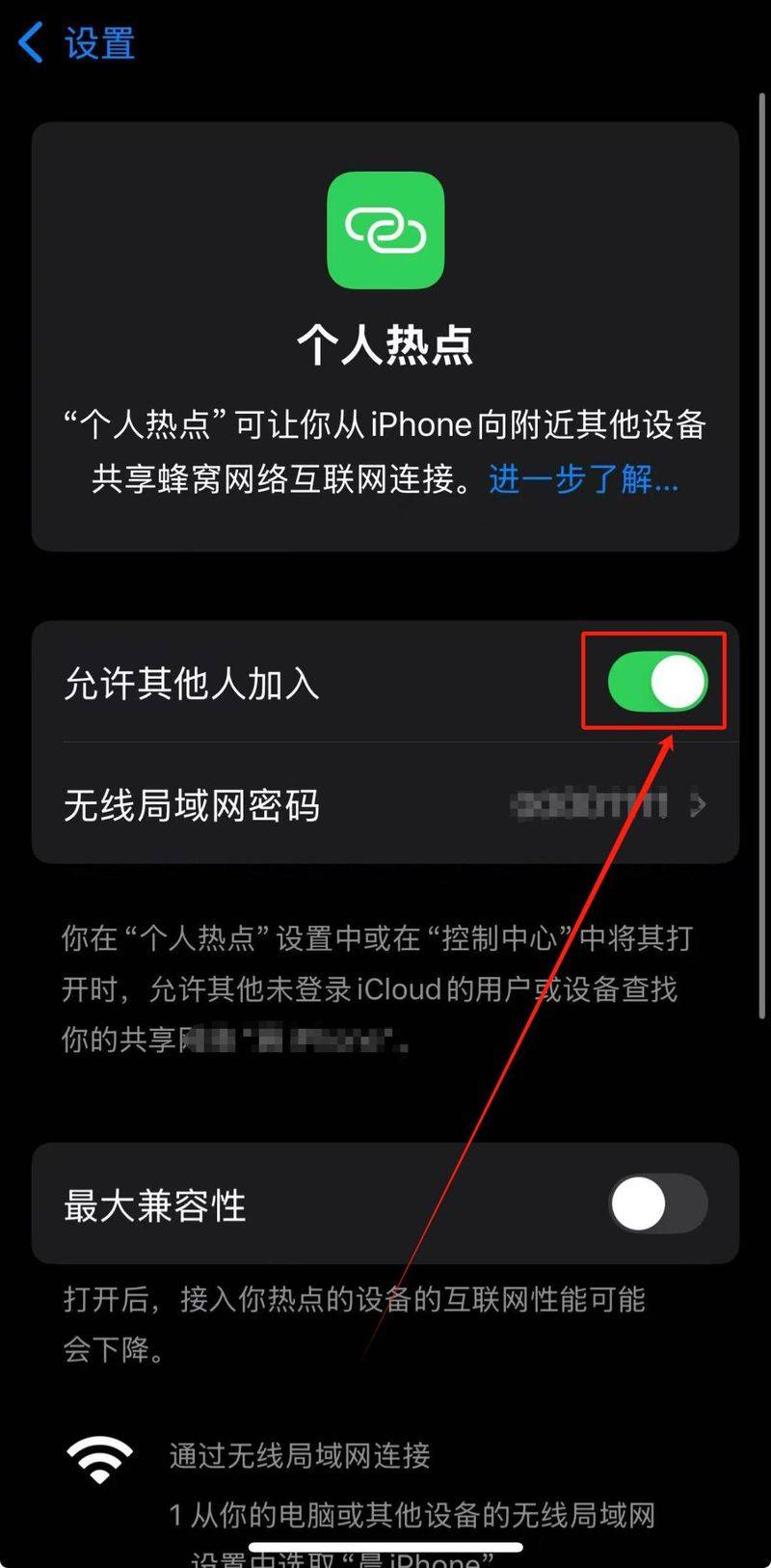
Slide switches after opening " allowing others to join " 。
Second step: the computer; here is microsoft surface。
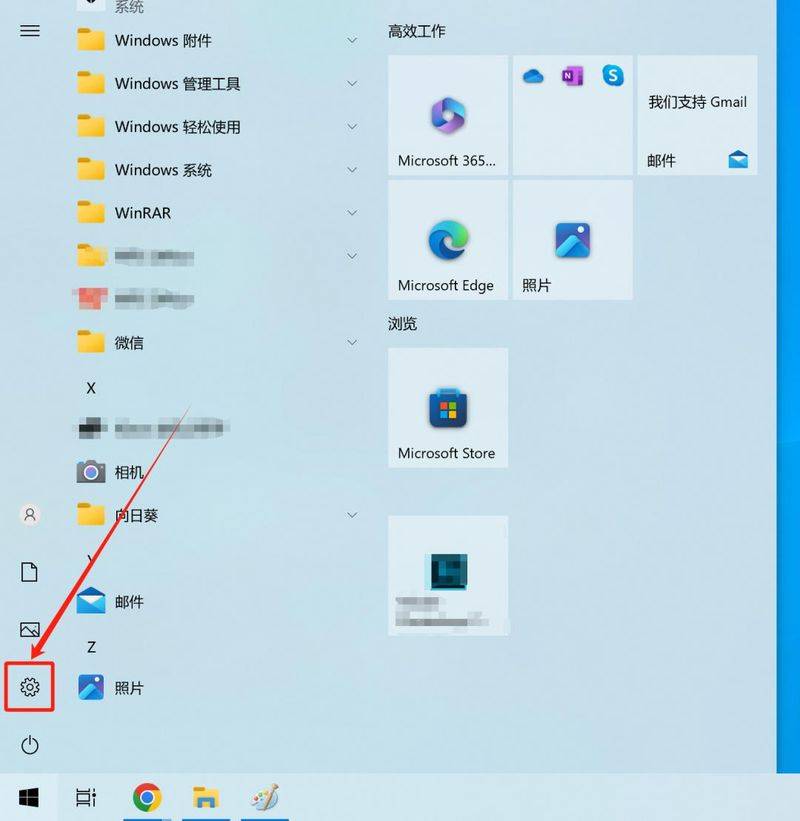
Click on the bottom left starter, click on the settings icon。
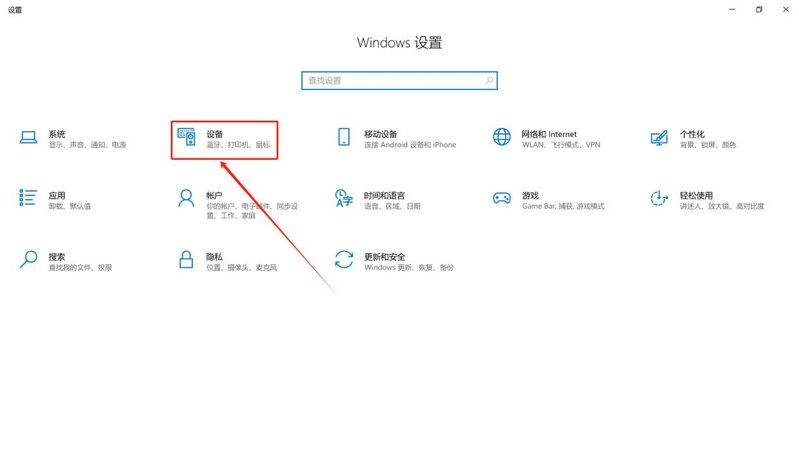
Click the device column。
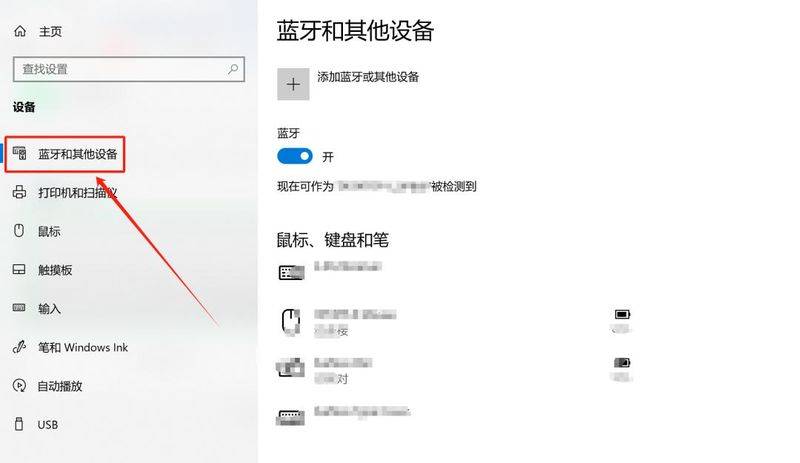
Click the bluetooth and other device option。
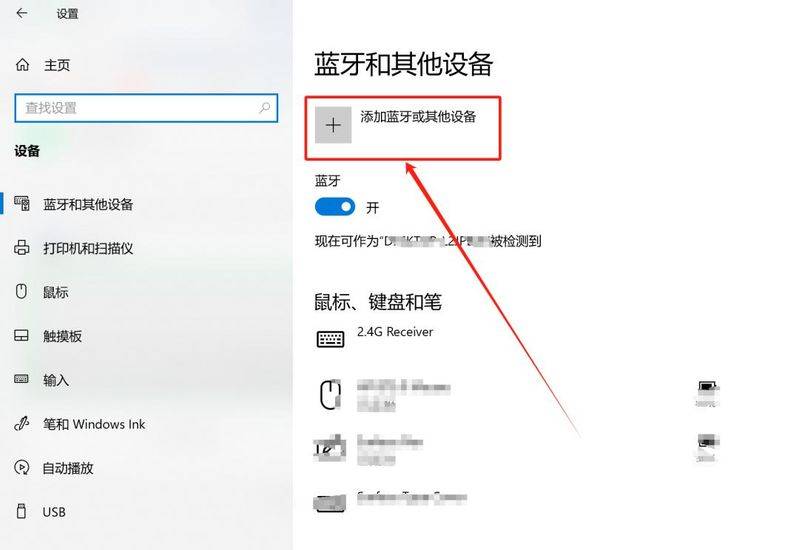
Click the add bluetooth or other device option。
Click bluetooth。
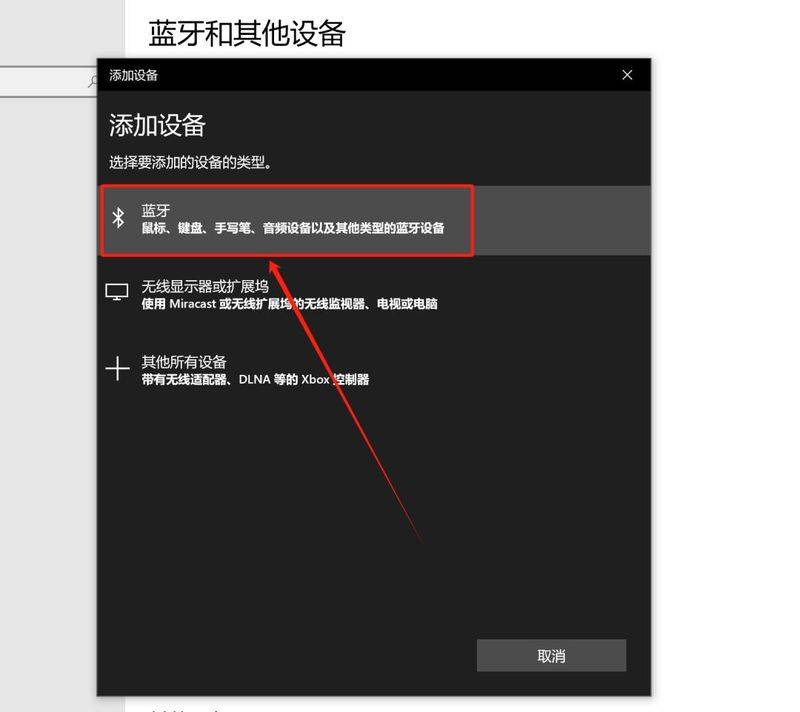
Select the bluetooth device that we need to connect to。
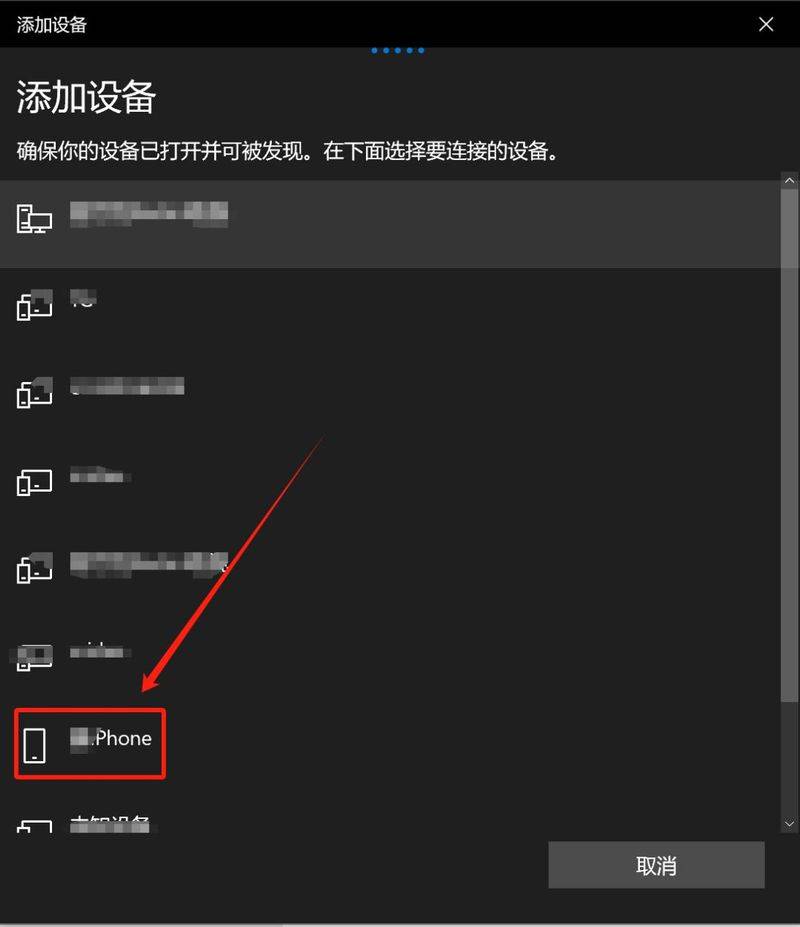
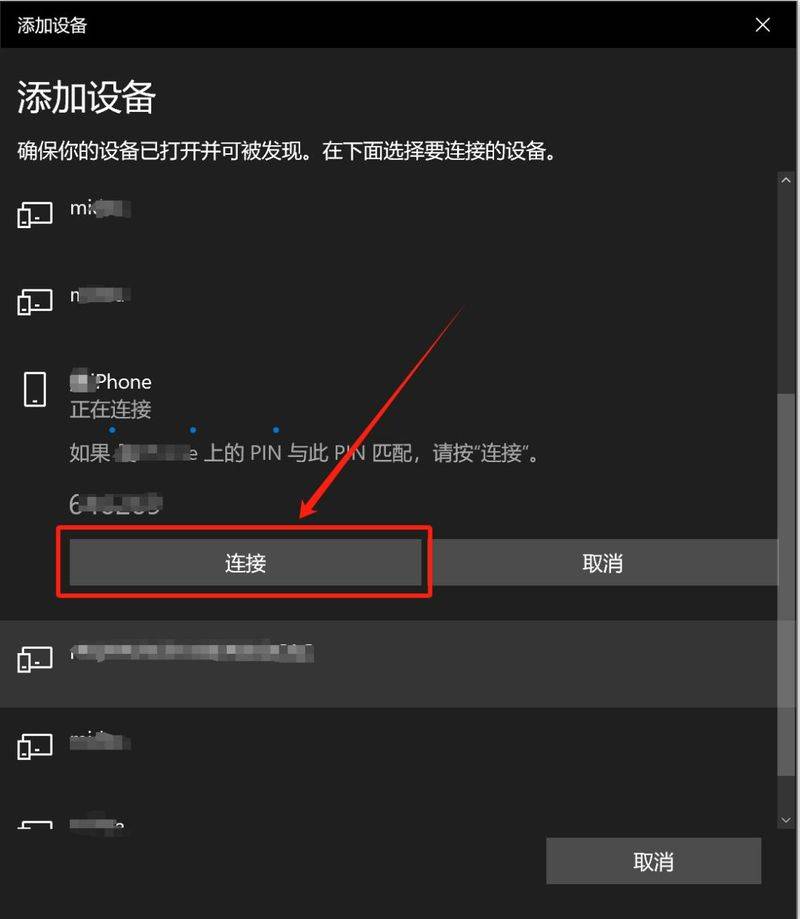
Click connect and click match on the apple phone end。
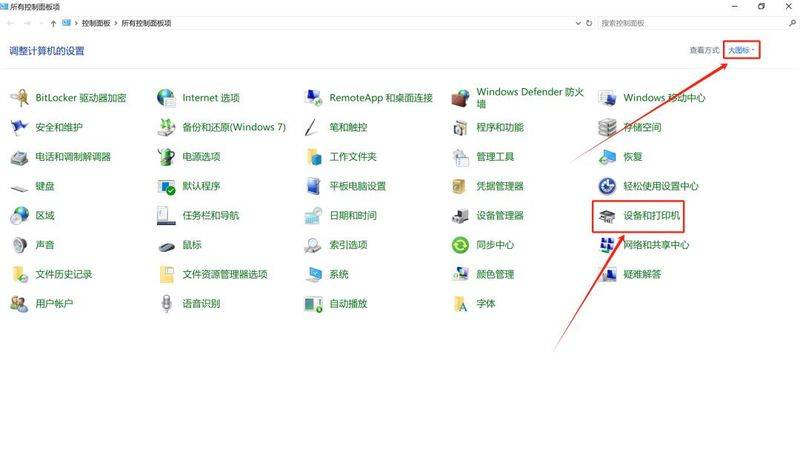
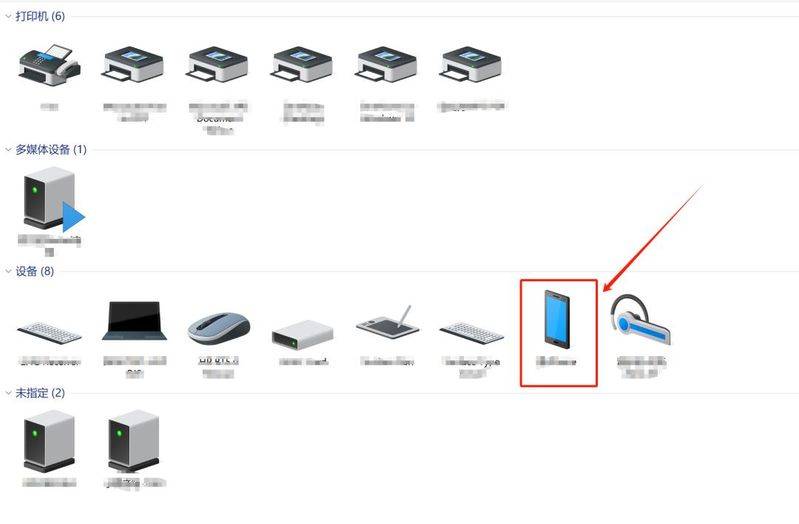
After a successful bluetooth twinning, double-click the control panel option to change the view method to the large icon. And click the device and printer options。
Right hit already connected apple phone icon。
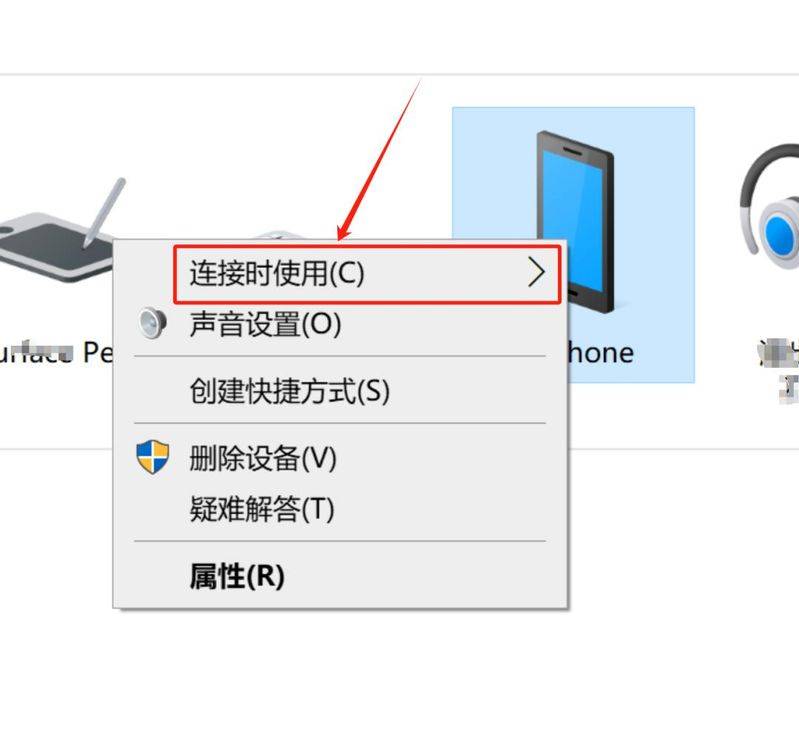
Click on the connection use option。
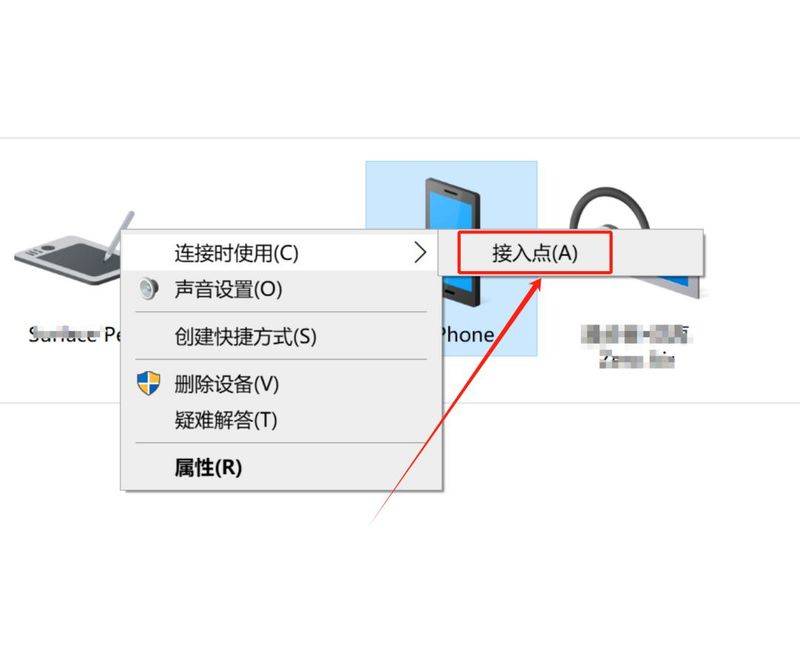
Select the entry point。
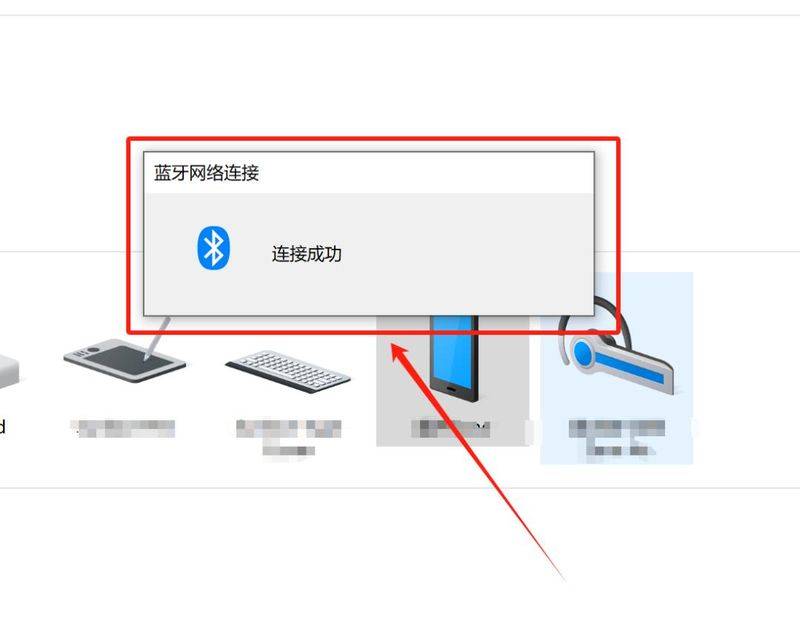
At this point, the page displays the words “connected successfully”。
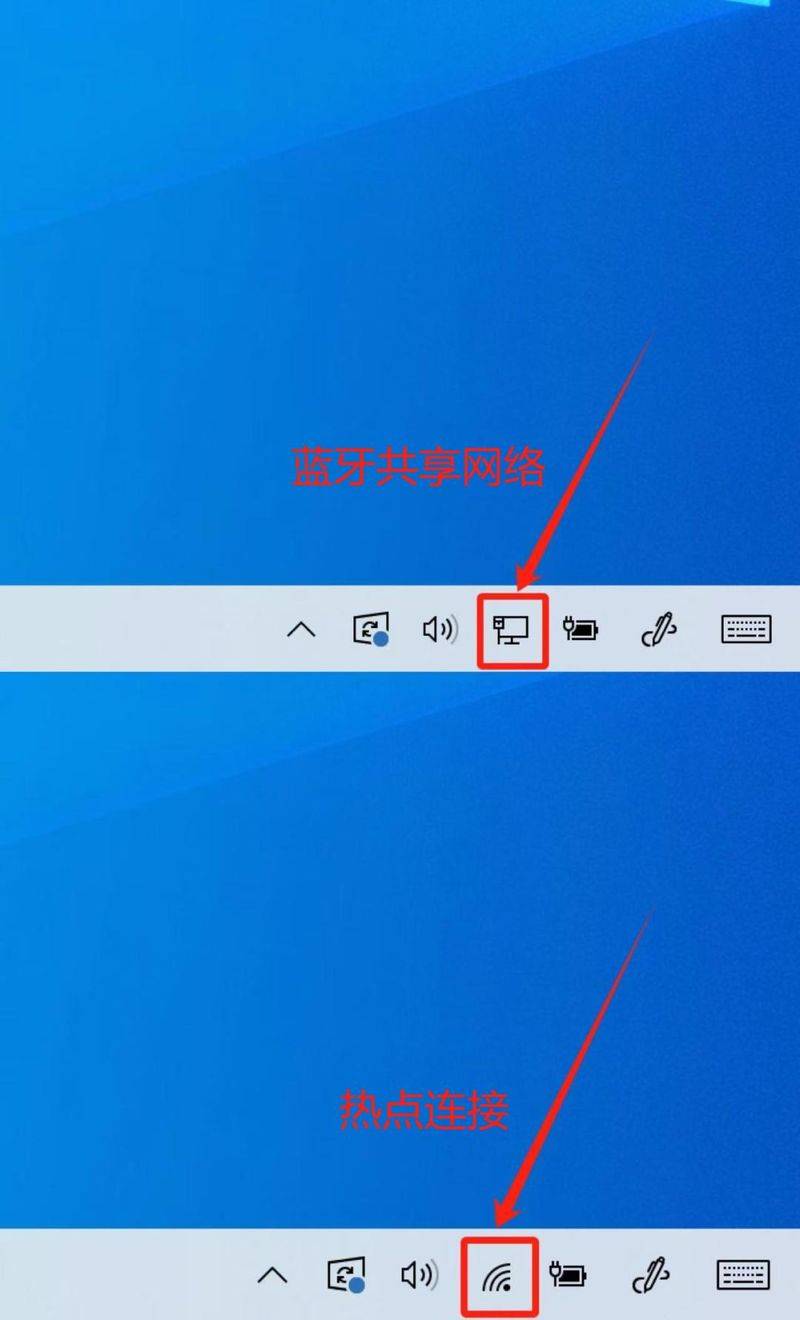
We'll find that the bluetooth-connected network is different from the hotspot-connected network。
Summary
In summary, it was felt that the use of blue teeth for connectivity could be considered in the case of some users with problems with wireless networks。
At the end of the article, if you have any good suggestions, if you would welcome a message from the comment section or a personal letter from the background, the editor-in-chief will respond positively, and you will grow and progress together。
Note: this presentation is based on microsoft surface, windows 10, iphone 15, ios 18. 1, application none。
More core technology, please focus on two-morning technology, friends of the readers