Dust on print paper
Repetition failures of needle printers are mostly caused by strips of hair or excessive ink, which can be eliminated by replacing the cartridges; repetitions of inkjet printers are caused by ink cartridges or leaks in ink; when nozzles function, the ink ejected is not well separated from the remaining ink, and leaks occur; and there is some regularity in the case of laser printers, where, as a result of the passage of a piece of paper through the printer, the 12 types of inch in the machine rotated more than one circle, with the largest sense of light going through two to three circles, the delivery of paper can turn 10 circles, and when there is an equivalent amount of stain on paper, it may be caused by stain or damage。
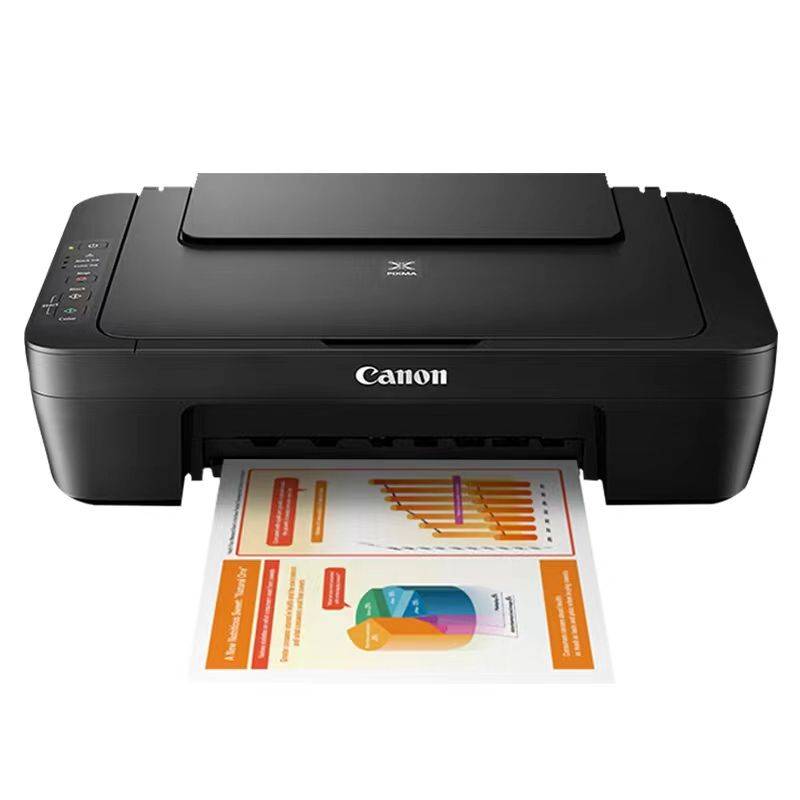
Head-to-head movement blocked, long ringing stopped, or vibrating in situ
This is mainly due to the fact that the long-duration slide of the head track becomes dry, the movement of the head of the print is blocked and, to a certain extent, the printing is stopped, and if not processed in a timely manner, the power drive can be burned if it is severe. The solution is to apply a few drops of instrument oil on the print track and move back and forth to the head of the print so that it is evenly distributed. Once re-opened, if there were any obstacles, it would be possible that the motor would burn down and would need to be taken to the maintenance department。
Printer does not print
There are a number of reasons for the failure of printers to print, both printers and computers. The following presentations were made:
Check if the printer is online. In most printers, there is a light indicating an on-line state next to the online button, which should normally be on-line. If the light is not on or in scintillation, it is stated that the on-line is abnormal, with emphasis on checking whether the printer power is connected, whether the printer power switch is open and whether the printer cable is properly connected. If the on-line indicator light is normal, turn off the printer and then turn it on to see if the print test page is normal。
Checks if the printer has been set to the default printer. Click " start/set/printer " to check if there is a black hook on the currently used printer icon, and then set the printer to the default printer. If a printer is not used in the printer window, click the add printer icon, and then install it as a hint。
Checks if the current printer has been set to suspend printing. This is by right-clicking the printer icon in the printer window, checking in the drop-down menu that there is a small hook on the pause printing option, and if pause printing is selected, remove it。
Type any text in the notebook and click print on the file menu. If you can print a test document, indicate that there is a problem with the printing program used, and check whether wps, cced, word or other applications have selected the correct printer, and if it is a print file generated by the application, check whether the print output generated by the application is correct。
Check if the remaining disk space on the computer is too small. If the available space for a hard disk is less than 10mb, it cannot be printed. The check is made by right-clicking on a hard disk icon to install windows in " my computer " , choosing " properties " , checking hard disk space in the " general " tab, and if the remaining disk space is less than 10mb, then emptying the " wastebin " and removing temporary files from the hard disk, expired or no longer in use to release more space。
Checks whether the printer driver is appropriate and whether the print configuration is correct. In the " detailed information " option in the " printer properties " window, check that the printer port setting is correct in the " print to the following port " selection box, with the most commonly used port being " lpt1 " (printer port) " ), but some printers require other ports; if large files cannot be printed, focus on checking the " timeout settings " values of the " timeout settings " column, which are valid only for printers that are directly connected to the computer and are not valid when using a network printer。
Checks whether the printer port is open in the bios settings of the computer. Printers in bios should be set to " enable " , some printers do not support ecp type print port signals, and print ports should be set to " normal, ecp+ep " 。
Check if there is a virus in the computer and if there is a need to kill with poison software。
Check if the printer driver is corrupted. Right-click the printer icon to select " delete " , double-click " add printer " and re-install the printer driver。
Printers enter paper boxes, paperless or cardboard, and the validity or, if not, non-printing of printer cartridges, ribbons or carbon cartridges。
Printer card or no paper
The most common malfunction for printers is cardpaper. When such failure occurs, the light on the operating panel is lit and a warning signal is sent to the host. The failure is due to a number of reasons, such as the failure of components such as miscellaneous items in the paper output path, the failure of the cardboard, the failure of the paper box, the failure of the sensor, etc., and the simple method of overcoming the failure is simply to open the hood and remove the carded paper, bearing in mind that the paper must be retrieved in the direction of the paper, and that no spin button may be rotated in the reverse direction。
If there is a regular cardboard, the entry channel is checked to remove the miscellaneous items of the output path and the front edge of the paper is just above the metal sheet. Check if the paper sheet is worn or the spring is loose and the pressure is insufficient, i. E. The paper cannot be sent to the machine. When paper mills are worn and cannot be replaced at any time, emergency treatment can be done by entangling rubber bands. The entanglement of rubber bands increases paper rubbing and restores normality. In addition, the irregular installation of the palettes and the poor quality of the paper (too thin, too thick, damp) can cause problems with the cardboard or the inability to retrieve the paper。
Print disorder characters
Both needle printers, ink-jet printers and laser printers have print-coded, mostly as a result of damage to the electrical circuits of the print interface or damage to the master single machine, while physical overhauls have found that damage to the electrical circuits of the printer interface is more common and that, as the interface circuits are powered by micropower, they can easily penetrate the interface chip once the interface has an electrocution to produce instant high voltage static electricity, which can be eliminated if the interface chip is replaced. In addition, the library has not been properly loaded with printers