At home, wifi signals are good and bad, and sometimes it's stuck talking to family videos。
At first i thought it was an old phone or a broadband company。
Later it became clear that the problem could arise in a place where no one noticed, the router itself。
The router's not plugged in。
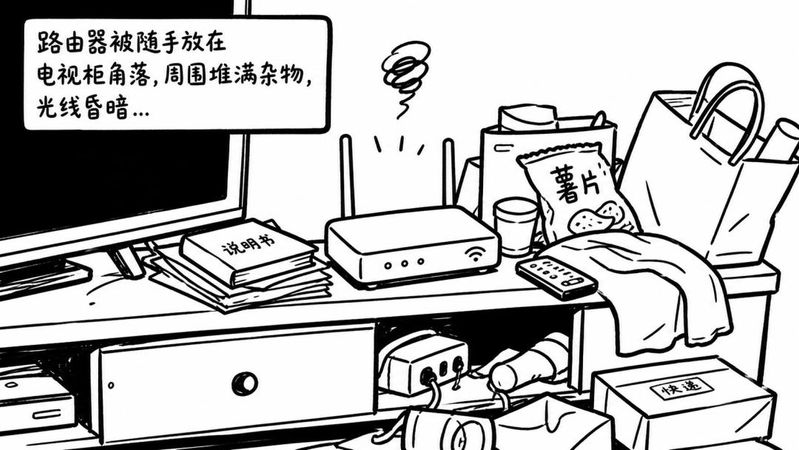
It's like a signal tower in the house, it's in the wrong place, and it's blocked。
For example, if you stick it in the corner of a tv cabinet, or simply put it in a metal bookcase, the signal comes out several times。
The test says that a heavy wall can deplete the signal by 40 db。
If you touch a metal cabinet, you can block 60% of the signal。
So the first step is to take out the router and place it in the middle of the house。
It would be better to be a metre taller than to keep it away from walls or other electricity。
It solved the physical cover, and there was an invisible problem。
It's a traffic jam。
Your family can find a dozen of your neighbors' wifi signals, which are actually on the way。
The router's 2. 4g frequency, just like an old road with a dozen lanes。
The default setup is that everyone's routers may be crowded in lane 6。
If you have more cars, you're stuck。
This is when you have to do it yourself and give it a less crowded road。
It's not complicated to log in the router management page in the browser and find wireless settings。
There is an option called "believe" or "channel"。
You can manually change it from "automatic" to a fixed number, like 1 or 11。
These believe in one another with the least interference。
After this change, the speed of net consumption increases by 30 to 50 percent。
It's like driving your car into a fast lane。
In addition to switching routes, current routers usually provide a completely new highway。
That's the 5g frequency。
2. 4g frequency bands are like state lanes, with good penetration, and can be connected through two walls, but the network may be broken as soon as the microwave is opened。
The 5g frequency band is a high-speed, less speed and less interference, and it is used to watch high-resolution videos and play games。
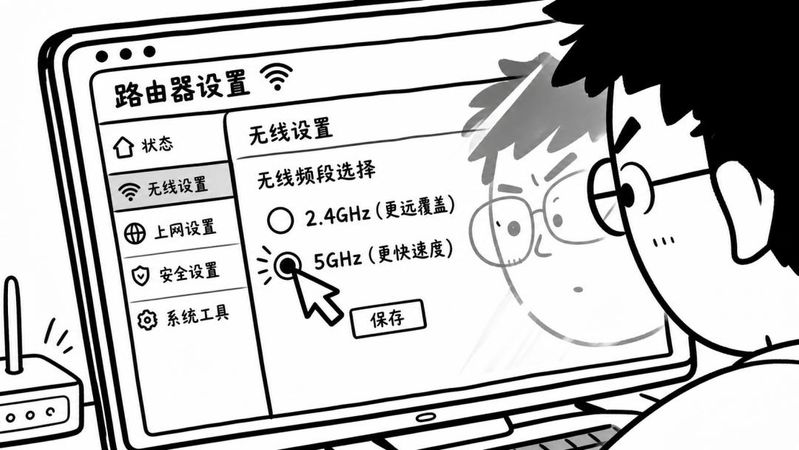
The disadvantage is the poor ability to penetrate the walls, the rapid deterioration of the signals, and the possible absence of a single wall。
Home routers, if supported, would be better able to open both frequencies。
In the router settings, you can see 2. 4g and 5g switches, both of which are "open."。
They can also be given two different names such as "my wifi" and "my wifi-5g"。
In this way, near the router in the living room, mobile phones are manually connected to "wifi-5g" and enjoy high speed。
Go back to the bedroom, the signal's weak, and cut back to the penetrating wifi。
That's the advantage of both paths。
It takes a lot of equipment, like smart tv, computers, to use 5g。
Those smart homes that don't take much traffic, like ground sweeps, smart switches, keep them connected to 2. 4 g。
After this diversion, the network will not be easily blocked。
There's also the problem of indecisive learning, and sometimes the web suddenly slows down, so just reboot the routers。
It's not encyclopedia。
The router remains open for long periods of time, the caches in it accumulate and the solids may make a small mistake。
A deep reboot will solve more than 80% of the temporary network failure。
The so-called deep reboot is the power outage of both the cat and the router。
It's not just pressing the switch. It's just pulling the power line。
Wait a minute and a half to get the inside capacitor fully discharged。
And then we turn it on, and it's important in order to plug in the light cat's power, and when it starts to stabilize, the lights don't flash。
Give the router another power。
This order cannot be incorrect。
In addition, the router solids are updated。
The new solids will repair some bugs and optimize compatibility with new mobile phones。
After these steps, we can basically stabilize our network。
Too often, the problem is not with those complex technical parameters。
The place where the router is placed and a small choice for believing。
Get the router out of the corner and put it on an empty shelf。