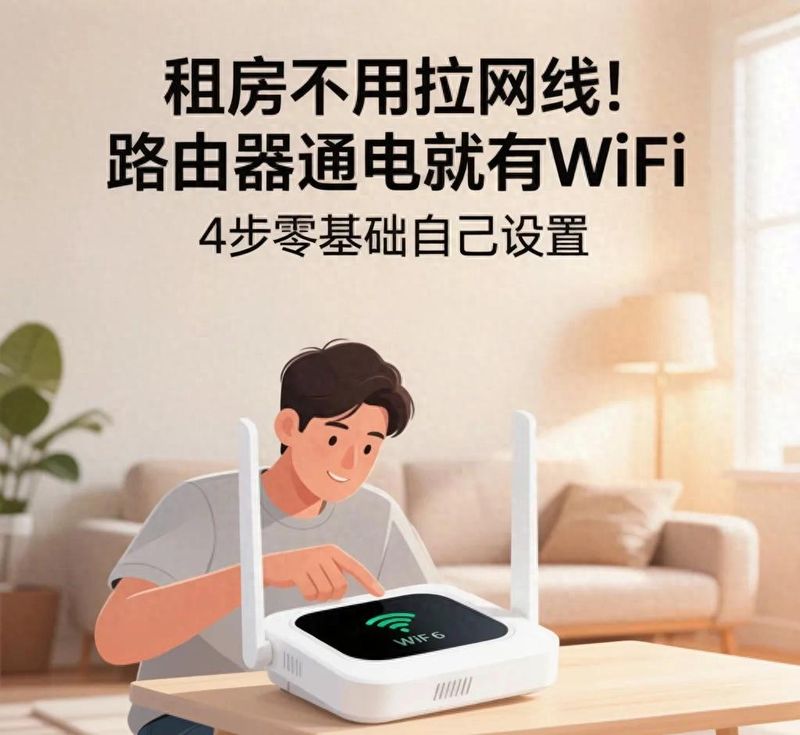
Many of our friends in the outhouse have had a headache: short-term leases for several months, landlords do not have broadband wires, they specialize in a fibre-optic broadband, and not only pay hundreds of dollars for installation, a security deposit for the cat, but the contract period is running. Starting in one year, the lease period was not moved, broadbanding, write-off processes were cumbersome and wasted. There are also a number of urban villages and old apartments that have complex layouts, which can be difficult for operators to access, and which require three to five days for broadband to be installed, during which time only mobile phone traffic is used for hard pursuits and office work, with high flow costs。
There are already mature alternatives: a dedicated 4g/5g plug-in wireless router, with no access to a household broadband network, a power supply that can send wifi signals, mobile phones, computers, smart tvs, and surveillance cameras. It takes as long as it takes to get the lease, move the house and set it up on its own four steps, even if it is a zero-basic starter who has no idea of digital equipment。
Today's practical course, combined with the common set-up logic of formal access devices, provides a one-off account of the complete process, pit-shield features, and the selection of ideas, not only to set it up, but also to distinguish between what kind of wireless wifi programmes are more suitable for their own rental。
First, understand: there's a wifi router. What's the idea
There are three main types of routers on the market that do not use a zip line, with priority given to the 4g/5g plug-in smart router, which is also the backbone of the curriculum, and the other two as supplementary options, which can be compared as needed:
The first is a 4g/5g plug-in router, a self-contained sim slot, the insertion of a real-name certified mobile phone flow card, a formally authorized real-name network flow card by the operator, direct access to the cellular network of the three main operators, conversion of mobile data into a full-house wifi, an independent access device, completely independent of any network, neighbour wifi, most independent, and first choice for rental housing。
Second: ordinary home router wireless bridge, receiving neighbours, landlords with wifi signal amplification extended, advantages without extra cards, impairment net speeds reduced, affected by each other's router distance, password change, and unstable, suitable for temporary emergency response。
Third: usb shared internet routers, access to usb networks with data lines connected to mobile phones, routers relayed mobile phone traffic, multi-equipment connections were easy to reach in cardon, heat was used badly over a long period of time, better suited for a short transition of one or two days。
Long-term rental housing has been placed on the internet, with priority given to the first type of plug-in router, which is currently the most compliant and widely accessible broadband-free access system. Equipment has been certified by the ministry of industry and communications and traffic cards have to be registered in real name, complying with the regulatory requirements of the communications industry and eliminating network security and blocking risks posed by three non-licensed, non-named card violations. Many have mistakenly assumed that the router network is less fast than fibre-optic broadband, but the base stations in the lower cities and counties are well covered, with 5g plug-in routers at peaks with short videos, follow-up, online office, full streaming of online classes, and single-house rental of 3-5 units with no pressure to connect。
Ii. Pre-preparatory preparation: two things ready, start setting up again, less bending
Prior to formal setting-up, only two basic items, with no threshold for complex accessories:
1. A formal brand of 4g/5g plug-in router (china, tp-l)Mainstream brands such as ink, chinese, and mi are available with sim slots and 4g lte/5g logos, which are purchased with confirmation of support for the three main operators
2. A live-named flow card, which is available on a regular mobile phone phone card, and on a fully authorized operator-based live-name network card, is mostly restricted to internet access, cannot be connected to telephone calls, mobile card packages are more flexible, monthly rents are optional, short-term rentals are available for large-flow monthly rental cards, and the long-term use of fixed broadband is sufficient to cover the annual average cost。
Additional reminder: before the plug, the sim card's pin should be locked off, otherwise the router does not recognize the card, many newcomers fail to set it, and the first step is to lock the card, plug it in the phone and turn off the pin security lock, and then take it out and load it into the router. At the same time, the card specification supported by the router is mostly the nano card, which needs to be trimmed or replaced with a medium card, and the chip is smoothly pushed down to the card slot before being installed with a slight button。
Core exercise: standardized 4-step set-up process, zero base point
The whole operation can be completed with a mobile phone, without a computer, with the whole process being completed in less than five minutes. The layout of the different brand router interfaces varies slightly, but the core logic is fully consistent, with the following generic standardized four-step approach:
First step: installation of electrical power in hardware to connect routers to initial wifi
The sim card is properly loaded into the router slots, covered with the sink dust cover, connected to the associated power adaptor, and plugged into the wall plug to open the switch. Waiting for 2-3 minutes to observe router signals: power lights are often lit to reflect normal power supply, and 4g/network lights are changed from blinking to constant, indicating that sim cards have been identified and access to base station signals。
Take out the cell phone, open the wifi list, find the initial wifi name printed on the placard, enter the initial wifi password on the placard and complete the wireless connection between the phone and the router. The main point here is to avoid pits: the new circuit router is not configured, only the initial local area network wifi, which cannot be connected to the offline for the time being, is normal and does not have to be repeatedly disconnected, and then log in the backstage configuration of access parameters。
Step 2: login router management backstage, create administrator login password
The mobile phone maintains the initial wifi connection router, opens the mobile phone's own browser (micro-intelligent, dim-in-scientific browser) and is easily page-compatible, using system raw browsers as far as possible), enters the management address marked at the bottom of the router in the address bar, commonly 192. 168. 1. 1, 192. 168. 0. 1, and also some branded domain names, which are clearly marked on the sign, enter and then jump into the login page。
A completely new, unused router, with no account code for the first login, is a direct hint to set the administrator password, customizes the password for a case-by-case + number combination of more than six places, remembers the password, then changes wifi's name, web speed limits, and manages the backstage; if it is a second-hand router, login requires the previous administrator's password, and forgets that it is six to eight seconds to return to the plant at a low angle。
Step 3: select 4g access mode, check operator apn parameters, complete network configuration
Login manages the front page of the backstage, pops up a fast-track settings wizard, selects [4g mobile internet access] directly on the internet, does not miss broadband dial-up, automatically access ip, and fails to set it directly。
Access to the 4g web set-up page, with the vast majority of internet-wide routers inserted into a regular sim card will automatically identify the operator, automatically matching the corresponding apn access point parameters for about 30 seconds, and the page shows that the network is connected and accessed on the public network ip, representing the extranet。
A small number of old models and small mass network cards have failed to identify them automatically, requiring manual filling in of apn parameters, and three standard operator parameters are common to all three operators: mobile cmnet in china, china connection unnet in china, chinese telecommunications ctnet in china, and maintenance of parameters。
Waiting for the router to be restarted, managing the front page of the wan status bar shows the connection, at a time when the mobile phone, though connected to the initial wifi, is now able to regularly draw pages and videos on the internet。
Step 4: change custom wifi names and passwords and complete final settings
Once connected, the last step was to optimize the wifi security set-up and find the [wifi set-up] panel backstage, distinguishing 2. 4 ghz from 5 ghz frequency wifi:
2. 4 ghz is strong, with multiple walls and long distances attached; 5 ghz network is faster and less delayed, and close-distance play is preferred, and most routers now support double frequency integration, automatically merging into a wifi name, automatic merit-based connection of mobile phones and direct start-up of a double frequency to a more economical point。
Change the default wifi name to one that you can remember. Wifi password sets a combination of more than eight characters plus a number, without simple passwords such as 12345678, which can easily be sprawled. Sets the click save, the router wifi will be restarted, the cell phone will be disconnected from the original wifi, search for the new wifi you just changed, enter a new password to reconnect and complete the setup。
The complete four-step process is complete, and the routers can launch wifi at any time and anywhere, with direct connection to the whole house。
Iv. Hf problem answer for renting rooms to address 80 per cent of pit-step failure
1. What is the reason why wifi is not available after the installation
Priority is given to four points: first, the sim card was shut down, traffic exhausted, and the card plug-in cell phone test was properly accessible; second, the apn parameter was filled in wrongly, and the automatic identification mode was replaced; third, the router placed too poor a signal of position, away from large power appliances such as metal cabinets, refrigerators, microwave stoves, and moved to a better position at the windowside station; and fourth, the sim card pin lock was not closed and returned to the end of the cell phone to close the security lock and retrace it again。
2. Which would be more cost-effective to use plug-in routers on a long-term basis and to pull fixed broadband
In the short-term, less than one year, the plug-in router has a greater advantage, with no installation fees, no contractual attachments, direct removal from the house and a flexible monthly package for the flow card; more than two years of the lease, frequent downloads of equipment, live broadcasts, large games, more delays and stability in fixed fibre-optic broadband and lower unit prices. The high speed of the meccal router network is affected by the congestion of the base station, and it is normal that the peak speed will fluctuate slightly at night。
3. How many devices can a flow card have
The mainstream card router officially supports the simultaneous connection of 10-20 devices, with daily mobile phones, tablets, televisions, surveillance of 4-6 units, which are fully mobile, over-connected, spread the speed of the grid, arrives in cardon, and can turn backstage on the equipment management, black out the unknown and secure the speed of the home network。
4. Is the network flow card reliable
It is essential to select a network card that is authorized by a formal operator and supports the registration of real names, and that most of the non-compliance cards with low-priced online traffic flow are water-filled, are blocked at any time, have no post-sales security, give priority to packages processed on and off-line by the three operators, and that financial and network security are more secure and meet the requirements of real name laws and regulations。
V. Day-to-day maintenance of small techniques to extend the life of routers
1. Routers should not have 24-hour uninterrupted long-term power supply, restart the power every 7-10 days, clean up the cache and avoid running heat and precipitation at full capacity for long periods
2. Placing positions to keep ventilation and not plugging into weak electric tanks and cabinets in closed spaces, and spreading heat not only at a poor speed but also at an accelerated rate of hardware ageing
3. Regular log-in of the list of access devices in the administration backstage, discovery of unknown devices, immediate blackouts, periodic change of wifi passwords, and protection against net-wielding and internet misappropriation
4. The flow card is designed to monitor the duration of the meal and the remaining flow, to avoid the sudden disruption of the network and the timely write-off of the food package when it is not required, and to avoid additional deductions。
Final summary
For renters, the 4g/5g plug-in router is perfect for short-term renting broadband troubles, contract bindings, wasteful relocations, no wiring, no door-to-door use by masters, four-step mobile phone set-up, power supply and flexibility. There are no technical thresholds throughout the set-up, the core being plug-in ton power, initial wifi, log-in backstage configuration of 4g on the internet, four steps to modify wifi password, with little error in subsequent steps。
The selection chain bears in mind two main thresholds: the formal branding of equipment is certified online, and the flow cards must be processed through formal channels in real name, away from the three non-equipment and irregular flow cards, taking into account speed, stability and security. One can judge whether to choose a coupon transition or a long-term fixed broadband option, with the highest price-on-demand option, taking into account the length of one's lease and daily access needs。
Do you want to rent a place with a sticker wifi for a short time, or do you want to pull a fixed broadband? The comment section talks about your online spending and use experience。
Disclaimer: this course is intended only for the ministry of industry and communications to comply with the 4g/5g router and the instructions for the operation of official traffic cards by the three main operators, so that the laws and regulations relating to the communication network are not applied to non-real names, irregular network cards and three network-free devices。