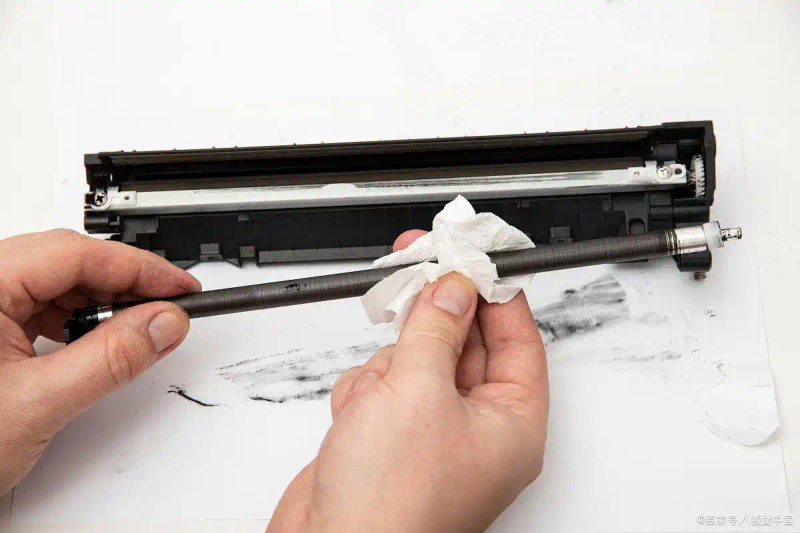
Selenium drums are important components in laser printers that directly affect the quality of printing. For the installation of selenium drums, the drums shall be removed from the bag and the seal shall be removed (note: the seal shall be removed completely). I've had the experience of having no seals out and not printing them) and then turning around the axle of the acreage drums so that the ink is evenly distributed in the acreage drums, so that the print quality can be improved. A step-by-step installation based on the map shown on the laser printer is sufficient. For the preservation of selenium drums, the selenium drums shall be kept in the original package and at constant temperature. Remember not to expose the sun directly to the selenium drums, which would otherwise have a direct impact on their useful life。
There's a long white line with parallel paper
In combination with the questions above, look at a small technique associated with the selenium drums. When printing a file, we occasionally encounter the appearance of one or more parallel white lines in the printed file, which suddenly falls in quality. In fact, the problem has to do with selenium drums. In general, this is due to the small or uneven amount of ink in the abdomen. Opens the front panel of the laser printer, removes the selenium drum, shakes the right and the left, then puts it inside the machine, if printing is normal, which means that there are not many ink in the drum, and can also be used for a while, in the light of the experience of the minor, in which, in addition to the failure of the machine itself, approximately 200 text files can be printed; of course, there is another possibility. The printer's light element, because it is operating in a high-temperature environment, can cause serious problems with dust accumulation if the machine is not properly sealed and can cause such malfunction if the sensor element is excessive. Of course, it can be solved on its own, although it involves warranty and some technical problems, but it is not recommended here, but a bold friend can try, tear down the machine's shell, find a mirror-like box, some of which will be a strip lens, and wipe the dust off light with a sponge。
Method of handling cardboard
The problems of cardboard are common for office output equipment such as printers. Two reasons are the key to making cardboard. One is the issue of paper printing, which changes somewhat according to the office environment. Excessive damp and drying can cause paper problems. And it's the old or dirty parts of the printer. There are, of course, ways to avoid it, and before the new packaged paper is placed in the printer, we can break the printer out hand-to-hand, even the flat pressure of the paper is to be fully separated and to remove the static from the paper itself. When paper is placed, the hand-painting of paper, the holding of cardboard on both sides of the paper, the absence of overprinting of paper in the printer entry unit at a time, and the fact that paper is not always exposed to the office environment can be effective in avoiding cardboard。
But the cardboard did happen, and the processor didn't have to rush. First, the laser printer flips the cap, removes the selenium drums, and turns the green switch on the left side of the printer up, thus widening the paper-roller gap. The paper that is stuck is then pulled out gently with both hands, so that the paper is not overstretched so that it does not break, the paper that remains will be difficult to remove, and more problems will arise when the remaining piece of paper in the printer is not removed; even less can it be taken with sharp objects to avoid damage to the laser printer. When laser printer paper is drawn, there is often some ink that is scattered inside the printer, so that what is struck is often black. All we have to do is print a few more test pages and bring out the ink。
Clean paper road
There are too many stains in the paper road, which can lead to damage to printed paper. When cleaning paper tracks, the laser printer's caps are turned on, the selenium drums are removed, and clean and soft wet cloths are used to wipe back and forth the paper unit scrolls and printing boxes, to remove paper chips and dust, to be careful not to wash with organic solvents, or to do bad things。
Other printing problems
In case of other printing problems, the first thought is to make a single self-check page to check for quality problems. If there is a problem, check if the skin of the drums is good, replace the drums, and print a self-check page to confirm whether it is a software problem (re-installation of the driver, reconfiguration or installation of the application)。
Maintenance time
The maintenance time for laser printers is captured and good maintenance effects are received。
1. Each time a beryllium drum is replaced。
2. For every 2,500 pages printed。
3. There are problems with printing quality。
As a result of the above, minor problems with laser printers, which are often encountered, can be resolved; of course, there are technical problems that require the assistance of maintenance services provided by manufacturers。
In day-to-day use, additional precautions can be taken to extend the life and improve the performance of laser printers. For example, the external aspects of printers are regularly cleaned up, especially in the paper entry and outlet, so as to avoid the impact of printing effects on dust and shredding. At the same time, the flow of air around printers is maintained to the extent possible, avoiding their being placed in an overheating or overture environment, which can effectively reduce the ageing and corrosion of electronic components within machines。
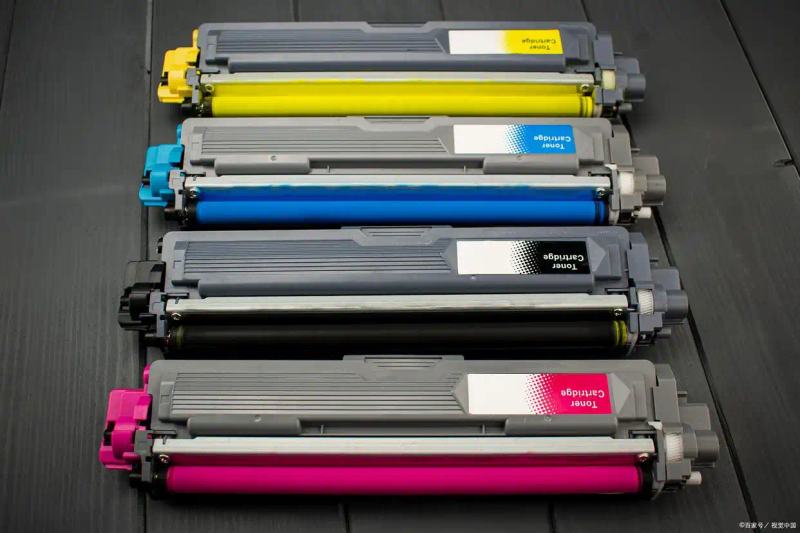
In addition, the selection of high-quality printed materials is crucial. Although the price of the original beryllium drums and ink is relatively high, their stability and print quality are often more secure and can reduce the number of failures and maintenance caused by fuel consumption problems. The use of certified compatible consumables is also available when costs are considered, but it is important to ensure that their quality is reliable so as not to affect the long-term operation of printers。
Rational scheduling of printing assignments is also important for users who often need to print a large number of documents. To the extent possible, continuous printing of a large number of documents in a short period of time and adequate rest time for printers would help to reduce wear and overheating of mechanical components. At the same time, periodic inspections of the printer's solidware and driver are carried out to ensure that the printer remains in optimal condition, with the latest version installed in a timely manner。
Finally, the establishment of good usage habits is an indispensable part of maintaining laser printers. For example, previewing documents before printing to avoid unnecessary repetition; using the right type and size of paper to reduce the occurrence of cardboard and printing errors; and closing the power supply in a timely manner when printers are not used, saving energy and reducing equipment availability。
In summary, through rational use, timely maintenance and maintenance, we can keep laser printers in an efficient and stable state of operation, providing strong support for day-to-day office and learning。