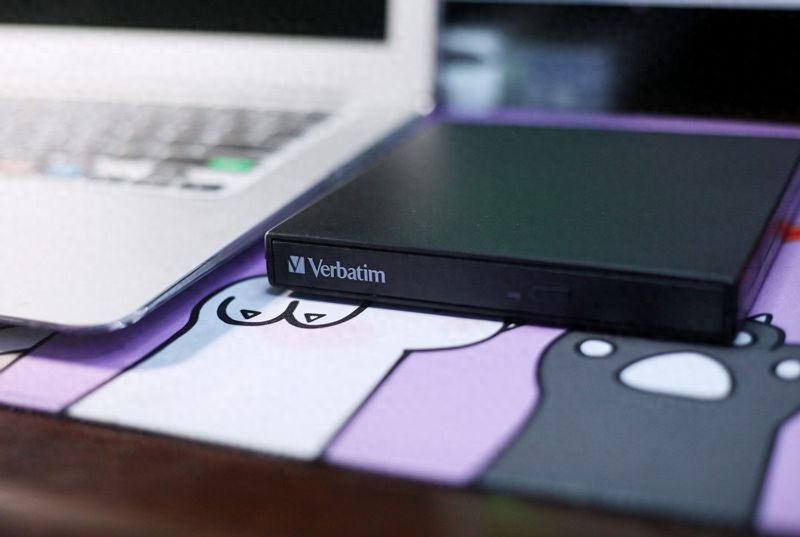
“if you want to do something good, you have to do it first.” computer failure maintenance also requires some necessary maintenance tools. Computer maintenance tools consist mainly of universal watches, oscillators, iron branding, hot wind welders, cleaning tools, etc. Do you have the tools? It's a lot of content, but it's very useful
I. Learn to use a universal watch
The universal watch is an essential tool in computer failure maintenance. The universal meter, which measures current currents, current voltage, communication voltage and resistance, has a wide range of ranges, and is now commonly used with pointer-type and numerical。
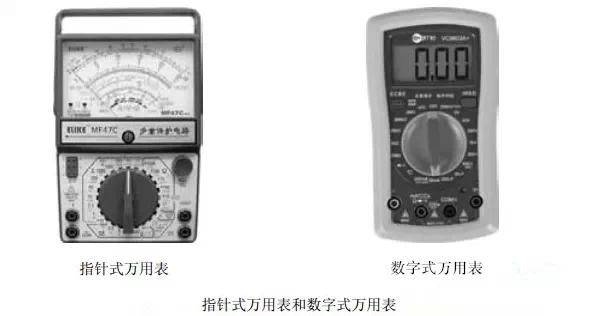
1. All-purpose table of pointers
A table of pointers is a multifunctional meter with the header as the core component. The measured values are indicated by the table pointer. The index table is composed of:
(a) the "time" mark is the tic scale used to measure the resistance
(a) the " dcma" mark is the tic scale used to measure current currents
The "dcv" is marked by the scale used to measure direct current voltage
The "acv" is marked by the scale used to measure the exchange voltage
"hfe" is marked by the tic scale used to measure the transistor tube
The "li" marked is the measure of the current on load and the scale of the voltage
The "db" is marked by the measurement of the scale。
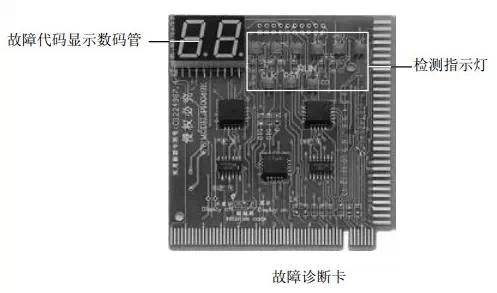
2. Digital universal tables
The numeral is used at the bottom of the utensils table with a switch button, which refers to the measuring stop. The main stop points for the dig are:
“v ~” means the measurement of the holding of the exchange voltage
"v-" means the barrier for measuring direct current voltage
“a ~” means the measurement of the currents of communication
"a-" means the barrier for measuring current currents
(a) “at” means measuring the barrier
"hfe" means the measurement of the transistor barrier。
Ii. Learn to use oscillators
The oscillator is an electronic oscilloscope that converts a transversal telecommunications number that cannot be directly observed by human eyes into an image and is displayed on a fluorescent screen to facilitate measurement of the electronic instrument。
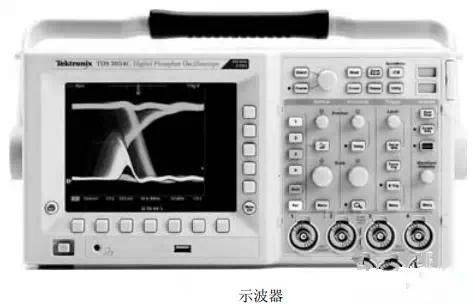
The main function of the oscillator is to observe and measure the wave shape of telecommunications signals, which not only observe their dynamic processes but also measure quantitatively the parameters of telecommunications, such as the cycle, range, frequency, phase of communication. In addition, oscillators can convert non-telecoms into telecommunications numbers to measure temperature, pressure, acoustic, heat, etc。
Learning to use transistor diagrams
The transistor charter, short of “typographs”, is an instrument capable of quantifying the properties of the transistor. Main button and functional description on transistor characterization panel: dnjsb. Com
(1) "technology (v)/degree" button switch: this knob switch is used to select the variable and multiplier of the x-axis of the diagram, which is associated with "vce" when testing the output properties curve of the small power transistor. When measuring the input characterization curve, the knob is placed on the " vbe " block。
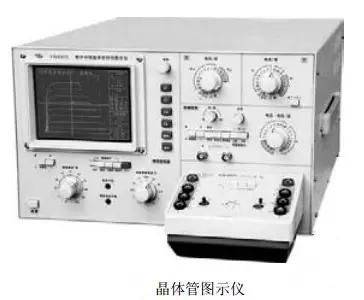
(2) "current/degree" spin button switch: this spin button switch is used to select the variable and the multiplier of the diagram's y axis, which is placed in the relevant "ic" block when testing the output characterization curve of the small power transistor, and in measuring the input properties, in the "gyphoid current or gyphotron source voltage" block (a side of the stairway on the instrument panel)。
(3) the “peak voltage range” switch and the “peak voltage %” rotor: their combined effect is to control the size of the “collective pole scanning voltage” and, regardless of the “peak voltage range” placed at the end, the “peak voltage %” must be placed in zero at the beginning, then gradually and carefully increased to a certain value, otherwise it is easy to damage the tube, and the “peak voltage %” rotor should be reversed to zero once a tube has been tested。
(4) the “flow limit resistance” rotor button: “flow limit resistance” is equivalent to the cet in the transistor amplifier, which is associated between the cet of the transistor tube and the icd scanned voltage source, and is used to regulate currents through the transistor, thus limiting the operation of the transistor detector, which is generally selected at 1 k om for testing the small power transistor。
(5) "strategic step signal" rotor: the current signal of cyclical change is added to the base pole by this knob, and the difference between the steps is selected by "stairs select man/stage". For convenience, the 10 μa/level is generally selected. The number of steps for the intermediate step signal per cycle is selected by the "level/column " , and the number of steps per block of the step signal is actually the root of the output characteristics curve that can be shown on the icon. Dnjsb. Com sharing
(6) “zero voltage”, “zero flow” switches: this switch is the control of transistor tube base-state switches, which are required to keep the measured tube in a state of openness when striking through the voltage and current. The switch can then be placed in a “zero current” block (only when the circuit is open can the current be zero). When measuring transistor penetration through currents, it is necessary to make the monitored tube base and launch very short circuits, which can be achieved by setting the switch in a “zero voltage” block。
Iv. Correct use of iron branding
The iron is one of the tools necessary for computer hardware maintenance. It is commonly used in the form of external thermal iron, internal thermal iron, hot iron, tin iron, etc
(1) external heat iron branding: iron branding, which is mounted in a steel core, is called external heat branding. It is small, inexpensive and has a long useful life. Welding metal floors or larger components may be used for external heat branding of 45-75w。
(2) inner heat iron: iron branded in the head of iron, known as internal heat branded iron. Thermal use of the heat block is high and the iron head is easier to replace. General electronics (e. G. Welded printed circuit boards) use 20-30-w internal heat branding。
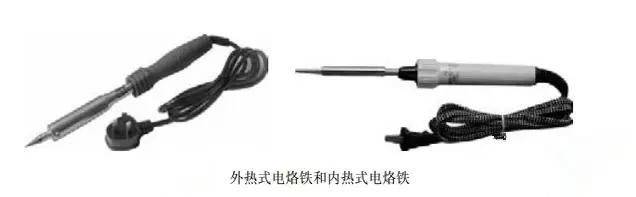
(3) temperature-controlled iron: thermal iron in which the iron is fitted with a magnetic temperature controller, which controls the powering time and achieves temperature control, is called the thermostat. The temperature of the iron branding is restricted because the temperature cannot be too high when welded into integrated circuits and transistor units, and the time of welding cannot be too long. The thermostat is specifically designed for this requirement. They are naturally more expensive and larger in size。
(4) tin-based iron: tin-based iron is a welding tool that integrates piston-based sorbents with electric iron. General computer hardware maintenance uses 20-30w internal thermal iron. Of course, there's a 25-50-w hot iron that can be prepared。
V. The right use of the well
Welding stations are one of the most important tools for the maintenance of electronic equipment. Thermal welding stands consist mainly of basic components such as air pumps, air current stabilizers, linear circuit boards, handles and casings, the main function of which is to weld small-scale patches and patch integrated circuits。
Vi. Correct use of tin suction
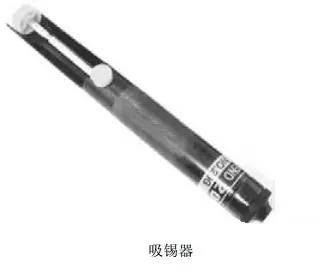
When removing a metaware on a circuit board, the sorbent is used to suck out the welding on a metaware to facilitate its removal. The sorbents are divided into auto-heat sources and non-heat sources。
Vii. Correct use of programming machines
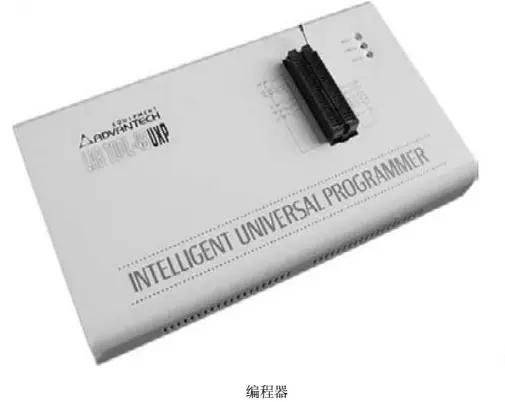
The programmer is primarily used to modify the program in the read-only memory, which is usually connected to a computer and used in conjunction with the programming software, and, in maintenance, is usually used to refresh the main plate bioos chip, the bioos chip of the graphic card, the start chip of the cybercard, the eeprom serial chip, etc。
Viii. Correct use of fault diagnostic cards
The working method of the malfunction diagnostic card is to use the results of the bios internal self-inspection program in the main board to show it by code one, so that it can quickly be known which part of the computer is not working properly, and then quickly the computer malfunction. Especially when computers are unable to direct operating systems or when they fail, such as black screens, the ease of using a fault diagnostic card is more evident。
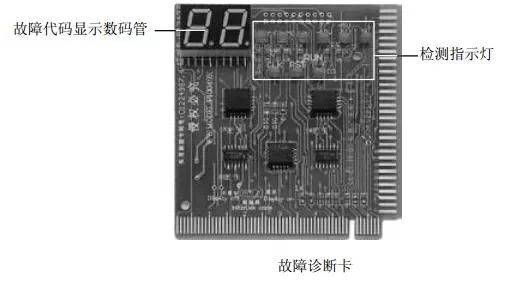
Ix. Correct use of blocking cards
The blocking card is used mainly to measure signals from memory slots, pci slots, pci-e slots and agp slots. Since the metal contact points of the slots are in the slots, and the needles are relatively large and difficult to observe, they are plugged into the respective slots with a punch-block card, which is then measured at the blocking card. It is easier to measure the clock signal point, double signal point, voltage signal point, address red line signal point, data line signal point, etc。
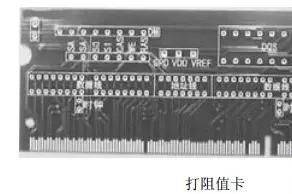
X. Correct use of cpu false loads
The false load is primarily used to measure the normality of the cpu at points, since cpu may be burned if the cpu voltage is abnormal in the course of servicing the main plate, so that, when checking the main plate, it is generally used to check the various points of voltage, and the cpu can only be installed on the broken master plate after the normal voltage at each point. In addition to measuring the voltage of the cpu points, the cpu false load can be used to gauge the normality of 64 data lines and 32 address lines leading to the north bridge chips or other corridors。
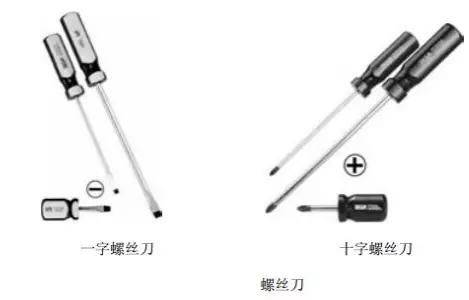
Eleven, prepare the screwdriver
A screwdriver is a tool frequently used in maintenance, which is more varied, with a cross screwdriver and a one-word screwdriver commonly used in maintenance, and a screwdriver used in computer maintenance, usually with a screwdriver with a magnetic head, which facilitates the installation of small screwdrivers。
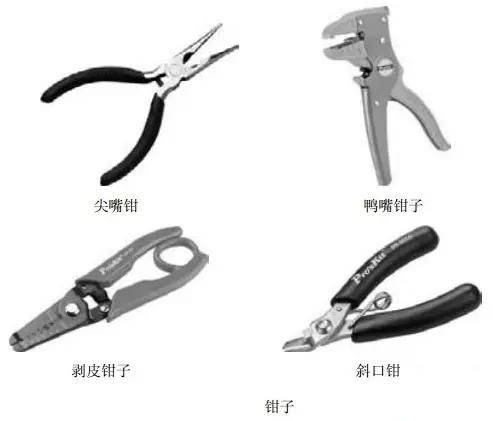
Xii. Preparation of pliers
Most of the pliers used to be used for maintenance are pliers, duck pliers, peeling pliers and slashing pliers
(1) pointy-mouth pliers and duck pliers: their role is to disassemble, install, adjust, pull jump wires, correct deformations, etc。
(2) skinpliers: the function of a skinplier is to remove the protective pelvis from the outer section of the guidance line。
(3) tilt pliers: the function of an occupant plier is to cut out useless piping feet or lines, etc。
13, prepare the sting
It is easy to pick up a hard drive, a master plate and a optical jumper, because of its small size and limited space. In addition, they may be used to pick up small screws or jump wires that fall into the case。
Xiv. Preparation of cleaning tools
Cleaning tools are mainly used to clean computer components (e. G., master boards). Since there is often much dust in computers, which corrupts circuit boards, etc., there is a need for regular dust cleaning。
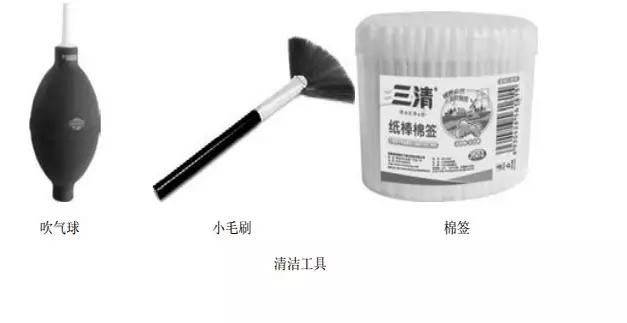
The following are commonly used cleaning tools:
1. Photo-cleaning disks
Photo-cleaning disks are used to clean laser headers. Cleaning of the laser head is required because of the fact that optical laser head is dusted and the ability to read disks is reduced。
2. Cd-rom cleaning paper and cleaning spray
Cd-rom cleaning paper and cleaning sprays are mainly used to clean cd-roms, which will be difficult to read if, during the use of the cd-rom, the data surface of the cd is accidentally touched by hand or dust is placed on the cd-rom。
3. Small brush
Small brushes are specially designed to clean circuit boards or components, such as the main board, and the large amount of dust accumulated by computers during their use may cause the main board, graphic cards, memory, etc. To work irregularly, when small brushes are required to clean the dust。
Cottonmarks
It is usually used to clean the stains on components such as computer plates。
5. Rubber
The rubber is often used to clean the stains on the gold fingers of components such as memory, graphic cards, etc。
Blow. Ball
The balloon is used to blow the dust off the hardware。
Xv. Prepared tool software and disks
In addition to the necessary hardware tools, computer maintenance requires the preparation of software tools to perform some operations, including the following:
1. Operating system installation cd-roms [or pe also]
An installed cd-rom of the operating system is essential。
2. Driver
This includes the driver of equipment such as mainboards, graphic cards, sound cards and netcards to allow normal use of hardware after failure or reloading of systems。
3. Poisoning software
Poisoning software is used for virus detection and clearance to ensure that the system operates under normal conditions. There are a lot of such software, such as computer housekeepers。
4. Maintenance tool software
This type of software is used primarily for the maintenance and optimization of the system, such as the placement of an inquisitor and the security guard at 2345 (to ensure that your promotional home page is not tampered with)。