Today, the editor shared small skills in laser printer maintenance and maintenance, hoping to help you in your daily work
1. Output blank page
The failure may be due to the fact that the ink is not sucked into the swarms or that the selenium drums are not available, and the laser beams cannot function on the sensor drums and therefore cannot be printed on paper. The sensor drums are not rotated and there are no images generated and passed on to the paper, so it is important to determine if the sensor drums can move normally. Disconnect the printer's power supply, remove the powder cartridge, open the slot on the hood and reload it in the machine after marking it in the non-sensitized part of the light. If you start running for a while, then you can take out the check mark and check if it's moving, so you can judge whether the sensor drum is working properly。
Ink powder can also cause white paper if it is not properly supplied or laser beams are blocked. Therefore, it should be checked whether the ink powder is exhausted, the cartridge is properly loaded into the machine, the sealed tape has been removed or there is a shield on the laser irradiation channel. It is important to note that the inspection must cut the power off because laser beams are harmful to the eye。
2. Cards
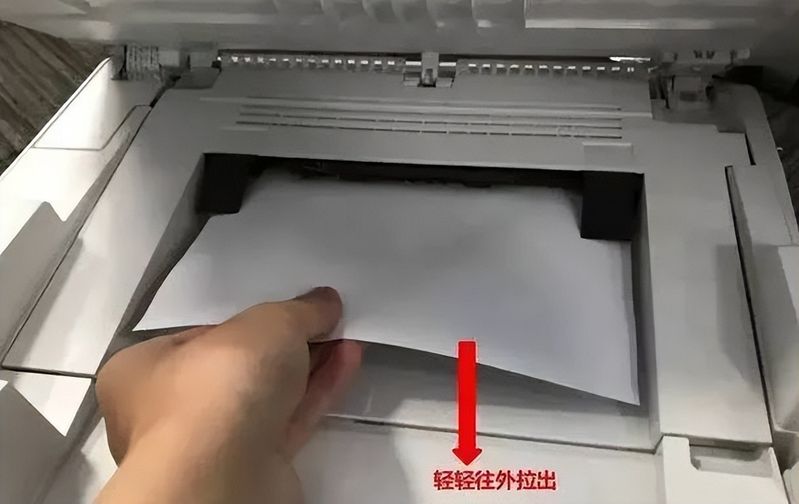
The problems with the cardboard are common. The printer turns over, removes the selenium drums, and turns the switch on the left side of the printer up, which expands the gap in the scroller. The paper that is stuck is then pulled out gently with both hands, so be careful not to overwhelm and to pull off the paper。
A little cardboard trick:
(1) when there is a cardpaper phenomenon, do not be hasty and can be pulled gently and manually, with your hands gently, and slowly removed from the printer in the direction of the paper. Printer power should, as far as possible, be shut down during extraction。
(2) use of standard and appropriate paper can effectively prevent cardboard。
(3) reuse of post-printed documents in turn increases the failure rate of the cardpaper, and foreign objects enter the printer with the paper, causing damage not only to the cardboard but also to the relevant parts。
(4) if the paper is damp or uneven, it may result in non-input and too much dust on paper, which can have a direct impact on printing, poor paper flow and black spots。
3. Daily maintenance: cleaning
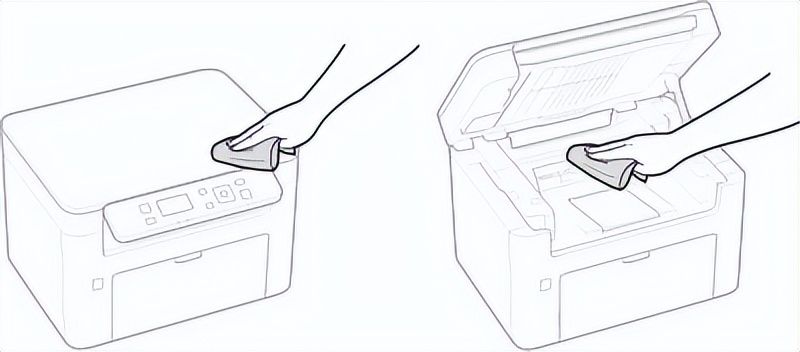
The correct and timely maintenance and maintenance of laser printers would prevent many failures. So we also have regular cleaning of printers。
1. To close the printer and remove the power plugs from the power outlets. It is noteworthy that data awaiting printing will be removed when power is shut down. However, fax documents received through the memory reception function, faxes awaiting transmission and reports automatically printed after sending and receiving the fax will not be deleted。
2. Cleaning of machine externals and venting tanks, using soft and diluted detergents with water or diluting water and completely drying them. In addition, vents cool the interior of the machine by dispersing the internal air, so that they are not normally placed on the front of the vents, which hinders ventilation。
3. Finally, wait for complete external drying. Reconnect the power lines and turn on the machine power。
4. Shake the cartridge
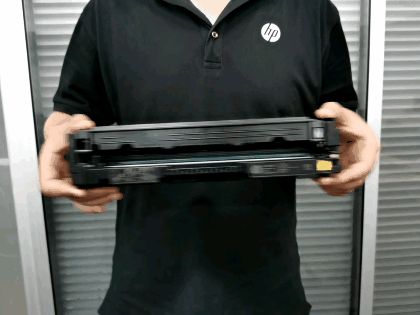
Here is also a preventive maintenance technique to help extend the usefulness of the cartridge: remove the cartridge from the printer, keep it at a level, and move along the axis, so that the cartridge is evenly distributed. An abnormal spot or stripe appears on printed paper if the ink is found in the ink. Also, it's a good aerobic motion test... And when the ink is used very little, the shaker cartridge is a good way. As noted above, additional pages can often be printed when laser printers report ink runs out。