As the price of digital equipment continues to decline, computers and off-site equipment are becoming more widespread, believing that many households or businesses are equipped, that printers have a high frequency of malfunctions, that many friends insist that the maintenance master should come to the door, that many of the printer failures are hardware problems, and that we can easily solve them. Today's small drawings take an inventory of the problems that are common to five printers
1. The print character is incomplete and unclear。
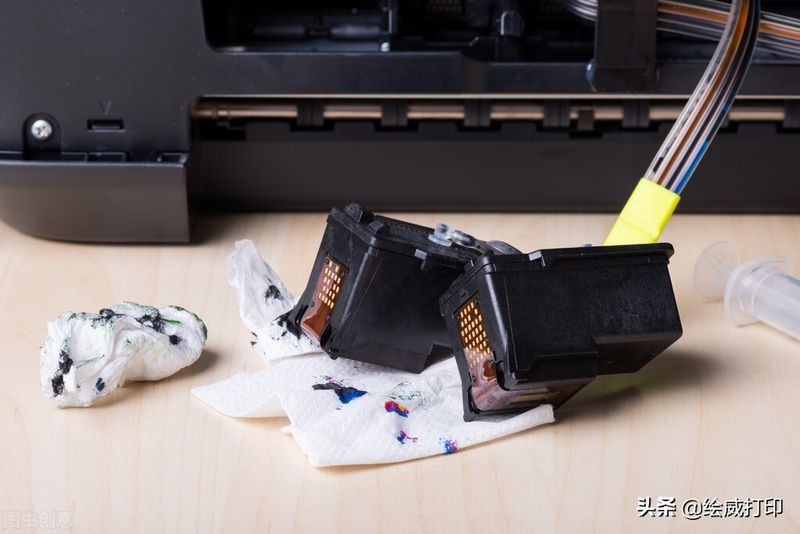
Inkjet printers: 1 cartridge with insufficient ink residual; 2 printer nozzles blocked。
Solutions: replace new ink cartridges or ink ink ink; if there is much ink, it is highly probable that nozzle jams can open the printer's nozzle clean-up process or be addressed by immersing the nozzles in warm water. Be careful not to dunk the circuit board
Needle printers: 1 print belt has been clean for long periods of time until 2 printheads are cleaned and 3 printheads have broken needles and 4 printheads have broken circuits。
Solutions: we can adjust to shorten the distance between the header and the printer. It is also possible to estimate whether the time has come to change the color belt, and if not, then we need to clean our own printing head。
It is also possible to print needle breakers or drive circuits, but both make professional maintenance operators more secure。
Ii. Unnamed lines appear in printing, mostly on needle printers
Reason: 1 print head multiples 2 print head is too short to print lid 3 print medium too thick
Solution: unloading the header for cleanup 2 regulates the distance between the header and the print pane 3 does not use too thick the print medium
3. When printing, the writing is clear, while the other side is not clear。
Reason: users of needle printers should encounter this frequently, mainly because of the non-coherence of the two tracks as a result of the transformation of the print head-track or the printing of a particular location。
Solutions: reconciliations on both sides of the printhead track are regulated to make the two tracks parallel。
4. Printers work at a moment's length or stop vibrations。
Reason: print tracks are dry, head-to-head frictions are too limited, machines automatically stop printing when resistance is too high, and are likely to burn or even burn the drive circuits。
Solutions: put a few drops of lubricant oil on the print track and remove the oil with the hand. If there were obstacles after the restart, it would be possible that the powerway had been burned and required repair。
V. Printers turn off response
Reason: the printer's current protection is on, and the instant current is too large for the fuse to be burned。