As an old brand of office automation, shadam has entered a wide range of everyday life and work, operating across continents, taiwan and many countries and regions around the globe, working on office solutions, and obtaining a wide range of positive feedback as an excellent product, although it is not unusual for a photocopying machine to fail. Every time a photocopying machine malfunction occurs, many people do not know how to repair it, and the smaller editor comes to teach you how to repair it after a photocopying machine malfunction。
Step 1: follow-up check and maintenance steps after a photocopying machine malfunction。
When a photocopying machine fails, there is always a major failure, and capturing this major failure for analysis will lead to the cause of the failure and the method of its removal, which we can generally identify and remove by several means. The review should be guided by the principle of expediency and gradually narrow down, and eventually concentrate on a certain point。
I. Self-checking photocopying machines for simple error information
The identification of instructions for the use of photocopiers, which are addressed using the method of troubleshooting described in the instructions, such as lack of paper, cardboard, insufficient memory of equipment, photocopying head overheating and the presence of foreign objects in the equipment, are subject to a single exclusion。
Self-checking photocopying machines
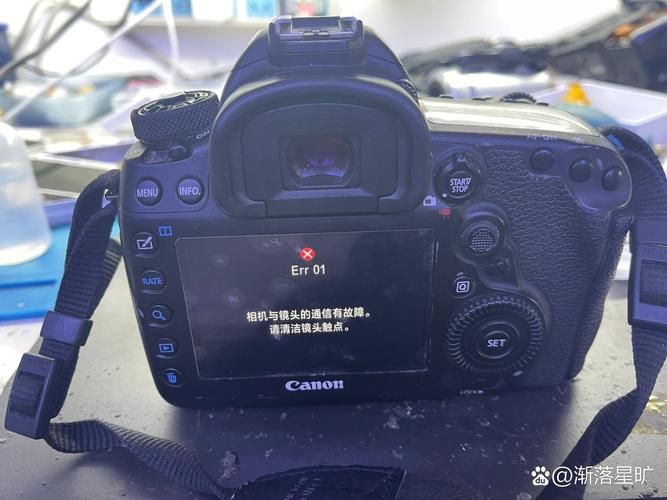
Currently, most of the seismic copiers are equipped with coloured liquid crystal display panels and fail-checks, such as cardboard, which can be digitized to the operator in case of failure or damage to a component of the machine. More frequently, failure codes, such as those for the nh series photocopiers, e. G. “e0~e8” etc., are coded by “u” plus numbers. When these codes appear, they indicate that the working state of the printed circuit boards, sensors, switches, relays, etc. Is abnormal and requires adjustment or replacement. As users of the machine, when these fail codes are seen, they should immediately be shut down and power shut down. In the case of self-repair, a maintenance manual or maintenance instructions corresponding to the model of the machine used must be found, in which the content indicated by the malfunction code is found and the corresponding parts, circuit boards or electronic components are checked。
Step 2: helping the internet
Networks such as the zol office forum, the qq group and the 100-degree network are available for help and quick resolution. Because the problems you've encountered may have been experienced by a lot of people online。
Step 3: help with after-sales services
If you can't fix a photocopying machine, then you can help sell it. Tel. 800-820-0168, after the earthquake: monday to friday, 8:30-18:00, except for official holidays. It is the policy of the national union to provide three packages of services for photocopying machines。
We always encounter a variety of problems in the use of photocopiers. If a photocopying machine fails, you can check and maintain the photocopying machine on the basis of a user’s manual, seek network help or call the after-sale telephone. The methods and procedures used for the maintenance of photocopiers in this paper are not limited to tremors, but also apply to photocopiers of other brands. But jing is here to remind the majority of photocopying machine users that they must always use them to maintain them everyday! So maybe your copier won't be out of order。