These displays, which we're likely to encounter using the inkjet, cannot be printed
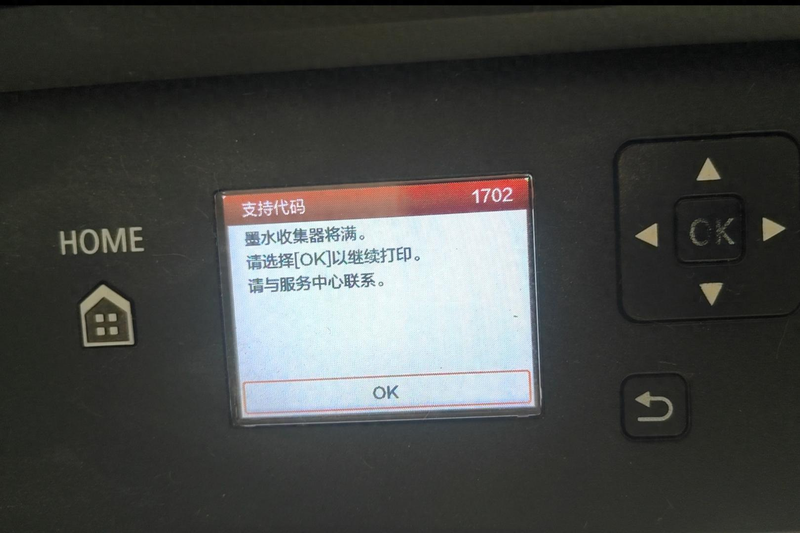
Canon ts5100 series
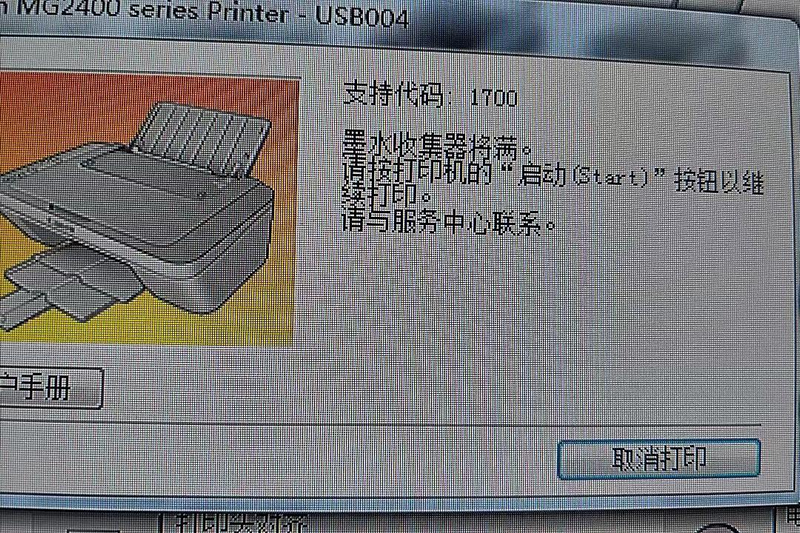
Canon mg2400 series
Reason for the problem: printers have reached the end of their useful life, the system chip records a critical mass of sponge absorbent spent ink counts, there are data in the printer, and normal tips are needed to replace scrap ink pads for zero-action operations。
Problem handling: if the machine doesn't leak the ink, we can link to the computer, and when the clean-up software is zero on the computer, the printer can continue
A good energy service tool is a tool for replacing good energy printers after the replacement of components, e. G., logboard components, ink cleaner packages, printing headers, etc. The service tool is a portable application and therefore does not need to be installed. There are several functions in service tools, such as testing printing, cleaning, setting of destinations, clearing of ink counters, ink absorbent counters, cd-r correction, automatic lf/ej, left distance correction, wet liquid counter, panel level, tablet scanner, data preservation, etc。
Printers must be in service mode in order to replace their energy-efficient printers with service tools. The service mode is a condition for the entry of the energy printer into the maintenance mode. Printers enter maintenance mode, turn on the maintenance tool, and then select the functional keys that you want。
[maintenance mode: the above functions will have to be operated under maintenance mode, and the way to enter maintenance mode is as follows]
G1800 g2800 g3800 g4800 ip8780 ip7280 ix6880 ix6780 mg3580 mg3680 ...
The clean-up model approach is as follows:
One, turn off the power. Printers put paper
2. Press [stop] and then press [power]. (both keys are loose)
3. When the power lights are on, the key is open. Keys
Four and five times [stop], both at once。
5. Power lights are long and successful. ♪ sometimes two lights ♪
G1810 g2810 g3810 g4810 g5080 g8080 gm202020gm4080 ts5120 ts6180 ts6280 ts6220 ts6380 ts6320
The clean-up model approach is as follows:
1. Turn off the printer power, put paper in the machine and press the [power] button。
2. When the power light is on, the [power] key is open, and five times the [stop] key is pressed and both keys are released simultaneously。
3. Power lights are long and successful. ♪ sometimes two lights ♪
Ts9080 ts9020 ts8080 ts90000 ts8000
The clean-up model approach is as follows:
One, turn off the printer power, put paper in the machine, press the middle of the screen and press the power. Hands
When the power lights are on, don't untie the [power] button while pressing five strokes
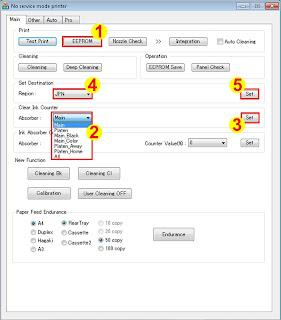
Tool0006v6220 software community noodles
• before running this tool, ensure that printers are located in service mode。
• download service tools v. 6. 220 or tool 0006v6220
• decompress the file and open it。
Loading a4 or letter paper
. Print eeprom (1) information before reverting. Waits for printer to finish printing。
Clear ink counter, select main (2), and then click set (3). When the primary inkometer doubles, the inkometer values are automatically printed
Meaning of wrong code for a good service tool
Error code: 002 meaning: the service tool does not support the requested operation。
Error code: 005 meaning: · service tool not detected printer。
Error code: 006 meaning: printers are not in service mode or service tools do not support printers。
Error code: 007 and 009 meaning: printer unable to enter service mode due to another failure or two different errors
Error: service tool (no response) meaning: pc/paperphone cannot communicate with printer。
Zero download: sharing name: zero inkjet zero
Https://www. Mmm651. Xyz:88/#s/-qtvqewq extract password:88888 (updated regularly, please trust me)