What if the microphone doesn't have a voice? When you use qq to chat with friends, when you have a video conference with colleagues or partners, it happens that the microphones that are supposed to be used are suddenly silent, but don't know how to solve them. Here's the solution for the microphone without sound。
Why is the microphone silent
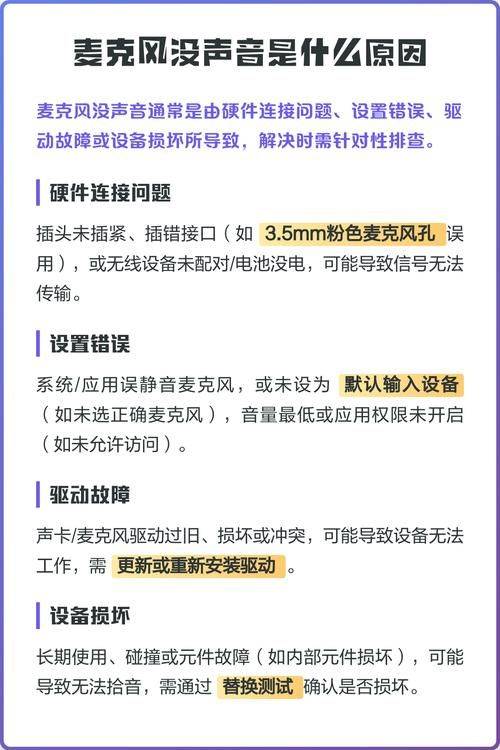
The problem of the lack of sound on the computer microphone may be caused in many ways, and you can first check whether the microphone and the computer connection are normal or not, and whether they are inserted in the wrong place. If linking the microphone to the pink plug or not does not solve the microphone's lack of sound, then it is necessary to check the reasons for the lack of sound on the microphone。
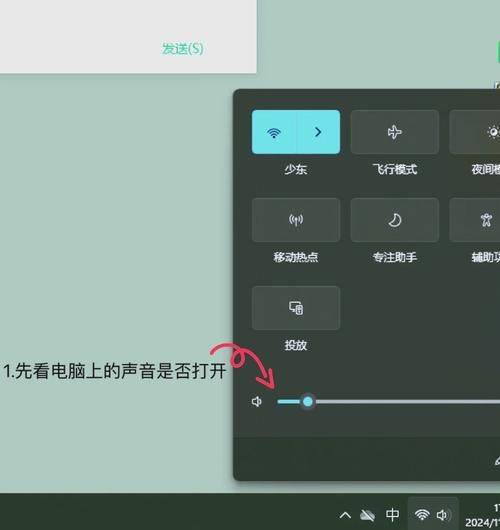
1. First, check if the microphone has been silenced, double-clicking the small horn on the lower right corner of the screen and opening the audio control panel. In this case, if the microphone or microphone are not shown, then click on the "option" in the panel, select the "relationship", then check if the microphone has been silenced, which is the first step in addressing the lack of sound in the microphone, and if the microphone is silenced, then the computer microphone should return to normal;
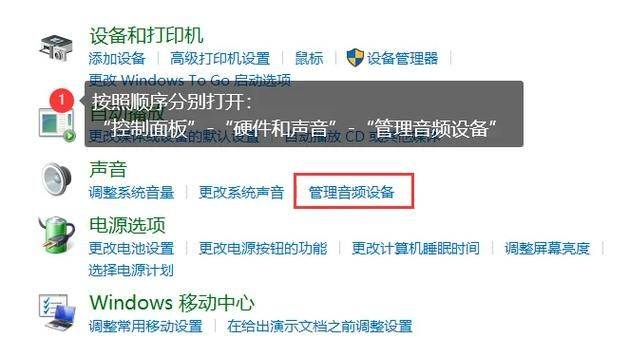
2. If the above method is not working, then it is necessary to check whether the microphone is normal. You can click " start " , select the " recording " tool in " annex " -> " entertainment " , and then click on the button with the " dot " to start the recording, when you talk to the microphone. If the green line fluctuates, the microphone can work, but if the green line doesn't fluctuate, the microphone is broken or the sound card is wrong。
If the above test reveals that the microphone is working normally, then do not worry about the soundlessness of the microphone, which may be the procedure used to temporarily fail to recognize the sound, or the sound of the microphone is too small to try again; 4. If it turns out that the microphone is not working properly, it can be placed on another computer to try and see if it can work properly, and if it does not, then a good microphone will have to be replaced, and the problem of what to do with this microphone without sound is solved. If the microphone works properly on someone else's machine, it's likely your computer has a soundcard drive or a soundcard hardware problem。
What if the microphone doesn't sound
There are two reasons left after the exclusion, considering whether the computer has been poisoned or otherwise in the recent past, because it may have been damaged by the virus, at which point a thorough scan of the computer using the horse-killing tool was used, and the soundcard drive was updated, at which point, if the microphone had returned to normal, the problem of the soundless computer microphone would have been solved, and if not, the sound card would have to be changed because of the hardware damage, and the soft method would not have been solved。