2. Dns queries journey
When you enter a domain name (e. G. Google. Com) in a browser, the following steps are taken to understand the domain name as an ip address:
Browser cache
The browser first checked its own cache. It will check whether you have recently deciphered the domain name you tried to access。
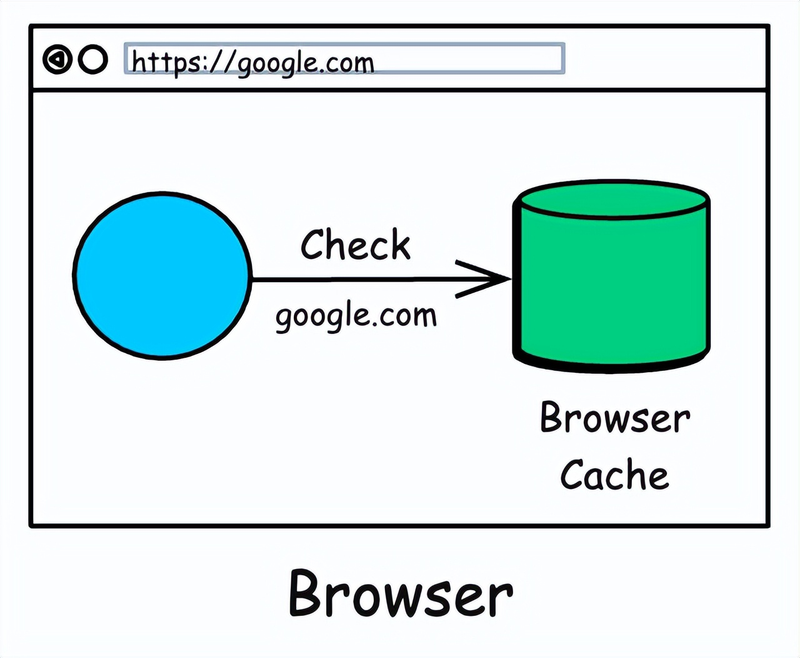
If the cache works, it will use the cache ip address directly. This is the fastest route, as no additional treatment is required。
2. Operational system cache
If the browser does not know, it will seek help from the computer operating system。
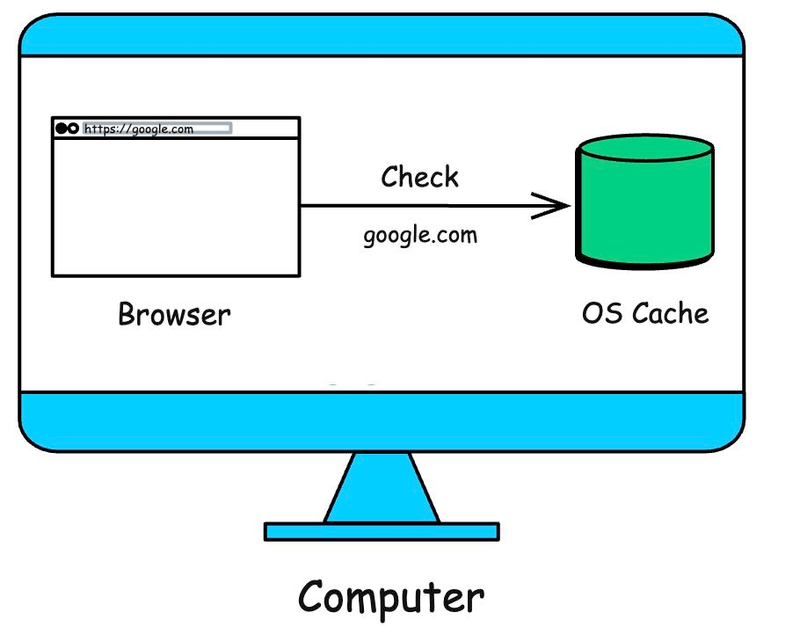
The operating system maintains a local cache containing the most recent domain name query records for application sharing. If a record exists here, the operating system returns the ip address and the search is completed。
3. Recursive resolutionr
If the operating system does not have an answer, your computer sends the query to a special server called the recursor。
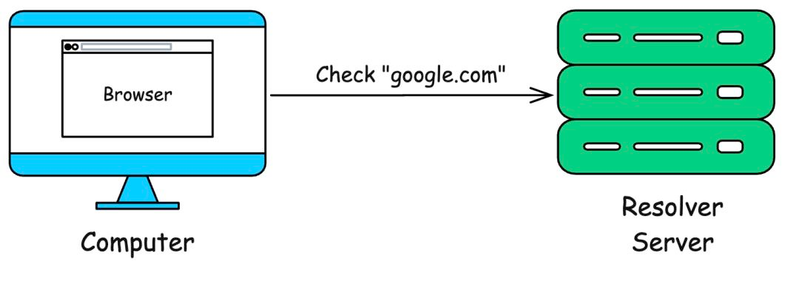
This solver is usually operated by your internet service provider (isp) or a public dns service (e. G。
The task of the recursor is to help you do all the heavy work of finding the correct ip address. It will be searched until the answer is found or the domain name is confirmed。
Root servers
If the solver cache does not have an answer, it starts at the top of the internet hierarchy: root server。
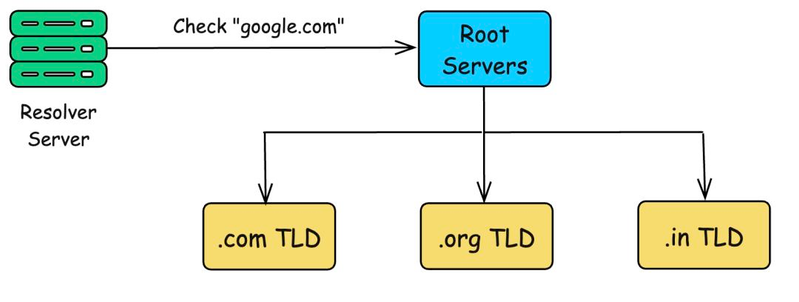
There are only 13 such root servers worldwide (although they have copies in hundreds of locations for reliability)。
5. Top-level domain name server
The solver now communicates with the top level domain name server. The top-level domain name server manages all domain names that end with a specific suffix, such as. Com. Example. Com,. Org. Example. Com. Gov,. Example. Com. In,. Example. Com, etc。
So the solver asks the . Com top level domain name server: "hey, where can i find information about google. Com?"
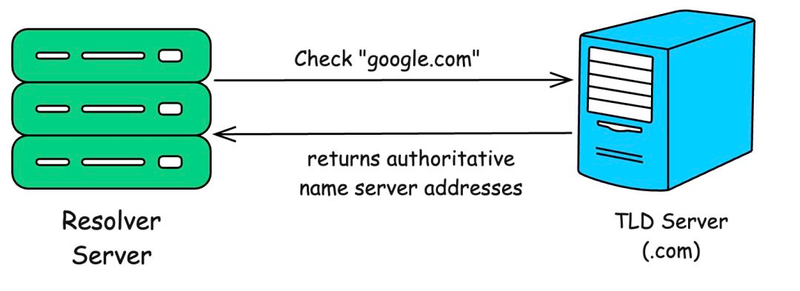
The top-level domain name server also has no final ip address. However, it knows which server is the official record-keeping server for the domain name, google. Com. It points the solver to the authoritative name server for the domain name。
6. Authority name server
Finally, the solver will contact the authoritative name server. The server is the ultimate authoritative source of a given domain name and keeps the official dns records of the domain name, google. Com and knows its exact ip address。
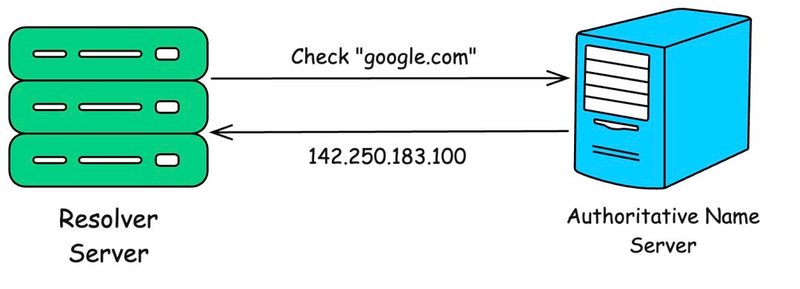
The authoritative server responds to the correct ip address (e. G., 142. 250. 183. 100)。
These records can contain multiple ip addresses for load balance and failure transfer。
The authoritative server returns the actual a record (for ipv4) or aaa record (for ipv6). It can also return other records on search (e. G. Mx records for e-mail, cname records for aliases, certified txt records)。
7. Return browser
The parser now gets the ip address. It will convey this information back to your computer. Your computer will then cache this result so that next time you do not have to repeat the process。