Updated 30 may 2024
As diy's senior player, i'll tell you what i think。
The main panel with the wifi function, which was used to be one of the matching functions of the high-end main panel, began to spread on the lower- and middle-end panel almost three to four years ago。
Even now, there is a difference of $100-$150 on the board, compared to the main board with the wifi function, which is the same price as buying a wireless card alone. Thus, in the absence of significant price differences, it would be better to focus on the effects of the master plate belt and later loading。
Personally, the advantages and disadvantages of both are as follows:
Main board with advantages:
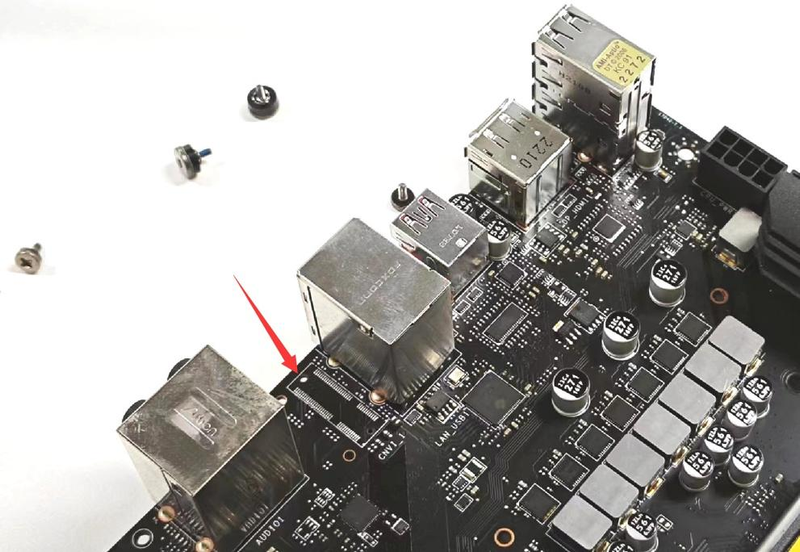
The plate-mounted chip is more stable, without regard to whether the later loading of the main plate supports or drives is stable; installation is easier and two antennas are connected
Main board has its own disadvantage:
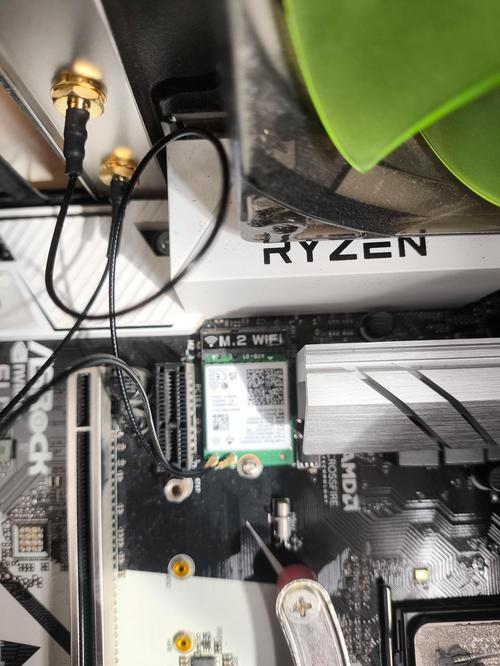
It is possible that plate-mounted chips have general specifications that do not have a specialized heat-dispersion design to meet demand; antennas are not flexible, designed according to the mainstream box, and antennas are behind the case, affecting signal reception
Post-loading advantages:
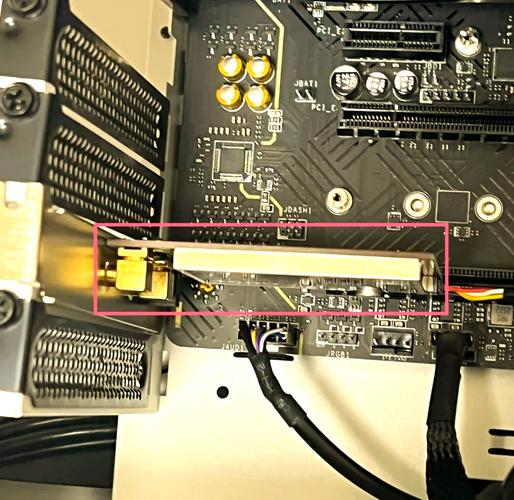
The greatest advantage is to be flexible, to opt for a simple, unexplored version of the usb web card, to be plugged in, or to choose a better pcie card, to secure stability in large-scale dispersions, and to extend the base to ensure optimal signal reception
Later loading of disadvantage:
The large number of brands, the varying strength of the manufacturer, the possibility that the purchase could be easily pedaled, partly involving the driver installation, the requirement for the windows version and the difficulties involved。
So, back to the issue, how do we choose? In the case of white people or people who do not want to make a difference, choose the main board with their wifi function, and save yourself; if there is a performance requirement, the player who likes diy, prefers to buy later loading。
So, by 2024, whether it be the main board with wifi or the self-purchase of a wireless web card, care must be taken to meet at least two of the following conditions for purchase:
1) support for wifi6: wifi6 or wifi6 or wifi6e webcards have been supported, and wifi7 webcards have begun to reach the market。
2) double frequency support: 2. 4 ghz and 5 ghz are the most basic requirements. The peak rate of 2. 4ghz is only 50m, and the current broadband penetration of more than 200m is a serious bottleneck, which will be met mainly by usb web cards, with ordinary masterboards and pcie cards being double-frequency。
Finally, i recommend a few wireless web cards that don't step on the pit and a master board with a wifi function:
Amd am5 interface: support for the latest ryon 8000/7000 processor, currently focusing on the lavish “tuf gaming b650m-plus”, the luxury power module for ddr 5 6,40000, 12+2, the super-large vrm dispersive module, and the latest pcie 5. 0, equipped with the wifi6 branch network, 2. 5g cable portal. Of course, there is also a wifi7 main board that supports the higher end, with the option of "gigabyte" ice sculptor x670e。
Intel lga 1700 interface: support for the 14th and 13th cpus in intel, which is still expensive for the current terminal master plate, is still very strong, using b760m chips, recommending the selection of “mag b760m morrtar max wifi”, up to 12+1+1 smart power supply, supporting pcie5. 0 and pre-tpeye-c interfaces, large-scale heat-spread coverage, support for the latest wifi6e+2. 5g portal, which is still well configured. Of course, there is also the main board supporting wifi7, with the option “pro z790-a max wifi ddr5”。
Usb wireless net card: currently there is no usb interface card supporting the wifi7 protocol。
Support for the wifi6 usb web card:
1) comfast cf-972ax: the wifi6 usb card, which is currently the highest on the market, has a three-frequency wifi rate of 5400m, and supports free-plugging, with an antenna that can be rotated with usb3. 0 interface at a price of less than $150 and a very high value for money
2) tp-lInk xdn90000h free version: this paragraph is optional in comparison to a brand, which supports a two-frequency, 3000m wireless rate, usb3. 0 interface, which supports expulsion, i. E. Plug-in, and is also designed in a divided manner, with an antenna that is free to adjust to an angle and can better deliver wifi signals, tp-lInk's big brand, stability is guaranteed, and it's highly recommended
This post is part of our special coverage #tendaax1800wifi6u18 free version: tenda is also an old router, supporting a two-frequency 1800m wireless rate, the usb 3. 0 interface, the largest feature of which is also support for protection from displacement, i. E. Plug-in, one-step delivery, which is a small, light, carryable, high-value, and also recommended。
Ux9h: mercury is actually tp-lThe ink brand, which supports a two-frequency 900m wireless rate, is equipped with an external antenna to make the card more flexible to adjust the antenna to ensure its acceptance of the best wifi signals。
Pci-e webcard: currently the interface's webcard already supports the wifi7 protocol, all of which are intel's be200, and it is recommended that at least be bought to support the wifi6 protocol。
Select the pci-e web card and recommend the purchase of a model with a base seat, and place the antenna in the best position of the signal to ensure experience。
1) comfatcf-be200pro: the chip is the latest be210 chip in support of wifi7 technology, while the bluetooth version has been upgraded to 5. 4, with a wifi rate of up to three frequency 8774m, supports 320 mhz bandwidth, supports the latest wpa4 encryption technology, completes hardware specifications, and is recommended
2) fv-axe3000pro: the chip is ax210 chip, bluetooth version 5. 2, which supports the latest wifi6e, wifi speed of 3,000m, with an efficient dispersion of heat, with a mobile antenna design that can place the extended base in the best position of the wifi signal and maximize the wifi use experience。
If there are questions about a personalized family network, a house-wide wifi, a selection of network equipment, etc., consultations are welcome。