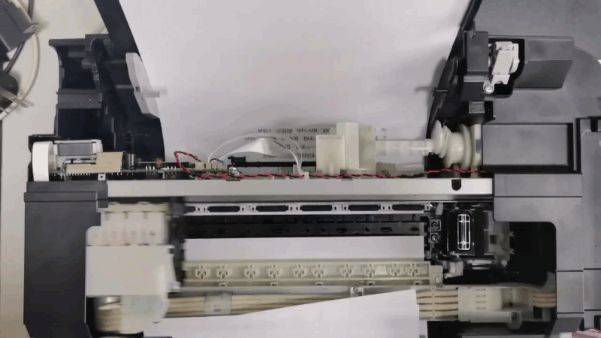
Epson inkjet printer l360 and one maintenance case
Note on printer keys
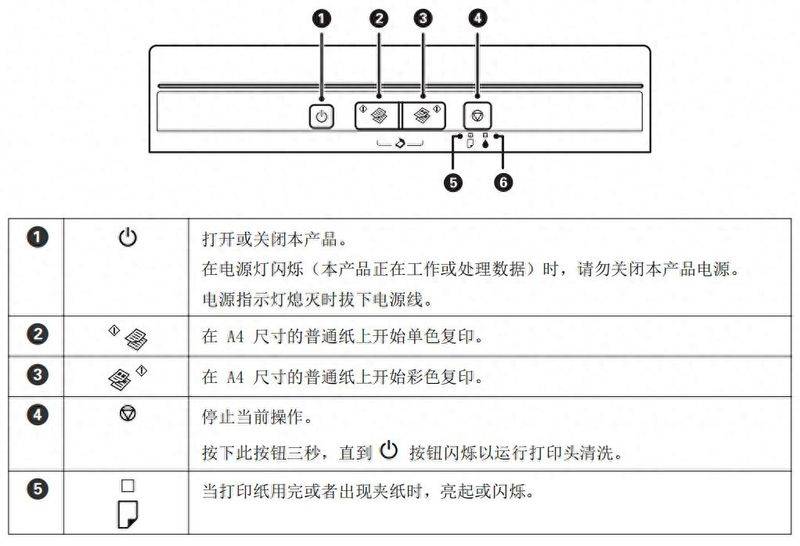
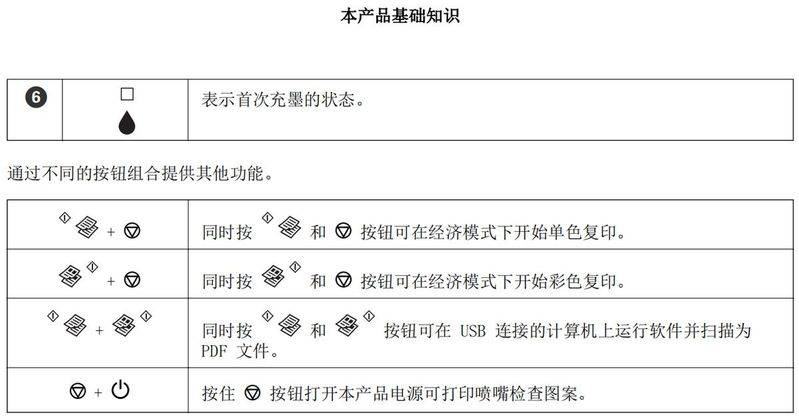
Ii. Status statement for printer indicators
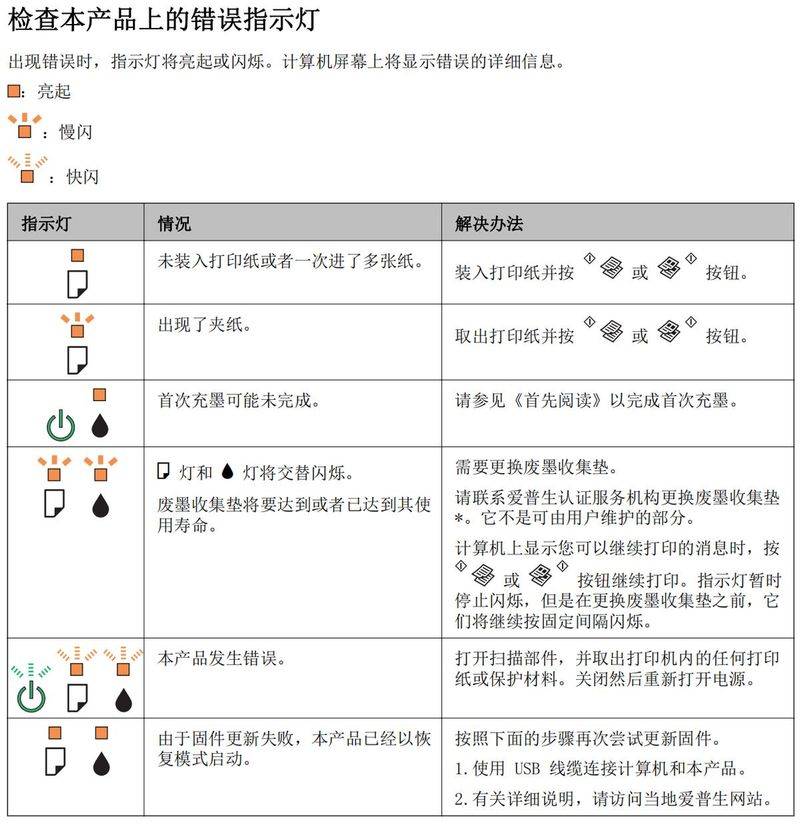
Iii. Malfunction management
Fault one: to walk blank paper after printing, or to hint to card paper after a bit of paper (the paper status light is long)。
Possible problems: paper grinding wheels in the feeder component are badly worn and do not allow for good paper washing。
Solutions: replace paper-painting or paper-painting components。
Operational step: change or clean paper wheel at step one, below。
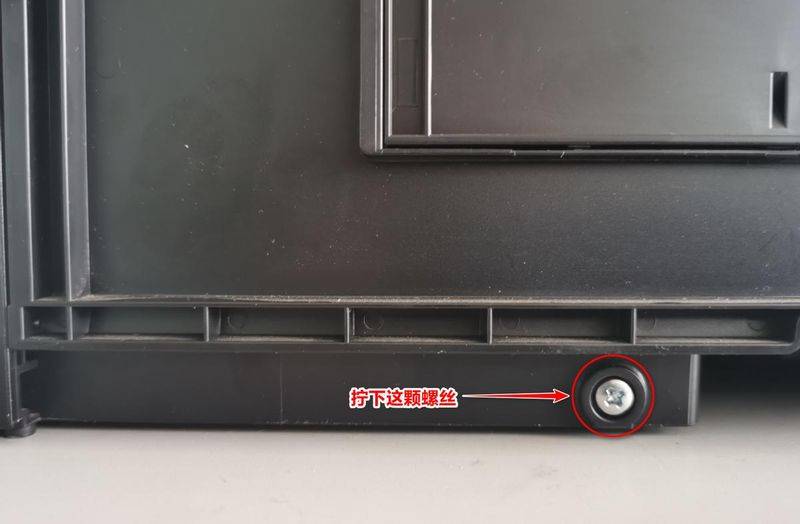
1. Turn the rear side of the printer to itself, find a silver and white screw, screw it down, then pull the printer's screw hole up, push it to the right, and then remove it。
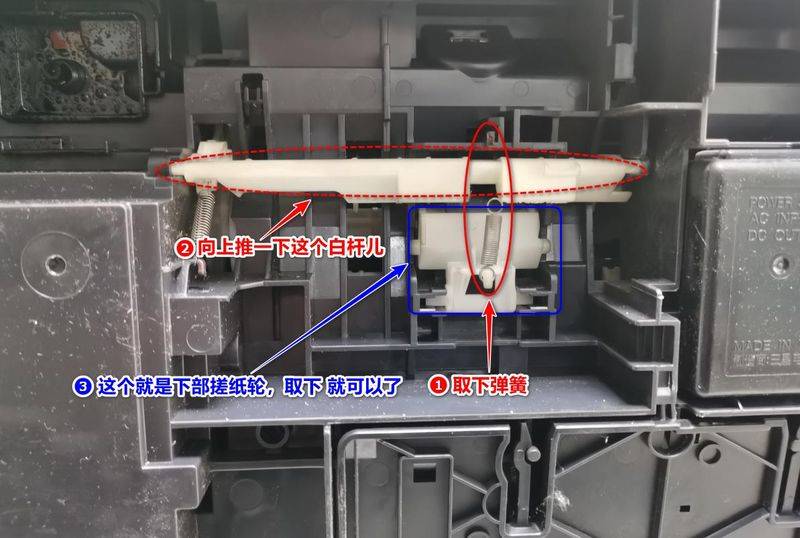
2. At this point, we can see paper grinders below (blue box areas), remove springs, lift white poles up, and remove paper grinders。
Step two. Top-sweeping wheel replacement or cleaning。
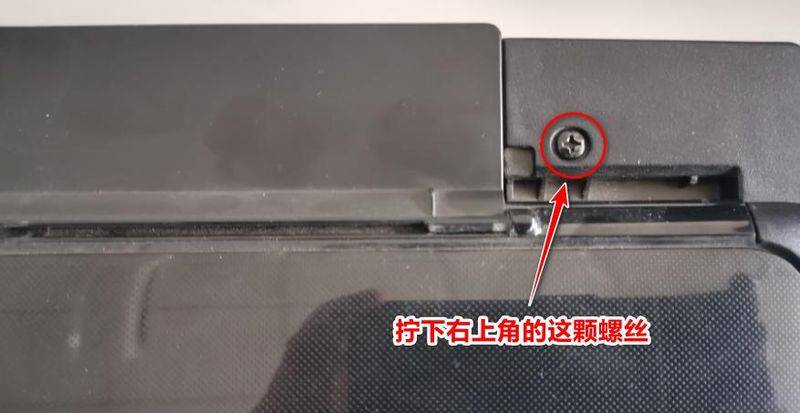
1. One of the black screws in the upper right corner at the bottom, as follows:
2. Opens the scanner and wrings a silver and white screw from the right upper scanner fixed, as follows:
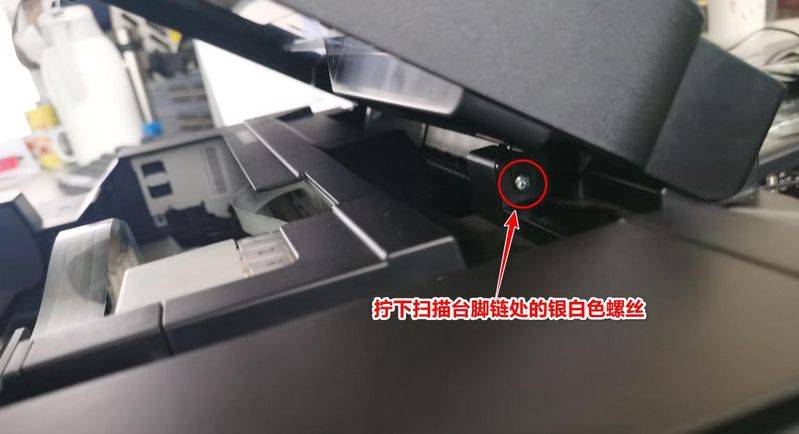
3. The right side of the top right side of the right hand shall be capable of removing the right side of the foot chain. This should be done so that the left data line is not damaged。
4. Take the small sheet below, grab the middle position and lift it up several times so that it can be removed。
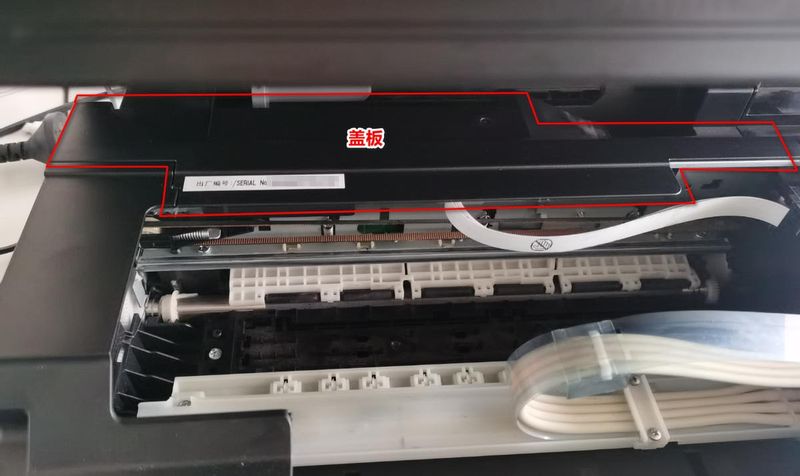
Pull out the line of the scanner on the left side, and just pull out the gray circle for the neutralization。
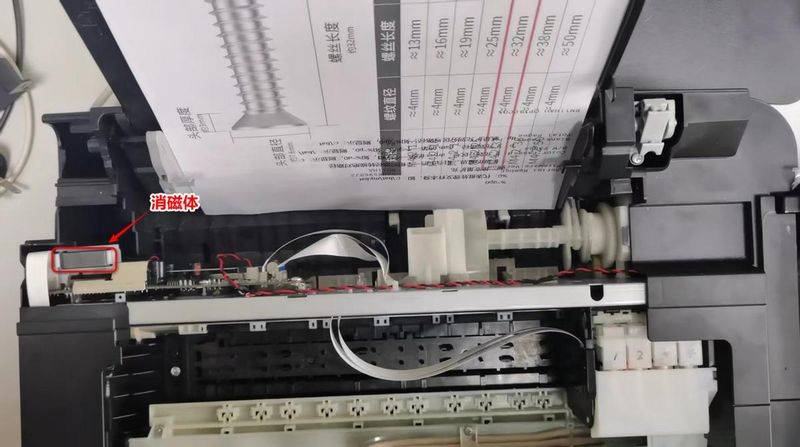
6. Remove the scanner。
7. The position below can see a fixed screw, wrenching it down, then pushing the white paper-painting panel to the left and then trying to remove it。
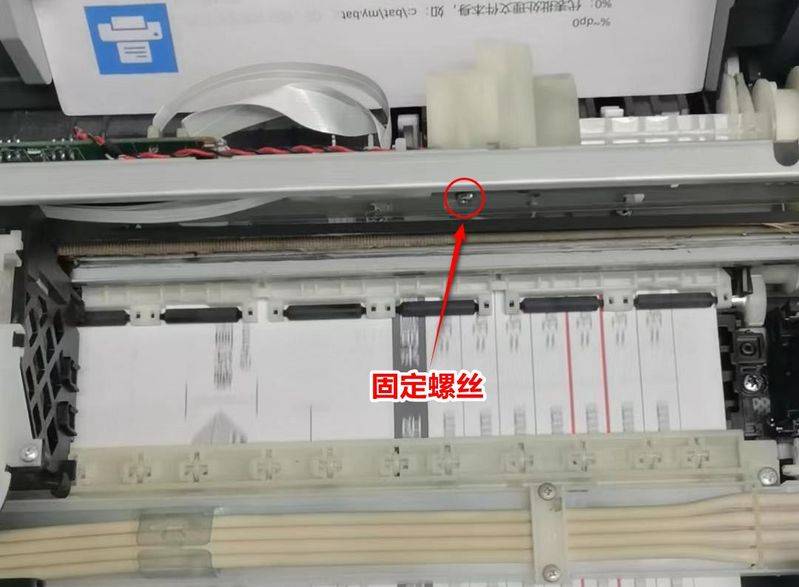
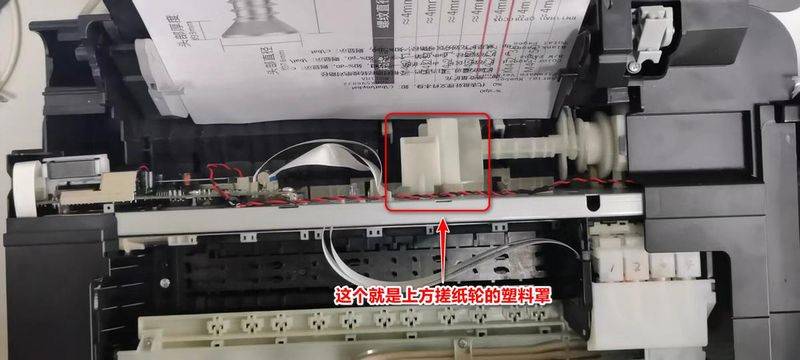
8. It is sufficient to try to replace paper coating (which, if not replaced, can be wiped with alcohol)。
Here's the test effects of printing after maintenance: