At the end of the five long leave periods, it was found that the single reverse lens used on this trip was, more or less, contaminated with dust and oil。
After all, it was a weak, inexpensive optical component, afraid to clean directly with paper, so it was done before it was cleaned up。
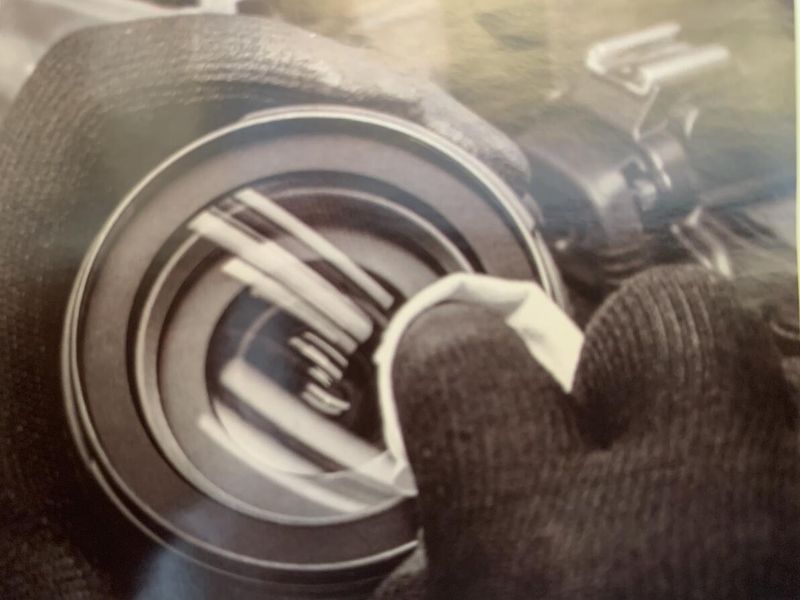
Here are the notes from this one-on-one camera cleanup, for your memos, for your share:
Why do one-way cameras have to be cleaned
In the course of their use, including operations such as the replacement of lenses, a single back camera is inevitably contaminated with dust on the lens and sensors, which not only affect the image quality and paint of the camera, but also over a long period of time, where the dust absorbs water vapour in the air, but also creates an impact point on the sensor or lens, harms expensive sensors and lenses and affects the useful life of the single back camera. As a result, the issue of ccd/cmos is all the more urgent and important。
The self-cleaning system of a single back camera does not clean such dust and requires cleaning by a single back camera brand post at a general cost of 200-300 yuan/minus; general dust or dust and tracers can also clean themselves, taking into account cost and convenience。
Possible problems with unprofessional cleaning tools
The pollution of cameras is mainly dusty, visceral, oily, and sensors, in addition to the first two categories, have metal cutting particles from fast-door movements. Therefore, cleaning tools for these two sensitive areas must be self-cleaning without potential dust contamination in order to be safe, and self-cleaning can be fully accomplished with professional cleaning products and standard operating procedures. The harm done to cameras by unprofessional cleaning tools and unregulated operating procedures tends to be extremely damaging to consumers。
Specific cleaning tools commonly used for self-help cleaning include:
The above cleaning tools can be used in free combination depending on the location of the cleaning。
Whether cmos needs cleaning
Mode to av
Aperture f to f16
Focus mode to mf, focus ring to endless
Exposure compensation to 0, white balance automatic, iso below 200
Take pictures of white paper and see if there's any black spots
If there is a black spot, indicating the need for cleaning, then it will be possible to determine whether or not to clean cmo this time on the basis of serious black point procedures
Body cleaning
Large particles of dust or gravel that blow off the machine with the first breath。
Use a clean brush to sweep the screen, the dust on the machine。
The body and screen are then wiped with a camera cleaning towel and, if there are persistent stains, can be sprayed with a screen cleaner to wipe the body and the persistent stains on the screen。
Specialized cotton tags can be used to clean up the dust, which is difficult to handle in small space and space。
Camera clean
Select a clean area with less indoor dust and wear static gloves。
Take the camera cover lightly and blow it to the large particles of dust and gravel on the camera。
Scratch the dust in the camera with a clean brush。
The camera is placed on the abdomen and the camera is polished gently from the centre by a spiral. If there are persistent stains, they can be used in conjunction with the lens cleaner, and a drop of one to two drop of the lens cleaner can be repeated on a clean camera cleaner。
After the camera has been cleaned, the screen and the fuselage can be cleaned。
When the cleaning is complete, the camera is placed in a secure dry special camera bag or camera storage cabinet under the hood of the air blowing or cleaning camera。
Sensor cleaning
Select a clean area with fewer indoor dust, put on static gloves, set a single back camera in a clean mode, and lock the reflection panel。
Confirms that the single back camera keeps more than 80% of the electricity (no back camera takes the camera directly and the extraction battery is completely out of power with a shake-proof function), takes the camera lightly and takes the camera down to the camera's card opening and uses the air blow to blow the dust and hard particles on the sensor。
The camera card door is up, the vacuum bag of the cleaning rod is closed, the sensor is removed, the sensor's cleaning bar is lightened in part to the surface of the sensor with a 60-degree angle, and the light is wiped from the left to the right, and then the clean side is removed from the right to the left。
In the case of persistent stains, the use of sensor cleaning agents can be matched by a drop of 1-2 drops of cleaning agents on the newly opened tongues, cleaning sensors or reflecting panels with slightly wet tongues and, after cleaning, scrubbing sensors with a newly opened dry cleaning rod to fully absorb possible residual cleaning agents。
Clean up, cover the camera, close the camera. The camera is placed in a secure, dry special camera bag or camera storage cabinet。
Remember not to use door b for cleaning, and clean sensor for door b for working purposes, resulting in electrostatic adsorption of dust。