Transmate is a software that allows users to translate when they are off-grid, allows for translation, layout, etc. Of document contents, enhances office efficiency, harmonizes translations and has a large professional terminology base that allows users to translate documents more easily and efficiently through their powerful functions, avoiding duplication and reducing translation for users。
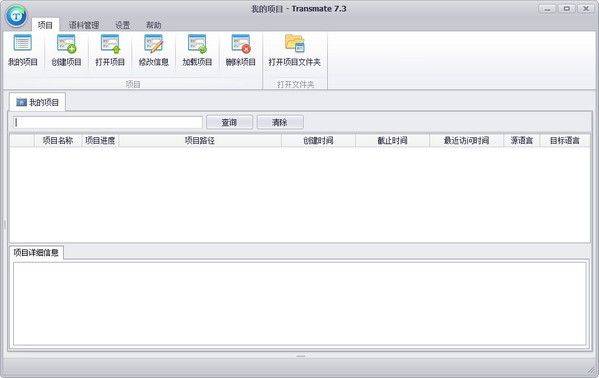
Transmate mono-software features
Free personal use
The single version of transmate translation software provided by good information technology is used on a single machine, free of charge by individuals and can be downloaded by filling in a personal information form.
Translation memory in real time
The same sentences and clips only need to be translated once. The system uses advanced translation memory technology to automate the translation results of users. During the translation process, the system conducts rapid analysis and comparison of content requiring translation through an original search engine, which searches the memory library instantaneously, without having to translate the same sentence twice. The reuse of historical material not only improves translation efficiency but also achieves accuracy and harmonization of translation results, while reducing costs and saving time. A similar sentence, segment system automatically gives suggestions for translation and reference translations, and users can complete the translation process with minor modifications or even choose automatic matching replacements, obtain translation results directly, avoid duplication of effort and increase efficiency。
Auto layout
Generally speaking, most of the requested manuscripts are translated in a format that is consistent with the original language. The layout would require two documents in original and two in translation. When the original language is imported and the translation is translated separately, the software analyses the format of the imported original text and then loads the data in the translation to make the translation consistent with the format of the original text in terms of font, font, colour, line spacing, etc。
Export bilingual or target language files
Some clients require translations only, while others require translations that correspond to the original language. To complete this work in a simple and expeditious manner, the software offers the option of preserving two types of documents: bilingual comparisons and translations. When a translation is completed, you click to save or use the shortcut to save the translation. If you need to save a version of the original text against the translation, select save bilingual in the file menu。
Custom database
In addition to using terminology databases provided by transmate, users can import their own accumulated vocabulary into the database. Only a list of previously accumulated vocabulary, such as excel, txt, can be imported into the database and generated for preservation。
Customised databases can also be generated by memory files, which automatically store information when the translation of a manuscript is completed, and if these are to be imported into the database, it is only necessary to click on the translation memory file in the database option。
Transmate mono-software functionality
1 word translation, basic translation dictionary software
2. Document translation functionality, which allows users to upload documents requiring translation to the software, which can translate the content of the document
3. Translation preview, which allows the original language to be displayed in the translation, thus making it easier for users to modify the translation content
4. Fuzzy translation functions. If there are more similar statements in text, software alerts users
5. Spellcheck function. If there is a spelling error in a word in an article, the user is prompted by a red line
6. Detailed checking of the functionality, which will be reviewed by the software after the initial translation
Export control documents: a single version supports the export of cross-references and pure translations。
8. Comprehensive language library management: local terminology library memory can be managed without functional limitations。
Supporting import and export of trados memory library: a single version compatible with the trados memory library, allowing access to tmx and sdltm and export of tmx。
Transmate language
Open, first create an item, then all the operational prerequisites are under this item, including translation of documents, and multiple documents can be translated under the same item
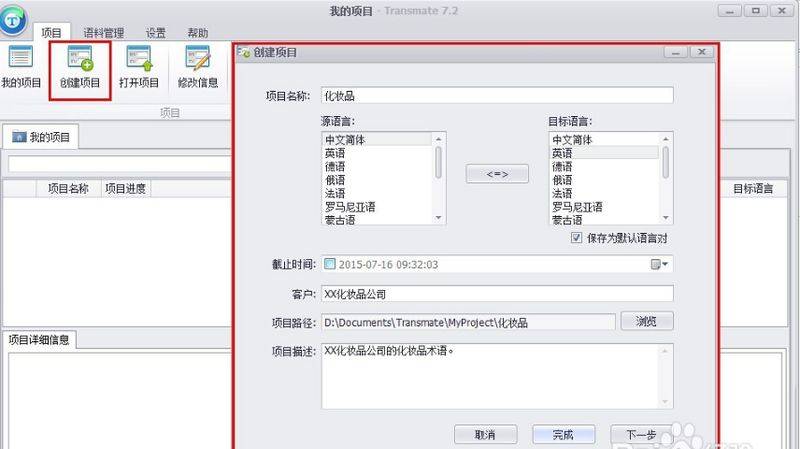
If you want your own manual interpreter to jump to seven steps, if you need a machine interpreter, you can continue with this step
Set api interface parameters
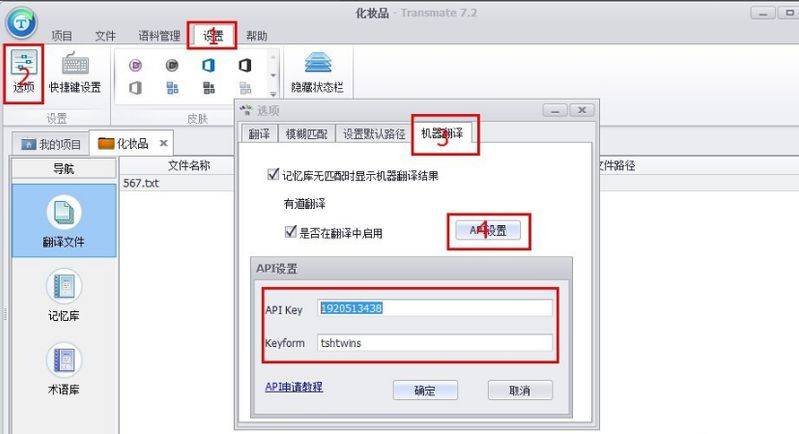
Click settings - options - machine translation - api settings
The api key and keyform parameters here are obtained by the following steps
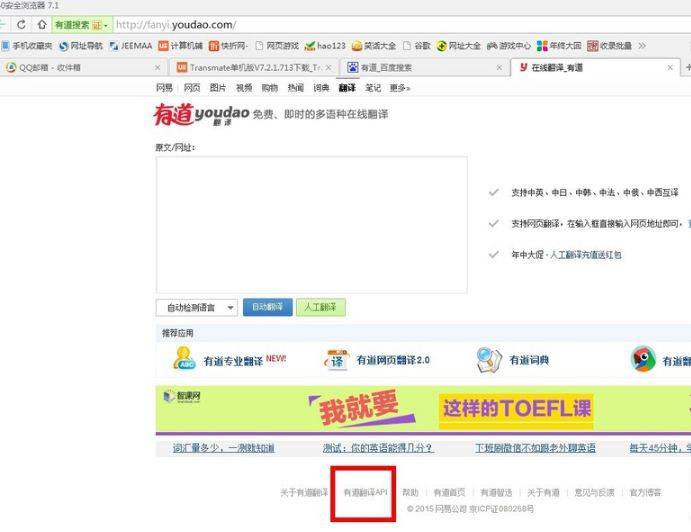
100-degree search for a translator, landing net, click "api" at the bottom of the page
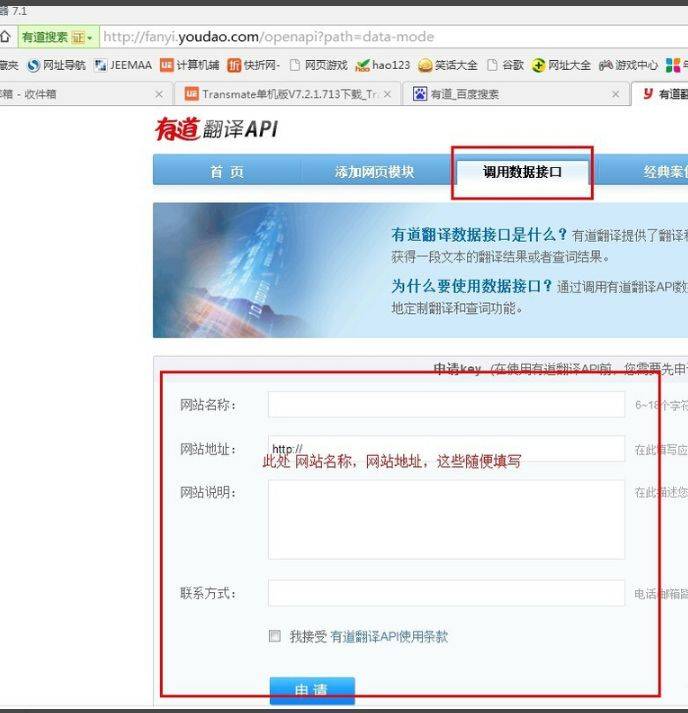
Click to call the data interface and fill out website names, website sites, etc
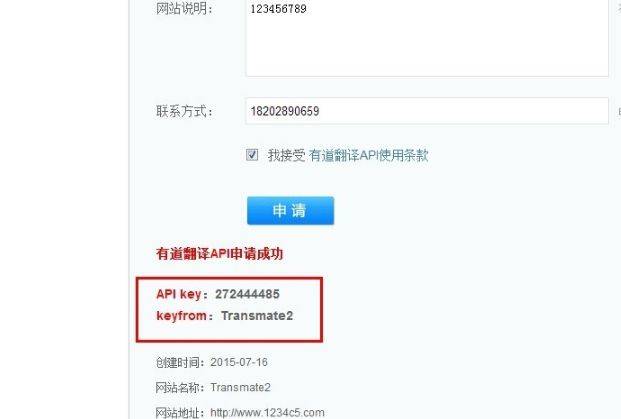
Api key and keyform parameters can be obtained upon application and filled in with api parameters in
Open created items, then import files that need to be translated, while editing files that need to be translated
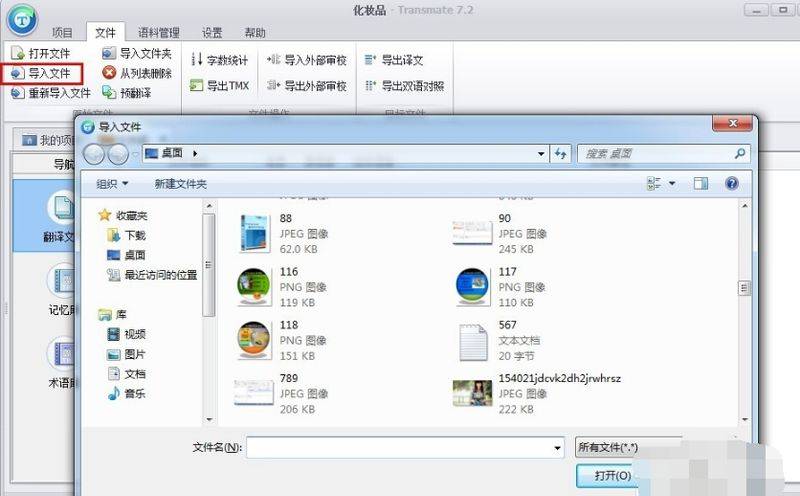
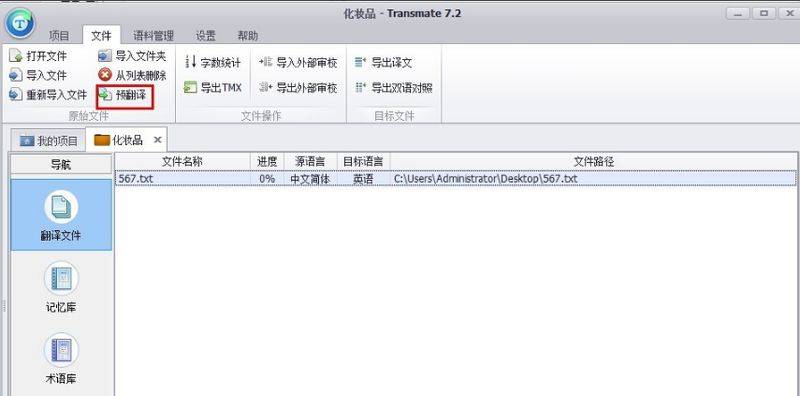
Select the file to be translated, click on the pre-translation and double-click the file to open
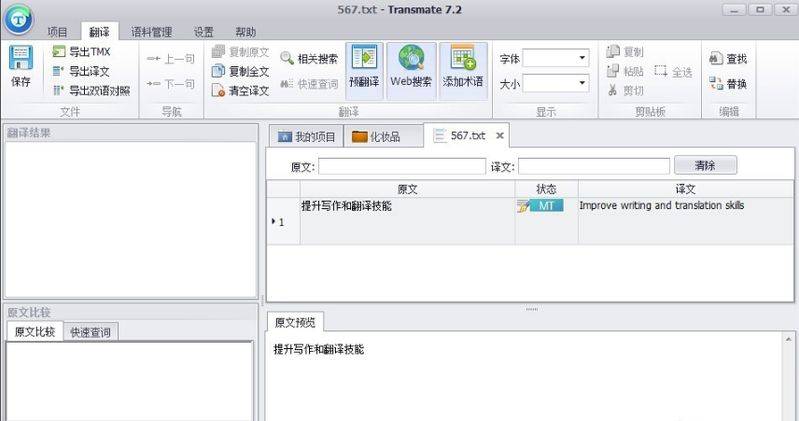
Double-click to open the file, or right-click to open the translated file
Transmate monophone update log
Increased support for korean
2. Additional paragraph numbering for the translation interface
3. Activate the translation box of the line activated before the filter is cleared
4. Increased status-based screening of translation interfaces select
5. Batch confirmation and bulk clearing of translations
6. Do not import hidden text
7. Automatically remove empty rows and cells when bilingual alignment breaks the merging paragraphs
8. Machine translation of selected parts of the text
9. The quick word search results added the selected text to the translation area
10. Requiring memory entry limit settings
11. Increased support for sdltm and for sdltb
12. Filter style tags when importing tmx
13. Word export crosses with soft return
14. Auto-filtration styles in the translation bar, only plain text