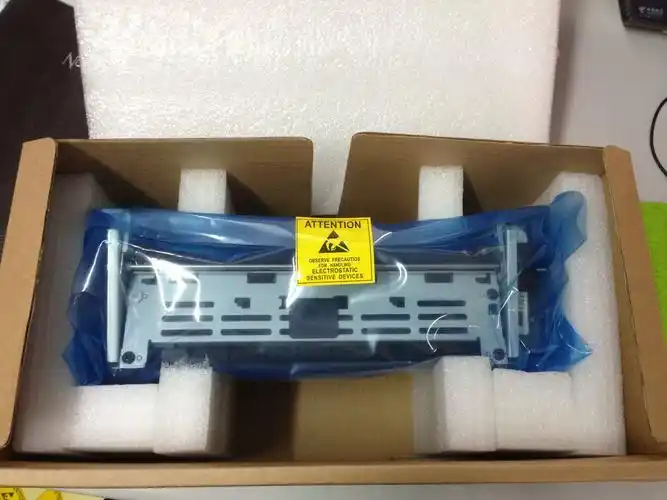
Overview of laser printer 01
Laser printers, which constitute high-tech printing equipment for laser scanning, electronics and electrostatic imaging, have become an integral part of the peripheral equipment of computers by virtue of their excellent printing speed, quality, high resolution and low noise. With the rise of network printers, the use of laser printers in areas such as office automation, printing, publishing and scientific research has grown. Next, we'll look at possible laser printer failures and the corresponding maintenance methods。
02 common malfunctions and resolution
Fault one
Problem: images printed by laser printers appear black and white, and problems persist even if the selenium drums are replaced and parts are cleaned。
Method of correction: the failure was detected as a result of a problem with the optical component. In order to address this problem, it will be necessary to open laser printer casings, remove black plastic boxes, carefully wipe the reflections of multiple mirrors with clean lens paper and clean several optical lenses. Upon completion of these steps, the removed plastic boxes will be restored and the wired card plugins will be properly installed. Once re-opened, the print will become full。
Fault two
Problem: quantified st laser printers frequently suffer from the failure of heating lights, which result in the machine not working properly, with only one power light on。
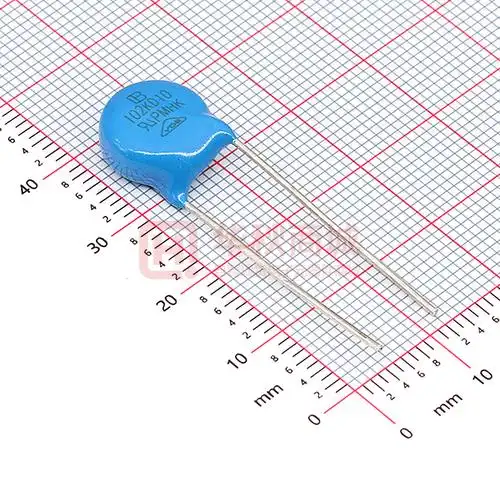
Method of overhaul: after careful examination, it was found that the failure was not caused by the acetographer, power or small relay, but rather that 102 j small resistance in a small box next to the power box was in poor contact with the circuit board. As the circuit boards were two-sided and required two-sided welding, the failure was resolved by repairing them with electrochromic iron. It is worth noting that, in some cases, unheated lamps may also be one-way controlled silicon malfunctions in the power control component. In addition, the failure of the fixtures, heat-sensitive electrical resistance and thermal protections is common and, if replaced, measurements should be made of whether they are burned, whether they are in good heat-sensitive electrical resistance and whether the heat-protectors are open。
Fault three
Question: the heating light for the canon bxii laser printer is sometimes on and off, affecting use。
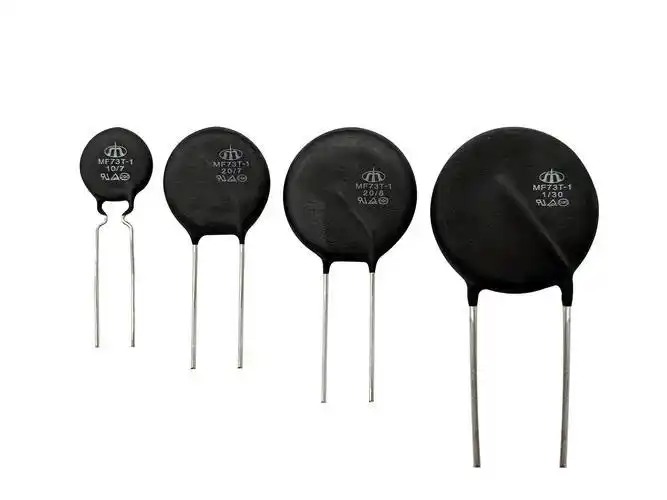
Method of overhaul: when the heating light is not on, a one-size-fits-all watch should be used to check whether the line connects and the line is broken. Since the fixed parts of the bxii and kt laser printers are active and connected to the mainframe, electrical cables are often broken off easily. Thermally sensitive electrical resistance may be problematic when the heating lamps are not on, but when cooled. At this point, the replacement of new heat-sensitive electrical resistance will solve the problem。
Fault four
Question: canon lbp laser printer output images are light and difficult to identify。
Method of correction: in response to this problem, an attempt is made first to adjust the contrast button to the maximum, but the print of the output remains unclear. The mirrors were then checked for stains and the reflection mirrors and focus lenses were polished with alcoholic cotton balls, but the malfunctions remained. Subsequently, the reprinting of electrodes was checked for normality and cleanness, but problems remained. Finally, the powder box is charged with wires and high-pressure and high-pressure interfaces, which, after confirming that there are no anomalies, indicates that the failure is unrelated to the electrodes. Further in-depth examination, we found that a spring sheet in the sensitivity switch in the laser-driven circuit had broken. It was this failure that prevented the complete closure of the printer while working that caused the problem. With the replacement of a new spring, the malfunction was effectively addressed。
Fault five
Question: suspended heating anomalies。
Method of overhaul: we're experiencing a problem with thermal heat disorder with regard to an energy laser printer. This can be seen in the fact that when the power signal is activated, the preparation/waiting light goes off at once, and the scintillator does not heat up once, sometimes at all。
Based on these failures, we initially suspect that the acetogram heater itself is a problem or that its exposure is poor. For further confirmation, we removed the parts of the acetogram heater and used the one-size-fits-all meter for electrical resistance testing, which showed that both ends were normal. Then we tested heat-sensitive electrical resistance, temperature sensors and protected circuits, and none of them found abnormalities. Finally, we checked the control interface circuit on the master plate and found no problems. Having ruled out the above possibilities, we turned to the heat drive circuit inspection and found that there was a problem with the controlled silicon. With the replacement of a new controlled silicon, the accelerator was restored to normal work, thus successfully resolving the malfunction。